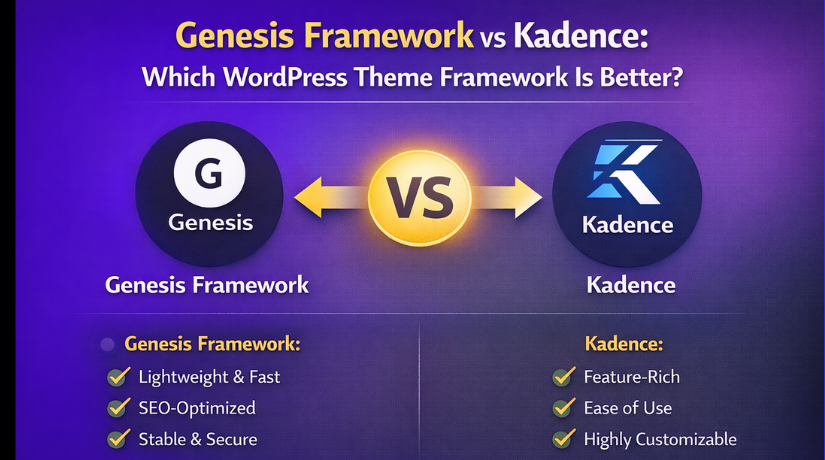
Genesis Framework vs Kadence: Which WordPress Theme Framework Is Better?
Table of Contents
- Introduction
- What is Kadence Framework?
- What are the Key Features, Pros and Cons of Kadence Themes?
- What is Genesis Framework?
- What are the Key Features, Pros and Cons of Genesis Framework?
- What’s the Difference Between Genesis Framework and Kadence?
- Why Choose Kadence?
- Why Choose Genesis?
- Final Verdict
Introduction
Choosing the right foundation for your WordPress website is one of the most important decisions you’ll make. Your choice affects speed, design flexibility, development workflow, and long-term maintenance. Two names consistently come up in conversations about quality WordPress frameworks: Genesis and Kadence.
Both have earned strong reputations, but they represent different eras and philosophies in WordPress development.
Genesis Framework has been a cornerstone of the WordPress ecosystem for over a decade. Developed by StudioPress (now part of WP Engine), it powers hundreds of thousands of sites with its emphasis on clean code, SEO optimization, and security. It’s been recommended by WordPress founder Matt Mullenweg, Google’s Matt Cutts, and Yoast’s Joost de Valk. As of March 2026, Genesis holds approximately 4.68% market share among WordPress themes.
Kadence Theme represents the new generation of WordPress themes. Developed by Kadence WP, it has grown rapidly to capture 4.60% market share—nearly neck-and-neck with Genesis. Kadence takes a modern, block-first approach with deep Gutenberg integration, visual design tools, and performance optimization built-in.
This guide provides a comprehensive, unbiased comparison of Genesis Framework and Kadence in 2026. You’ll learn about their key features, strengths, limitations, and ideal use cases. You’ll see detailed comparisons of performance, WooCommerce capabilities, pricing, and development approaches.
By the end, you’ll know exactly which framework fits your specific needs.
What is Kadence Framework?
Kadence is a modern, lightweight WordPress theme framework developed by Kadence WP. It has gained significant traction since its release, now holding 4.60% market share among WordPress themes.
Kadence is built around a “block-first” approach. It embraces the WordPress Block Editor (Gutenberg) rather than forcing users into proprietary page builders. The framework gives you visual design tools while keeping code clean and performant.
The philosophy is simple: you shouldn’t have to choose between speed and features. Kadence delivers both through intelligent architecture—loading CSS and JavaScript only when needed, using vanilla JavaScript instead of jQuery, and providing design controls without bloat.
Kadence has become a favorite among developers, agencies, and site owners who want professional results without sacrificing performance. It’s particularly strong for WooCommerce stores, blogs, and business sites.
Free vs Pro Model
- Kadence offers a generous free version available from WordPress.org.
- The free theme includes global color palettes, typography controls, a drag-and-drop header builder, and WooCommerce integration.
- The Pro version ($69-$299/year) adds advanced features like Hooked Elements, conditional headers, mega menus, and enhanced WooCommerce controls.
What are the Key Features, Pros and Cons of Kadence Themes?
Key Features of Kadence
- Block-First Architecture: Kadence is built specifically for the WordPress Block Editor. It doesn’t rely on proprietary page builders, which means your content remains portable and future-proof.
- Header and Footer Builder: The drag-and-drop header builder is one of Kadence’s standout features. You get three rows (top, main, bottom) with independent mobile and desktop configurations. Drag widgets, logos, menus, buttons, social icons, and search bars anywhere.
- Global Color System: Define your brand colors once, and they propagate throughout your entire site. The system includes 12 customizable colors with recent updates adding notification colors, accent complement, and fluid typography clamp settings.
- Performance Optimization: Kadence generates minimal CSS, loads assets conditionally, and uses vanilla JavaScript (no jQuery dependency). The default starter template transfers just 120-180 KB with no caching . Users consistently achieve 90+ PageSpeed scores.
- Hooked Elements (Pro): Insert any content anywhere with conditional logic. Control placement before/after any element, display conditions based on pages, post types, or user roles, and device targeting.
- WooCommerce Integration: The free version includes basic product styling. Pro adds sticky add-to-cart, AJAX cart with popup, custom shop page layouts, and variation swatches.
- Mega Menu Support (Pro): Build full-width dropdown menus with columns, background options, and highlight labels—all without separate plugins.
- Dark Mode Toggle (Pro): Built-in color palette switching lets visitors toggle between light and dark themes.
- Starter Templates: AI-powered templates with global color integration. Import complete designs that work with the block editor.
- Kadence Blocks Integration: The companion plugin adds 25+ blocks including advanced headings, forms, tabs, accordions, countdown timers, and popups.
Pros of Kadence
- Exceptional Speed: Performance testing shows Kadence scores 92/100 with minimal configuration. The theme loads only what you use, keeping page weight low and Core Web Vitals high.
- Generous Free Version: Features that competitors lock behind $99+ paywalls are available free: global colors, typography controls, header builder, and WooCommerce integration.
- No jQuery Dependency: Kadence uses vanilla JavaScript, eliminating a major bottleneck for Interaction to Next Paint (INP) metrics.
- Powerful WooCommerce Features: The built-in Shop Kit functionality (swatches, catalog mode, sticky add-to-cart) often replaces multiple third-party plugins.
- Hooked Elements Transform Workflows: The conditional content system eliminates the need for custom PHP or separate plugins for banners, CTAs, and targeted content.
- Block-First Future-Proofing: Content created with Kadence is standard HTML, not proprietary shortcodes. You can switch themes later without breaking layouts.
- Active Development: Regular updates with meaningful feature additions (like dark mode and expanded color systems).
- Strong Documentation and Community: 50,000+ member Facebook group, active forums, and growing knowledge base.
- Accessibility Compliance: Built with accessibility standards in mind, including skip links and semantic HTML.
- Scalable for E-commerce: Handles small to mid-sized WooCommerce stores well with proper hosting.
Cons of Kadence
- Learning Curve for Advanced Features: Elements and conditional headers require time to master. New users may find the power overwhelming.
- Smaller Template Library than Astra: While quality is high, the quantity of starter templates lags behind some competitors.
- Support Response Times Can Lag During Peak Periods: The support team is smaller than Astra’s or GeneratePress’s, which shows during busy periods.
- Documentation Organization Could Improve: Articles can be scattered; finding specific information sometimes requires multiple searches.
- No White-Labeling Option for Agencies: Unlike some competitors, Kadence doesn’t offer white-label capabilities.
- Third-Party Page Builder Not Recommended: While Kadence works with Elementor, using it defeats the theme’s performance advantages. The native tools are better.
- Editing Access Can Be Too Broad for Teams: Without careful role management, multiple editors can create design inconsistencies.
- Pro Features Add Up: Building a fully-featured site with Kadence Blocks Pro, Shop Kit, and Conversions pushes the Plus plan to $169/year.
What is Genesis Framework?
Genesis Framework is a legendary WordPress theme framework developed by StudioPress, now part of WP Engine. With approximately 4.68% market share, it has powered hundreds of thousands of websites for over a decade.
Genesis is built around clean, standards-compliant code and security. The framework provides a rock-solid foundation, with child themes handling the visual design. This separation of concerns means you can update your design without touching the core framework, and framework updates won’t break your customizations.
The philosophy prioritizes security, SEO, and developer control over visual flashiness. It’s built for sites where reliability matters more than trendy design features.


Genesis is now tightly integrated with WP Engine hosting. The WP Engine platform is optimized for WordPress with built-in caching, CDN, and security. WP Engine plans include Genesis Pro automatically.
What are the Key Features, Pros and Cons of Genesis Framework?
Key Features of Genesis
- Clean, Standards-Compliant Code: Genesis is written to the highest coding standards with no errors. This clean foundation makes sites fast and search-engine friendly.
- Built-in Schema Markup: The framework automatically adds rich snippets to your content, helping search engines display enhanced results. This built-in SEO advantage often eliminates the need for separate schema plugins.
- Child Theme Architecture: Design and functionality are separated. Child themes handle appearance; the framework handles the foundation. Updates never overwrite your customizations.
- 40+ Professional Child Themes: Genesis Pro includes access to the complete StudioPress collection. Themes for every niche: business, magazine, e-commerce, portfolio, and more.
- SEO Settings Built-In: Comprehensive SEO controls are included directly in the framework, potentially eliminating the need for a separate SEO plugin.
- Security-First Design: The code is resistant to hacking, with regular security updates. When combined with WP Engine hosting, security is enterprise-grade.
- Automatic Theme Updates: Child themes update automatically (if configured), and the clean code ensures updates won’t break your design.
- Open Graph Compatibility: Genesis automatically detects Open Graph plugins and uses their data, maintaining compatibility.
- Developer-Friendly Hooks: The framework includes extensive action and filter hooks, giving developers precise control over functionality.
- SEO Expert Endorsement: Recommended by Yoast’s Joost de Valk, Google’s Matt Cutts, and WordPress founder Matt Mullenweg.
Pros of Genesis
- Rock-Solid Reliability: With over a decade of development, Genesis is battle-tested on hundreds of thousands of sites. It simply works, day after day.
- Superior Security: The clean code and security focus make Genesis one of the most secure WordPress frameworks available. Combined with WP Engine, you get enterprise-grade protection.
- Built-In SEO Advantages: The schema markup and clean code give you an SEO head start without additional plugins.
- Child Theme Flexibility: You can completely change your site’s design by switching child themes while keeping all content intact. Framework updates don’t touch your customizations.
- Professional Child Theme Collection: The 40+ StudioPress themes are professionally designed and cover virtually every use case.
- Strong WordPress Industry Endorsements: The recommendations from WordPress, Google, and Yoast carry significant weight.
- WP Engine Integration: The framework runs exceptionally well on WP Engine’s optimized WordPress hosting, with built-in caching, CDN, and security.
- No Vendor Lock-In with Content: Your content remains portable. The framework handles presentation, not content storage.
- Extensive Developer Documentation: For developers who need to extend Genesis, the documentation and hook system are comprehensive.
- Long-Term Stability: Genesis has survived and thrived through multiple WordPress evolutions. It’s not going anywhere.
Cons of Genesis
- Less Design-Focused than Modern Competitors: Genesis prioritizes code quality over visual features. Out of the box, designs are clean but minimal. You’ll need to work to achieve the same visual impact as Kadence.
- Limited Built-In Design Controls: Unlike Kadence’s visual header builder and global color system, Genesis relies more on child theme configuration and custom CSS.
- Steeper Learning Curve for Beginners: The child theme architecture and hook system are powerful but require more technical understanding than modern visual builders.
- WP Engine Dependency for Best Experience: While Genesis works on any host, the full experience (including Genesis Pro) is tied to WP Engine. This can be expensive for smaller sites.
- Higher Cost of Entry: Genesis Pro with WP Engine starts at a higher price point than Kadence’s $69/year.
- Fewer Visual Editing Tools: You’ll likely need a page builder or more custom code to achieve complex layouts that Kadence handles visually.
- Smaller Modern Template Selection: The StudioPress themes, while professional, can feel dated compared to Kadence’s modern starter templates.
- Less WooCommerce Specialization: Genesis works with WooCommerce but doesn’t include the e-commerce-specific features Kadence offers.
- Slower Feature Innovation: As a mature, stable framework, Genesis doesn’t add new features as rapidly as Kadence.
- Outdated Perception: Some users view Genesis as “old school” despite its continued reliability.
What’s the Difference Between Genesis Framework and Kadence?
This table provides a comprehensive comparison of Genesis Framework and Kadence based on 2026 data.
| Comparison Factor | Genesis Framework | Kadence Theme | Better |
| Market Share | 4.68% | 4.60% | Genesis (marginal) |
| Core Philosophy | Clean code, security, SEO foundation | Block-first, visual design, performance | Depends on need |
| Release Year | 2010 | ~2018 | Genesis (longevity) |
| Architecture | Parent/child theme framework | Single theme + optional Pro features | Tie |
| Page Builder Approach | Works with any builder, no native builder | Native block-first with Gutenberg focus | Kadence |
| Built-in Visual Header Builder | No | Yes (drag-and-drop) | Kadence |
| Global Color System | Basic | Advanced (12 colors, notification colors, complement) | Kadence |
| Conditional Content/Hooks | PHP hooks (developer) | Visual Elements (Pro) | Kadence (for non-developers) |
| Built-in Schema Markup | Yes | Basic, relies on plugins | Genesis |
| SEO Settings Built-In | Comprehensive | Minimal, relies on plugins | Genesis |
| jQuery Dependency | Not required | Vanilla JavaScript | Kadence |
| Performance Scores | Excellent (clean code) | Excellent (92/100) | Tie |
| WooCommerce Features | Basic | Advanced (sticky cart, swatches, quick view) | Kadence |
| Child Theme Collection | 40+ StudioPress themes | Starter templates | Genesis (quantity) |
| Starter Template Modernity | Dated | Modern, fresh | Kadence |
| Free Version | No (requires paid framework) | Yes (generous) | Kadence |
| Pro Starting Price | $59 (single child theme) | $69/year (3 sites) | Genesis (lower entry) |
| Full Pro Suite Price | $360/year (Genesis Pro) | $169-299/year (Kadence Plus/Ultimate) | Kadence |
| Lifetime Option | No | Yes ($899-999) | Kadence |
| WP Engine Integration | Native (included) | No | Genesis |
| Security Focus | Enterprise-grade | Good | Genesis |
| Industry Endorsements | WordPress, Google, Yoast | Growing | Genesis |
| Developer Hooks | Extensive | Good | Genesis |
| White-Label Options | No | No | Tie |
| Ease of Use for Beginners | Moderate (technical) | Easy (visual) | Kadence |
| Support Response | Excellent (WP Engine) | Can lag during peak | Genesis |
| Best For | Mission-critical sites, developers, SEO-focused | E-commerce, visual designers, modern sites | Depends on need |
Why Choose Kadence?
Kadence is the better choice for modern website builders who prioritize visual design, WooCommerce functionality, and block-first workflows.
- For Visual Design Control Without Code
- Kadence’s header/footer builder and global color system give you design freedom that Genesis simply doesn’t offer.
- You can create professional layouts visually without touching CSS.
- The mobile header builder is separate, so your phone navigation doesn’t have to be a cramped version of your desktop menu.
- For WooCommerce Stores
- If you’re building an online store, Kadence is the clear winner.
- The free version includes basic styling, while Pro adds sticky add-to-cart, AJAX cart with popup, custom shop page layouts, and variation swatches.
- Industry analysis ranks Kadence as the strongest e-commerce contender among framework themes for 2026.
- For Block-First Workflows
- Kadence is built for the WordPress Block Editor.
- Your content remains portable HTML, not proprietary shortcodes.
- This means you can switch themes later without breaking layouts.
- The companion Kadence Blocks plugin adds 25+ custom blocks that load CSS and JavaScript only when used.
- For Performance Without Sacrifice
- Kadence delivers 92/100 performance scores without aggressive optimization.
- The theme loads only what you use, keeps page weight under 200 KB on starter templates, and uses vanilla JavaScript instead of jQuery.
- You don’t have to choose between speed and features.
- For Budget-Conscious Starters
- The free Kadence theme includes features that competitors lock behind $99+ paywalls: global colors, typography controls, header builder, and WooCommerce integration.
- You can build a professional site without spending anything.
- For Agencies Building Client Sites
- Kadence Pro’s unlimited site options ($169-$299/year) make it affordable for agencies.
- The Hooked Elements system lets you insert banners, CTAs, and targeted content without custom code.
Why Choose Genesis?
Genesis Framework is the better choice for mission-critical sites, developers, and users who prioritize stability, security, and SEO over visual flashiness.
- For SEO-Focused Sites
- Genesis includes built-in schema markup and comprehensive SEO settings that often eliminate the need for a separate SEO plugin.
- The clean code and semantic HTML give search engines exactly what they want.
- This is the framework recommended by Google’s Matt Cutts and Yoast’s Joost de Valk.
- For Enterprise Security
- If your site handles sensitive data or cannot afford to be hacked, Genesis with WP Engine provides enterprise-grade protection.
- The code is resistant to vulnerabilities, and WP Engine’s infrastructure adds another security layer.
- For Long-Term Stability
- Genesis has powered hundreds of thousands of sites for over a decade.
- It has weathered multiple WordPress evolutions and remains reliable.
- For sites that need to run for years without constant redesign, Genesis provides a stable foundation.
- For Developers Needing Hooks
- The extensive action and filter hook system gives developers precise control over functionality.
- If you need to customize deeply, Genesis provides the hooks to do it cleanly.
- For WP Engine Users
- If you’re already on WP Engine, Genesis Pro comes included.
- You get access to 40+ professional child themes and the rock-solid framework at no additional cost.
- For Sites That Don’t Need Visual Complexity
- If you value clean, fast-loading sites over animated headers and mega menus, Genesis delivers.
- The minimal default designs load quickly and stay out of your content’s way.
Final Verdict
Genesis Framework and Kadence represent two different eras in WordPress development, and the right choice depends entirely on your priorities and use case.
Choose Kadence if you’re building a modern website with visual design control, strong WooCommerce functionality, and block-first workflows. Kadence delivers exceptional speed (92/100 performance scores) while still offering powerful design tools like the drag-and-drop header builder and global color system.
The generous free version lets you start without commitment, and the Pro features (especially Hooked Elements and WooCommerce enhancements) provide agency-level functionality at reasonable prices. For e-commerce stores, Kadence’s built-in features often replace multiple third-party plugins.
Choose Genesis if you prioritize rock-solid stability, enterprise security, and SEO foundation over visual design flexibility. Genesis has powered hundreds of thousands of sites for over a decade with clean code and security-first architecture.
The built-in schema markup and SEO settings give you an advantage without additional plugins. If you’re already on WP Engine, Genesis Pro comes included, making it an excellent value. For mission-critical sites where uptime and security matter more than design trends, Genesis remains the trusted choice.
Both frameworks are excellent. Your decision ultimately comes down to whether you value modern visual workflows and WooCommerce power (Kadence) or time-tested stability and SEO foundation (Genesis).
Have questions before starting with WooCommerce & WordPress? Get support here at WooHelpDesk.



