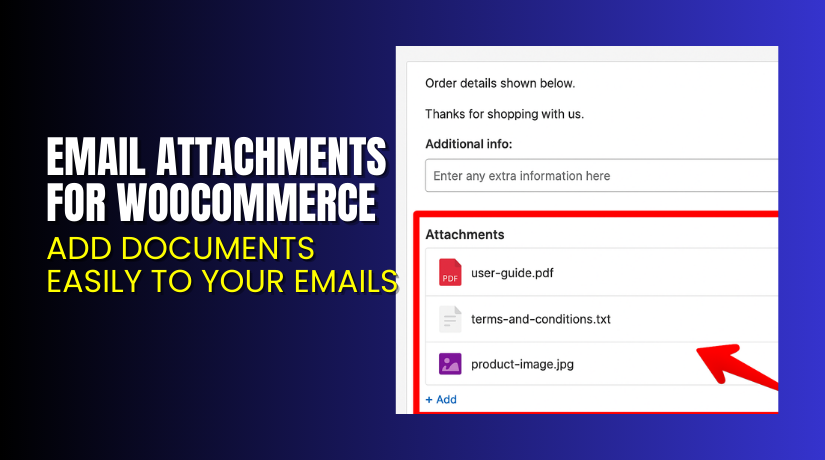
Email Attachments for WooCommerce – Add Documents Easily to Your Emails
Table of Contents
- Introduction
- What is Email Attachments for WooCommerce?
- Key Features of Email Attachments for WooCommerce
- How to Install and Configure Email Attachments for WooCommerce
- Pricing & Plans
- My Experience with Email Attachments for WooCommerce
- Who Should Use This Plugin?
- Final Verdict
- FAQ
Introduction
Running a WooCommerce store involves constant communication with customers. Email is one of the most vital channels. You send invoices, order confirmations, shipping updates, and more. But what if you want to attach PDF invoices, warranty documents, or promotional files?
That’s where Email Attachments for WooCommerce comes in. Many store owners struggle with WooCommerce’s limitations in handling email attachments. You often need to code or use multiple plugins just to send one simple file.
This plugin simplifies the process. Whether you’re managing digital products, legal policies, or promotional flyers, this plugin helps you attach files directly to WooCommerce emails.
In this article, we’ll explore how Email Attachments for WooCommerce solves this problem. We’ll cover its features, installation, pricing, real experience, and why it might be the right choice for your store.
👉 Need help installing or fixing it? Try our Installation & Troubleshooting Services.
What is Email Attachments for WooCommerce?
Email Attachments for WooCommerce is a plugin developed by InoPlugs and sold through the WooCommerce Marketplace. It lets you attach any number or type of files to your WooCommerce emails.
Whether it’s a PDF, image, zip file, or doc, this plugin handles them all. It also supports adding CC and BCC recipients, custom footer notifications, and works with emails generated by WooCommerce and supported extensions.
The plugin is regularly updated and currently on version 3.2.3. It works with WordPress 6.0+ and WooCommerce 8.0+. Over 1,000 active stores are using it.
It also supports WPML, so you can send localized attachments based on the user’s language.
Official Plugin Page: Visit WooCommerce Marketplace
Support Page: Contact WooCommerce Support
Documentation: Email Attachments Documentation
Key Features of Email Attachments for WooCommerce
| Feature | Description | Why It Matters |
| Add Attachments | Attach files to any WooCommerce email type. | Share invoices, policies, instructions, or offers easily. |
| WPML Support | Translate text and attachments by language. | Helps in sending localized content to global users. |
| CC and BCC Support | Add extra email recipients. | Useful for teams or B2B communication. |
| Drag & Drop Order | Rearrange attachment order in emails. | Customize how files appear to recipients. |
| Use Existing Media | Choose files from your media library. | No need to re-upload files. |
| Footer Notifications | Add custom messages about attachments. | Informs customers what’s attached. |
| Plugin Cleanup | Deletes data when deactivated (if you choose). | Keeps your database clean and fast. |
How to Install and Configure Email Attachments for WooCommerce
Here’s how you can install and start using the plugin:
- Download the plugin from the official WooCommerce listing.
- Go to WordPress Dashboard → Plugins → Add New → Upload Plugin.
- Upload the ZIP file and click Install Now.
- Once installed, click Activate.
- Navigate to Settings → Email Attachments.
- Configure which emails should include which files.
- Use the Media Library or upload new files using WordPress uploader.
- Test to ensure emails are sent correctly with attachments.
If you’re using WPML, you can assign language-specific files to different emails.
Tip: Always test emails with attachments to ensure compatibility with your theme and email server.
Need professional help? Try our Installation & Troubleshooting Services
Pricing & Plans
| Plan | Price | Includes |
| 1-Year Plan | $29/year | Full features + updates + support |
- The plugin is billed annually at $29.
- That equals $2.42/month, paid once a year.
- Comes with a 30-day money-back guarantee.
- Includes plugin updates and technical support.
Buy Email Attachments for WooCommerce Plugin →
Buy Email Attachments for WooCommerce Now
Looking to streamline email communication on your store?
✅ Get the Plugin from WooCommerce →
Your purchase helps the developers continue improving the plugin. It also supports content creators like me in providing more tutorials and product breakdowns.


My Experience with Email Attachments for WooCommerce
After testing this plugin on a live WooCommerce store, here’s my personal experience:
Pros
- Easy to set up and use.
- Works well with standard WooCommerce emails.
- Recognizes emails from WooCommerce Subscriptions and Bookings.
- Clean UI with media uploader integration.
- Great compatibility with other plugins.
- WPML support is well-implemented.
Cons
- Limited styling options for attachment footers.
- Doesn’t support conditional logic for attachments.
- Only one pricing tier — no bundle or lifetime plan.
Overall, it’s a simple, no-fuss plugin that solves a specific problem well.
Who Should Use This Plugin?
This plugin is ideal for:
- Store owners who need to send manuals, PDFs, or documents via email.
- Agencies managing multiple WooCommerce clients with compliance needs.
- Beginners who want a plug-and-play email enhancement.
- Digital product stores that want to include extra files post-purchase.
- B2B sellers needing multiple recipients (via CC/BCC).
Useful Resources
Here are official resources to help you use this plugin better:
- Official Plugin Page
- Email Attachments Documentation
- WooCommerce Support Page
- WooHelpDesk Installation & Troubleshooting Services
Final Verdict
If you’re looking to attach important files to WooCommerce emails, this plugin is a smart and affordable choice. It’s lightweight, stable, and integrates well with existing systems.
It won’t overwhelm you with too many settings. It does one job — and does it well.
For just $29/year, you get a full-featured plugin with updates and support. With over 1,000 stores already using it, it’s proven and trusted.
Buy Email Attachments for WooCommerce Now
Need installation help? Use our Installation & Troubleshooting Service.
FAQ
Q1. Is Email Attachments for WooCommerce compatible with all WooCommerce themes?
Yes, it works with most standard WooCommerce themes. Always test before going live.
Q2. Can I use both free and premium versions?
There is only a premium version available for purchase at $29/year.
Q3. How do I get support?
Support is provided through the WooCommerce contact page.



