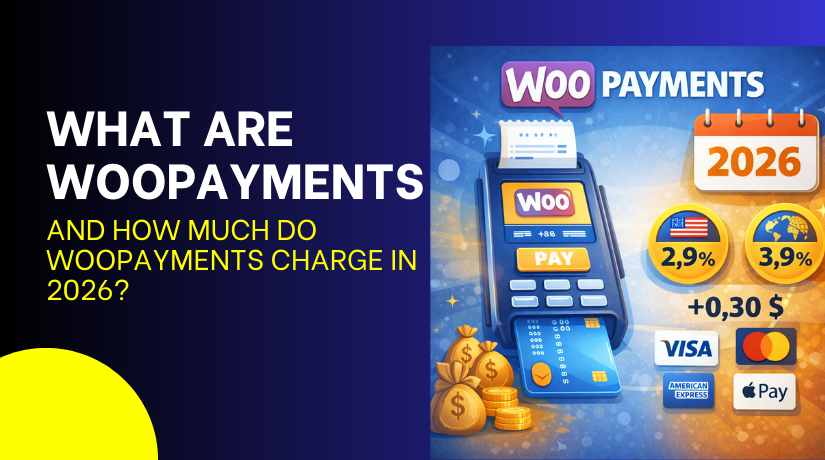
What Are WooPayments and How Much Do WooPayments Charge In 2026?
Table of Contents
- Introduction
- What Is WooCommerce Payments (WooPayments)?
- WooPayments Uses: What WooPayments Are Used For in WooCommerce
- WooPayments Pricing: How Much Do WooPayments Charge in 2026?
- Conclusion
Introduction
In 2026, a smooth checkout helps your store build trust fast. Customers want payments that feel simple and safe. They also expect quick order updates after payment success. If checkout feels slow, many users leave without buying. If payment fails, they may never return again. That is why choosing the right gateway matters today. WooPayments is a popular option for WooCommerce store owners. It is built to work inside WordPress and WooCommerce.
You can manage payments without switching between many dashboards. You can track orders, payments, and refunds from one place. This saves time and reduces daily support work. A simple system also reduces mistakes during busy hours. You can also see payout updates and payment activity quickly. This helps you manage cash flow in a smarter way. Many store owners also like the clean checkout experience. A clean checkout can improve trust and reduce cart drops.
In this guide, you will learn what WooPayments is. You will learn what WooPayments is used for in stores. We will also explain WooPayments fees in simple words. You will understand WooPayments charges and how they can vary. We will cover WooPayments pricing so you can plan better. By the end, you can judge WooPayments cost for your store.
What Is WooCommerce Payments (WooPayments)?
WooPayments is a payment tool made for WooCommerce stores. It helps you accept card payments on your checkout page. It also lets you manage payouts inside your WordPress admin. You do not need to open another payment dashboard often. You can see transactions, refunds, and disputes in one place. WooPayments works best when you want a simple setup. It is also helpful when you want less plugin overload. Many store owners like the native WooCommerce feel and flow. This makes training and daily work much easier. WooPayments pricing depends on your store country and payment type. You should review WooPayments pricing before you go live. This helps you plan the real WooPayments cost early.
WooPayments Uses: What WooPayments Are Used For in WooCommerce
WooPayments is used to accept and manage store payments inside WooCommerce. It helps you collect customer payments, track payouts, and handle refunds. It also supports payment-related tasks without leaving WordPress. Below are the key uses explained in clear points.
- Accept debit and credit card payments WooPayments lets customers pay using cards on your checkout page. The payment process stays smooth and feels trusted. This helps buyers complete orders with fewer issues. It also reduces the need for extra payment plugins.
- Enable faster checkout for better conversions WooPayments can support express payment options in some regions. These options reduce fields and speed up the payment step. A faster checkout helps reduce cart abandonment rates. It also improves the mobile shopping experience.
- Manage payments from the WooCommerce dashboard WooPayments shows transactions inside your WordPress admin area. You can check payment status and match it with orders. This saves time during daily order management tasks. It also keeps the workflow simple for your team.
- Track payouts, balance, and payment activity WooPayments lets you see payouts and available balance clearly. You can review payout dates and payment summaries quickly. This helps you plan cash flow and store expenses better. It also improves reporting for monthly business review.
- Process full or partial refunds easily WooPayments allows refunds directly from the order screen. You can refund full amounts or partial amounts based on needs. This speeds up issue handling and improves buyer trust. It also keeps refund records connected with each order.
- Handle disputes and chargebacks in one place WooPayments shows dispute details inside the dashboard when they happen. You can respond with proof like tracking and order notes. This makes dispute handling more organized and less confusing. It also reduces delays when responding to disputes.
- Support repeat buyers with saved payment details WooPayments can allow customers to save cards for future purchases. This makes repeat orders faster and reduces checkout steps. It can support subscription style buying with the right setup. It also improves customer comfort with future purchases.
- Sell to global customers with multi-currency options WooPayments may support multi-currency features in some locations. This lets buyers see prices in their preferred currency. It helps reduce confusion and improves purchase confidence. It is useful for stores selling across multiple regions.
- Improve payment reporting and visibility WooPayments provides payment reports and insights inside WooCommerce. You can track successful payments and failed payment patterns. This helps you fix checkout issues before they hurt sales. It also supports better business decisions over time.
WooPayments Pricing: How Much Do WooPayments Charge in 2026?
WooPayments does not have “monthly / annual / premium” packages like a SaaS plan. It uses a pay-as-you-go pricing model, meaning no setup fee and no monthly fee for the core plugin.


| Variant | Monthly cost | Annual cost |
| Pricing | $0 | $0 |
| What’s included | Free to get started, no setup cost, no monthly fees; fees are deducted per transaction. | No separate premium tier is listed for WooPayments. Pricing is based on payment method + country. |
Conclusion
WooPayments is a strong option for many WooCommerce store owners today. It keeps payment tools inside your WordPress dashboard for faster work. You can accept card payments and track every transaction easily. You can also manage payouts, refunds, and disputes in one place. This saves time and reduces daily payment confusion for staff. A smooth checkout also improves trust and helps reduce cart drop. WooPayments can support faster checkout options in supported regions. It can also support saved cards for repeat buyers. These small upgrades can improve sales and repeat orders. Still, you should review WooPayments pricing before going live. The final WooPayments cost depends on your store country. It also depends on card type and buyer location.
WooPayments fees can increase with international cards and conversions. WooPayments charges may also apply during disputes or chargebacks. Refund fee rules can also vary by region and networks. That is why checking WooPayments pricing is always important. Start with a safe test setup before full launch. Place a few small test orders and review reports carefully. Confirm payout timing and how fees show in the dashboard. Make sure your refund flow works clean and without errors.
Also test your checkout with different devices and browsers. This helps you find conflicts with themes or other plugins. Once your tests look stable, enable WooPayments on your live store. Keep monitoring reports weekly and adjust methods if needed. If you want help, we can set up WooPayments correctly. We can also review WooPayments fees and checkout performance. This makes your payment system stable, secure, and easy to manage



