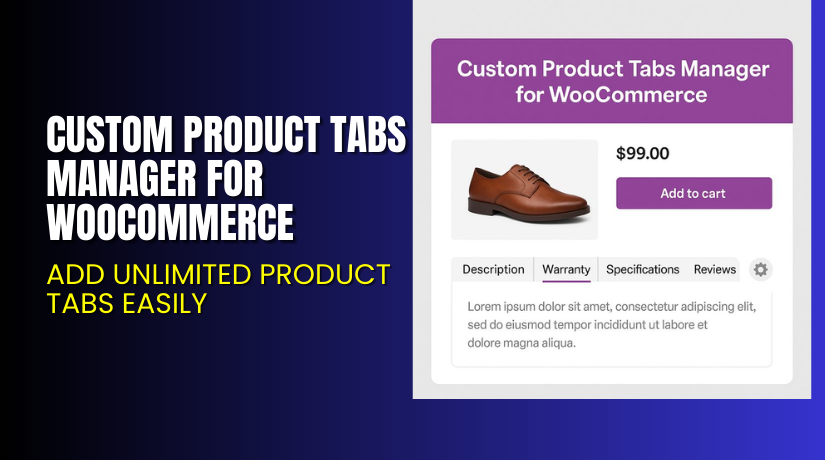
Custom Product Tabs Manager for WooCommerce – Add Unlimited Product Tabs Easily
Table of Contents
- Introduction
- What is Custom Product Tabs Manager for WooCommerce?
- Key Features of Custom Product Tabs Manager
- How to Install and Configure Custom Product Tabs Manager
- Pricing & Plans
- My Experience with Custom Product Tabs Manager
- Who Should Use This Plugin?
- Final Verdict
- FAQ Section
Introduction
Running a WooCommerce store requires flexibility on product pages. But WooCommerce by default only gives you three product tabs — Description, Additional Information, and Reviews.
Most store owners want to add more content. Like FAQs, size charts, shipping info, return policies, or videos. Without coding, this is hard to do.
That’s where Custom Product Tabs Manager for WooCommerce by Addify comes in. This plugin lets you create unlimited tabs for each product — globally or individually. You can add rich content, restrict tabs by user roles, and even customize how the tabs look.
This article will explore what this plugin does, how to install it, key features, pricing, pros and cons, and why it’s a must-have for WooCommerce stores.
If you ever need help installing or configuring this plugin, check out our Installation & Troubleshooting Services.
What is Custom Product Tabs Manager for WooCommerce?
Custom Product Tabs Manager is a plugin developed by Addify. It allows WooCommerce users to add extra product tabs with full customization. The tabs can include text, images, videos, shortcodes, contact forms, and more.
You’re no longer limited to three default tabs. Whether it’s return policies, shipping info, or FAQs — this plugin helps you present key details directly on the product page.
Highlights:
- Add unlimited tabs globally or per product
- Control who sees what using user role restrictions
- Customize each tab’s styling
- Rearrange or rename WooCommerce’s default tabs
This plugin is built for performance and supports multi-site and WPML. It’s available in two paid plans and comes with a 30-day money-back guarantee.
Official Resources:
Key Features of Custom Product Tabs Manager
| Feature | Description | Why It Matters |
| Unlimited Custom Tabs | Add extra tabs to every product or selected ones. | Helps provide detailed product information easily. |
| Global or Per Product Tabs | Apply tabs globally or only on specific products. | Saves time when managing large catalogs. |
| Override Global Tabs | Disable global tabs and add product-specific ones. | Gives flexibility to product-level customization. |
| Tab Styling Options | Customize tab title, icon, background, and text color. | Allows visual consistency with your store’s theme. |
| Role-Based Visibility | Show or hide tabs based on user roles. | Useful for B2B stores or membership-based pricing. |
| Sort/Reorder Tabs | Rearrange default or custom tabs easily. | Ensures important information appears first. |
| Rich Content Editor | Add text, images, videos, shortcodes, and forms to tabs. | Improves engagement and SEO with multimedia content. |
| WPML Compatible | Fully translatable and WPML-ready. | Ideal for multilingual WooCommerce stores. |
| Contact Form 7 Integration | Display forms inside tabs. | Enables FAQs, inquiry forms, or support requests per product. |
| Tab Restrictions | Assign tabs to specific products, categories, or tags. | Reduces clutter and improves relevance for users. |
How to Install and Configure Custom Product Tabs Manager
Setting up the plugin is easy. Follow these steps:
- Buy the plugin from the Addify Store.
- Download the ZIP file after purchase.
- Go to WordPress Dashboard → Plugins → Add New → Upload Plugin.
- Choose the ZIP file and click Install Now.
- After installation, click Activate.
- Go to Settings → Custom Product Tabs.
- Configure tab settings — global or product-level tabs, styling, and restrictions.
If you face any configuration or compatibility issues, please use our Installation & Troubleshooting Services.
Pricing & Plans
All pricing is in USD and comes with a 30-day money-back guarantee.
| Plan | Price | Includes |
| 1-Year Plan | $69/year | 1 year support + 1 year extension updates |
| 2-Year Plan | $110 (save 20%) | 2 years support + 2 years updates |
What’s included:
- Free updates during subscription
- Premium support by Addify
- Access to all features
- No usage limits
There is no free version available.
Buy Custom Product Tabs Manager Now


Ready to enhance your product pages?
→ Buy Custom Product Tabs Manager for WooCommerce – Premium Version
Your purchase helps support future updates and keeps this plugin maintained. It also gives you access to fast, expert support.
My Experience with Custom Product Tabs Manager
After testing the plugin on a live WooCommerce site, here’s what I found:
Pros:
- Easy to install and configure
- Unlimited tabs with styling control
- Works well with most themes
- Lets you manage both global and product tabs
- Great for SEO and content-rich stores
- Excellent documentation and support
Cons:
- No free version
- Layout styles are limited (more templates would be better)
- Does not include drag-and-drop builder for tabs
Who Should Use This Plugin?
- WooCommerce store owners who want to add extra product information
- Shop managers needing role-based content
- Agencies building stores with large catalogs
- Beginners who want to avoid code
- Stores with frequently updated product details
Useful Resources
- Official Plugin Page – Addify
- Documentation & Setup Guide
- Contact Developer for Support
- Installation & Troubleshooting Help
Final Verdict
If you’re looking for a powerful and flexible plugin to manage product tabs, Custom Product Tabs Manager for WooCommerce is worth every dollar.
You can add unlimited tabs, customize them, and even control visibility based on user roles. Whether you manage a large store or a small one, this tool makes it easy to share the right information with the right audience.
→ Buy Custom Product Tabs Manager Premium
Need setup help? Try our Installation & Troubleshooting Services.
FAQ Section
Q1. Is Custom Product Tabs Manager compatible with all WooCommerce themes?
Yes, it works with most WooCommerce-compatible themes. Always test before deploying live.
Q2. Can I use both 1-year and 2-year plans together?
No. You must choose one plan based on your budget and support needs.
Q3. How do I get technical support?
You can contact Addify directly via the Contact Page. They respond quickly and offer great documentation.



