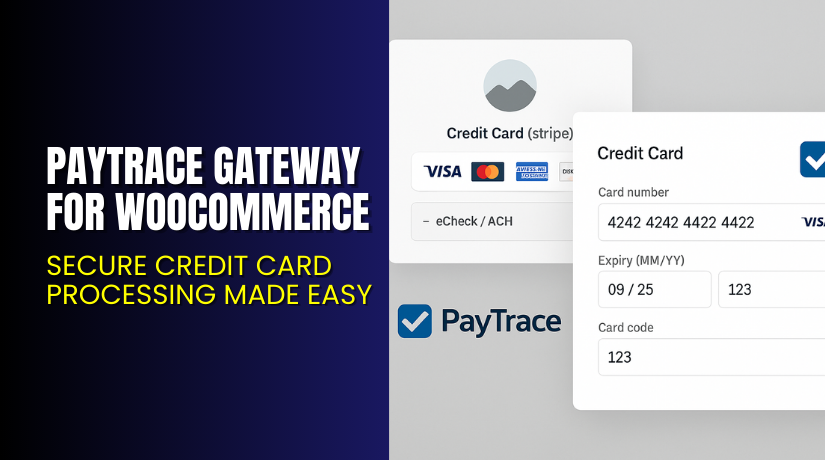
PayTrace Gateway for WooCommerce – Secure Credit Card Processing Made Easy
Table of Contents
- Introduction
- What is PayTrace Gateway for WooCommerce?
- Key Features of PayTrace Gateway for WooCommerce
- How to Install and Configure PayTrace Gateway for WooCommerce
- Pricing & Plans
- My Experience with PayTrace Gateway for WooCommerce
- Who Should Use This Plugin?
- Final Verdict
- FAQ
Introduction
Running a WooCommerce store means balancing security, ease of use, and customer experience. For US-based merchants, reliably accepting credit card and ACH payments is essential. Many plugins offer payment features, but few offer the level of security and integration that high-volume sellers need.
PayTrace Gateway for WooCommerce is built to serve those needs. It provides direct integration with the PayTrace payment platform. The plugin supports card payments, ACH transactions, customer profiles, and even subscription billing. With full support for in-store refunds and captures, it gives merchants complete control.
In this guide, we’ll explore how PayTrace Gateway for WooCommerce works, what it offers, how to install it, pricing options, pros and cons, and who it’s best suited for.
Need help configuring this plugin on your store? Use our Installation & Troubleshooting Services for fast expert support.
What is PayTrace Gateway for WooCommerce?
PayTrace Gateway for WooCommerce is a WordPress plugin that connects your store directly to the PayTrace payment system. It allows you to accept Visa, MasterCard, American Express, Discover, and JCB credit cards. You can also process ACH payments for standard purchases.
PayTrace is a US-based payment platform used by over 24,000 merchants. It is PCI certified and known for its focus on data security and low processing costs.
The plugin integrates via the JSON and POST APIs, giving you advanced features like:
- Subscription support (pause, resume, cancel)
- Refunds and captures from the WooCommerce dashboard
- ACH (eCheck) payment support
- Customer payment profiles
The plugin uses a direct transaction method, so customers never leave your site during checkout. Payments are processed instantly and securely on your own site.
Official Plugin Page: PayTrace Gateway Plugin
Documentation: Official Plugin Docs
Support: Contact Plugin Developer
Key Features of PayTrace Gateway for WooCommerce
| Feature | Description | Why It Matters |
| JSON & POST API Support | Uses latest PayTrace APIs for better control and stability | Ensures smooth, reliable integration |
| Full Credit Card Support | Accepts Visa, MasterCard, Amex, Discover, JCB | Offers flexibility for your customers |
| Subscription Billing | Manage recurring billing, pause, cancel, or change billing date | Ideal for memberships, SaaS, and more |
| eCheck / ACH Payments | Accepts direct bank transfers (ACH) for regular purchases | Reduces processing costs |
| Payment Profiles | Store customer card data securely for future use | Speeds up checkout and improves user experience |
| Refund & Capture Support | Process refunds or capture payments from within WooCommerce | Saves time and improves order handling |
| Direct Transaction Method | Processes payments on your site with SSL encryption | Keeps users on-site and ensures faster checkout |
Note: ACH payments are not supported for subscriptions.
How to Install and Configure PayTrace Gateway for WooCommerce
Here’s how you can get started with the plugin quickly.
- Purchase the plugin from VanboDevelops – PayTrace Plugin.
- Download the ZIP file after checkout.
- Go to your WordPress Dashboard → Plugins → Add New → Upload Plugin.
- Upload the ZIP file and activate it.
- Go to WooCommerce → Settings → Payments.
- Find PayTrace Gateway and click “Manage”.
- Enter your PayTrace username and password.
- Set payment options like transaction mode, subscription behavior, and logging.
- Save changes and test the checkout.
SSL is required, since the payment is processed directly on your site.
Read the full official documentation for detailed setup instructions.
Need assistance with this? Use our Installation & Troubleshooting Services.
Pricing & Plans
PayTrace Gateway for WooCommerce is available as a premium plugin. All licenses include 1 year of support and updates.
| $79.00 – $199.00 (exc. VAT) | This range is shown at the top of the page next to the plugin title. |
| 1 year support & updates | Mentioned below pricing. Requires license key activation for benefits. |
Buy PayTrace Gateway Now
Purchase here → Buy PayTrace Gateway Plugin
Your purchase supports the developer and helps continue plugin development and improvements.


My Experience with PayTrace Gateway for WooCommerce
We tested the plugin in a US-based WooCommerce setup with both card and ACH payments enabled.
Pros:
- Simple integration with clear setup steps
- All payments stay on-site, creating a smooth checkout
- Supports both subscriptions and one-time sales
- Refunds and captures are quick and reliable
- Excellent support documentation
Cons:
- ACH payments not available for subscriptions
- Requires SSL (not a con, but necessary to note)
- Slight learning curve for new users
Performance was stable, and response times were fast. No compatibility issues were found with other extensions.
Who Should Use This Plugin?
This plugin is ideal for:
- US-based WooCommerce stores needing secure card payments
- Businesses offering subscriptions or memberships
- Stores wanting to accept ACH / eCheck payments
- Merchants who want to store customer card profiles
- Agencies managing multiple WooCommerce sites
You must have a valid PayTrace merchant account to use this plugin.
Useful Resources
- PayTrace Gateway Official Page
- Official Plugin Documentation
- Developer Contact Page
- WooHelpDesk Installation & Troubleshooting
Final Verdict
If your WooCommerce store is based in the US and you want a secure, powerful way to accept card and ACH payments, PayTrace Gateway for WooCommerce is a smart choice.
It offers direct checkout, strong support for subscriptions, and customer profiles. It also allows refund and capture directly from WooCommerce, making it efficient for order management.
SSL is a must-have, and ACH is limited to one-time purchases. But for credit card processing, the plugin delivers reliability and speed.
Buy PayTrace Gateway Plugin Now: Click here to purchase
Need help installing or configuring the plugin? Use our WooHelpDesk Services
FAQ
Q1. Is PayTrace Gateway compatible with all WooCommerce themes?
Yes, it works with most modern WooCommerce themes. Test thoroughly before going live.
Q2. Can I accept ACH and card payments together?
Yes. You can enable both ACH and credit card options during setup.
Q3. How do I get technical support for this plugin?
You can reach the developer through the VanboDevelops Contact Page.



