How to Fix Chinese and Japanese Text on Google Search Results from WordPress Website
Table of Contents
- Introduction
- What is the Japanese and Chinese Keyword Hack?
- How the Hack Works Technically
- Why It’s Dangerous for WordPress Security and SEO
- Symptoms of a Chinese and Japanese Search Results Spam Hack
- Impact of Japanese and Chinese Keyword Hack on Your Website
- How to Fix Chinese and Japanese Text in WordPress Search Results
- Best Practices to Prevent Future Japanese and Chinese Keyword Hacks
- Conclusion
Introduction
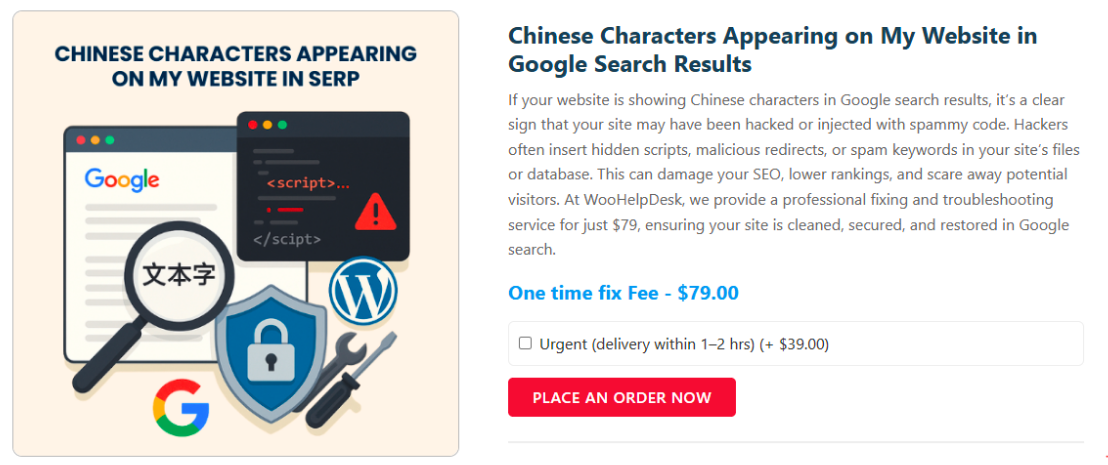
If your WordPress site is displaying Japanese or Chinese characters in Google search results, it’s likely compromised by a specific type of SEO spam attack known as the Japanese or Chinese Keyword Hack. This attack involves unauthorized insertion of spammy content into your website, aiming to manipulate search engine rankings.
What is the Japanese and Chinese Keyword Hack?
The Japanese and Chinese Keyword Hack is a serious SEO spam attack. It targets WordPress, OpenCart, Magento, and Drupal-based CMS websites. Hackers inject auto-generated Japanese or Chinese text into your website. This creates hidden pages that remain invisible to regular website visitors. However, Google bots index these pages, harming your SEO and ranking.The Japanese version is often called Japanese SEO Spam or SEO Poisoning. It may also appear as “known spam detected: spam-seo?japanese.0”. The hack is designed to promote illegal, counterfeit, or grey market goods.
It redirects your visitors or search engine link equity to harmful sites.
How the Hack Works Technically
The Japanese and Chinese Keyword Hack involves multiple technical attack stages. Hackers systematically exploit weak points in WordPress and other CMS platforms. Below, we explain each technical step in simple terms with full clarity.
- Exploiting Vulnerable Themes, Plugins, or Core Files
Hackers scan for outdated plugins, themes, or WordPress versions. They exploit unpatched vulnerabilities to gain unauthorized backdoor access silently. Poor security settings and weak admin credentials also enable easy break-ins. This is the first critical step of any WordPress SEO spam hack.
- Uploading Malicious Scripts and Backdoors
Once inside, attackers upload malware files into your WordPress installation. These can be disguised PHP shells or hidden JavaScript payloads. They modify core WordPress files and create rogue admin user accounts. The goal is persistent access for launching Japanese or Chinese SEO attacks.
- Generating Auto-Injected Spam Pages
The malware generates fake pages stuffed with Japanese or Chinese text.
These pages have random folder names like example.com/a7sdf/fd23/index.php. Each page includes backlinks to illegal product, pharma, or counterfeit product sites. This aggressive WordPress SEO spam hack tactic severely pollutes your domain authority.
- Using Cloaking to Hide Pages from Real Users
The hack uses cloaking, showing different content to bots and users. Visitors see your normal website, unaware of the injected spam pages. However, Google’s crawlers detect and index these fake spammy Japanese pages. This explains why you see Japanese text in Google search results.
- Submitting Rogue Sitemaps and Manipulating Metadata
Hackers may submit fake XML sitemaps containing only spam page URLs. They also inject spammy Japanese keywords directly into your site’s metadata. Google bots crawl these spam-laden sitemaps and index them immediately. The result is widespread WordPress site showing Japanese text in SERPs.
- Redirecting Traffic and Stealing Link Authority
Spam pages redirect users and bots to external malicious affiliate websites. These affiliate links often promote grey-market, illegal, or counterfeit product sites. The hacker siphons off valuable link equity from your legitimate WordPress domain. This can cause your domain to suffer heavy Google ranking penalties.
Why It’s Dangerous for WordPress Security and SEO
The Japanese and Chinese Keyword Hack causes major damage to websites.
It affects SEO rankings, website performance, user trust, and brand reputation.
Below are the main risks associated with this advanced WordPress SEO spam attack.
- Severe SEO Ranking Loss
The hack floods your site with spammy Japanese or Chinese pages. Google detects the low-quality content and penalizes your domain rankings severely. You may lose organic traffic, page visibility, and search engine trust. Fixing WordPress site showing Japanese text in Google search results becomes urgent.
- Google Blacklisting and Malware Warnings
Search engines may label your site as hacked or unsafe for visitors. Users will see scary malware warnings in search results or browsers. This reduces website traffic drastically and damages your site’s online credibility. Many hacked sites are removed from Google’s index after repeated violations.
- Server Overload and Performance Issues
The fake spam pages increase your site’s page count exponentially. This results in high CPU usage and heavy server resource consumption. Your website may load slowly or even crash during high traffic. A compromised WordPress site with Japanese or Chinese spam pages suffers badly.
- User Redirection and Data Theft Risk
Some injected spam pages redirect users to external illegal product websites. Users may also be sent to phishing pages collecting personal login data. This creates severe legal and liability risks for the site owner. Visitors lose trust quickly when redirected to scam or counterfeit product sites.
- Long-Term Reputation and Recovery Challenges
Even after cleanup, regaining search trust takes months of SEO work. Google may continue to show warnings or block indexed spam pages. You may lose hard-earned backlinks, traffic, and customer loyalty permanently. The WordPress SEO spam hack with Japanese text leaves lasting negative impacts.
Symptoms of a Chinese and Japanese Search Results Spam Hack
The Japanese and Chinese Keyword Hack does not always show obvious signs. Hackers hide spam pages to avoid early detection by website owners. However, there are clear warning signals that indicate your site is hacked. You must regularly monitor for these signs to protect your WordPress site. Below are the most common WordPress SEO spam hack symptoms to watch.
- Foreign Language Text in Search Results
Your site may show Japanese or Chinese text in Google search results. These foreign characters appear in page titles or descriptions unexpectedly. Google indexes injected spam pages filled with Japanese or Chinese keywords. This is one of the earliest signs of a serious hack.
- Sudden Increase in Indexed Pages
Use Google Search Console to monitor indexed page count regularly. A sharp, unexplained increase signals the creation of hidden spam pages. Thousands of junk pages are often injected to inflate website footprint. The Japanese keyword spam hack aggressively increases your indexed URLs count.
- Strange or Suspicious URL Structures
Hackers create random directories and page names like /d8fh2/2r3/index.php. These spam pages remain invisible to normal visitors but visible to bots. The junk URLs often target popular search queries and brand keywords. This allows the attackers to manipulate and hijack your SEO rankings.
- Modified Meta Titles and Descriptions
Check source code or SEO plugins for unexpected metadata changes. Hackers inject foreign language keywords directly into meta title fields. Descriptions include affiliate product names linked to illegal counterfeit goods sites. The result is severe brand damage and loss of user trust.
- Website Redirects to Malicious or Spammy Sites
Infected pages redirect visitors to fake stores or dangerous scam websites.Some redirects send users to illegal pharmaceutical or counterfeit product sellers. Redirection can also impact search engine crawlers leading to spam indexing. This tactic is a major symptom of the WordPress SEO spam hack.
- Unauthorized Changes in Google Search Console
Check for new verified users in your Google Search Console account. Hackers may verify themselves and submit rogue sitemaps or spam URLs. This silent takeover allows attackers to control your site’s search visibility. Immediate removal of unknown users is critical to prevent further damage.
- Presence of Unknown Spammy Sitemaps
Hackers create new sitemap files filled only with fake spam links. These sitemaps direct Google to crawl and index hundreds of fake pages. Check your root folder and Search Console for unfamiliar sitemap.xml files. This is a classic sign of a severe WordPress SEO spam attack.
- Creation of Unknown Admin or User Accounts
Regularly review your WordPress admin panel for unauthorized user accounts. Hackers often create fake admins like “admin2” or “testuser” for control. These accounts allow them to regenerate spam pages after cleanups. Deleting suspicious accounts is necessary to stop ongoing spam page injections.
- Unusual Server Resource Consumption
Spam pages and automated scripts consume excessive CPU and memory resources. You may notice sudden server slowdowns, downtime, or hosting suspensions. High resource use is an indicator of background spam page generation. Check server logs for excessive file requests or strange bot traffic patterns.
- Malicious Code or Unexpected Files in Site Directories
Hackers hide backdoors as encrypted PHP, JavaScript, or iframe injections. Check your themes, plugins, and uploads folders for suspicious new files. Common file names include shell.php, cmd.php, or random letter combinations. Presence of these files confirms active infection by the Japanese SEO spam hack.
Impact of Japanese and Chinese Keyword Hack on Your Website
The Japanese and Chinese Keyword Hack can severely affect your website’s SEO, security, and overall performance. Understanding these impacts is crucial for timely detection and remediation.
- Significant Drop in Search Engine Rankings
Hackers inject spammy Japanese or Chinese content into your site, leading search engines to penalize your website. This results in a noticeable decline in your site’s rankings, making it harder for users to find your legitimate content.
- Loss of Organic Traffic
As your site’s visibility decreases due to lower rankings, organic traffic diminishes. Visitors searching for your content may instead encounter spam-injected pages, leading to confusion and reduced trust in your brand.
- Damage to Brand Reputation
Displaying foreign language spam or redirecting users to unrelated sites tarnishes your brand’s credibility. Customers may perceive your site as untrustworthy, leading to a loss of confidence and potential business opportunities.
- Risk of Search Engine Blacklisting
Search engines like Google may blacklist your site upon detecting malicious content, displaying warnings such as “This site may be hacked.” Being blacklisted severely limits your site’s visibility and deters users from visiting.
- Unauthorized Access to Search Console
Hackers often gain unauthorized access to your Google Search Console, allowing them to manipulate sitemaps and submit spam URLs. This unauthorized control enables continuous injection of malicious content, complicating cleanup efforts.
- Increased Server Load and Resource Consumption
The creation of numerous spam pages and scripts increases server load, consuming excessive resources. This can lead to slower website performance, downtime, and even suspension by your hosting provider.
- Compromised Website Security
Malicious code compromises your site’s security, making it vulnerable to further attacks. Hackers can exploit these vulnerabilities to gain deeper access, steal sensitive information, or launch additional attacks.
- Financial Losses
The cumulative effect of reduced traffic, damaged reputation, and potential hosting issues leads to financial losses. Businesses may experience decreased sales, increased costs for remediation, and potential legal liabilities if user data is compromised.
- Time-Consuming Recovery Process
Recovering from a Japanese or Chinese keyword hack is time-consuming, requiring thorough scanning, cleanup, and monitoring. Restoring search engine rankings and rebuilding user trust can take weeks or even months.
- Potential Legal Consequences
If the hack leads to the distribution of malicious content or the compromise of user data, you may face legal consequences. Compliance with data protection regulations becomes a concern, and failure to address the breach adequately can result in fines or legal action.
How to Fix Chinese and Japanese Text in WordPress Search Results
The appearance of Chinese or Japanese text in search results signals trouble. It usually means your website has been compromised by unwanted spam injection. This attack can hurt your search visibility and confuse your site visitors. The good news: you can fix the issue yourself by following steps This guide explains clear, technical actions to fully clean your website. Every step is practical and written for real-world problem solving. Carefully complete each part and restore your website’s safe, normal operation.


- Backup Your Website
Always take a full backup before starting any malware cleanup process.
Include all files and database copies to protect against accidental data loss.
Use a reliable backup plugin or hosting control panel backup function.
Store the backup in a safe location before continuing with any repairs.
- Review Users in Google Search Console
Log in to your Search Console account linked to your website.
Check the “Users and permissions” section for unfamiliar verified owners.
Remove any suspicious accounts added without your knowledge or company authorization.This prevents attackers from modifying your search settings or sitemaps remotely.
- Run a Complete Malware Scan
Install a trusted security plugin or use your hosting security tools.
Scan your website for malware, backdoors, or suspicious file modifications.
The scanner will flag infected files and abnormal behavior for investigation.
Do not skip this step. It reveals where your site was compromised.
- Clean and Verify Your .htaccess File
Access your root folder using FTP or file manager tools.
Open your .htaccess file and search for unknown rewrite rules.
Remove strange redirects or suspicious encoded scripts not placed by you.
Alternatively, restore a clean copy of the file from previous backups.
- Inspect wp-config.php for Hidden Threats
Hackers may modify your wp-config.php to inject malicious commands or scripts.
Open the file and carefully review for odd code or strange variables.
Look for patterns like eval, base64_decode, or gzinflate in the content.
Replace the file with a clean copy if you suspect any tampering.
- Check Recently Modified Files
Connect to your site using SSH or an FTP client program.
Sort all files by last modified date to detect abnormal changes.
Look in wp-admin, wp-includes, and theme folders for newly added scripts.
Investigate any suspicious file names or unusual file types thoroughly before deletion.
- Replace Core, Theme, and Plugin Files
Download fresh copies of WordPress, themes, and plugins from trusted sources.
Delete all old files except wp-content and wp-config.php for safety.
Upload clean versions to replace possibly infected files throughout your installation.
This action eliminates most hidden backdoors or injected malicious scripts safely.
- Clean the Uploads Directory
Examine wp-content/uploads for strange files like .php, .ico, or .js.
These files often hide malware under names resembling image or media files.
Carefully delete any suspicious files not recognized as part of your content.
Do not delete normal images, videos, or documents related to your site.
- Review and Clean Your Sitemap Files
Locate sitemap.xml or sitemap_index.xml in your site’s root folder.
Look for unexpected URLs pointing to unfamiliar or fraudulent web addresses.
Delete unwanted links manually or regenerate a new sitemap from your software.
Re-submit the clean sitemap using Google Search Console to avoid spam indexing.
- Reset All Passwords After Cleaning
Change your WordPress admin, FTP, hosting, and database account passwords.
Use strong passwords with random numbers, symbols, and upper/lowercase combinations. Never reuse any previous passwords that may have been exposed to attackers. Consider enabling two-factor authentication on accounts to further strengthen site security.
- Clean Your Database Manually
Open phpMyAdmin or your database admin tool through your hosting account.
Check for suspicious data in wp_posts, wp_options, and wp_users tables.
Look for strange meta data, hidden links, or unexpected admin accounts.
Remove unwanted records carefully while ensuring you do not damage valid content.
- Reindex Your Clean Site in Google
After all infected content is removed, notify Google to reindex your site.
Use the URL Inspection Tool inside Google Search Console for cleaned pages.
Resubmit a clean sitemap file so Google stops indexing spammy page URLs.
Monitor search results over the next few days to verify successful cleanup.
- Continuously Monitor Your Site
Install monitoring plugins or configure server-side alerts for unusual behavior.
Limit login attempts, block suspicious IPs, and set strict file access controls.
Schedule regular file and malware scans to avoid future hidden spam problems.
Stay current with security updates for WordPress, plugins, and themes always.
- Seek Professional Help if Needed
If the infection seems too advanced, consult experienced website security professionals.
Security experts can perform advanced forensic file audits and thorough deep scanning.
They can eliminate hidden backdoors and strengthen your server and database protections. Hiring professional help guarantees your site will be fully cleaned and secured.
Best Practices to Prevent Future Japanese and Chinese Keyword Hacks
Protecting your WordPress site from future Japanese and Chinese keyword hacks requires proactive security measures. Implementing the following best practices will help safeguard your website against such attacks.
- Regularly Update WordPress Core, Themes, and Plugins
Keep your WordPress core, themes, and plugins up to date. Developers release updates to patch security vulnerabilities. Regular updates reduce the risk of exploitation by hackers targeting outdated software.
- Use Strong, Unique Passwords
Employ complex passwords for all accounts, including admin, FTP, and database. Avoid using the same password across multiple platforms. Strong passwords make it harder for attackers to gain unauthorized access.
- Enable Two-Factor Authentication (2FA)
Implement 2FA for your WordPress admin area and other sensitive logins. This adds an extra layer of security, requiring a second verification step beyond just a password.
- Install a Web Application Firewall (WAF)
Use a WAF to filter malicious traffic and block harmful requests before they reach your site. Firewalls help prevent unauthorized access and protect against common attack vectors.
- Limit Login Attempts
Configure your site to limit the number of login attempts. This helps prevent brute-force attacks by locking out users after a specified number of failed login attempts.
- Regularly Back Up Your Website
Set up automatic backups to ensure you can restore your site in case of an emergency. Store backups in a secure, off-site location to protect against data loss.
- Secure File Permissions
Set correct file permissions for WordPress files and directories to limit unauthorized access. Avoid giving write permissions to sensitive files unless absolutely necessary.
- Remove Unused Themes and Plugins
Regularly audit your themes and plugins, removing any that are no longer in use. This reduces your site’s attack surface and minimizes vulnerabilities.
- Implement SSL/HTTPS
Secure your website with an SSL certificate to encrypt data transmitted between your site and its visitors. HTTPS also boosts your site’s credibility and SEO rankings.
- Change Default Database Prefix
Modify the default database prefix from “wp_” to a custom prefix. This makes it more difficult for attackers to execute SQL injection attacks.
- Use the Latest PHP Version
Ensure your server is running the latest supported version of PHP. Newer PHP versions include security enhancements that protect against known vulnerabilities.
- Disable XML-RPC
If not in use, disable XML-RPC functionality to prevent potential exploitation. XML-RPC can be used by attackers to execute remote commands on your site.
- Protect wp-config.php File
Restrict access to your wp-config.php file by setting appropriate permissions. This file contains sensitive information, and securing it helps prevent unauthorized access.
- Install Security Plugins
Utilize reputable security plugins to enhance your site’s defenses. These plugins offer features like malware scanning, firewall protection, and login security.
- Regularly Scan for Malware
Conduct routine malware scans to detect and remove any malicious code. Early detection helps mitigate damage and maintain your site’s integrity.
- Avoid Using Nulled Themes and Plugins
Refrain from installing pirated or nulled themes and plugins. These often contain malicious code that can compromise your site’s security.
Conclusion
Fixing the Japanese and Chinese Keyword Hack is essential for website safety. This harmful attack injects hidden spam pages and damages SEO rankings. It quietly redirects traffic, steals link authority, and erodes visitor trust. The first step is recognizing the warning signs and acting fast.
Begin by backing up your entire website to avoid accidental data loss. Remove unauthorized Google Search Console users and scan your files thoroughly. Carefully inspect and clean your .htaccess and wp-config.php configuration files. Replace infected WordPress core files, themes, and plugins with clean copies. Check your uploads folder and database for unfamiliar files or content. Reset all passwords, especially admin, FTP, hosting, and database credentials.
After cleaning, submit your site for reindexing in Google Search Console.Closely monitor your site for any suspicious changes or behavior afterward.
To prevent future attacks, maintain strict security measures at all times. Always update WordPress, themes, and plugins to the latest versions available. Use security plugins, limit login attempts, and regularly scan for malware. With consistent monitoring and strong security, your website will remain safe, trustworthy, and protected from SEO spam hacks like these.
Unlock the Full Potential of Your WooCommerce Store!
Don’t let technical hurdles slow your growth. Get 24×7 expert WooCommerce support today. Call +1 888 602 0119 (US & Canada) or start your support plan now with a single click!