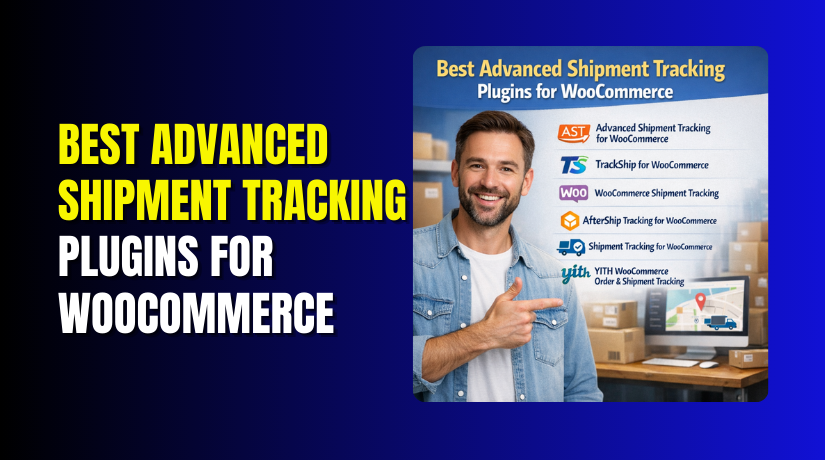
Best Advanced Shipment Tracking Plugins for WooCommerce (Complete Guide)
Table of Contents
- Introduction
- What is the Advanced Shipment Tracking Plugin for WooCommerce?
- Why WooCommerce Stores Need Advanced Shipment Tracking
- Benefits of Using a WooCommerce Shipment Tracking Plugin for Daily Store Operations
- Important Features to Look for in a WooCommerce Shipment Tracking Plugin Before Choosing One
- Features to Look for in a WooCommerce Shipment Tracking Plugin Before You Choose One
- List Of Best Advanced Shipment Tracking Plugins for WooCommerce
- How to Choose the Best Advanced Shipment Tracking Plugin
- Conclusion
Introduction
Running an online store does not end after a customer pays. The real customer experience continues after the order ships. Buyers want clear updates at every step. They want to know when the package leaves. They also want to know when it will arrive. This is where a good WooCommerce shipment tracking plugin becomes very useful. It helps store owners share tracking details in a simple way. It also helps customers feel more confident after purchase. A strong tracking system can improve trust very quickly. It can also reduce confusion during the shipping process. Many growing stores now use Advanced Shipment Tracking WooCommerce tools for this reason. These tools give better control over shipping updates. They also make order communication much easier for both sides. In this guide, you will learn what these plugins do, why they matter, and what features you should check before choosing one.
What is the Advanced Shipment Tracking Plugin for WooCommerce?
An Advanced Shipment Tracking plugin is a tool that adds shipment tracking features to WooCommerce. It helps store owners attach tracking numbers to orders. It also lets customers check shipment progress more easily. WooCommerce already has order statuses like processing and completed. But these basic statuses do not show full shipping movement. They do not tell customers where the package is right now. That is why many stores install a dedicated WooCommerce tracking plugin. This plugin connects tracking details with shipped orders.
In many cases, it also supports carrier links and shipping updates. A good WooCommerce order tracking plugin can show tracking numbers in emails. It can also display tracking information inside the customer account area. Some tools even automate status updates for shipped orders. This saves time for store admins each day. It also creates a smoother post-purchase journey for customers. In simple words, the plugin fills the gap between order completion and final delivery.
Why WooCommerce Stores Need Advanced Shipment Tracking
Clear Shipment Updates Help Customers Feel More Confident
Customers want to know what happens after placing an order. They do not like waiting without any shipping information. A good WooCommerce shipment tracking plugin gives clear updates at each stage. This makes buyers feel more informed and relaxed. It also creates a better shopping experience after checkout.
Better Order Visibility Reduces Customer Confusion
When tracking details are missing, customers often feel confused quickly. They may not know if the order has shipped yet. This creates doubt and weakens trust in the store. An Advanced Shipment Tracking WooCommerce solution solves this problem well. It gives buyers clear order movement and delivery visibility.
Fewer Support Questions Save Time for Store Owners
Many support teams receive daily delivery-related questions from customers. Most of these questions ask for simple tracking updates. A proper WooCommerce order tracking plugin lets customers check this themselves. This reduces repeated support work for the team. It also saves time for more important tasks.
Real-Time Tracking Makes the Store Look More Professional
Real-time tracking updates make your order process look more organized. Customers can see that your store handles shipping seriously. This creates a more professional image in the buyer’s mind. A strong WooCommerce tracking plugin supports this experience well. It helps your store appear more reliable and trusted.
Better Shipping Communication Supports Repeat Purchases
Good communication does not stop after payment is completed. Customers remember how well the store handled delivery updates. If shipping information is clear, they feel happier with the purchase. This increases the chance of future orders. Strong tracking communication supports better long-term customer loyalty.
Advanced Tracking Helps Stores Manage Growing Order Volume
As a WooCommerce store grows, shipping work becomes more complex. Manual updates may no longer be enough for daily operations. Advanced tracking tools help stores manage more orders with less confusion. They also improve order handling speed. This is very useful for growing online businesses.
Order Tracking Improves the Full Post-Purchase Experience
The post-purchase stage is an important part of online shopping. Customers judge service quality during shipping and delivery too. A reliable Advanced Shipment Tracking plugin improves this stage clearly. It keeps buyers informed from shipment to delivery. This makes the full order journey smoother and better.
Multi-Carrier Tracking Makes Delivery Updates Easier to Manage
Many WooCommerce stores use more than one shipping carrier today. Managing separate tracking methods can become difficult very fast. A good WooCommerce shipment tracking plugin brings these updates into one system. This makes tracking easier for store owners and customers. It also supports better shipping control.
Accurate Order Updates Build More Trust in Your Brand
Trust grows when customers receive correct shipping details on time. They feel your store is active, honest, and well managed. This matters a lot in online selling. Better order updates make the brand feel more dependable. Over time, this trust can improve customer retention and satisfaction.
Benefits of Using a WooCommerce Shipment Tracking Plugin for Daily Store Operations
Better Shipment Visibility Builds Stronger Customer Trust
Customers feel more relaxed when tracking details are easy to access. They do not have to guess where the order is. A good WooCommerce shipment tracking plugin gives clear updates after shipping. This makes the buying experience feel more professional. It also helps customers trust your store for future orders.
Fewer “Where Is My Order?” Questions Save Support Time
Many store owners spend too much time answering delivery questions daily. This slows down support work and creates extra pressure. A proper WooCommerce order tracking plugin gives tracking details directly to customers. They can check shipment progress on their own. This reduces repeated support requests and saves valuable time.
Easy Tracking Management Improves Daily Order Handling
Tracking plugins make it easier to manage shipped orders in WooCommerce. Store admins can add tracking numbers in a clear and simple way. Many plugins also organize shipment details inside the order page. This keeps shipping work clean and well managed. It also reduces mistakes during busy order periods.
Automation Helps Stores Work Faster and More Accurately
Manual tracking updates take time and often cause small errors. A strong WooCommerce tracking plugin can automate parts of this process. It may update order status, send tracking emails, or connect carrier links. This saves effort for the store team. It also makes shipment updates faster and more reliable.
Better Post-Purchase Experience Increases Customer Satisfaction
The customer journey does not end after checkout is complete. Shipping updates are part of the full shopping experience. A useful Advanced Shipment Tracking WooCommerce solution keeps buyers informed after purchase. This creates a smoother order journey. It also improves satisfaction and makes the service feel complete.
Branded Tracking Communication Keeps Your Store More Memorable
Some tracking plugins support branded emails and custom tracking pages. This keeps your store name visible during shipping updates. Customers stay connected with your brand while waiting for delivery. It looks more professional than sending plain tracking links. This also helps improve brand recall after the sale.
Multi-Carrier Support Makes Shipping Easier for Growing Stores
Many WooCommerce stores use different shipping carriers for different orders. Managing those carriers manually can become confusing very quickly. A good WooCommerce shipment tracking plugin supports multiple carriers in one place. This makes tracking easier for admins and customers. It is especially helpful for stores that are growing fast.
Important Features to Look for in a WooCommerce Shipment Tracking Plugin Before Choosing One
Multi-Carrier Support Helps You Manage Different Shipping Partners
A plugin should support the shipping carriers your store already uses. This is one of the most important features to check first. If the plugin does not support your carrier, it may not help much. Good carrier support makes shipment tracking smooth. It also avoids extra manual setup work later.
Easy Tracking Number Entry Saves Time During Order Processing
Store admins should be able to add tracking numbers quickly and clearly. A good plugin should make this process simple. If adding tracking details feels confusing, daily work becomes slower. A well-designed Advanced Shipment Tracking plugin keeps this task easy. This improves speed and reduces mistakes.
Bulk Update Support Is Useful for Stores with Many Orders
Busy stores often process many shipments in one day. Adding tracking numbers one by one can take too long. Bulk update support helps admins handle many orders faster. This feature is very useful for growing businesses. It improves order handling and saves a lot of manual effort.
Real-Time Shipment Updates Improve the Customer Experience
Customers like to see current delivery progress without delay. Real-time shipment updates make the tracking process more useful. Instead of only showing a tracking number, the plugin may show actual movement. This keeps buyers informed after shipping. It also makes the store look more organized and reliable.
Custom Tracking Links Help with Special or Local Carriers
Not every store uses only major global shipping companies. Some businesses work with local or custom delivery partners. In that case, custom tracking links become very important. A flexible WooCommerce shipment tracking plugin should support this feature. It helps stores match the plugin with their real shipping process.
Multiple Tracking Numbers Support Split Shipments Properly
Sometimes one order ships in more than one package. This is common when products come from different locations. A plugin should support multiple tracking numbers for one order. Without this feature, customers may receive incomplete updates. This can create confusion during delivery.
Branded Tracking Pages Make the Tracking Journey Look Professional
Branded tracking pages help stores keep their identity visible after shipping. Customers can track orders without feeling lost on third-party pages. This creates a smoother experience and supports better trust. It also makes the store look more polished. Branded pages are helpful for stores focused on customer experience.
Email Notification Support Keeps Customers Updated Automatically
A good plugin should send tracking details through order emails. Customers should not need to ask for shipment information later. Email support keeps communication simple and direct. It also helps stores reduce delivery confusion. This feature is essential for better post-purchase service.
SMS or WhatsApp Alerts Add More Convenience for Buyers
Some advanced plugins also support SMS or WhatsApp notifications. These updates are useful because customers often check messages faster than email. This makes shipment communication even stronger. It also gives buyers another easy way to stay updated. For many stores, this adds extra service value.
Regular Updates and Good Support Keep the Plugin Reliable
A plugin should stay updated with new WooCommerce versions. It should also have active support in case problems appear. Old plugins may create errors or stop working correctly. A reliable WooCommerce order tracking plugin should have strong maintenance. This helps protect your store from future issues.
Features to Look for in a WooCommerce Shipment Tracking Plugin Before You Choose One
Multi-Carrier Support Helps You Handle Different Shipping Partners Easily
A good WooCommerce shipment tracking plugin should support many shipping carriers. This matters because not every store uses only one delivery service. Some stores use local couriers, while others use global carriers. A plugin with broad carrier support gives more flexibility. It also makes shipping updates easier to manage as your business grows.
Easy Tracking Number Entry Makes Daily Order Work Faster
The plugin should let you add tracking numbers without confusion. A simple order screen saves time during daily shipping work. This is especially helpful when your team handles many shipments each day. Easy entry also reduces mistakes in customer updates. A strong WooCommerce tracking plugin should make this task smooth.
Bulk Import Support Is Useful for Busy WooCommerce Stores


If your store ships many orders, bulk tools are important. Adding tracking numbers one by one takes too much time. A plugin with CSV import or bulk update options can help a lot. This feature is useful for growing stores and dropshipping workflows. It improves speed and keeps order handling organized.
Real-Time Shipment Updates Improve the Customer Experience
Customers want more than just a tracking number. They want shipment progress and delivery updates without extra effort. Real-time updates help buyers feel informed after checkout. This creates a better post-purchase experience and builds trust. It also reduces support questions about delivery status.
Branded Tracking Pages Keep Customers Connected to Your Store
A branded tracking page helps customers stay on your website. This looks more professional than sending them away to carrier pages. It also gives you more control over the post-purchase journey. Many stores use this feature to improve trust and brand recall. It is a smart feature for customer-focused stores.
Email and Message Alerts Keep Buyers Updated Automatically
A useful Advanced Shipment Tracking plugin should send tracking updates automatically. Email alerts are the most common option. Some advanced tools also support SMS notifications. This helps customers receive shipping information without asking for support. It also makes your order communication more professional and complete.
Multiple Tracking Numbers Help with Split Shipments
Some orders are sent in more than one package. In that case, one tracking number is not enough. A good plugin should support split shipments and multiple tracking numbers. This makes updates more accurate for both the store and the customer. It is very useful for stores selling mixed or large items.
List Of Best Advanced Shipment Tracking Plugins for WooCommerce
These plugins were chosen based on tracking features, automation options, carrier support, and ease of use inside WooCommerce. Some are better for simple order tracking. Others are stronger for branded tracking, automation, and post-purchase workflows. The right choice depends on your shipping process, store size, and how much control you want after the order ships.
#1 Advanced Shipment Tracking for WooCommerce
Advanced Shipment Tracking for WooCommerce is one of the most popular tools for adding shipment details to WooCommerce orders. It helps store owners add one or more tracking numbers, show tracking links in emails and customer accounts, and manage shipping updates more clearly. It is a strong choice for stores that want a dedicated WooCommerce order tracking plugin with room to scale into automation.
Features
- Supports one or multiple tracking numbers per order.
- Adds tracking details to customer emails and My Account pages.
- Includes shipped and partially shipped order status support.
- Offers bulk CSV import for large order volumes.
- Provides REST API support and carrier handling in the Pro ecosystem.
Pros
- Easy to use inside normal WooCommerce order workflows.
- Good fit for both small and high-volume stores.
- Strong email and customer account visibility for tracking data.
- Helpful support for split shipments and better status labels.
- Can expand into advanced automation through AST Pro and TrackShip integration.
Cons
- Some advanced features are available only in the Pro version.
- Full automation depends on paid tools or connected services.
- Carrier auto-detection and richer fulfillment tools are not all in the free tier.
- Stores wanting deep analytics may need extra integration like TrackShip.
- New users may need time to compare free and Pro workflow options.
Download Link: Advanced Shipment Tracking
#2 TrackShip for WooCommerce
TrackShip for WooCommerce focuses on automatic shipment tracking and post-purchase automation. It tracks shipments across 950+ carriers, adds a branded tracking experience, and updates shipment status from shipping to delivery. It is a strong option for stores that want more than a basic WooCommerce shipment tracking plugin and need real-time updates, analytics, and branded customer communication.
Features
- Auto-tracks shipments with 950+ carriers worldwide.
- Offers a branded tracking page on your store.
- Sends shipment and delivery notifications by email and SMS.
- Includes shipping and delivery analytics in the workflow.
- Adds shipment status and delivery details inside WooCommerce admin.
Pros
- Very strong for automation after the order is shipped.
- Broad carrier support is useful for global stores.
- Branded tracking pages improve the customer experience.
- Analytics help stores review shipping and delivery performance.
- Most features can be managed from the WordPress admin.
Cons
- The free plan is limited to 50 shipments per month with basic features.
- Advanced features like SMS and branded pages require paid plans.
- It works best after the store is properly connected and configured.
- Previously shipped orders may need manual triggering for status retrieval.
- Stores needing only simple manual tracking may find it more than they need. This is an inference based on its automation-focused feature set.
Download Link: TrackShip for WooCommerce
#3 WooCommerce Shipment Tracking
WooCommerce Shipment Tracking is the official extension from WooCommerce.com for adding shipment details to orders. It is built to keep things simple. Store owners can add a tracking provider and tracking number, and customers can view those details in emails, order tracking pages, and account pages. It is a practical choice for stores that want a direct and lightweight WooCommerce shipment tracking plugin.
Features
- Adds tracking information to customer emails.
- Shows tracking on the order tracking page.
- Displays shipment details in the customer account area.
- Includes automatic tracking links for major providers.
- Supports custom tracking links when needed.
Pros
- Official WooCommerce extension, so it fits the platform naturally.
- Very simple setup with little configuration required.
- Good option for stores that want basic tracking only. This is an inference based on its plug-and-play positioning and simple feature set.
- Tracking links appear in the main customer touchpoints.
- Custom links help with less common carriers.
Cons
- It is a paid extension, not a free plugin.
- It focuses on simple tracking, not deep automation. This is an inference from the listed feature scope.
- Branded tracking pages are not highlighted as a core feature.
- Advanced shipping analytics are not emphasized on the product page.
- Stores wanting broad post-purchase automation may need a different tool. This is an inference based on the extension’s simpler scope.
Download Link: WooCommerce Shipment Tracking
#4 AfterShip Tracking for WooCommerce
AfterShip Tracking for WooCommerce is built for stores that want shipment tracking, notifications, and branded post-purchase tools in one system. It imports tracking numbers into AfterShip, helps customers track orders from your store, and supports delivery notifications by email and SMS. It is a strong option for stores that want a more advanced WooCommerce order tracking plugin with broader customer communication features.
Features
- Imports tracking numbers into the AfterShip system.
- Supports branded tracking pages and order lookup tools.
- Sends shipping and delivery notifications by email and SMS.
- Includes a dashboard with filters by shipment dates and statuses.
- Shows standardized shipment tracking statuses and delay visibility.
Pros
- Good fit for stores that want more than a basic tracking link.
- Email and SMS notifications improve customer communication.
- Branded tracking tools support a stronger post-purchase experience.
- Dashboard filters make shipment review easier for admins.
- Delay and exception visibility can help service teams respond faster.
Cons
- Some advanced tools depend on the broader AfterShip platform.
- Setup may feel larger than needed for very small stores. This is an inference based on its multi-feature platform approach.
- Users may need to manage features through both WooCommerce and AfterShip workflows. This is an inference based on the plugin importing data into AfterShip.
- Full value usually comes from using its wider notfication and branded tools. This is an inference based on the product positioning.
- Stores wanting only manual tracking entry may prefer a simpler plugin. This is an inference based on its all-in-one tracking focus.
Download Link: AfterShip Tracking
#5 Shipment Tracking for WooCommerce
Shipment Tracking for WooCommerce by PluginHive helps store owners add tracking details, send automatic updates, and manage carrier-based order tracking inside WooCommerce. It supports many shipping carriers and focuses on real-time shipment visibility. This makes it a strong option for stores that want a flexible WooCommerce tracking plugin that works with multiple carriers and keeps customers informed after shipping.
Features
- Adds tracking details directly to WooCommerce orders.
- Sends automatic order tracking updates to customers.
- Shows real-time shipment status visibility.
- Supports 80+ global and regional carriers.
- Centralizes multi-carrier tracking inside WooCommerce.
Pros
- Good carrier coverage for stores using different shipping partners.
- Automatic customer updates improve the post-purchase flow.
- Real-time status visibility makes tracking more useful.
- Works well for stores that want tracking managed inside WooCommerce.
- Helpful for businesses that need more than simple manual tracking. This is an inference based on its real-time and multi-carrier features.
Cons
- It is presented as a Pro product, so cost may matter for some stores.
- Carrier count is smaller than some automation-first tools with 900+ providers. This is a comparative inference from official product pages.
- Some stores may not need this level of carrier support. This is an inference based on smaller store needs.
- Feature depth may require more setup than very simple tracking plugins. This is an inference based on its multi-carrier and status features.
- Buyers looking for a free basic plugin may prefer another option. This is an inference based on the Pro product positioning.
Download Link: Shipment Tracking for WooCommerce
#6 YITH WooCommerce Order and Shipment Tracking
YITH WooCommerce Order and Shipment Tracking is designed to help customers track orders from a dedicated order tracking page. It uses a shortcode so store owners can create a custom tracking page where buyers can enter their email and order ID to view shipment status. It is a useful Advanced Shipment Tracking plugin for stores that want a simple front-end tracking experience with YITH-style WooCommerce integration.
Features
- Lets you create an order tracking page with a shortcode.
- Customers can check status using email and order ID.
- Adds a dedicated settings area in the YITH menu.
- Works as a WooCommerce shipment tracking extension for order visibility.
- Supports a front-end order lookup style workflow.
Pros
- Simple concept that is easy for customers to understand.
- Dedicated tracking page can be useful for stores wanting a clean lookup flow.
- Good fit for stores already using YITH plugins. This is an inference based on the YITH admin integration.
- Front-end lookup can reduce some delivery questions. This is an inference based on the order tracking page feature.
- Shortcode setup gives flexibility in page placement.
Cons
- The official page highlights the tracking page more than deep automation features.
- Broad carrier support is not emphasized on the main product page snippet.
- Advanced analytics are not highlighted in the visible product details.
- Stores wanting branded post-purchase flows may need a more feature-heavy option. This is an inference based on the visible feature scope.
- It may be simpler than what large automation-focused stores need. This is an inference based on the current published positioning.
Download Link: YITH WooCommerce Order & Shipment Tracking
How to Choose the Best Advanced Shipment Tracking Plugin
Check Your Store Size Before Choosing Any Tracking Plugin
Every WooCommerce store has different shipping needs and order volume. A small store may only need simple tracking number support. A large store may need automation, bulk updates, and carrier tools. Choosing the plugin based on store size is a smart step. It helps you avoid extra cost and unused features later.
Match the Plugin Features with Your Daily Shipping Workflow
You should always compare the plugin with your current shipping process. Some stores add tracking numbers manually for every order. Other stores want automatic updates and delivery notifications. A good WooCommerce shipment tracking plugin should fit your real workflow. This makes setup easier and daily use more effective.
Review Carrier Support Before You Make the Final Choice
Carrier support is one of the first things you should check. Your plugin should work well with the shipping services you use. If the carrier is not supported, tracking may become difficult later. A strong WooCommerce tracking plugin should support local and global carriers. This gives your store more flexibility as shipping needs grow.
Compare Manual and Automatic Tracking Options Carefully
Some plugins only let you add tracking details by hand. Others can automate shipment updates, emails, and order statuses. Manual tools may work well for smaller stores with fewer orders. Advanced tools are better for stores with regular daily shipping. Choose the option that saves your team more time.
Check If the Plugin Supports Branded Tracking Pages
Branded tracking pages help customers stay connected to your store. This looks more professional than sending them to outside carrier pages. It also improves the post-purchase experience after checkout. A strong Advanced Shipment Tracking plugin can help with this. This feature is useful for stores focused on trust and branding.
Look for Bulk Update and Multiple Tracking Number Support
These features matter a lot for stores with more shipping activity. Bulk tracking updates help save time during order processing. Multiple tracking numbers are useful when orders ship in separate packages. Without these tools, daily shipment work can feel slower and harder. These features are important for growing WooCommerce businesses.
Review Plugin Support Quality and Update History
A plugin should not only look good on the product page. It should also receive regular updates and active support. This helps the plugin stay compatible with WooCommerce changes. It also protects your store from future errors and conflicts. Good support is a major factor when choosing any plugin.
Compare Free and Premium Versions Before You Decide
Many plugins offer both free and paid plans for store owners. Free versions may work for simple tracking needs at first. Premium versions often include automation, branding, and better shipment tools. You should compare features carefully before spending money. This helps you choose a plugin that gives real value.
Conclusion
Choosing the right shipment tracking solution can improve your store in many ways. It helps customers stay informed after placing an order. It also reduces confusion during delivery and lowers support workload. A good WooCommerce shipment tracking plugin can make your order process look more professional. It can also improve trust, customer satisfaction, and repeat purchases. The best option depends on your store size, shipping method, carrier needs, and budget. Some stores only need simple tracking updates. Others need automation, branded pages, and support for many carriers. That is why it is important to compare features carefully before making a final choice. When you choose the right plugin, you improve both store operations and the customer experience.
Need help choosing the best Advanced Shipment Tracking WooCommerce solution for your store? Want support with plugin setup, carrier configuration, tracking links, or order status flow? WooHelpDesk can help you set up the right tracking system based on your store needs. Whether you want a simple WooCommerce order tracking plugin or a more advanced tracking setup, our team can guide you. We can help with installation, configuration, troubleshooting, and WooCommerce support. If you want to improve your shipping process and give customers better order updates, contact WooHelpDesk today.



