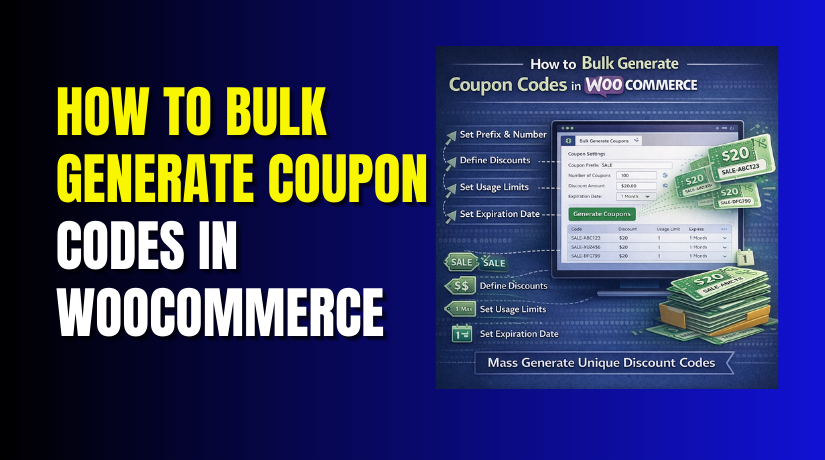
How to Bulk Generate Coupon Codes in WooCommerce (Step-by-Step Guide)
Table of Contents
- Introduction
- Why Many WooCommerce Store Owners Need to Create Coupon Codes in Bulk
- Things to Check Before Bulk Generating Coupon Codes in WooCommerce
- How to Bulk Generate Coupon Codes in WooCommerce (Simple Setup Guide)
- How to Manage Bulk Generated Coupon Codes in WooCommerce
- Common Issues When Bulk Generating Coupon Codes in WooCommerce (And Fixes)
- Conclusion
Introduction
Running offers becomes easier when you manage coupons in bulk. Many store owners now use a WooCommerce bulk coupon generator to save time. It helps create many codes in one process. This method works well for stores with active campaigns. You do not need to build each code by hand. That saves effort and reduces mistakes during setup. When you bulk generate coupon codes WooCommerce, you also improve campaign speed. This is useful during festive sales and customer reward programs.
It also helps when sending offers to many users. If you want to create bulk coupons for WooCommerce, this guide will help. You will learn why bulk coupon creation matters. You will also understand where it fits in store marketing. Many store owners now prefer tools that support WooCommerce to generate multiple coupons easily.
It makes discount planning simple and more organized. A good WooCommerce coupon code generator can help you launch offers faster. It also supports better tracking and cleaner coupon control. If your goal is to generate WooCommerce coupon codes for many users, this process is worth learning. It is one of the easiest ways to improve promotions without extra work.
Why Many WooCommerce Store Owners Need to Create Coupon Codes in Bulk
Save Time During Large Promotions and Big Sale Campaigns
Manual coupon creation takes time when campaigns grow very fast. Creating one code at a time becomes slow and tiring. This is why many store owners prefer WooCommerce mass coupon creation tools. They can prepare hundreds of codes in minutes. That helps during flash sales and seasonal discounts. A WooCommerce bulk coupon generator removes repeated manual work. You only set the rules once and generate all codes together. This keeps the process clean and quick. It also helps your team work faster during busy sales periods. If you want to bulk generate coupon codes WooCommerce, this is one major reason.
Run Customer Specific Offers with Better Control and Flexibility
Many stores want to send special offers to selected buyers. Some users may get first-order discounts. Others may receive loyalty rewards or win-back deals. In such cases, unique coupon codes work better. They help you control who uses each offer. When you create bulk coupons for WooCommerce, you can prepare many targeted codes at once. This is useful for email campaigns and customer groups. A smart WooCommerce coupon code generator makes this process easier. It supports clean naming and simple tracking. That is why businesses use it for better coupon control.
Manage Seasonal and Festival Campaigns in a Faster Way
Holiday sales often need many discount codes in less time. You may run offers for Diwali, Christmas, New Year, or Black Friday. During such events, speed matters a lot. You cannot waste hours building codes one by one. This is where WooCommerce bulk discount codes become very useful. You can plan campaigns early and launch them smoothly. When you WooCommerce generate multiple coupons, your setup becomes more organized. You can also assign codes to different audiences or channels. This gives better control during heavy traffic periods. Bulk creation helps stores stay ready for large seasonal campaigns.
Improve Referral and Giveaway Campaigns Without Extra Manual Work
Referral offers need many unique discount codes. Giveaway events also need separate codes for winners. Manual creation can slow down both campaigns. It may also create naming errors or repeated codes. A WooCommerce bulk coupon generator solves this issue quickly. You can generate WooCommerce coupon codes in one controlled process. This keeps referral and giveaway campaigns simple to manage. It also helps track which code belongs to which user. Many marketing teams use this approach for clean campaign handling. If your store runs promotions often, bulk generation becomes very practical.
Reduce Human Errors and Keep Coupon Setup More Consistent
Manual work often leads to simple but costly mistakes. You may enter wrong discount values or forget expiry dates. Some coupons may also get wrong usage rules. These errors can affect sales and customer trust. That is why many stores prefer WooCommerce mass coupon creation methods. A bulk process keeps settings more consistent across all codes. When you bulk generate coupon codes WooCommerce, you reduce repeated editing work. You also lower the chance of missing key coupon rules. This makes your campaign more reliable from the start. Clean setup always leads to better coupon performance.
Things to Check Before Bulk Generating Coupon Codes in WooCommerce
Before you create coupons in bulk, check a few important settings first. This step helps you avoid errors later. It also keeps your coupon setup clean and useful. Many store owners rush this part and face problems later. A proper plan always gives better results. If you want to use a WooCommerce bulk coupon generator, start with these checks. They will help you bulk generate coupon codes WooCommerce in a better way. They also make your campaign easier to manage. When you prepare everything early, coupon creation becomes faster and safer.
Make Sure Coupon Features Are Enabled in Your WooCommerce Store
The first step is very simple but very important. You must check whether coupons are enabled in WooCommerce. If this option is off, your coupons will not work. Go to your WooCommerce settings and open the General tab. There you will see the coupon option. Make sure it is active before moving ahead. Many users forget this small setting and waste time later. Even the best WooCommerce coupon code generator will not help if coupons are disabled. This should always be your first check before you create bulk coupons WooCommerce.
Decide the Right Coupon Type Before You Start Bulk Creation
You should know the coupon type before generating many codes. This helps you avoid wrong setup for your campaign. WooCommerce usually offers three common coupon types. These are percentage discount, fixed cart discount, and fixed product discount. Each type works for a different promotion goal. A percentage discount works well for general sale offers. A fixed cart discount is useful for order-based savings. A fixed product discount works for selected items. When WooCommerce generates multiple coupons, the coupon type should match your offer plan. This step makes your bulk campaign more accurate and useful.
Set the Usage Rules Clearly Before Generating Many Coupon Codes
Coupon rules matter as much as the coupon itself. You should define them before starting bulk generation. This includes usage limit per coupon and usage limit per user. You should also set minimum spend and maximum spend if needed. Expiry date is another important setting. These rules control how customers use the coupon. Without them, your offer may not work as planned. A good WooCommerce bulk coupon generator lets you apply these rules during setup. This makes it easier to generate WooCommerce coupon codes with proper control. Clear rules also prevent misuse and confusion during campaigns.
Decide Whether You Need Unique Codes or Pattern Based Coupon Codes
Not every campaign needs the same coupon structure. Some stores want fully unique codes for each customer. Others want similar codes with one fixed pattern. Both options can work well in WooCommerce. Unique codes are better for referrals and personal offers. Pattern-based codes are helpful for branded promotions and easy tracking. You should decide this before bulk creation starts. It helps you manage codes more easily later. When you create bulk coupons WooCommerce, this choice affects naming and campaign control. A smart WooCommerce coupon code generator often gives both options. Choose the one that fits your campaign goal best.
Choose a Plugin That Supports Bulk Coupon Generation Properly
WooCommerce has basic coupon features by default. But it does not offer advanced bulk creation in every case. That is why many store owners use a plugin. A good plugin makes bulk coupon work much easier. It can help you set prefixes, limits, expiry dates, and code count. Some plugins also support export and better tracking features. This is very helpful for stores running large campaigns. If you want WooCommerce bulk discount codes, choosing the right tool matters a lot. The right plugin can also support WooCommerce mass coupon creation without much manual work. It saves time and gives better control over your coupon setup.
How to Bulk Generate Coupon Codes in WooCommerce (Simple Setup Guide)
Step 1: Choose a Plugin That Supports Bulk Coupon Generation
- The first step is choosing the right plugin for bulk coupon creation.
- WooCommerce has coupon features, but bulk creation usually needs extra plugin support. A good WooCommerce bulk coupon generator should let you create many codes at once.
- It should also support discount rules, code format, expiry date, and usage limits.
- This makes the full process easier. If you want to bulk generate coupon codes WooCommerce, start with a plugin that is simple and reliable.
Step 2: Install and Activate the Bulk Coupon Plugin
- After choosing the plugin, install it from your WordPress dashboard.
- Go to Plugins and click Add New.
- Search for the plugin name and click Install Now.
- After installation, click Activate.
- This step adds the plugin tools to your store.
- Now your website is ready for WooCommerce mass coupon creation.
- Without activation, the bulk coupon option will not appear.
- So make sure the plugin is active before moving to the next step.
Step 3: Open the Coupon Generation Settings
- Now go to the plugin settings area from the dashboard.
- In many cases, you will find it under WooCommerce, Marketing, or a separate plugin menu.
- Look for options like bulk coupons, coupon generator, or coupon creation.
- Open that section to begin setup.
- This is where you will control the number of coupons and their rules.
- A proper WooCommerce coupon code generator keeps these options easy to access.
- This step prepares your store for fast coupon creation.
Step 4: Enter the Number of Coupon Codes You Want
- Next, enter how many coupons you want to create.
- Some campaigns may need 20 codes. Others may need 200 or more. The number depends on your promotion size.
- If you are planning a referral campaign, you may need many unique codes.
- If you are planning a small email offer, fewer codes may be enough.
- This step is important when you WooCommerce generate multiple coupons for different users.
- Always decide the number based on your real campaign need.
Step 5: Set the Coupon Code Format, Prefix, or Pattern
- Now choose how your coupon codes should look. Most plugins let you add a prefix, suffix, or random pattern.
- For example, you may want codes like SALE10, FESTIVE20, or DEAL2026. This helps you track coupons more easily later.
- A clean format also makes your dashboard more organized.
- When you generate WooCommerce coupon codes, a strong pattern helps avoid confusion.
- This is also useful if you run more than one campaign at the same time.
Step 6: Select the Discount Type and Enter the Discount Value
- After setting the code format, choose the discount type. WooCommerce usually gives three common options.
- These are percentage discount, fixed cart discount, and fixed product discount.
- Select the type that matches your offer. Then enter the discount amount carefully. For example, you may enter 10 percent or 200 rupees.
- A small mistake here can affect the full promotion.
- That is why this step matters when you create bulk coupons WooCommerce for your store.
Step 7: Add Usage Limits and Restriction Rules


- Now set the usage limits for the coupons.
- You can decide how many times each coupon can be used.
- You can also set a limit per customer.
- Some plugins allow product, category, or cart restrictions too.
- You may also set minimum spend and maximum spend values.
- These settings protect your coupons from wrong use.
- They also help you control the offer better. If you want WooCommerce bulk discount codes to work properly, set these rules carefully.
Step 8: Set the Expiry Date for the Coupon Batch
- Every coupon campaign should have a clear end date.
- This keeps your promotion limited and easy to manage.
- In this step, add the expiry date for the full batch.
- Some plugins also let you set start dates or custom validity periods.
- This helps you control when the coupon becomes active and when it ends.
- If you use a WooCommerce bulk coupon generator, expiry settings are usually simple to apply.
- This keeps old coupons from creating confusion later.
Step 9: Generate the Coupons and Save the Batch
- Once all settings are ready, click the generate button.
- The plugin will now create all coupon codes based on your setup.
- This may take a few seconds depending on the quantity.
- After the process ends, save the coupon batch.
- Then check the coupon list in WooCommerce.
- Make sure the codes are showing correctly.
- This is the main step where you bulk generate coupon codes WooCommerce for your campaign.
- A good plugin will complete this task smoothly and quickly.
Step 10: Test a Few Coupon Codes Before Sharing Them
- The last step is testing the coupons before launch.
- Choose a few sample codes from the batch.
- Add products to the cart and apply those coupons.
- Check whether the discount works correctly.
- Also review restrictions, limits, and expiry settings. This test helps you find errors early.
- Many store owners skip this step and face problems later.
- Even the best WooCommerce coupon code generator still needs final testing.
- This makes sure your WooCommerce bulk coupon generator setup is working properly.
How to Manage Bulk Generated Coupon Codes in WooCommerce
Creating coupon codes is only one part of the full process. You also need to manage them properly after generation. Good coupon management keeps your store clean and organized. It also helps you avoid confusion during active campaigns. If you use a WooCommerce bulk coupon generator, do not stop after code creation. You should review, update, track, and remove codes when needed. This helps you control offers in a better way. It also makes future promotions easier to handle. When you bulk generate coupon codes WooCommerce, proper management always matters.
View All Generated Coupons in One Place for Better Checking
The first step after creation is reviewing all generated coupons. Go to the coupon section in your WooCommerce dashboard. There you can see the full list of created codes. Check whether the names, discount values, and dates look correct. This simple review helps you catch mistakes early. It also confirms that the coupon batch was created properly. If you use a WooCommerce coupon code generator, this step becomes easier. Always check the final list before sharing codes with customers. This keeps your coupon campaign more reliable from the beginning.
Edit Coupon Details When Campaign Rules Need a Small Change
Sometimes you need to update coupon settings after creation. You may want to change the expiry date later. You may also want to update discount values or usage limits. Some campaigns need quick changes after launch. WooCommerce lets you edit coupon details when needed. Many plugins also support batch editing features. This saves time when many coupons need updates together. When you create bulk coupons WooCommerce, flexible editing becomes very helpful. It allows you to improve campaigns without starting from zero again.
Delete Unused and Expired Coupon Codes to Keep the Store Clean
Old coupons can create confusion in your dashboard. Unused codes may also collect over time and make management harder. That is why regular cleanup is important. Delete expired or unused coupons when they are no longer needed. This keeps the coupon list short and easy to review. It also reduces the chance of using the wrong code later. If you do WooCommerce mass coupon creation often, cleanup should become a habit. A clean dashboard always supports better store management and faster work.
Export Bulk Generated Coupons for Email and Marketing Campaign Use
Many stores share coupons through email marketing and promotions. In such cases, exporting coupon codes can help a lot. Some plugins let you export codes in CSV or similar formats. This makes it easier to send them to customers or teams. You can use exported lists for newsletters, loyalty programs, and referral campaigns. It also helps if your marketing team needs the full coupon batch. When you generate WooCommerce coupon codes, export options make campaign handling easier. This feature is very useful for stores running regular promotions.
Track Coupon Usage to Understand Campaign Performance Better
After launching coupons, you should check how they perform. Track which codes are being used and how often. This helps you understand if the campaign is working well. You can also learn which offers attract more buyers. Good tracking helps improve future discount campaigns. Some plugins offer built-in usage reports. WooCommerce also shows coupon usage details in many cases. If you want stronger results from WooCommerce bulk discount codes, performance tracking is very important. It turns coupon data into useful business decisions.
Common Issues When Bulk Generating Coupon Codes in WooCommerce (And Fixes)
Bulk coupon creation saves time, but problems can still happen. Some issues come from settings. Others come from plugin limits or wrong rules. The good part is that most problems are fixable. You only need to know where to check. If you use a WooCommerce bulk coupon generator, it helps to understand these common issues. This keeps your campaigns smoother and avoids customer frustration later. It also helps WooCommerce generate multiple coupons with better confidence.
Plugin Does Not Generate Coupon Codes Correctly in the Store
Sometimes the plugin does not create the coupon batch correctly. It may stop during generation or create fewer codes. This can happen because of plugin conflicts or wrong settings. In some cases, server limits may also affect the process. Start by checking plugin configuration and update status. Then check whether WooCommerce and WordPress are also updated. Test with a smaller batch if needed. A reliable WooCommerce coupon code generator should work smoothly, but basic checks still matter.
Duplicate Coupon Codes Appear During Bulk Generation Process
Duplicate codes can create big problems in promotions. Customers may get the wrong offers or code errors. This issue usually happens when the naming pattern is too simple. It may also happen if the plugin settings are not correct. Always use a unique code pattern or random string support. Check whether the plugin prevents duplicate values automatically. When you bulk generate coupon codes WooCommerce, code uniqueness is very important. One small mistake here can affect the full coupon campaign.
Generated Coupon Codes Do Not Work Properly at Checkout
Sometimes coupons look correct but fail at checkout. This often happens because of wrong restrictions or hidden conflicts. The minimum spend may not match the cart. The coupon may also be limited to certain products only. Expiry dates and user limits can also block use. Review all rules carefully if a code fails. Then test the coupon with matching cart conditions. If you generate WooCommerce coupon codes, always test before public use. This is the best way to avoid checkout issues later.
Usage Limits and Restriction Rules Do Not Apply as Expected
A coupon may generate successfully but still behave in the wrong way. For example, the usage limit may not stop repeated use. A product restriction may also fail if it was set incorrectly. This usually comes from missed settings during setup. Review each restriction one by one and test again. Make sure the plugin supports all the rules you need. When using WooCommerce bulk discount codes, rule control is very important. Even small setup mistakes can change the offer completely.
Large Coupon Batches Slow Down the Dashboard or Store Performance
Very large coupon batches can sometimes slow the dashboard. This is more common on lower hosting plans or busy stores. Thousands of coupons at once may affect admin speed. Some plugins also take more time with heavy data. The best solution is controlled generation in smaller batches. This keeps the process safer and easier to review. If you use WooCommerce mass coupon creation, do not always create too many codes together. Good planning helps avoid speed issues.
Expired or Old Coupon Codes Create Confusion for the Store Team
Old coupons often stay in the system too long. This can confuse your team during new campaigns. Staff may reuse the wrong codes by mistake. Customers may also ask about old offers they found earlier. That is why regular review and cleanup are important. Remove expired coupon batches and keep active campaigns separated. A smart WooCommerce bulk coupon generator helps with organization, but manual review still matters. Clean coupon handling always supports better store control.
Conclusion
Bulk coupon creation makes promotion work much faster in WooCommerce. It saves time and reduces repeated manual effort. It also helps you run larger campaigns with better control. When you use the right plugin, the process becomes simple. You can create, manage, and track codes in one workflow. Still, good planning matters before every campaign. Set the right rules, test the coupons, and clean old batches often. This will help your coupon system stay useful and organized. If you want to bulk generate coupon codes WooCommerce, a proper process always gives better results.
If you need help with coupon setup, plugin issues, or campaign planning, WooHelpDesk can help. Our team can support your WooCommerce coupon setup, discount rules, plugin configuration, and store optimization. Visit WooHelpDesk to get expert WooCommerce support for your online store.



