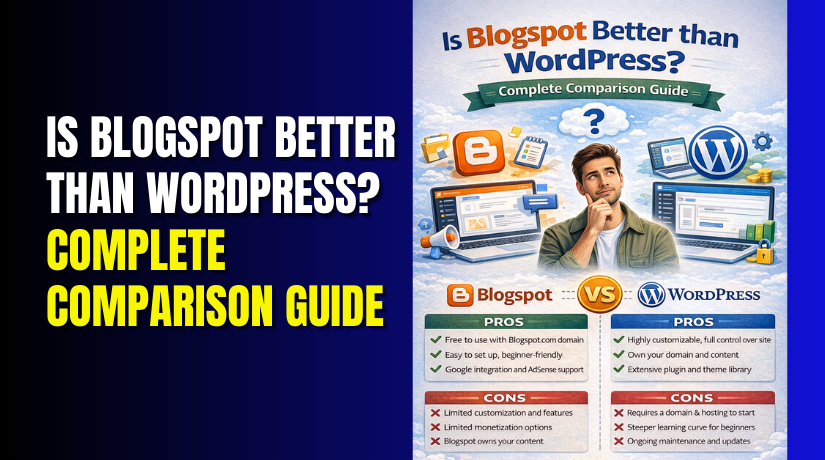
Is Blogspot Better than WordPress? Complete Comparison Guide
Table of Contents
- Introduction
- What is Blogspot?
- What are the Key Features, Pros and Cons of Blogspot?
- What is WordPress?
- What are the Key Features, Pros and Cons of WordPress?
- Is Blogspot better than WordPress?
- Final Verdict
Introduction
Starting a blog or website is exciting. But the first big decision stops many people cold. Which platform should you choose?
Blogspot (also called Blogger) and WordPress are two of the most popular options. Together, they power millions of websites worldwide. But they take completely different approaches.
Blogspot is Google’s free blogging platform. It is simple, hosted, and requires zero technical knowledge . WordPress, especially the self-hosted WordPress.org version, is a powerful content management system that offers unlimited flexibility. It powers over 43% of all websites globally.
Your choice between these platforms will impact everything. Your design options. Your ability to earn money. Your search engine rankings. Your long-term growth potential.
This guide provides a complete, unbiased comparison of Blogspot and WordPress in 2026. You will learn exactly what each platform offers. You will understand their key features, advantages, and limitations. You will see real performance data and user experiences.
By the end, you will know which platform is right for your specific goals.
What is Blogspot?
Blogspot, commonly known as Blogger, is Google’s free blogging platform launched in 1999. It is one of the oldest and simplest ways to start publishing content online.
Blogger is a hosted platform, meaning Google handles everything technical for you. There is no software to install, no servers to configure, and no updates to manage. You simply sign up with your Google account and start writing.
When you create a Blogspot blog, you get a free subdomain like yourblogname.blogspot.com. You can also connect a custom domain if you want a professional web address.
The platform provides a clean, minimalist interface where all essential tools are easily accessible. You write posts, add images, and publish with a few clicks.
Because Blogger is owned by Google, it integrates seamlessly with other Google services. Your blog connects to your Google account automatically. Google AdSense for monetization is built-in. Google Analytics works easily for tracking visitors.
What are the Key Features, Pros and Cons of Blogspot?
Key Features of Blogspot
- Free Hosting: Google hosts your blog completely free. You never pay for server resources or bandwidth.
- Easy Setup: You can start a blog in minutes with just a Google account. No technical knowledge required.
- Basic Templates: Blogger offers a selection of pre-designed templates. You can customize colors, fonts, and layouts to some extent.
- Built-in Analytics: Google Analytics integration helps you understand your audience .
- AdSense Integration: You can easily monetize with Google AdSense. The platform is designed to work seamlessly with Google’s advertising system.
- Custom Domain Support: While you get a free subdomain, you can also use your own domain name.
- Secure and Maintained: Google handles all security updates and backups automatically. You never worry about hacking or data loss.
- Post Scheduling: You can write posts in advance and schedule them for future publication.
Pros of Blogspot
- Completely Free: There are no hosting costs, no subscription fees, and no paid upgrades required.
- Zero Maintenance: Google manages everything technical. You focus only on writing.
- Extremely Simple: The interface is clean and intuitive. Even children can learn it quickly.
- Fast to Start: You can have a live blog within minutes of deciding to create one.
- Google Reliability: Your content sits on Google’s infrastructure, which is highly reliable and secure.
- No Technical Skills Needed: You never touch code, hosting settings, or server configurations.
- Good for Beginners: It is the perfect platform to learn blogging fundamentals without overwhelm.
Cons of Blogspot
- Limited Customization: You have only a handful of templates to choose from. Design options are very restricted. Creating a unique, branded look is difficult.
- Few Features: Basic functionality only. You cannot add complex features without hacking templates.
- Limited SEO Control: You get basic SEO features like custom meta descriptions and simple robots.txt. But advanced SEO requires more control. You cannot use powerful SEO plugins like Yoast or Rank Math.
- No Plugin Ecosystem: Unlike WordPress with thousands of plugins, Blogger has no extension marketplace. You are stuck with built-in features.
- Scalability Problems: As your traffic grows, Blogger may lag. It is not designed for high-traffic professional sites.
- Limited Monetization Options: While AdSense works well, other monetization methods like affiliate marketing, selling products, or membership sites are very difficult.
- Google Owns Your Content: Your blog exists on Google’s infrastructure. You have less control than with self-hosted solutions.
- Difficult to Migrate: Moving from Blogger to another platform later can be messy and time-consuming.
- No Ownership of Platform: If Google decides to discontinue Blogger, your site could disappear. Google has killed many services before.
What is WordPress?
WordPress is an open-source content management system (CMS) that powers over 43% of all websites on the internet. It started as a blogging platform in 2003 but has evolved into a complete website-building system.
There are two versions of WordPress:
WordPress.org (self-hosted): This is the powerful version we discuss in this comparison. You download the free software and install it on your own hosting. You own everything.


WordPress.com (hosted): A commercial service that hosts your site for you. It has limitations and paid upgrades. This guide focuses on WordPress.org unless specified.
WordPress is like an engine that powers your website. It provides the foundation, and you build everything on top of it. You control every aspect of your site’s design, functionality, and content.
You need two things to run WordPress:
- A domain name (your website address)
- Web hosting (server space where your site lives)
Many hosting providers offer one-click WordPress installation, making setup simple. Once installed, you access a dashboard where you control everything.
What are the Key Features, Pros and Cons of WordPress?
Key Features of WordPress
- Unlimited Customization: Thousands of free and premium themes give you complete design freedom. You can create any look imaginable.
- Massive Plugin Ecosystem: Over 60,000 free plugins plus thousands of premium options. Add almost any feature without custom coding.
- Full SEO Control: WordPress is built with SEO best practices in mind . Plugins like Yoast SEO and Rank Math provide comprehensive optimization tools. You control every technical aspect of SEO.
- Ownership and Control: You own your content and your platform completely. No one can shut down your site.
- Scalability: WordPress handles everything from small blogs to massive enterprise sites with millions of visitors. You can start small and grow infinitely.
- Content Management: The block editor (Gutenberg) provides a modern, intuitive writing experience. You can easily add text, images, videos, galleries, and embeds.
- User Management: Built-in user roles let you manage contributors effectively. You can create custom roles with specific permissions.
- E-commerce Ready: With WooCommerce, WordPress becomes a powerful e-commerce platform. You can sell physical products, digital downloads, services, and subscriptions.
- Mobile Responsiveness: Most WordPress themes are mobile-responsive out of the box. Your site looks great on phones and tablets.
- Multilingual Support: WordPress is available in over 70 languages. Plugins like WPML make multilingual sites easy.
- Developer Friendly: Clean code, hooks, filters, and extensive APIs make WordPress highly customizable for developers.
- Community Support: Millions of users mean endless tutorials, forums, and expert help available for free.
Pros of WordPress
- Total Design Freedom: Your site can look exactly how you imagine. No template restrictions hold you back.
- Unlimited Functionality: With plugins, you can add anything. Contact forms, SEO tools, e-commerce, forums, memberships, courses, and more.
- Better SEO Potential: WordPress sites consistently outrank Blogger sites because of superior SEO tools and control . A Mumbai travel blogger saw daily visitors increase from 40 to 250 after switching to WordPress.
- Scalability for Growth: As your traffic grows, your site grows with you. You can upgrade hosting and optimize performance at any scale.
- Monetization Flexibility: You can use AdSense, affiliate marketing, sell products, offer memberships, accept donations, and more. The options are limitless.
- Full Ownership: You control everything. Your content, your data, your platform. No one can delete your site.
- Professional Capabilities: WordPress powers major brands, news sites, and Fortune 500 companies. It is taken seriously by professionals.
- Huge Community: When you have questions, answers are everywhere. Tutorials, forums, and experts are always available.
- Future-Proof: WordPress continues growing and improving. The community ensures it stays relevant and secure.
Cons of WordPress
- Learning Curve: WordPress requires more initial learning than Blogger. You need to understand hosting, domains, and basic administration.
- Ongoing Maintenance: You must update WordPress core, themes, and plugins regularly. This ensures security and compatibility.
- Security Responsibility: You are responsible for securing your site. This means strong passwords, security plugins, and regular updates.
- Costs Involved: While the software is free, you pay for hosting, domains, and potentially premium themes or plugins. Basic sites can run on $3-10 monthly.
- More Complex Setup: You need to choose hosting, install WordPress, and configure settings before writing your first post.
- Can Be Overwhelming: The unlimited options can paralyze beginners. Too many choices sometimes make decision-making difficult.
- Performance Depends on You: A slow site is your fault, not the platform’s. You must optimize images, use caching, and choose good hosting.
- Plugin Conflicts: Sometimes plugins conflict with each other, causing issues. Troubleshooting requires patience.
Is Blogspot better than WordPress?
This is the central question. The answer depends entirely on your goals, technical comfort, and ambitions for your site.
| Feature | Blogspot | WordPress |
| Ease of Starting | Extremely easy. Sign up with Google, start writing in minutes. | Requires domain and hosting setup. One-click installers make it simpler now. |
| Cost | Free with Blogspot subdomain. Custom domains cost a small fee. | Free software but hosting costs $3-30/month. Domain ~$10-15/year. |
| Design Flexibility | Limited templates. Basic customization only. | Thousands of themes. Complete design control. |
| Functionality | Only built-in features. No plugin ecosystem. | 60,000+ plugins for unlimited features. |
| SEO Capabilities | Basic SEO features only. Limited control. | Full SEO control. Powerful plugins like Yoast and Rank Math. |
| Monetization | AdSense works well. Other options are limited. | Unlimited monetization: ads, affiliate marketing, products, memberships, services. |
| Scalability | Okay for small blogs. Struggles with growth. | Scales from small blog to enterprise site. |
| Security | Google handles everything automatically. | Your responsibility. Requires updates and security practices. |
| Maintenance | Zero maintenance. Google handles all. | Regular updates needed for core, themes, plugins. |
| Ownership | Google hosts your content. Less control. | You own everything. Complete control. |
| Learning Curve | Very shallow. Anyone can use it. | Moderate learning curve. More powerful but more complex. |
| Support | Google support is limited. Community forums exist. | Massive global community. Millions of tutorials and forums. |
| Migration Ability | Difficult to move later. Content export possible but messy. | Easy to migrate between hosts. Full data portability. |
| Professional Perception | Seen as an amateur or hobby platform. | Industry standard for professional websites. |
| Traffic Handling | Google’s infrastructure handles moderate traffic well. | Depends on your hosting. Can handle millions of visitors with proper setup. |
Final Verdict
Is Blogspot better than WordPress? The answer depends entirely on your goals.
Blogspot is better for complete beginners, hobby bloggers, and anyone wanting to publish content with zero technical involvement . It is free, simple, and requires no maintenance. If you are sharing personal stories, creating a family blog, or testing online publishing without commitment, Blogspot serves you well. Google handles everything, and you focus only on writing .
WordPress is better for anyone serious about building an online presence . If you want to grow traffic, earn income, establish a professional brand, or scale your site over time, WordPress is the clear choice . The platform’s unlimited customization, powerful SEO tools, diverse monetization options, and infinite scalability make professional success possible . Real-world case studies prove that WordPress sites outperform Blogspot in search rankings and revenue .
The choice ultimately reflects your ambitions. Blogspot is a comfortable bicycle for casual rides around the neighborhood. WordPress is a vehicle that can take you anywhere, but you must learn to drive it . Both have their place. Choose based on where you want to go.
For most people with serious aspirations, WordPress is worth the learning curve. Your future self will thank you for building on a foundation that can grow with you.
Have questions before starting with WooCommerce & WordPress? Get support here at WooHelpDesk.



