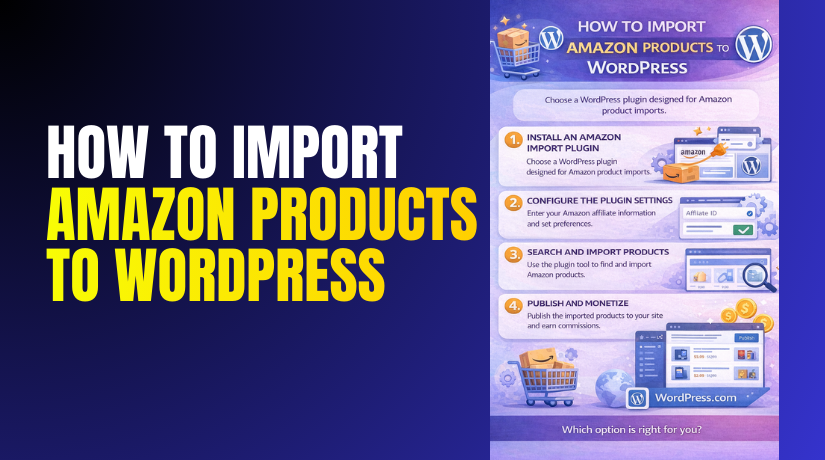
How to Import Amazon Products to WordPress Step by Step?
Introduction
Many WordPress site owners want product content without manual work. Amazon is a huge marketplace with millions of items. This is why many marketers choose to import Amazon products WordPress. It helps you build affiliate pages and product lists quickly. It also helps you create niche product review sites faster.
Many site owners use a WordPress Amazon affiliate plugin for this job. It pulls product details like title and image and price. It can also pull ratings and product links for visitors. This saves time and keeps your content more consistent.
You can add Amazon products to WordPress in different ways. Some users import products for affiliate sites and commissions. Some users import products for product comparison pages and lists. Some store owners also show Amazon products for dropshipping style catalogs.
Your best method depends on your business model and goals. WordPress Amazon integration can support many workflows when done correctly.
What are Amazon Products?
Amazon products are items listed for sale on the Amazon marketplace. These items include physical products and digital products. They can be sold by Amazon or third party sellers. Each product has a product page with key details. These details include title, images, price, and feature points. Some products also include ratings and reviews and variations.
When you import Amazon products WordPress, you are importing listing data. You are not importing Amazon inventory ownership in most cases. For affiliate sites, you only display product details and links. Visitors click your link and purchase on Amazon directly. This is a common WordPress Amazon affiliate plugin use case.
What are the best ways to import Amazon products in WordPress?
There are a few common methods used by site owners. Your method depends on your content strategy and automation needs.
- Manual product blocks using affiliate links and images.
- Bulk import using an Amazon product import plugin WordPress.
- Import using Amazon API with product search and auto updates.
- Import using CSV when you have product lists prepared.
- Import using curated lists for comparison and review pages.
Plugin based imports are the fastest for large catalogs. Manual imports can be better for small review sites.
What are the Key Features of Importing Amazon Products to WordPress?
Importing Amazon products helps you publish product content faster. A good import workflow keeps your product pages consistent. It also helps you manage links and updates with less effort. Most tools use a WordPress Amazon affiliate plugin or similar method. These features matter when you import Amazon products WordPress at scale.
1. Fast product import using search or product links
Many plugins let you import products using keywords or ASIN. Some plugins also support importing using product URLs. This saves time compared to manual copy and paste work.
- Import products using keyword search inside WordPress dashboard.
- Import products using ASIN for exact product matching.
- Import products using Amazon product URL in one click.
- Import multiple products in one session for faster publishing.
- Add Amazon products to WordPress without manual formatting.
2. Auto creation of product posts or WooCommerce products
Most import tools create content automatically for your site. You can import as posts, pages, or WooCommerce products. This depends on how your site is built and what you need.
- Create product posts for affiliate review and list content.
- Create WooCommerce products for catalog style display pages.
- Auto fill title, description, and featured image fields.
- Auto assign categories based on your import settings.
- Keep product layout consistent across the entire site.
3. Affiliate link creation with tracking tags
Affiliate links are essential for commission based websites. Good plugins add your affiliate tag automatically to links. This helps track clicks and helps earn commissions properly.
- Add Amazon affiliate tag to product links automatically.
- Create clean call to action buttons for product clicks.
- Track links by product and category in some setups.
- Reduce link mistakes that break commission tracking.
- Improve WordPress Amazon integration for affiliate workflows.
4. Product image import and display controls
Images help users trust product pages and click links. Import tools often pull Amazon images automatically. They also provide image display control for grids and lists.
- Import featured image for each Amazon product automatically.
- Import gallery images if the plugin supports multiple images.
- Show product images in grids for list style pages.
- Control image size for faster page speed performance.
- Avoid broken images by using stable import methods.
5. Price and availability update options
Price and stock change often on Amazon listings. Some plugins support scheduled updates using API access. This helps keep your product pages accurate over time.
- Pull price updates automatically when API is enabled.
- Update availability status to reduce outdated information.
- Show last updated time for compliance in some cases.
- Avoid manual editing for daily price changes.
- Improve trust with accurate product information display.
6. Bulk import and product list building
Bulk import is important for niche product list websites. It helps publish many products quickly for SEO pages. It also helps create comparison tables and collections.
- Import many products at once using search results.
- Build product collections for best lists and guides.
- Create category based product pages for SEO structure.
- Reduce publishing time for large product catalogs.
- Keep formatting consistent across imported product pages.
7. Custom templates for product boxes and tables
Design consistency improves user experience and conversions. Many plugins offer product boxes and comparison templates. This helps product content look professional without custom code.
- Display products in boxed layouts with clear buttons.
- Create comparison tables for top product categories.
- Show pros and cons blocks for review style pages.
- Add star ratings display when supported by a plugin.
- Improve click through rate with clean product layouts.
What are the Benefits of Importing Amazon Products to WordPress?
Benefits focus on what you gain after setup. Importing helps you scale content and reduce manual work. It also supports better user experience and better SEO structure. Many site owners use an Amazon product import plugin WordPress for these benefits.
1. Saves time and speeds up content publishing
Manual product page creation takes a lot of time. Importing reduces work and speeds up product publishing. This helps you publish more product pages in less time.
- Import product content in minutes instead of hours.
- Publish product lists quickly for seasonal campaigns.
- Update many product pages without manual editing.
- Reduce admin workload for large affiliate websites.
- Keep content creation faster and more consistent.
2. Improves content consistency and site structure
Consistency helps SEO and helps user navigation. Imported product layouts look similar across the site. This improves trust and reduces confusion for visitors.
- Keep consistent product titles and images and buttons.
- Maintain uniform category structure for SEO planning.
- Keep product pages easy to scan and compare.
- Improve internal linking between product lists and reviews.
- Support a strong WordPress Amazon integration structure.
3. Helps build affiliate pages that can rank
SEO content needs scale and structure and relevance. Importing helps create many relevant product pages quickly. You can then add unique content around imported product details.
- Create best of lists and product comparisons faster.
- Create category pages for high intent search traffic.
- Add unique review text and helpful buying tips.
- Build topical authority within a niche category.
- Support long term affiliate traffic growth.
4. Increases click potential with better product displays
Imported product blocks look more professional than plain links. Better display improves click through rates and conversions. Users trust clear layouts and consistent buttons.
- Show product images and key features clearly.
- Use clear call to action buttons for Amazon clicks.
- Display ratings and price where allowed and supported.
- Improve shopping intent flow for visitors.
- Reduce bounce rate with better product presentation.
What are the Reasons to Import Amazon Products to WordPress?
Reasons focus on why this matters for your website goals. Different site owners import for different business models. These reasons help you plan the right import method. They also help you select the right WordPress Amazon affiliate plugin.
1. You want to build an Amazon affiliate website
Affiliate websites earn commission by sending buyers to Amazon. Importing makes affiliate site building faster and easier. It also reduces setup effort for large product categories.
- Add Amazon products to WordPress with affiliate links quickly.
- Build product list pages for targeted keywords and categories.
- Create review pages and link to products with tracking tags.
- Scale content to cover more products and more topics.
- Reduce manual work for daily content publishing.
2. You want to create product comparison content at scale
Comparison pages attract high intent visitors from Google. Importing lets you create comparisons faster. You can then focus on adding unique content and value.
- Create top product lists and best picks pages quickly.
- Import product specs for more accurate comparisons.
- Build tables and boxes for better user scanning.
- Add unique advice and buying tips for trust.
- Improve SEO reach for product search keywords.
3. You want to reduce errors in product information
Manual copy paste creates mistakes in product details. Importing reduces these errors and keeps product info consistent. This protects trust and reduces user confusion.
- Avoid wrong product titles and wrong images.
- Reduce broken links and wrong affiliate tags.
- Keep product data consistent across your site pages.
- Reduce user complaints from incorrect product details.
- Improve overall user experience and page quality.
4. You want faster scaling for a niche site plan
Niche sites often need many pages to rank well. Importing helps build that base faster. It gives you more time to write unique helpful content.
- Publish more pages in less time for SEO growth.
- Cover more keyword clusters within your niche.
- Build internal links between related product pages.
- Improve topical relevance and content depth.
- Grow authority for WordPress Amazon integration content.
How to Import Amazon Products to WordPress Step by Step?
This section explains the real import workflow for most plugins. The labels can differ by plugin provider. The process stays similar in most cases for WordPress Amazon integration. Follow these steps in the same order for best results.
Step 1: Confirm your Amazon affiliate and marketplace settings
Your links must include the right affiliate tracking tag. Your marketplace region must match your audience location. This step ensures correct commissions and correct product URLs.
Amazon Associates Dashboard → Account Settings → Manage Tracking IDs
WordPress Dashboard → Amazon Plugin Settings → Amazon Settings → Associate Tag
- Confirm your Amazon Associates account is active and approved.
- Copy your tracking ID and keep it saved securely.
- Select your marketplace region like the US or UK correctly.
- Add the tracking ID inside the plugin settings fields.
- Save settings and confirm link preview uses your tag.
Step 2: Connect Amazon API credentials if your plugin needs API
Some plugins require Product Advertising API for product data. This is common for bulk imports and price updates. Wrong credentials will stop imports from working.
Amazon Associates → Tools → Product Advertising API → Manage Credentials
WordPress Dashboard → Amazon Plugin Settings → API Settings → Add Keys
- Copy Access Key and Secret Key from your Amazon account.
- Paste them into the plugin API settings fields carefully.
- Add your associate tag inside API settings if required.
- Select the correct marketplace endpoint for your region.
- Save settings and run the plugin connection test.
Step 3: Choose the import method for your product workflow
Most plugins support multiple import methods for flexibility. Choose the method based on how you find products. Keyword search is best for lists, ASIN is best for accuracy.
WordPress Dashboard → Amazon Plugin → Import Products → Choose Import Method
- Use keyword search for best of lists and category pages.
- Use ASIN import for exact product matching and accuracy.
- Use URL import when you already have product links.
- Decide whether to import as posts or WooCommerce products.
- Save your preferred default import method in settings.
Step 4: Import products using keyword search inside WordPress
Keyword import helps you build product lists quickly. It is useful for niche lists and seasonal pages. You can import multiple items in one go.
WordPress Dashboard → Amazon Plugin → Import Products → Keyword Search


- Enter a clear keyword like best office chair or gaming mouse.
- Filter results by category if the plugin offers filters.
- Select the products you want to import from results.
- Choose import types like product box or WooCommerce product.
- Click Import and confirm products are created successfully.
Step 5: Import products using ASIN for exact matching
ASIN import is the most accurate method for product selection. It avoids wrong products showing from keyword search. This is best for comparison tables and top picks.
WordPress Dashboard → Amazon Plugin → Import Products → ASIN Import
- Copy ASIN codes from Amazon product pages.
- Paste one ASIN or multiple ASINs in the import field.
- Choose an import template like product box or table layout.
- Click Import and verify each product data is correct.
- Save imported items into the right category and tag.
Step 6: Import products using Amazon product URL
URL import is best when you already have product URLs ready. It is also useful when you import products one by one for reviews.
WordPress Dashboard → Amazon Plugin → Import Products → URL Import
- Copy Amazon product URL from the product page.
- Paste the URL into the plugin import field.
- Choose import formats like block, box, or shortcode.
- Import and confirm the affiliate link includes your tag.
- Save the imported item and test the button click.
Step 7: Add imported products into posts and pages
After import, you must place products inside your content. Most plugins provide shortcodes or blocks for placement. This helps you build SEO pages with unique content.
WordPress Dashboard → Posts → Add New or Edit Post → Add Block or Shortcode
- Write a short introduction before product boxes.
- Insert product boxes using plugin block or shortcode.
- Add your own pros and cons for top recommended products.
- Add a short buyer guide section for extra value.
- Update the post and preview on mobile and desktop.
Step 8: Create product lists and comparison tables
Lists and tables help users compare products faster. They also improve clicks and session time. Many plugins provide table templates for comparison content.
WordPress Dashboard → Amazon Plugin → Templates → Comparison Table Builder
- Select products that fit the same category and use case.
- Choose comparison fields like price, rating, and features.
- Add a top pick label for your best recommendation.
- Keep the table short and easy to scan quickly.
- Add a short conclusion after the table for clarity.
Step 9: Set categories, tags, and internal links for SEO
SEO structure matters for ranking product pages. Categories and internal links help search engines understand topics. This also improves navigation for users.
WordPress Dashboard → Posts or Products → Categories and Tags
WordPress Dashboard → Page Editor → Add Internal Links
- Assign each page to the correct category and tags.
- Link related product lists to supporting review pages.
- Add links to buying guide pages from list posts.
- Use short and clear permalinks with clean keywords.
- Avoid duplicate content across multiple imported pages.
Step 10: Test links, speed, and update settings regularly
Imported product pages must stay fast and accurate. Links must work and include your affiliate tag. Update settings prevent outdated details and broken displays.
Front End → Open Product Page → Click Amazon Button → Confirm Tag
WordPress Dashboard → Amazon Plugin → Settings → Sync and Updates
- Click each product button and confirm it opens Amazon correctly.
- Confirm affiliate tag appears in the destination URL.
- Test page speed and compress images if needed.
- Enable scheduled updates if your plugin supports syncing.
- Remove discontinued products and replace them regularly.
What Are The Top 3 Best Plugins to Import Amazon Products to WordPress?
Choosing the right plugin decides your import speed and content quality. A good plugin can import Amazon products WordPress with less manual work. It can also support WordPress Amazon integration with clean product boxes.
Some plugins focus on affiliate product displays and conversion. Some plugins focus on bulk importing and comparison tables. Pick the plugin based on your site model and workflow needs.
1. AAWP
AAWP is a premium WordPress Amazon affiliate plugin built for affiliate sites. It helps you add Amazon products to WordPress using clean product boxes. It supports shortcodes and blocks for flexible placement in content. It is popular for niche sites and product list pages.
Key Features
- ASIN based product import for accurate matching
You can import products using ASIN for exact product selection. This reduces wrong product imports and keeps lists consistent. It is helpful for best picks pages and comparison content. - Multiple display layouts for affiliate product content
AAWP can create product boxes, product lists, and bestseller style blocks. These layouts help you show products in a clean, clickable format. They also help visitors scan features and click faster. - Comparison table support for high intent buyers
You can build comparison tables for products in the same category. Tables help users compare features quickly and decide faster. This often improves click rate on affiliate pages. - Shortcodes and blocks for flexible placement
You can add product displays inside any post or page using shortcodes. Many setups also support blocks for easier editor placement. This makes it simple to build structured product sections. - Link localization for global Amazon stores
AAWP can localize links for different Amazon country stores. This helps international visitors land on the correct Amazon marketplace. It can improve conversions when your traffic is global. - Template system for consistent product design
Templates help keep the same layout across your site. This improves branding and makes pages look uniform. It also reduces design time when you publish many product pages. - Custom call to action button controls
You can change button text like Check Price or View on Amazon. You can also control where buttons appear inside product boxes. This helps align buttons with your content style and user flow. - Automatic product data update options
AAWP can refresh product data depending on your settings. This helps keep product details more consistent over time. It is useful when you maintain many pages and lists.
Pros
- Clean product boxes that look professional
AAWP layouts usually match most WordPress themes well. The product boxes look modern and clear for visitors. This improves trust and makes your affiliate pages look premium. - Strong for SEO product lists and roundup pages
It works very well for best of lists and category roundups. You can build many pages with consistent structure and internal linking. This supports niche authority building and better SEO growth. - Fast product placement using shortcodes
Shortcodes make it easy to insert products anywhere in content. You can build a page quickly without manual design work. This saves time when you publish many affiliate posts. - Conversion focused layouts and click friendly design
The plugin is built for affiliate clicks and user actions. Buttons and layouts are designed to guide the user naturally. This can improve click rate when content is written well. - Good performance for pages with limited product blocks
When you keep product boxes controlled, the pages stay stable. It works best when you show a reasonable number of products. This keeps user experience smooth and readable. - Helpful for building topical product clusters
You can create supporting pages for related product categories. This helps your site build topical relevance in Google. It also keeps visitors moving between related pages.
Cons
- Premium cost can be a barrier for small sites
AAWP is not free, so there is a yearly expense. If your site is new, you may want to plan a budget first. Some site owners prefer free tools before upgrading later. - Advanced settings can take time to learn
Templates, display settings, and update rules need practice. Beginners may take time to understand the best layout choices. Wrong settings can cause inconsistent product displays. - Too many product boxes can impact speed
Heavy pages with many product blocks can load slower. This can affect user experience and SEO performance. Page speed testing is important after adding many products. - Price and availability display depends on your setup
Showing price and availability may have restrictions based on data source. If updates are not configured, data can become outdated. This can reduce trust and create confusion for users. - Shortcode and template usage needs some practice
Shortcodes are easy, but advanced layouts may need learning. Template adjustments can also require testing to match your theme style. Beginners may need time to get the best look.
Download Link: The Amazon Affiliate WordPress Plugin: AAWP
2. WooCommerce Amazon Affiliates Plugin
This plugin is often used for bigger catalogs and bulk importing. Many users call it an Amazon product import plugin WordPress for stores. It can import products into WooCommerce and create a catalog. It is useful when you want filters and product grids. It is also useful when you want external affiliate style products.
Key Features
- Bulk import using keyword search and ASIN lists
You can import many products at once using keyword results. You can also import using ASIN lists for exact product matching. This helps when you are building a large catalog quickly. - Imports products into WooCommerce product structure
The plugin creates products inside WooCommerce automatically. This means products appear in the Products menu like normal items. This makes your WordPress Amazon integration feel like a real store catalog. - Supports external affiliate products with Amazon buy buttons
Products can be set as external or affiliate style products. The buy button redirects users to Amazon instead of checkout. This is useful when your goal is affiliate clicks and commissions. - Supports variations and attributes in many setups
Many catalogs need size, color, or model variations. The plugin can import product attributes and variations when supported. This makes product pages more complete and useful for visitors. - Automatic syncing options for selected product fields
Some plugins allow syncing fields like price, title, and availability. This reduces manual updates and keeps product data more current. Sync rules depend on your setup and plugin configuration. - Category mapping for cleaner catalog organization
Category mapping helps keep your store structure organized. You can map Amazon product categories to your WooCommerce categories. This helps visitors browse products using filters and category pages. - Price and stock handling based on plugin settings
The plugin can handle price and stock fields based on your rules. Some sites show price, while others hide it for compliance. You can control how price and stock information is displayed. - Image import and gallery support in many cases
The plugin imports product images to your WordPress media library. Many setups also support importing multiple images for galleries. This makes product pages look richer and more trustworthy.
Pros
- Best for large catalogs and bulk importing
This is a strong choice when you need hundreds of products. Bulk import saves time and reduces manual data entry work. It fits sites that want fast scaling and more product coverage. - WooCommerce layout gives strong browsing experience
WooCommerce categories, filters, and grids are very user friendly. Visitors can browse by category and compare products faster. This improves user experience for catalog style affiliate websites. - Perfect for WooCommerce grid based affiliate catalogs
If you want a store look with product cards and filters, this plugin helps. Your site can look like a typical online store while still using Amazon links. This can improve clicks for buyers who prefer browsing grids. - Product management becomes easier inside WooCommerce
Imported products are managed like regular WooCommerce products. You can edit titles, categories, and descriptions easily. You can also control visibility and featured product options quickly. - Creates structured product pages with consistent design
WooCommerce templates keep product pages consistent. This helps your site look uniform and professional. It also reduces design time when you publish many imported products. - Works well for rapid site building and testing niches
If you want to test a niche quickly, bulk importing helps. You can build a catalog fast and start creating SEO pages around it. This is useful for new affiliate projects and experiments.
Cons
- Can feel heavy for small affiliate websites
If you only need a few product boxes, this may be too much. WooCommerce product imports add more complexity than simple shortcode boxes. Small sites may prefer lighter Amazon product tools. - Large imports can increase database size quickly
Importing hundreds or thousands of products adds many database entries. This can slow the admin area and increase backup size. It can also increase hosting resource usage over time. - Sync settings need careful configuration to avoid issues
If sync rules are wrong, product data can update incorrectly. Some fields may overwrite custom edits if not locked. You must test syncing on a few products before bulk syncing. - Theme styling may be needed for external buy buttons
Some themes style WooCommerce buttons for normal checkout. External Amazon buttons may look different or misaligned. You may need small design adjustments for clean button appearance. - May require stronger hosting for large import batches
Bulk importing can use more CPU and memory during the process. Shared hosting may slow down or time out on big imports. Strong hosting helps maintain stable imports and faster sync tasks.
Download Link: WooCommerce Amazon Affiliates – WordPress Plugin
3. Content Egg
Content Egg is a WordPress plugin focused on product content building. It supports importing products from different networks and merchants. It can work as a WordPress Amazon affiliate plugin for Amazon modules. It is useful for comparison sites and deal style content. It is also useful for mixed affiliate sources beyond Amazon.
Key Features
- Module based importing with structured blocks
Content Egg works using modules for each merchant network. You can enable only the modules you need for your site. This keeps your workflow organized and helps control what data is imported. It is useful for building product sections inside content pages. - Supports Amazon plus other affiliate networks
It can work as a WordPress Amazon affiliate plugin using Amazon modules. It also supports other affiliate sources depending on your setup. This is helpful when you want product options from multiple merchants. It also helps when Amazon is not the only source for buyers. - Creates product boxes and price blocks and comparisons
It can build product boxes, price blocks, and comparison layouts. These layouts help visitors scan products and take action faster. Comparison layouts work well for deal pages and best pick pages. It also helps you present data in a clean and readable way. - Shortcode based placement inside posts and pages
You can place product blocks using shortcodes in any post. This gives you flexibility with page design and structure. It also helps when you use page builders or custom templates. You can control where product blocks appear within your content flow. - Auto updating options based on configuration rules
Content Egg supports auto updating depending on your settings. This can help keep product data more current over time. Auto updates reduce manual work when you manage many pages. You should test update settings carefully before enabling on large catalogs. - Curated product list building for best picks pages
You can build curated lists for roundups and top picks content. This is useful for niche blogs that publish product guides. It helps you create a consistent layout for each list page. It also supports building category based product sections quickly. - Supports adding unique content around imported blocks
It works well when you add your own content above and below blocks. You can write buyer guidance, pros and cons, and recommendations. This helps pages feel helpful and original for visitors. It also improves page quality for SEO performance. - Deal and multi store comparison style presentation
Content Egg can support deal focused content and comparisons. This is helpful when you want to show options from multiple sources. It can also help highlight price differences across merchants. This style often works well for deal pages and discount roundups.
Pros
- Great when you want Amazon plus other merchant sources
It is useful when your site uses more than one affiliate source. You can mix Amazon data with other merchant data in one page. This can improve product coverage and offer more choices for visitors. It also supports diversified affiliate strategies. - Strong for comparison content and price displays
It works well for comparison sites that need structured layouts. You can show multiple offers or price blocks depending on setup. This helps visitors compare quickly and choose the best option. Comparison layouts also keep pages more engaging and useful. - Flexible placement using modules and shortcodes
Shortcodes make it easy to place product sections anywhere. Modules help you control what type of product block appears. This flexibility is helpful for content based affiliate blogs. It also works well for different page templates and page builders. - Creates structured and clean product sections
Product blocks often look organized and easy to scan. This improves readability and reduces clutter on long pages. Clean product sections also improve user trust and click behavior. It helps your site look more professional and consistent. - Works well for review sites and affiliate content hubs
Review sites often publish many buying guides and comparisons. Content Egg supports that style with curated lists and blocks. It also supports scaling content across categories. This helps build topical authority and internal linking structures. - Useful for deal pages and large product roundups
It supports deal focused pages and roundup style content. You can build pages that highlight offers and top picks. This is helpful for seasonal traffic and campaign pages. It also supports scaling content at a larger volume.
Cons
- Setup can feel confusing due to many module options
Content Egg has many settings and module controls. Beginners may feel overwhelmed during the first setup. It takes time to understand which modules to enable. It also takes time to configure templates correctly for your goals. - Some designs need manual styling for theme matching
Product blocks may not match your theme perfectly by default. You may need small styling adjustments for spacing and fonts. This is common when using custom themes or builders. Without styling, some layouts may look slightly inconsistent. - Advanced layouts require time for testing and tuning
Comparison layouts and multi source blocks need proper testing. You must check how blocks look on mobile and desktop. You may also need to adjust which fields display for clarity. This takes extra time before publishing at scale. - Too many modules can add overhead on slower hosting
Enabling many modules can increase load and processing. On slower hosting, this can impact admin speed and page rendering. It is better to enable only the modules you truly need. This keeps the site lighter and more stable. - Best results require strong unique content around blocks
If you only show imported blocks, pages may feel thin. You still need strong buyer guidance and unique recommendations. This takes writing effort and content planning. Without this, ranking and conversions can be weaker.
Download Link: Content Egg – Affiliate Product Importer & Price Comparison
Final Verdict
Importing Amazon products WordPress the right way can save huge time. It can also help you scale affiliate content across many keywords. The best results come from structure and unique content around imports.
A plugin can add Amazon products to WordPress fast and clean. It can also support WordPress Amazon integration with product boxes and tables. If you run a content focused affiliate site, AAWP fits well.
If you want a large catalog layout, WooCommerce import plugins fit better. If you want multi merchant comparisons, Content Egg is a strong option. Whatever you choose, keep pages helpful and original for readers. Add buyer guidance, selection tips, and clear recommendations for trust. Test links often and keep layouts fast and mobile friendly. This approach improves clicks, SEO value, and long term site growth.
Have questions before starting with WooCommerce & WordPress? Get support here at WooHelpDesk.



