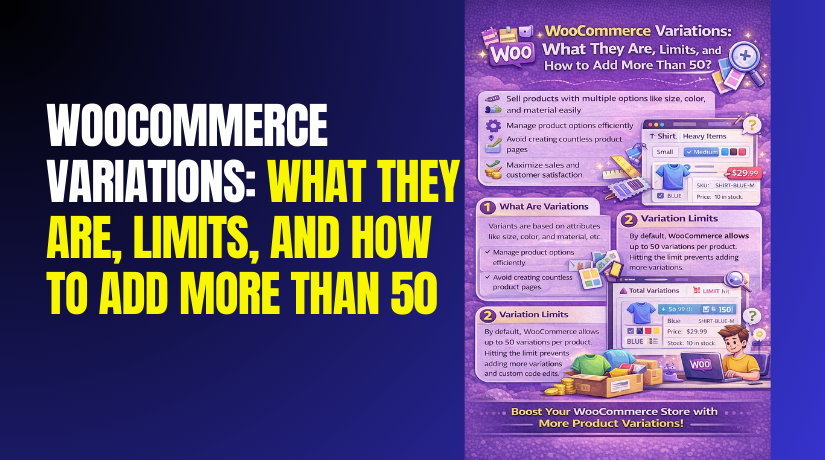
WooCommerce Variations: What They Are, Limits, and How to Add More Than 50?
Table of Contents
- Introduction
- What Are Variants in WooCommerce?
- What Are The Key Features of Variation in WooCommerce?
- What Are The Benefits of Variation in WooCommerce?
- How Many Variations Can Be in WooCommerce?
- How Variations in WooCommerce Help Store Owners?
- How to Add More Than 50 Variations in WooCommerce?
- Why WooCommerce Variations Sometimes Do Not Show on Product Pages?
- Final Verdict
Introduction
Selling products with multiple options is common in modern online stores today. Customers expect to choose size, color, material, or style easily. WooCommerce variations make this possible without creating multiple product pages. This feature helps store owners manage complex product options efficiently.
Using WooCommerce variations improves user experience and product organization significantly. Store owners often confuse variation limits and setup methods initially. Many struggle with understanding the WooCommerce variation limit clearly. Others face problems when trying to add more than 50 variations WooCommerce supports by default.
This guide explains everything step by step in simple language. It focuses on clarity, performance, and scalability for growing stores. You will learn how WooCommerce product variations work from the ground up. You will also understand limits, benefits, and advanced configuration techniques.
This content is written for beginners, store owners, and WooCommerce developers alike. The goal is to help your store scale without performance issues.
What Are Variants in WooCommerce?
Variants in WooCommerce represent different versions of the same product. These versions are based on selectable product attributes. Attributes include size, color, length, weight, or material options.
A variant is created when attributes combine into a purchasable option. This setup is known as the WooCommerce variable product setup. Instead of listing separate products, WooCommerce groups them together. Customers choose options using dropdown selectors on one product page.
Each variation can have its own price, image, SKU, and stock. This makes inventory management more accurate and flexible. Variants improve shopping experience by reducing confusion and clutter. Customers clearly see available options before purchasing.
For example, a shirt product can have multiple sizes and colors. Small blue and large black become separate variations internally. WooCommerce handles these combinations automatically in the backend. The store owner manages everything from one product dashboard. This approach saves time and reduces product duplication issues.
What Are The Key Features of Variation in WooCommerce?
WooCommerce variations offer powerful built-in features for flexible product management. These features allow store owners to control pricing, stock, visuals, and availability precisely. Using these features correctly improves store efficiency and customer experience.
Variations help manage complex products without creating multiple listings. This makes WooCommerce suitable for stores of any size.
- Individual Pricing Control
- Each variation can have its own unique price.
- Prices can differ based on size, color, or material.
- Sale prices can apply to specific variations easily.
- Advanced pricing strategies work without extra plugins.
- Customers see accurate prices based on selected options.
- Transparent pricing reduces confusion and increases trust.
- Targeted discounts help maximize overall profitability.
- Separate Stock Management
- WooCommerce tracks stock for each variation independently.
- Popular variations do not affect other option inventories.
- Stock updates automatically after each purchase.
- Out-of-stock status triggers correctly per variation.
- Accurate inventory reporting improves order fulfillment.
- Store owners manage availability without manual adjustments.
- Proper stock control reduces overselling and complaints.
- Unique SKU Assignment
- Each variation can have its own SKU code.
- Unique SKUs improve order processing accuracy.
- Inventory tracking becomes easier across systems.
- Fulfillment teams identify products without confusion.
- Accounting and reporting improve with variation-level SKUs.
- Large catalogs benefit most from proper SKU management.
- Fewer errors lead to faster operations.
- Variation-Specific Images
- Images can be assigned to individual variations.
- Product images change automatically with option selection.
- Customers see exactly what they are purchasing.
- Visual clarity improves confidence during checkout.
- Confusion-related returns reduce significantly.
- Product pages become more engaging and trustworthy.
- This feature works especially well for fashion products.
- Backorder and Stock Status Control
- Backorders can be enabled per variation.
- Only specific options allow backorders when required.
- Ideal for made-to-order or custom products.
- Customers see clear stock availability messages.
- Sales continue even during temporary stock shortages.
- Stock status differs easily between variations.
- Better communication improves customer satisfaction.
- Variation-Level Shipping and Tax Settings
- Variation weight and dimensions affect shipping costs.
- Shipping calculations adjust automatically per variation.
- Tax classes apply based on variation attributes.
- Checkout totals remain accurate for customers.
- Proper setup prevents refund and pricing disputes.
- Compliance with regional tax rules becomes easier.
- Accurate calculations improve checkout trust.
- Compatibility With Bulk Editing and Automation Tools
- Variations support bulk price and stock updates.
- Multiple variations update in one action.
- Automation reduces repetitive manual work.
- Consistency improves across large variation sets.
- Bulk management supports store scaling efficiently.
- Fewer manual changes reduce human errors.
- Store owners save significant management time.
What Are The Benefits of Variation in WooCommerce?
Using variations provides long-term benefits for store growth and product management. Variations allow stores to scale without cluttering product catalogs. They improve customer experience while simplifying backend operations. This approach supports both small and large WooCommerce stores effectively.
- Improved User Experience
- Customers see all available product options on one page.
- Variations remove the need to browse multiple product listings.
- Dropdowns or swatches make option selection simple and clear.
- Customers understand choices without navigating away.
- Reduced confusion leads to faster purchase decisions.
- Faster decisions improve conversion rates significantly.
- Clear options help reduce cart abandonment issues.
- A smooth experience builds customer trust and loyalty.
- Better Product Organization
- Variations keep related options grouped under one product.
- Duplicate product listings across categories are avoided.
- Catalogs remain clean and easy to navigate.
- Store owners manage fewer product pages overall.
- Updates apply to all variations from one dashboard.
- Administrative workload reduces significantly.
- Organized catalogs improve browsing experience for visitors.
- Clear structure supports efficient store scaling.
- Accurate Inventory Tracking
- Each variation maintains its own stock level independently.
- Popular options do not affect other variation inventories.
- Inventory updates automatically after each purchase.
- Store owners see real-time stock status for every option.
- Fulfillment errors reduce significantly.
- Customer complaints caused by stock issues decrease.
- Accurate tracking supports smarter purchasing decisions.
- Reliable data improves overall operational efficiency.
- Flexible Pricing Strategy
- WooCommerce allows different prices for each variation.
- Pricing adjusts easily based on size, color, or material.
- Demand-based pricing strategies become simple to implement.
- Premium variations can carry higher prices naturally.
- Discounts apply to specific variations without affecting others.
- Pricing flexibility increases total revenue potential.
- Strategic pricing improves profitability across product ranges.
- SEO and Page Authority Benefits
- Variations use a single product page for all options.
- SEO signals consolidate instead of splitting across URLs.
- Page authority strengthens for competitive keywords.
- Search engines index one strong page instead of many weak ones.
- Higher authority improves ranking potential in search results.
- Better engagement metrics support SEO performance.
- Focused page structure benefits long-term organic visibility.
- Lower Maintenance and Management Effort
- Variations require less effort than managing separate products.
- Updates apply to all options from one dashboard.
- Repetitive tasks and manual errors reduce significantly.
- Store owners spend less time on routine maintenance.
- Efficient management supports smoother business operations.
- Reduced workload allows focus on marketing and sales growth.
- Scalability for Growing Stores
- Variations support store growth without catalog restructuring.
- New options add easily to existing products.
- Product expansion does not disrupt current listings.
- Catalogs remain organized during growth phases.
- Flexibility supports long-term scaling goals.
- Proper variation use prevents future technical challenges.
How Many Variations Can Be in WooCommerce?
Many store owners ask about the maximum number of variations allowed. WooCommerce does not enforce a hard fixed variation cap. The platform technically supports thousands of product variations.


However, performance and usability become limiting factors quickly. The commonly referenced WooCommerce variation limit of fifty is misleading. This number appears due to default admin loading behavior.
WooCommerce initially loads only fifty variations per request. This prevents server overload during product editing. The limit exists for safety and performance reasons. It is not a true functional restriction.
Stores can safely exceed fifty variations with proper configuration. Hosting quality and server resources matter significantly here. Low hosting resources struggle with high variation counts. Optimized servers handle hundreds or thousands smoothly. Understanding this distinction prevents unnecessary product restructuring.
How Variations in WooCommerce Help Store Owners?
WooCommerce variations provide practical benefits that simplify store management. They help store owners scale products efficiently and improve customer satisfaction.
1. Centralized Product Management
- Variations allow managing multiple options under one product listing.
- Store owners avoid creating separate products for each option.
- Updates apply to all variations from a single dashboard.
- Product management becomes faster and more organized.
- Fewer product pages reduce administrative complexity.
2. Time-Saving Product Updates
- Prices can be updated across variations quickly.
- Stock changes apply at variation level automatically.
- Bulk editing tools reduce manual work significantly.
- Store owners spend less time on repetitive tasks.
- Efficient workflows improve daily store operations.
3. Accurate Inventory Control
- Each variation tracks stock independently.
- Popular options never affect other variation stock levels.
- Overselling risks reduce significantly.
- Real-time inventory data improves decision making.
- Better stock control reduces customer complaints.
4. Flexible Pricing Opportunities
- Different variations support different pricing strategies.
- Premium options can carry higher prices naturally.
- Discounts apply to specific variations easily.
- Demand-based pricing becomes simple to manage.
- Flexible pricing improves overall profitability.
5. Improved Customer Experience
- Customers see all available options on one page.
- Clear option selection reduces purchase confusion.
- Faster decisions improve conversion rates.
- Better experience builds customer trust.
- Satisfied customers return more often.
6. Cleaner and More Organized Store Catalog
- Variations prevent duplicate product listings.
- Categories remain easy to browse and manage.
- Store navigation improves for visitors.
- Organized catalogs support better user engagement.
- Clean structure helps long-term store scalability.
7. Better Sales and Performance Insights
- Sales reports track variation-level performance.
- Store owners identify top-performing options easily.
- Data-driven decisions improve marketing strategies.
- Poor-performing variations can be optimized or removed.
- Insights support smarter product planning.
8. Scalability for Growing Stores
- New options add without restructuring catalogs.
- Variations support product expansion smoothly.
- Stores grow without technical complications.
- Proper setup prevents future performance issues.
- Variations scale with business growth effectively.
9. Reduced Error and Fulfillment Issues
- Correct variation selection appears in orders.
- Unique SKUs improve fulfillment accuracy.
- Warehouse teams receive clear order details.
- Fewer mistakes reduce refund and support requests.
- Reliable fulfillment improves brand reputation.
10. Better SEO and Page Authority Control
- One product page consolidates SEO signals.
- Stronger page authority improves rankings.
- Search engines index focused content efficiently.
- Reduced duplicate pages improve crawl efficiency.
- SEO benefits support organic traffic growth.
How to Add More Than 50 Variations in WooCommerce?
Many store owners think WooCommerce blocks variation creation after fifty options. This belief is incorrect and causes unnecessary confusion. WooCommerce allows hundreds or thousands of variations with proper planning. Correct setup and performance optimization are the real requirements.
Step 1: Create Attributes Properly Before Variations
- Go to WooCommerce → Products → Attributes to create reusable attributes.
- Create global attributes if they are used across multiple products.
- Use clear names like size, color, or material for better clarity.
- Avoid vague attribute names that confuse customers during selection.
- Limit attribute values to essential options only.
- Fewer attribute values reduce unnecessary variation combinations.
- Proper planning prevents performance and usability issues later.
Step 2: Configure Variable Product Correctly
- Go to WooCommerce → Products → Add New to create a product.
- Select Variable product from the Product Data dropdown.
- Navigate to Product Data → Attributes to assign attributes.
- Enable the Used for variations checkbox for each attribute.
- Save attributes before moving forward to variation creation.
- Skipping this step causes missing variations or generation errors.
Step 3: Generate Variations in Bulk Safely
- Go to Product Data → Variations inside the product editor.
- Select Create variations from all attributes from the dropdown.
- Click Go to generate combinations automatically.
- Start with smaller batches if server resources are limited.
- Large variation generation may strain weak hosting servers.
- WooCommerce paginates variations and does not stop at fifty.
- Scroll or load more to view additional generated variations.
Step 4: Increase PHP and Server Limits
- Go to the Hosting Control Panel → PHP Settings to update limits.
- Set PHP memory limit to at least 256MB.
- Increase PHP max execution time to prevent save timeouts.
- Increase max input vars for large variation forms.
- These settings allow WooCommerce to save large variation sets.
- Without updates, variation saving may fail silently.
Step 5: Use Pagination Instead of Loading All Variations
- Go to Product Data → Variations to manage variations.
- Allow WooCommerce pagination to load variations in batches.
- Avoid forcing all variations to load simultaneously.
- Use built-in search and filters to find specific variations.
- Pagination keeps the admin dashboard fast and responsive.
- This does not limit total variation count in WooCommerce.
Step 6: Optimize Hosting for High Variation Products
- Review your hosting plan performance and resource limits.
- Shared hosting struggles with large variation-heavy products.
- Managed WooCommerce hosting offers optimized configurations.
- VPS hosting provides dedicated resources for scalability.
- Dedicated servers handle enterprise-level variation volumes easily.
- Hosting upgrades often resolve variation performance issues.
Step 7: Optimize Database for Variation Performance
- Go to WordPress Dashboard → Tools → Database Optimization Plugin.
- Remove unused transients and old product revisions regularly.
- Optimize database tables to reduce query load.
- Clean databases handle large variation sets more efficiently.
- Ignoring maintenance causes long-term performance degradation.
Step 8: Improve Frontend Performance for Variation Products
- Use a lightweight WooCommerce-optimized theme.
- Minimize JavaScript and CSS loading where possible.
- Enable page caching to reduce server processing.
- Use a CDN for faster global asset delivery.
- Compress images and scripts to reduce load times.
- Faster pages improve conversions and SEO performance.
Step 9: Use Bulk Editing for Large Variation Sets
- Go to Product Data → Variations → Bulk actions.
- Update prices, stock, or status in batches.
- Avoid manual editing for hundreds of variations.
- Bulk editing reduces errors and saves significant time.
- Efficient workflows improve store management scalability.
Step 10: Avoid Unnecessary Variation Combinations
- Review generated combinations carefully after creation.
- Disable irrelevant variations manually when not sold.
- Avoid auto-generating combinations you do not offer.
- Plan variations based on actual product availability.
- Smart planning keeps stores fast and manageable.
Why WooCommerce Variations Sometimes Do Not Show on Product Pages?
Missing variations on product pages confuse both store owners and customers. This issue usually occurs due to configuration or compatibility problems. Understanding the causes helps fix the issue quickly.
1. Incorrect Attribute Configuration
- Attributes must be enabled specifically for variation usage.
- Go to Product Data → Attributes inside the product editor.
- Ensure the Used for variations checkbox is enabled.
- Attributes not marked for variations cannot generate product options.
- Skipping this step prevents variations from appearing on product pages.
- Always save attributes before generating variations.
- Improper attribute setup is the most common cause of missing variations.
2. Variations Not Generated Properly
- Attributes alone do not create variations automatically.
- Go to Product Data → Variations to generate combinations.
- Use Create variations from all attributes
- Variations not generated will never appear on product pages.
- Always confirm variations exist before checking the frontend display.
- Missing generation causes empty dropdowns or no selectors.
3. Caching Plugins Serving Outdated Product Data
- Caching plugins may display old product versions.
- Clear page cache after creating or updating variations.
- Object caching may store outdated variation data.
- Browser cache can also cause display inconsistencies.
- Clear all cache layers before troubleshooting further.
- Caching issues often hide newly added variations temporarily.
4. JavaScript Errors From Themes or Plugins
- Variation selection relies heavily on JavaScript.
- Theme conflicts may break variation scripts.
- Poorly coded plugins may block WooCommerce scripts.
- Open browser console to check JavaScript errors.
- Fixing console errors often restores variation functionality.
- Always test variations after theme or plugin updates.
5. Incorrect Stock or Visibility Settings
- WooCommerce hides out-of-stock variations by default.
- Check WooCommerce → Settings → Products → Inventory.
- Disable hiding out-of-stock items if required.
- Each variation has its own stock status setting.
- Out-of-stock variations may not appear automatically.
- Visibility settings affect frontend variation display.
6. Product Status or Catalog Visibility Issues
- Products must be published to display variations.
- Draft or private products hide variations from users.
- Catalog visibility settings may restrict product display.
- Ensure product is visible in shop and search results.
- Incorrect visibility settings cause missing variation selectors.
7. Theme Does Not Support WooCommerce Variations Properly
- Some themes override WooCommerce templates incorrectly.
- Outdated themes may not support newer WooCommerce versions.
- Switch temporarily to a default theme for testing.
- Theme issues often affect variation dropdown rendering.
- Using WooCommerce-compatible themes avoids such problems.
8. Plugin Conflicts Affecting Variation Display
- Multiple plugins may conflict with variation scripts.
- Disable plugins temporarily to identify conflicts.
- Re-enable plugins one by one during testing.
- Payment, pricing, or optimization plugins cause common conflicts.
- Conflict isolation helps pinpoint the exact cause.
9. Database or Sync Issues
- Database inconsistencies may affect variation linking.
- Product updates may fail due to server timeouts.
- Re-save the product to refresh variation data.
- Database optimization tools help fix data inconsistencies.
- Sync issues usually appear after failed save operations.
Final Verdict
WooCommerce variations provide a powerful way to manage products with multiple options efficiently. They allow store owners to offer flexibility without cluttering product catalogs. When configured correctly, variations improve customer experience, inventory accuracy, and pricing control.
Understanding variation limits prevents unnecessary confusion during store growth. Proper planning helps avoid performance and usability issues. With optimized hosting and thoughtful attribute setup, stores can scale safely.
Variations also support better SEO by consolidating authority on single product pages. Store owners who use variations strategically gain long-term operational benefits. When managed well, WooCommerce variations become a strong foundation for scalable and profitable ecommerce stores.
Have questions before starting with WooCommerce & WordPress? Get support here at WooHelpDesk.



