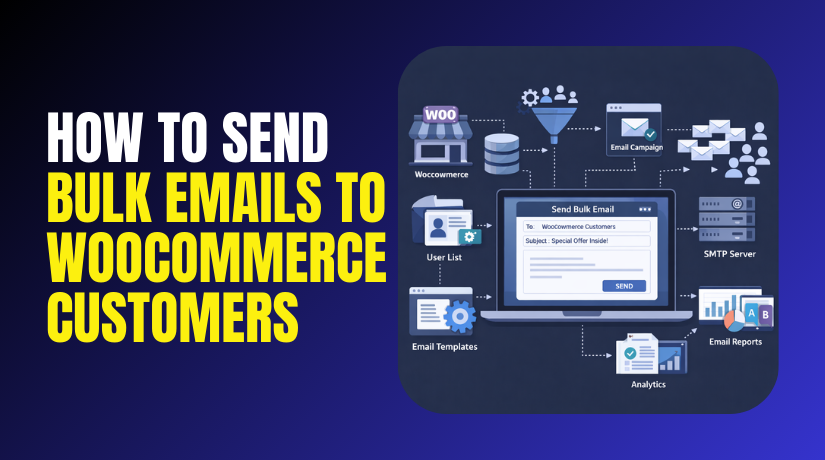
How to Send Bulk Emails to WooCommerce Customers Step by Step?
Table of Contents
- Introduction
- What is Bulk Email in WooCommerce?
- What are the Key Features of Bulk Email in WooCommerce?
- What Is Needed Before Sending Bulk Emails?
- What are the Benefits of Sending Bulk Email in WooCommerce?
- How to Send Bulk Email to WooCommerce Customers Step by Step?
- What are the Top 3 Best Bulk Email Plugins for WooCommerce?
- Final Verdict
Introduction
Running a store means talking to customers after they buy. Bulk emails help you share updates with many buyers quickly. This is called WooCommerce bulk email in simple words. You can send promos, order updates, and seasonal announcements together. You can also send back stock alerts and coupon campaigns.
Bulk emails work best when they are planned and targeted. Random emails feel spammy and can reduce trust quickly. Smart campaigns improve repeat orders and customer lifetime value.
They also help you move slow inventory faster. They help you recover abandoned customers with better offers. They also help you build stronger relationships over time. You can do bulk emailing using plugins or email platforms. You can also export customers and email them using tools.
In this guide, you will learn safe methods step by step. You will learn how to segment customers for better results. You will learn common mistakes to avoid for deliverability. You will also learn top plugins for WooCommerce email marketing.
What is Bulk Email in WooCommerce?
Bulk email means sending one email to many recipients together. In WooCommerce, it means emailing store customers at scale. You can email buyers, subscribers, or account holders based on rules.
Bulk email can be promotional or informational in nature. Promotional emails include deals, coupons, and product launches.
Informational emails include store updates and policy changes. WooCommerce itself sends transactional emails automatically for orders. Transactional emails are order confirmation and shipping notifications.
Bulk emails are different because you send them by choice. Bulk emails are part of WooCommerce email marketing strategy. They help you build repeat traffic and repeat purchases. Bulk email can also include newsletters for regular updates.
Many store owners use a WooCommerce newsletter plugin for this. You can also use email platforms like Mailchimp alternatives. Bulk email should always follow privacy and consent requirements. It should include an unsubscribe link for safety and trust. It should also avoid spam words and misleading subject lines.
What are the Key Features of Bulk Email in WooCommerce?
Bulk email tools have core features that make campaigns easy. These features help you manage lists, content, and sending schedules. They also help you track results and improve future campaigns. Good tools also protect deliverability using compliance features. A reliable system makes bulk emailing safer and repeatable. The features below matter for any WooCommerce store size. Use tools that match your store goals and your team skill.
1. Customer list building from WooCommerce data
Bulk tools can pull customer emails from orders and accounts. This is how you can email all WooCommerce customers safely. Better tools also sync customer data automatically over time.
- Import customer emails from WooCommerce orders and user accounts. This gives you a list based on real buyers.
- Auto sync lists when new orders arrive in WooCommerce. Sync keeps your list updated without manual exports.
- Filter out duplicate emails to keep reports accurate later. Duplicates inflate send counts and distort performance metrics.
2. Segmentation and targeting for better engagement
Segmentation means splitting customers into smaller groups by behavior. This is essential for strong WooCommerce email marketing results. Targeted emails feel personal and improve conversions significantly.
- Segment customers by purchase date, total spend, or order count. Segments help send relevant offers to the right buyers.
- Segment customers by product category or brand interest behavior. Interest targeting improves clicks and reduces unsubscribes quickly.
- Exclude recent buyers from promos to avoid negative reactions. Exclusions reduce complaints and improve customer satisfaction signals.
3. Email templates and drag and drop builders
Templates help you build emails faster with consistent design. Builders help non technical users create clean layouts easily. Consistent branding improves trust and recognition across campaigns.
- Use ready templates for newsletters, promos, and announcements.Templates reduce design time and keep layout consistent.
- Use drag and drop blocks for images, buttons, and text. Builders let you create emails without any coding.
- Match email design with store branding for better recognition. Branding improves trust and increases return visitor behavior.
4. Scheduling and automation for repeatable campaigns
Scheduling lets you send emails at the best time. Automation triggers emails based on customer actions or dates. This creates consistent engagement without daily manual work.
- Schedule bulk emails for weekends, evenings, or payday periods. Better timing improves open rates and click rates.
- Automate emails for birthdays, anniversaries, and win back sequences. Automated flows generate sales without manual effort.
- Pause campaigns during holidays if support is limited. Pauses reduce complaints when responses are delayed.
5. Compliance tools for unsubscribes and consent
Compliance tools keep your store safe from legal trouble. They also protect your sender reputation and inbox placement. Unsubscribe links are non-negotiable for marketing emails.
- Add unsubscribe links automatically in every marketing email footer. This reduces spam complaints and protects deliverability.
- Store consent records for newsletter subscribers and marketing lists. Records help if disputes arise about permissions.
- Use double opt-in when you want the highest list quality. Double opt in reduces fake emails and bounce rates.
6. Reporting and tracking to improve future emails
Reports show what worked and what failed in campaigns. You can track opens, clicks, bounces, and unsubscribes. You can also track revenue if ecommerce tracking is enabled. Better decisions come from reviewing reports after each campaign.
- Track open rates to judge subject line effectiveness quickly. Better subject lines lift opens and improve overall results.
- Track click rates to judge offer clarity and design quality. Clicks show real interest beyond opening the email.
- Track unsubscribes to spot frequency and relevance issues early. Rising unsubscribes signal content mismatch or over emailing.
What Is Needed Before Sending Bulk Emails?
Before you email all customers, prepare your basics carefully. You need a clean list, a sender address, and consent rules. You also need a simple goal for each campaign message. You should also set up unsubscribe links for compliance safety.
- Use a business domain email address for better trust. Domain emails improve deliverability and brand credibility signals.
- Confirm customers opted in for marketing emails legally. Consent reduces complaints and improves long term deliverability health.
- Plan one goal per email to avoid confusing the reader. Clear goals improve clicks and reduce content overwhelm.
What are the Benefits of Sending Bulk Email in WooCommerce?
Sending WooCommerce bulk email helps you stay connected with customers regularly. It supports repeat sales, improves retention, and builds long term trust. It also helps you promote offers faster than social media posts. Bulk emails work best when you send targeted messages, not random blasts.
When you segment well, your open rates and clicks improve. This also protects your sender reputation and reduces spam complaints. Below are the strongest benefits you should cover in your content.
1. Increase repeat sales and customer lifetime value
Bulk emails bring past buyers back to your store quickly. Past buyers already trust your brand and checkout process. That makes them more likely to purchase again soon. You can promote new arrivals, bundles, and loyalty offers easily. This is the biggest reason stores invest in WooCommerce email marketing.
- Promote new products to buyers who purchased similar items. Relevant offers increase conversions and reduce browsing time.
- Send exclusive coupons to past buyers to trigger repeat orders. Special deals feel personal and increase returning customers.
- Run seasonal campaigns to drive purchases during peak demand. Seasonal timing matches buyer intent and boosts revenue faster.
2. Drive traffic to your store with controlled messaging
Email gives you direct access to customers without algorithms. Social posts depend on reach and platform changes every week. Email reaches the inbox when deliverability is healthy. This makes bulk email a stable traffic source for your store.
- Bring customers back for limited time offers and launches. Urgency campaigns increase clicks and purchase intent quickly.
- Send content updates like guides and tips to build trust. Helpful emails improve engagement and brand authority signals.
- Share back in stock alerts to capture high intent buyers. Restock emails convert well because interest already exists.
3. Build stronger relationships and brand loyalty
Regular communication makes customers remember your brand. It also helps you stay top of mind for future needs. Newsletters can educate buyers and reduce doubts about products. This improves loyalty and reduces price sensitivity over time.
- Send helpful product usage tips after purchase for better results. Better product experience reduces refunds and negative feedback.
- Share customer stories and best sellers to build social proof. Social proof increases trust for new subscribers and buyers.
- Offer early access sales for subscribers to reward loyalty. Early access makes subscribers feel valued and engaged.
4. Save time using automation and reusable campaigns
Bulk email tools let you reuse templates and automate follow ups. Automation reduces daily manual work for store owners. This makes your marketing consistent even during busy periods. It also keeps campaigns repeatable and easier to scale.
- Automate welcome emails for new subscribers to build trust. Welcome sequences improve first purchase conversion rates.
- Automate win back emails for inactive customers after months. Win back offers reactivate buyers and recover lost revenue.
- Use templates to send campaigns faster without rebuilding design. Templates reduce errors and keep your brand consistent.
5. Improve customer targeting using purchase behavior data
WooCommerce data helps you target customers by what they bought. This makes campaigns more relevant and less spammy. Targeted messages usually get better open and click rates. This also protects your domain reputation and improves inbox placement.
- Target buyers by categories they purchased for better relevance. Relevant emails reduce unsubscribes and increase click rates.
- Exclude recent buyers from promos to avoid frustration. Exclusions reduce complaints and keep customer satisfaction high.
- Send personalized recommendations based on order history behavior. Recommendations increase upsells and average order value.
6. Increase review collection and product feedback volume
Bulk email is one of the easiest ways to request reviews. Review request emails help you build trust on product pages. They also help you improve products using real feedback. This supports SEO and conversion improvements over time.


- Send review request emails after delivery for better review quality. Delivery timing improves accuracy and detailed feedback.
- Ask for product photos to increase visual proof on pages. Photo reviews increase trust and reduce purchase hesitation.
- Use feedback to improve product descriptions and reduce returns. Better descriptions set expectations and lower refund requests.
How to Send Bulk Email to WooCommerce Customers Step by Step?
In this section, we will walk you through how to send bulk email WooCommerce customers safely and effectively. You will learn how to target the right audience, craft a compelling email, and send it without risking your store’s deliverability. Follow these steps carefully to ensure your email marketing campaigns are successful.
Step 1: Install a WooCommerce-Compatible Email Plugin
WordPress Dashboard → Plugins → Add New → Search for “WooCommerce Email Plugin” → Install → Activate
- Search for a compatible plugin that integrates with WooCommerce. Ensure the plugin can connect with your WooCommerce store’s customer data.
- Choose a plugin with a good rating and frequent updates. A well-supported plugin will help avoid future compatibility issues.
- Activate and configure the plugin settings after installation. Follow the plugin’s setup guide to integrate it with your WooCommerce store.
Step 2: Build a Clean and Targeted Email List
Plugin Settings → Email Lists → Filter Customers → Create Segment
- Segment customers by behavior, product purchases, or email preferences. Targeted emails drive higher engagement and conversions.
- Use the plugin’s filtering tools to create customer groups. Filtering customers based on actions ensures relevance in campaigns.
- Regularly clean the list to remove inactive subscribers. A clean list reduces bounce rates and improves inbox placement.
Step 3: Craft an Engaging Email Campaign
Plugin Settings → Create Campaign → Design Email
- Write a clear, catchy subject line that reflects the email’s content. A good subject line increases open rates.
- Use personalization features like the customer’s first name or past purchases. Personalization improves engagement and reduces unsubscribe rates.
- Include an enticing call to action that directs recipients to your WooCommerce store. A strong CTA increases conversion rates by guiding the customer.
- Ensure the email is mobile-friendly, as many users read emails on mobile devices. A responsive design ensures a positive user experience on all devices.
Step 4: Test Your Email Before Sending It
Plugin Settings → Preview Email → Send Test Email
- Send a test email to check how it appears in different email clients. Testing ensures that your email looks perfect in all inboxes.
- Check all links, images, and buttons to ensure they are working. Broken links can lead to frustrated customers and increased bounce rates.
- Proofread your email for grammar and spelling errors. Clean, professional copy improves your brand image.
Step 5: Schedule the Email or Send Immediately
Plugin Settings → Schedule Email → Send Now / Schedule
- Schedule emails for the best times, like evenings or weekends. Choosing the right send time increases open rates and engagement.
- Ensure you have set up proper time zone settings in your email plugin. Incorrect time zone settings can cause emails to be sent at the wrong time.
- Send immediately if the email is part of a flash sale or urgent promotion. Time-sensitive emails require immediate action to drive conversions.
What are the Top 3 Best Bulk Email Plugins for WooCommerce?
There are many WooCommerce email marketing plugins, but only a few stand out for ease of use and features. Here are the top 3 plugins that you can use to send bulk emails to WooCommerce customers and improve your email campaigns.
1. Mailchimp for WooCommerce
Mailchimp is a well-known email marketing tool that integrates seamlessly with WooCommerce. It offers powerful segmentation and automation features, making it easy to send targeted bulk emails to your customers. With its drag-and-drop email builder, creating professional-looking campaigns is a breeze. It also includes pre-built templates, which can save time on design.
Key Features
- Email automation for follow-ups, promotions, and product recommendations. Automate your email marketing to save time and increase conversions.
- Advanced segmentation to target customers based on their behaviors. Custom segments ensure your emails are highly relevant to your audience.
- Easy-to-use email builder with pre-made templates. Save time with ready-to-use templates that fit your store’s branding.
- Integration with WooCommerce to sync customers and order data. Synchronizing your WooCommerce store with Mailchimp ensures accurate and up-to-date customer data.
Pros
- User-friendly interface, ideal for beginners. Mailchimp simplifies email marketing with an intuitive dashboard.
- Pre-built automation features to grow your email list and sales. Automating tasks like welcome emails and abandoned cart reminders increases efficiency.
- Supports analytics to track campaign success and improve future emails. Analytics allow you to optimize your email marketing strategy.
Cons
- Free plan has limited features, especially with large lists. Free plans restrict the number of emails and features available.
- Limited control over design elements compared to other builders. Some advanced design customization may be restricted in Mailchimp.
Download Link: Mailchimp for WooCommerce
2. YITH WooCommerce Newsletter
YITH WooCommerce Newsletter is an easy-to-use email marketing plugin designed specifically for WooCommerce. It allows you to send bulk emails, newsletters, and promotional offers directly from your WordPress dashboard. With integration features for customer segmentation, this plugin enables targeted campaigns.
Key Features
- Customizable email templates for professional newsletters. Design and send newsletters that match your store branding effortlessly.
- Customer segmentation to send targeted promotions. Easily group customers based on their interests or behavior for better engagement.
- Send automatic emails for back-in-stock notifications. Automate notifications for customers interested in out-of-stock products.
- Easy integration with WooCommerce for syncing customer data. Automatically sync customer information for better email personalization.
Pros
- Easy setup and integration with WooCommerce. The plugin connects seamlessly with your WooCommerce store, making it a quick setup.
- Works well for smaller stores with a simple email marketing setup. It is perfect for stores looking for simplicity without many complex features.
- Automates sending promotional emails and newsletters. The plugin saves you time by automating your email campaigns.
Cons
- Limited advanced features compared to other tools. This plugin may not offer as many advanced segmentation and reporting features as others.
- Some customization options are only available in the premium version. To unlock full features, you will need to upgrade to the paid version.
Download Link: YITH WooCommerce Newsletter
3. WooCommerce Follow-Ups
WooCommerce Follow-Ups is a powerful plugin that allows you to send automatic emails based on customer actions. It is ideal for stores that want to automate follow-ups, loyalty campaigns, and product recommendations. WooCommerce Follow-Ups integrates deeply with WooCommerce, making it easier to target customers and track campaign success.
Key Features
- Automated email follow-ups based on customer behavior. Automatically send emails after a purchase, review, or abandoned cart.
- Product recommendation emails based on customer purchase history. Increase sales by recommending products similar to previous purchases.
- Customizable email templates to match your store branding. Design personalized follow-up emails to engage customers.
- Detailed tracking of email performance, including open and click rates. Review detailed statistics to improve future campaigns.
Pros
- Excellent for automating customer interactions and follow-ups. You don’t need to manually send emails for abandoned carts or product recommendations.
- Highly customizable emails to match your store branding. Customize each email to look and feel like part of your brand.
- Strong reporting to track the effectiveness of your campaigns. The plugin’s detailed analytics help you optimize email strategies.
Cons
- More complex than basic email plugins, requiring configuration. There is a learning curve for setting up automations and workflows.
- Some advanced features require the premium version. While the free version is useful, some key features are gated in the paid version.
Download Link: Follow Up Emails
Final Verdict
Bulk emailing is a powerful way to grow repeat sales and engagement. WooCommerce bulk email helps you share offers, updates, and product news quickly. It works best when your list is clean and permission based. You should segment buyers for relevance and better clicks. You should also test emails before sending to avoid mistakes. This keeps deliverability strong and builds long term customer trust.
To send emails to WooCommerce customers safely, use a reliable email tool. Pick a plugin that matches your store size and goals. Use automation for follow ups and simple newsletters. Always include unsubscribe options for compliance and trust. Track opens, clicks, and unsubscribes for improvement. With consistent value, your WooCommerce email marketing becomes a steady revenue channel.
Have questions before starting with WooCommerce & WordPress? Get support here at WooHelpDesk.



