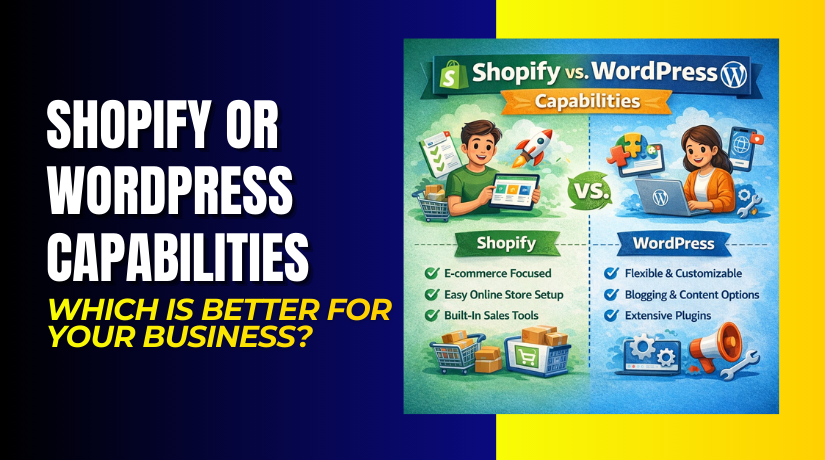
Shopify or WordPress Capabilities: Which is Better for Your Business?
Table of Contents
- Introduction to Shopify vs WordPress
- Ease of Use and Setup
- How WordPress’s Flexibility Supports Long-Term Growth
- eCommerce Features and Scalability
- WordPress (WooCommerce) eCommerce Features
- Scalability Comparison
- Security and Maintenance
- Support and Community
- Conclusion
Introduction to Shopify vs WordPress
Choosing the right platform for your online business is crucial. Two of the most popular options are Shopify and WordPress. Both have their strengths, but the right choice depends on your needs and long-term goals. In this article, we’ll explore the capabilities of each platform, focusing on WordPress as the more flexible and scalable solution.
When it comes to setting up an online store, WordPress offers more control over customization, while Shopify provides an easier and more streamlined setup. However, for businesses looking to grow and scale, WordPress is often the better choice due to its extensive range of features and flexibility.
Overview of Shopify
Shopify is a hosted eCommerce platform, meaning it handles all the technical aspects of website management. With Shopify, you don’t need to worry about hosting, updates, or maintenance. The platform provides a user-friendly experience, making it ideal for beginners who want to get started quickly. Shopify offers several built-in tools for managing your store, including payment processing, inventory management, and shipping options.
However, the simplicity of Shopify comes with some limitations. The platform is more restrictive in terms of customization. While you can add apps and themes, the core functionality is limited compared to WordPress. Shopify is great for small to medium-sized businesses that need a quick setup but may not be ideal for businesses with specific or complex needs.
Overview of WordPress
WordPress, on the other hand, is an open-source content management system (CMS) that powers over 40% of websites on the internet. Initially designed as a blogging platform, WordPress has evolved into a robust solution for both content-driven sites and eCommerce stores. With the WooCommerce plugin, WordPress can transform into a fully functional online store.
One of the biggest advantages of WordPress is its flexibility. You can choose from thousands of themes, plugins, and customization options to tailor your website exactly how you want it. Unlike Shopify, WordPress gives you full control over your site’s design and functionality. While it may take a little longer to set up compared to Shopify, the possibilities are endless, especially for businesses that plan to scale.
Ease of Use and Setup
When it comes to ease of use and setup, Shopify is a clear winner for beginners. Shopify is a hosted solution, meaning it takes care of all the technical aspects for you. You don’t need to worry about web hosting, domain registration, or installing software. With Shopify, setting up your online store is quick and straightforward. The platform offers an intuitive drag-and-drop interface, making it easy to add products, set prices, and design your store without any coding knowledge.
Shopify’s key features for ease of use:
- Quick setup process, with no technical knowledge required.
- Pre-designed themes and templates for easy customization.
- Built-in payment gateways for seamless transactions.
- Automatic updates and security patches to keep your site secure.
However, while Shopify’s ease of use is beneficial for those who are just starting, it does come with some limitations. For example, customization options are somewhat restricted, and many advanced features require paid apps.
On the other hand, WordPress offers greater flexibility but requires a bit more effort to get started. Setting up a WordPress website involves choosing a hosting provider, installing WordPress, and then adding the WooCommerce plugin to turn it into an online store. While this process may seem more complicated than Shopify’s, it gives you much more control over the entire process. You can select your own hosting, choose a theme, and install the plugins that best fit your needs.
WordPress also provides a wider range of customization options through themes and plugins. Once your store is set up, you can tailor the look and feel of your site to match your brand.
WordPress setup features:
- Full control over hosting, domain, and server setup.
- Thousands of themes and plugins for customization.
- Greater flexibility with functionality and design.
- More control over SEO and technical elements.
Customization and Flexibility
Customization is where WordPress truly stands out, especially for businesses that need more than just the basics. Shopify provides an easy-to-use platform with various templates and third-party apps. However, Shopify’s flexibility is limited in comparison to WordPress. While you can install apps to add extra features, these often come at an additional cost, and customization options for your store’s layout are restricted. You may also encounter limitations if you want to modify the code or add custom functionality.
Shopify customization limitations:
- Limited theme and layout options.
- Many advanced features are behind paywalls.
- Harder to make custom changes without developer support.
- Less control over SEO and code customization.
In contrast, WordPress, powered by WooCommerce, offers unparalleled flexibility. As an open-source platform, WordPress allows full control over every aspect of your online store. You can choose from thousands of themes, both free and paid, that suit your business’s style. Additionally, WordPress offers a wide range of plugins that can extend your store’s functionality. Whether you need advanced product options, payment gateways, or custom shipping methods, you can easily add the features you need.
Key customization advantages of WordPress:
- Complete control over design, layout, and functionality.
- Thousands of plugins for extended features.
- Full access to the website’s code for custom development.
- Strong SEO capabilities with customizable meta tags, URLs, and more.
Furthermore, WordPress allows for easier scaling. You can add as many products, pages, and features as you need. Whether you’re running a small online shop or planning to expand globally, WordPress offers the scalability you need.
For example, with WooCommerce, you can set up a fully functional marketplace, integrate with various payment gateways, and even set up subscription services. You can also integrate WordPress with powerful SEO plugins, like Yoast SEO, to improve your website’s visibility and rankings.
Benefits of WordPress for growing businesses:
- Seamless integration with third-party tools and services.
- Ability to scale your store as your business grows.
- Full control over user experience, design, and sales funnels.
- The flexibility to add complex functionalities as needed.
How WordPress’s Flexibility Supports Long-Term Growth
As businesses grow, their needs often become more complex. Shopify’s structure is designed for simplicity, which is great for small businesses, but it may not be able to handle advanced customization and scalability. WordPress, on the other hand, is ideal for growing businesses because it can evolve with your needs.
For instance, as your business expands, you can add new features, integrate with various tools (like CRM systems or email marketing platforms), and even migrate to a more powerful hosting solution without worrying about outgrowing the platform. WordPress’s flexibility ensures your online store can keep up with your business’s growth.
WordPress long-term benefits:
- Ability to add custom functionality and scale as needed.
- Wide range of integration options for advanced business tools.
- More control over customer data and user experience.
- Easy migration to more robust hosting solutions as your store grows.
In conclusion, while Shopify is excellent for those looking for an easy setup and straightforward management, WordPress offers the most customization options and scalability for businesses looking to grow in the long term. With its flexibility, WordPress allows you to create a truly unique online store that fits your specific business needs, making it a powerful choice for eCommerce.
Cost and Pricing Structure
When choosing between Shopify and WordPress, understanding the cost is crucial. Both platforms have different pricing models that may suit different business needs. Shopify has a subscription-based model, while WordPress offers more flexibility with hosting and plugins.
Shopify’s Pricing Model
Shopify is a paid, hosted platform. It offers three main pricing plans: Basic, Shopify, and Advanced. Each plan comes with a set of features, and the price increases as you move to higher tiers.
Shopify Pricing Breakdown:
- Basic Plan: Starts at $29/month. Suitable for small businesses, it includes all basic features, such as an online store, payment processing, and basic reporting.
- Grow Plan: Starts at $79/month. This includes more advanced reporting and additional features, like professional reports and shipping discounts.
- Advanced Plan: Starts at $299/month. This plan is for larger businesses that need advanced reporting, more shipping options, and greater scalability.
Shopify’s pricing structure is predictable but can become expensive as your business grows. Additionally, Shopify charges transaction fees (unless you use Shopify Payments), and many advanced features require additional app purchases.
WordPress Pricing Model
WordPress itself is free to use, but there are additional costs for hosting, domain registration, and premium plugins. You have complete control over how much you spend, depending on the tools you choose. The core of WordPress is free, and you can use WooCommerce to set up an eCommerce store at no cost. However, premium themes and plugins will have associated fees.
WordPress Costs Breakdown:
- Web Hosting: You’ll need a hosting provider, which can cost anywhere from $3 to $50+ per month, depending on your needs.
- Domain Registration: Typically costs around $10–$20 per year.
- Premium Themes: Range from $30 to $100 for a one-time purchase.
- Plugins: Many useful plugins are free, but premium ones can range from $30 to $200+ per year.
Since WordPress allows for more flexibility, you can control your costs better than with Shopify. You can start small with budget hosting and scale up as your business grows.
eCommerce Features and Scalability
Both Shopify and WordPress offer robust eCommerce features, but they cater to different types of businesses. Shopify is a ready-to-use platform with built-in features, while WordPress with WooCommerce allows more customization and flexibility.
Shopify eCommerce Features
Shopify is designed to provide a seamless eCommerce experience right out of the box. The platform includes everything you need to run an online store, including inventory management, payment gateways, and customer management tools.
Key Shopify eCommerce Features:
- Built-in Payment Gateway: Shopify Payments, which integrates with multiple payment processors.
- Inventory Management: Easily track inventory levels and manage product variations.
- Shipping Options: Built-in shipping tools, including discounted rates.
- Mobile-Friendly: Shopify themes are responsive and optimized for mobile shopping.
- Abandoned Cart Recovery: Automates email reminders for customers who leave items in their cart.
However, Shopify’s features can be limiting for larger businesses or those with specific needs. Customization often requires third-party apps, which can add extra costs.
WordPress (WooCommerce) eCommerce Features
With WordPress and WooCommerce, you get a highly customizable eCommerce experience. WooCommerce is a free plugin that allows you to turn your WordPress site into a fully functional online store. Since WordPress is open-source, you have full control over the store’s functionality, design, and performance.
Key WordPress eCommerce Features (via WooCommerce):


- Unlimited Products: Add as many products as you want, from physical to digital goods.
- Flexible Payment Gateways: Integrates with a wide range of payment processors like PayPal, Stripe, and more.
- Custom Shipping Rates: Create tailored shipping options based on weight, location, and more.
- Advanced Inventory Management: Track stock levels, manage variations, and enable backordering.
- Customizable Themes: Choose from thousands of free and premium themes to create a unique store design.
- Product Options & Variations: Easily add complex product options (sizes, colors, etc.) and variations.
WooCommerce also offers seamless integration with thousands of plugins, allowing you to enhance your store with additional features. Whether you want advanced analytics, subscription options, or custom shipping rules, WooCommerce has you covered.
Scalability Comparison
When it comes to scalability, WordPress with WooCommerce has a clear advantage. Shopify is designed to be user-friendly, but as your business grows, you may face limitations. For example, Shopify charges extra fees for higher sales volumes, and certain advanced features are locked behind more expensive plans.
On the other hand, WordPress gives you complete control over your website’s scalability. You can upgrade your hosting plan as your site grows, add more products, and integrate advanced features without worrying about hitting a pricing tier limit. WordPress is better suited for businesses that need flexibility in growing their eCommerce store.
WordPress Scalability Benefits:
- No limits on products or traffic.
- Easily add custom features as needed.
- Choose your hosting and resources as your business grows.
SEO Capabilities
Search engine optimization (SEO) is a critical factor in driving traffic to your online store. Shopify and WordPress both offer SEO capabilities, but WordPress has a significant advantage in this area due to its flexibility and powerful plugins.
Shopify SEO Capabilities
Shopify provides built-in SEO tools that allow you to optimize your store. These include features like editable title tags, meta descriptions, and easy URL customization. Shopify also provides automatic sitemaps, which help search engines index your store. While these tools are helpful, Shopify’s SEO capabilities are somewhat basic. It offers essential SEO features, but it lacks the depth and customization that WordPress provides.
Key Shopify SEO Features:
- Simple tools for editing title tags, meta descriptions, and URLs.
- Automatic creation of sitemaps for better indexing.
- Mobile-friendly themes to improve search rankings.
- Easy integration with Google Analytics.
However, Shopify’s limitations start to show when you need more advanced SEO options. For instance, you cannot easily modify the site’s code for specific SEO purposes. If you need to implement more complex SEO strategies, Shopify’s built-in tools may fall short.
WordPress SEO Capabilities
WordPress excels when it comes to SEO. With plugins like Yoast SEO and Rank Math, you can fully optimize your site for search engines. WordPress allows for complete control over all SEO elements, including title tags, meta descriptions, header tags, image alt texts, and URL structures. These plugins also provide on-page SEO analysis to guide you in optimizing your content.
Key WordPress SEO Features:
- Yoast SEO and Rank Math plugins provide advanced SEO tools.
- Full control over title tags, meta descriptions, and headers.
- Built-in tools for optimizing images (alt text, file size).
- Highly customizable URL structure for better SEO.
- Detailed SEO analysis with recommendations for optimization.
With WordPress, you have access to advanced SEO features that help boost your site’s visibility on search engines. The ability to edit every aspect of your site’s SEO structure gives you a significant advantage in ranking higher on search engines.
Security and Maintenance
When it comes to running an online store, security is essential to protect customer data and maintain your store’s integrity. Both Shopify and WordPress offer security features, but the responsibility for maintaining security varies between the two platforms.
Shopify Security
Shopify is a fully hosted platform, meaning it takes care of most of the security aspects for you. Shopify provides an SSL certificate for secure payments, ensures PCI compliance, and offers automated backups. As a store owner, you don’t need to worry about regular software updates or security patches. Shopify’s built-in security features are reliable, but you have limited control over them.
Key Shopify Security Features:
- SSL certificate for secure transactions.
- Automated PCI compliance.
- Regular software updates handled by Shopify.
- Built-in security features to prevent fraud.
While Shopify’s security features are robust, the lack of control over your store’s security settings may not suit businesses that require more customization or have specific security needs.
WordPress Security
WordPress offers more control over security, but this comes with added responsibility. Since WordPress is an open-source platform, you must actively maintain the security of your store. This includes keeping your WordPress core, themes, and plugins updated, using security plugins, and implementing strong passwords. WordPress offers a range of security plugins like Wordfence and Sucuri that can help protect your site from hackers and malware.
Key WordPress Security Features:
- Full control over your site’s security settings.
- Strong password protection and user access control.
- Security plugins like Wordfence and Sucuri.
- Regular updates for WordPress core, themes, and plugins.
- Manual backup options for your site.
While WordPress requires more proactive maintenance, it gives you full control over your store’s security. For businesses that need specific security measures or want to implement advanced features, WordPress is the better option.
Maintenance Considerations
Shopify handles most of the maintenance for you, including software updates, backups, and security patches. This makes it easier for store owners who prefer to focus on business operations rather than technical maintenance.
In contrast, WordPress requires regular maintenance. You’ll need to update your WordPress version, themes, and plugins regularly to avoid security vulnerabilities. WordPress also allows for more customization, but this can come with more complexity in maintaining and optimizing your site.
Maintenance for Shopify:
- No need to worry about updates or backups.
- Shopify takes care of everything, including security.
Maintenance for WordPress:
- You must handle updates, backups, and security.
- Regular checks and maintenance are required.
Support and Community
Support and community resources play a key role in managing your online store. Both Shopify and WordPress offer support options, but the quality and style of support differ between the two platforms.
Shopify Support
Shopify provides 24/7 customer support via live chat, email, and phone. The platform also offers a help center with articles and video tutorials. Shopify’s support team is known for its quick response time and helpfulness. However, if you run into advanced issues, you might need to rely on third-party experts or Shopify Partners.
Key Shopify Support Features:
- 24/7 live chat, email, and phone support.
- Comprehensive help center with articles and guides.
- Access to Shopify Experts for advanced issues.
While Shopify’s support is excellent, it is still somewhat limited compared to the vast community that WordPress offers. Shopify’s closed system means you are somewhat dependent on their support team for troubleshooting.
WordPress Support
WordPress benefits from a large, active community that offers extensive support. From forums and online communities to documentation and tutorials, there is no shortage of resources. WordPress also has a large pool of third-party developers, so you can find help easily.
Key WordPress Support Features:
- Active forums and online communities.
- Extensive documentation and tutorials.
- Access to a wide network of developers and agencies.
- Free and paid support options.
The WordPress community is one of its biggest strengths. With a global community of developers, designers, and users, getting help is easy. Whether you need a quick answer or a custom solution, the WordPress ecosystem has you covered.
Conclusion
When deciding between Shopify and WordPress, it’s important to evaluate your business’s needs. Shopify is a great option for businesses looking for a simple, easy-to-manage platform with excellent support. However, if you need more control, flexibility, and scalability, WordPress is the better choice. With its extensive customization options, SEO advantages, and large support community, WordPress offers a more powerful solution for businesses that plan to grow over time.
For those who are committed to scaling their business and want full control, WordPress with WooCommerce is the ideal choice.
Need help deciding or setting everything up correctly? WooHelpDesk can help you choose the right path and build it. Visit WooHelpDesk for support with WordPress, WooCommerce, fixes, and upgrades.
