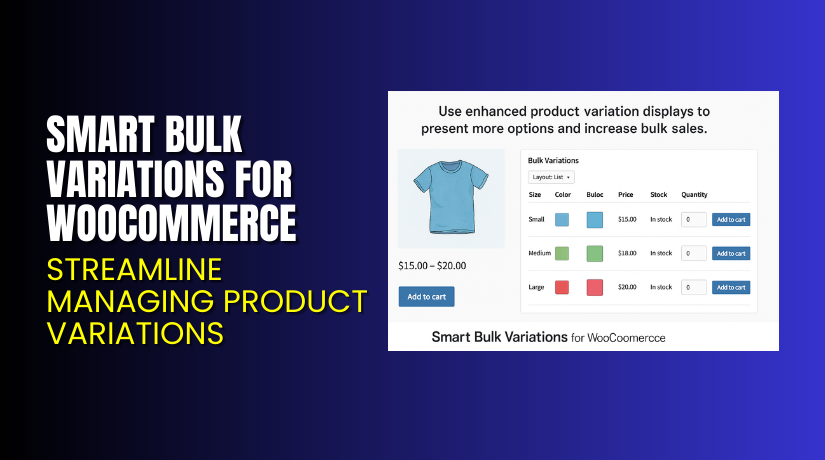
Smart Bulk Variations for WooCommerce – Streamline Managing Product Variations
Table of Contents
- Introduction
- What is Smart Bulk Variations for WooCommerce?
- Key Features of Smart Bulk Variations for WooCommerce
- How to Install and Configure Smart Bulk Variations for WooCommerce?
- Pricing & Plans
- My Experience with Smart Bulk Variations for WooCommerce
- Who Should Use This Plugin?
- Final Verdict
- FAQ
Introduction
Managing a WooCommerce store with many variations can be a nightmare. Whether you sell clothing, electronics, or other products with multiple options, keeping track of size, color, style, or any other variation can become time-consuming and cumbersome.
The default WooCommerce product variation system can be limited when dealing with bulk variations. You may find it difficult to update prices, inventory, and other product details in bulk, which can delay your business operations.
This is where Smart Bulk Variations for WooCommerce comes into play. It’s a plugin designed to make managing product variations in bulk easier. Whether you need to update pricing, inventory, or other attributes across many variations at once, this plugin helps you do it quickly and efficiently.
In this article, we’ll dive deep into the features of the Smart Bulk Variations for WooCommerce plugin, its pricing, how to install and configure it, and more.
If you need assistance with installation or troubleshooting, check out our Installation & Troubleshooting Services.
What is Smart Bulk Variations for WooCommerce?
Smart Bulk Variations for WooCommerce is a plugin designed to streamline the management of product variations on WooCommerce stores. It allows store owners to efficiently manage large numbers of variations — whether it’s updating prices, stock levels, or custom attributes — without the need to edit each variation manually.
Instead of going through each product variation one by one, this plugin offers a more bulk approach, saving you time and reducing human error. With this plugin, you can perform tasks like:
- Bulk updating of prices, stock levels, and other details across variations.
- Managing product variations with an easy-to-use interface.
- Import/export functionality for product variations to further speed up the process.
It’s built by HighAddons, a well-known provider of WooCommerce plugins, and is designed for store owners who need a time-saving solution for bulk product management.
- Plugin Name: Smart Bulk Variations for WooCommerce
- Developer: HighAddons
- Version: 1.0.7
- Compatible with: WordPress 5+ and WooCommerce 5+
- Official Documentation: View Documentation
- Support Page: Contact Support
Key Features of Smart Bulk Variations for WooCommerce
| Feature | Description | Why It Matters |
| Bulk Edit Prices | Update prices for multiple product variations in one go. | Saves time and avoids manually changing each variation. |
| Bulk Update Stock | Adjust stock levels across multiple variations quickly. | Keeps your inventory accurate without manual updates. |
| Easy-to-Use Interface | Simple and intuitive dashboard for managing variations. | Helps users make changes with minimal effort and technical knowledge. |
| Import/Export Functionality | Import or export product variation data in bulk. | Ideal for large stores with thousands of variations to update. |
| High Performance | Works smoothly with large inventories and high-performance order systems. | Ensures your store remains fast and efficient, even with many variations. |
| HPOS Compatibility | Compatible with WooCommerce High-Performance Order Storage (HPOS). | Optimizes store performance and reduces server load. |
How to Install and Configure Smart Bulk Variations for WooCommerce?
Getting started with Smart Bulk Variations for WooCommerce is simple. Follow the steps below to install and configure the plugin.
Step 1: Download the Plugin
First, download the plugin from the official product page.
Step 2: Install the Plugin
- Go to your WordPress Dashboard → Plugins → Add New → Upload Plugin.
- Upload the ZIP file you downloaded.
- Click Install Now and then Activate the plugin.
Step 3: Configure the Plugin
- After activation, navigate to WooCommerce → Smart Bulk Variations in your dashboard.
- You will now see a simple interface for managing product variations in bulk.
- You can filter variations based on product categories, tags, or custom attributes.
- Use the bulk actions like price updates, stock management, and custom attributes management.
- Once you’ve made the necessary changes, click Apply Changes.
Step 4: Test and Save
After applying the bulk updates, go to your product pages to confirm that all variations have been updated correctly.
If you encounter any issues during installation or configuration, you can access support through WooHelpDesk Installation & Troubleshooting Services.
Pricing & Plans
The Smart Bulk Variations for WooCommerce plugin is available for $49 per year, which includes all updates and support.
| Plan | Price | Includes |
| Premium | $49.00/year | All features, updates, and support |
- Billed annually
- One-site license
- No free trial or version available
To purchase the plugin, visit the official product page.
Buy Smart Bulk Variations for WooCommerce Now


Ready to save time and streamline the management of product variations?
Buy Smart Bulk Variations for WooCommerce now and get access to all the premium features.
Every purchase supports the development of more WooCommerce solutions, helping us deliver even more helpful tutorials and support.
My Experience with Smart Bulk Variations for WooCommerce
After testing this plugin, here’s what I found:
Pros
- Time-saving: Bulk editing is much faster compared to doing it manually.
- Easy-to-use interface: No technical skills are required to manage variations.
- Efficient for large stores: Perfect for stores with hundreds or thousands of variations.
- Great for updates: Helps keep product information accurate across all variations.
- Performance-oriented: Doesn’t slow down your website, even with a large product catalog.
Cons
- No free trial: There’s no way to test the plugin before purchasing.
- Limited customization for advanced users: Some advanced customization options could be useful for developers.
- No built-in reporting or analytics: Could benefit from insights into the bulk update process.
Who Should Use This Plugin?
Smart Bulk Variations for WooCommerce is ideal for:
- Stores with large product inventories that have many variations.
- Store owners who need to regularly update prices or inventory in bulk.
- WooCommerce users looking for an easier way to manage product variations without manually editing each one.
- Agencies managing client stores with many variations across multiple categories.
If you’re running a large store with complex product variations, this plugin will save you a significant amount of time and effort.
Useful Resources
Check out these helpful resources related to the plugin:
- Official Product Page – Smart Bulk Variations for WooCommerce
- Official Documentation – Plugin Setup & Configuration
- Contact Support – HighAddons
- Installation & Troubleshooting Services
These links will help you set up the plugin, resolve issues, and get the most out of its features.
Final Verdict
For store owners managing products with many variations, Smart Bulk Variations for WooCommerce is a must-have tool. It’s simple to use, saves time, and allows you to quickly update product details across all variations.
At just $49 per year, it’s an affordable investment that helps keep your store running smoothly and efficiently.
Buy Smart Bulk Variations for WooCommerce Now to streamline your product management process.
Need help with installation or setup? Use our Installation & Troubleshooting Services.
FAQ
Q1. Can I bulk edit product variations without affecting the original settings?
Yes, the plugin allows you to bulk edit variations without affecting the original configurations.
Q2. Is this plugin compatible with all WooCommerce themes?
Yes, it works with most WooCommerce themes, though testing is always recommended.
Q3. How do I update the plugin after purchasing?
The plugin will notify you of updates directly in your WordPress dashboard, where you can update it automatically.



