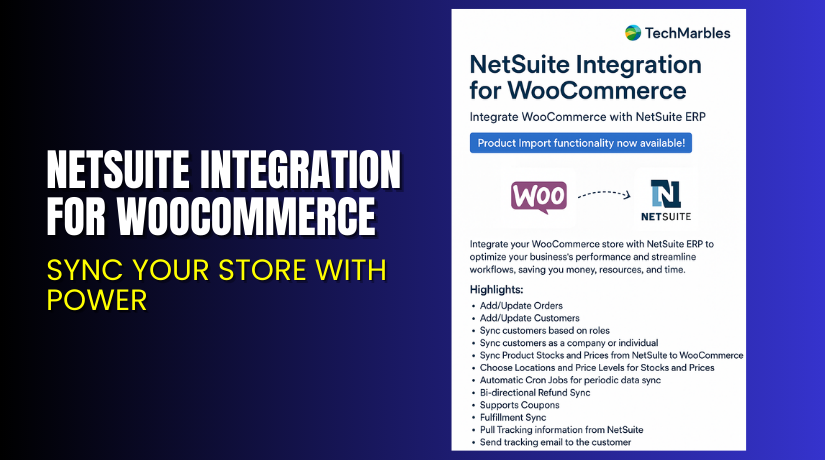
NetSuite Integration for WooCommerce – Sync Your Store With Power
Table of Contents
- Introduction
- What is NetSuite Integration for WooCommerce?
- Key Features of NetSuite Integration for WooCommerce
- How to Install and Configure NetSuite Integration?
- Pricing & Plans
- My Experience with NetSuite Integration Plugin
- Who Should Use This Plugin?
- Final Verdict
- FAQ
Introduction
Running a WooCommerce store is rewarding — but managing it manually is not. Many store owners struggle with syncing data between their store and business systems. Orders, inventory, and customer records often get out of sync. This causes delays, errors, and unhappy customers.
For growing businesses using NetSuite, the challenge is even bigger. You need real-time updates between WooCommerce and NetSuite to scale efficiently.
That’s where the NetSuite Integration for WooCommerce plugin by TechMarbles comes in. It automates data syncing between your online store and NetSuite ERP.
In this article, we’ll explain what this plugin does, its key features, setup process, pricing, and our hands-on review.
Need help with installation or troubleshooting? Use our NetSuite Integration Plugin Service.
What is NetSuite Integration for WooCommerce?
The NetSuite Integration for WooCommerce plugin connects your WooCommerce store to Oracle NetSuite. It allows you to automatically sync:
- Orders
- Inventory
- Customer details
- Product data
This removes the need for manual data entry. It helps reduce errors and saves hours of repetitive work.
The plugin is developed by TechMarbles, a certified development team specializing in WooCommerce integrations.
With this integration, your business runs smoother. Inventory stays updated, orders flow into NetSuite instantly, and your back-office remains accurate.
Plugin Page: TechMarbles Plugin Page
Support Page: Get Support from TechMarbles
Documentation: Read Full Documentation
Contact Developer: Contact TechMarbles
Key Features of NetSuite Integration for WooCommerce
| Feature | Description | Why It Matters |
| Real-Time Sync | Automatically updates data between WooCommerce and NetSuite | Keeps orders and inventory in perfect sync |
| Easy Setup | Simple dashboard interface and step-by-step guides | Reduces setup time and avoids confusion |
| Data Accuracy | Syncs customer, order, and product info with precision | Prevents manual entry mistakes |
| Inventory Sync | Ensures stock levels match across both systems | Avoids overselling or out-of-stock issues |
| Order Management | Transfers order details to NetSuite in real-time | Streamlines fulfillment and logistics |
| Custom Field Mapping | Map WooCommerce data to NetSuite fields | Supports custom workflows and advanced setups |
| API Integration | Secure, seamless connection to NetSuite’s API | Offers speed, reliability, and scalability |
How to Install and Configure NetSuite Integration?
Setting up the plugin is straightforward if you follow these steps:
- Go to the official TechMarbles plugin page.
- Purchase the plugin under the 1-year license plan.
- Download the plugin files after your purchase.
- In your WordPress dashboard, go to Plugins → Add New.
- Upload the ZIP file and click Install Now.
- Once installed, click Activate.
- Navigate to the plugin’s settings under WooCommerce.
- Enter your NetSuite API credentials (available from your NetSuite admin).
- Set up data mapping rules (e.g., which WooCommerce fields map to which NetSuite fields).
- Run a test sync with a sample order or customer to ensure data flows correctly.
For expert support, use our NetSuite Integration Installation Service.
Pricing & Plans
The plugin is available via a single subscription plan:
| Plan | Price | Includes |
| 1-Year License | $399/year | All features, updates, and support for 12 months |
- The subscription is billed annually.
- Works out to $33.25/month, paid in one yearly payment.
- Licenses are for one site.
Pricing may change based on seasonal offers. Always check the official TechMarbles pricing page for updated info.
Buy NetSuite Integration for WooCommerce Now
If your store relies on NetSuite, this plugin is a must-have. It cuts down manual work, improves accuracy, and saves time every day.
Buy it now from TechMarbles: Purchase the Plugin
Your purchase helps support continued development and offers access to dedicated support.
My Experience with NetSuite Integration Plugin
We tested the plugin on a client site using WooCommerce and NetSuite. Here’s what we discovered.
Pros:


- Easy to set up with guided documentation
- Seamless sync of orders, inventory, and customers
- Reduces processing time significantly
- High order accuracy rates
- Responsive and professional support team
Cons:
- Initial setup needs API access and credentials
- Limited to one site per license
- Requires basic knowledge of NetSuite field mapping
Despite the few technical requirements, the plugin worked as promised and performed reliably.
Who Should Use This Plugin?
This plugin is ideal for:
- Large WooCommerce stores using NetSuite ERP
- Wholesale businesses needing inventory sync
- Retailers with complex order workflows
- Agencies managing high-volume client stores
- Brands scaling operations across channels
If your store processes a high volume of orders or needs accurate ERP syncing, this plugin is a solid investment.
Useful Resources
Below are all the essential links you may need:
- Official Plugin Page
- Plugin Documentation
- TechMarbles Support Desk
- Contact Developer
- Our WooHelpDesk Integration Setup Service
These links will help you with installation, setup, documentation, and support.
Final Verdict
Managing inventory and order data manually is not scalable. If you’re using NetSuite ERP with WooCommerce, then NetSuite Integration for WooCommerce by TechMarbles is a game-changer.
It syncs your store with NetSuite in real-time. It reduces errors and saves time. Customers get faster service. Admins get better visibility.
The yearly plan costs $399, which is very reasonable considering the time and cost savings it offers.
Whether you’re a small business scaling fast or a large store looking to automate backend processes, this plugin is a smart investment.
Buy the plugin today and improve your WooCommerce-NetSuite operations.
Buy NetSuite Integration Plugin from TechMarbles. Need help? Try our Installation Service
FAQ
Q1. Is the plugin compatible with the latest version of WooCommerce?
Yes. It works with WooCommerce 9.x.x and newer.
Q2. Does it support real-time data sync?
Yes. Orders, inventory, and customers sync in real-time.
Q3. Can I customize data mappings?
Yes. You can map fields between WooCommerce and NetSuite.
Q4. Is the license valid for multiple sites?
No. Each license is valid for one website only.
Q5. Can I get support for setup and errors?
Yes. You can use TechMarbles Support or WooHelpDesk Services.



