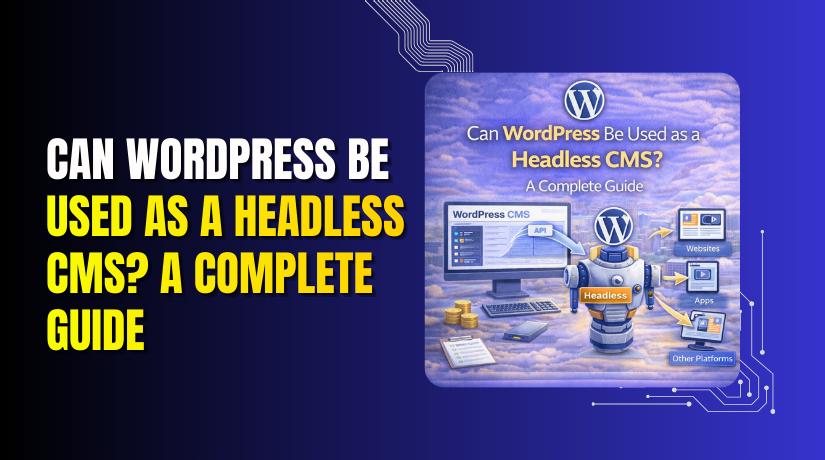
Can WordPress Be Used as a Headless CMS? A Complete Guide
Table of Contents
- Overview of Headless CMS
- The Key Question: Can WordPress Be Used as a Headless CMS?
- Key Benefits of Using WordPress as a Headless CMS
- Overview of Best Headless CMS Platforms for WordPress
- How to Set Up WordPress as a Headless CMS: Step-by-Step Guide
- Conclusion
Overview of Headless CMS
In today’s web development world, headless CMS is gaining significant attention. Unlike traditional content management systems (CMS), a headless CMS separates the backend (where content is created and stored) from the frontend (where content is displayed). This separation provides greater flexibility and scalability, allowing developers to deliver content across multiple platforms, from websites to mobile apps and even IoT devices.
With a headless CMS, content is delivered via APIs, making it easy to manage and distribute. The flexibility to choose any frontend technology, such as React or Vue.js, is one of the key reasons headless CMS is preferred for modern applications.
Traditional CMS vs. Headless CMS
Traditional CMS, like WordPress in its classic form, couples the content creation process with the frontend design. This means the same platform handles both content management and presentation. While this model works well for most websites, it becomes restrictive when you need to deliver content to multiple platforms.
On the other hand, headless CMS decouples the frontend from the backend. This allows developers to use various frontend frameworks and technologies to display content, while the backend is responsible solely for managing and storing that content. This decoupling improves flexibility, especially in projects that require dynamic, fast, and scalable solutions.
Relevance of Headless CMS WordPress for Modern Websites
With the growing demand for delivering content across different devices and platforms, WordPress as a headless CMS is becoming more popular. WordPress is no longer limited to just websites; it can now act as a powerful content management system that feeds data to apps, mobile devices, and other digital platforms via APIs like REST API and GraphQL.
Using WordPress as a headless CMS allows developers to continue benefiting from its user-friendly backend while using modern technologies for the frontend. This approach can significantly improve the speed, performance, and flexibility of your website or application.
The Key Question: Can WordPress Be Used as a Headless CMS?
So, the big question is: can WordPress function as a headless CMS? The answer is yes. WordPress provides the tools and APIs necessary to decouple the frontend and backend, giving developers the freedom to choose the best technologies for their specific needs. WordPress’s robust API support, particularly REST API and WPGraphQL, makes it an excellent choice for headless CMS architecture.
Exploring WordPress’s potential in this space is important for businesses and developers looking for modern solutions to manage content efficiently while maintaining flexibility in design and performance.
WordPress’s Headless CMS Capabilities
WordPress is traditionally known as a full-stack content management system. However, with the rise of modern web development needs, it can be used as a headless CMS as well. Headless CMS refers to a system where the backend (content management) is separated from the frontend (content presentation). In WordPress, this is achieved by decoupling the backend from the frontend using APIs, like REST API and GraphQL.
Using WordPress as a headless CMS allows developers to have more control over the frontend design and performance. WordPress’s backend continues to manage the content, while the frontend is powered by any modern technology, such as React, Vue.js, or Angular. The main benefit is the flexibility to choose the best tools for the frontend without being tied to WordPress’s default theme system.
The process involves using WordPress for content creation and management, then exposing that content through an API. This way, the content can be retrieved and displayed anywhere—on a website, mobile app, or other platforms.
WordPress Support for Headless CMS Using APIs
WordPress supports headless architecture natively with its REST API. This API enables developers to request and send data between WordPress and external applications. It provides a flexible interface to get content from WordPress without needing to use its frontend.
Another powerful tool is WPGraphQL, a plugin that adds GraphQL support to WordPress. GraphQL is an advanced query language that enables more efficient data retrieval, making it ideal for complex websites or apps. With these APIs, WordPress can easily feed content to multiple devices and platforms, such as mobile apps, IoT devices, and more.
These APIs provide the power to connect WordPress with modern frontend technologies, enabling faster and more dynamic user experiences. Developers can control how and when content is loaded, resulting in improved performance and flexibility.
Is WordPress Free for Headless CMS?
WordPress itself is free, but using it as a headless CMS may involve some additional costs. You will need a hosting solution, possibly specialized for headless CMS setups. Some plugins like WPGraphQL are free, but others may require a premium version or third-party tools for more advanced features.
Setting up a headless WordPress CMS might also involve hiring developers if you’re not familiar with frontend technologies like React or Vue.js. Therefore, while WordPress as a headless CMS can be a low-cost solution, the associated setup and maintenance may incur additional expenses.
Key Benefits of Using WordPress as a Headless CMS
Flexibility and Customization
One of the main advantages of using WordPress as a headless CMS is the flexibility it offers. By decoupling the backend from the frontend, WordPress allows developers to use any technology for the frontend design. This means you can choose frameworks like React, Vue.js, or Angular to build the frontend, giving you full control over the user experience and design.
With a headless architecture, you can easily customize the frontend to match your unique requirements, such as creating interactive elements or improving user interfaces. The separation also allows your content to be used across multiple platforms, such as websites, mobile apps, and even IoT devices, without needing to redesign or recreate it each time.
Faster Content Delivery
Using WordPress as a headless CMS improves content delivery speed. In traditional WordPress, content is tightly coupled with the frontend, which can sometimes slow down performance, especially as a site grows. With headless CMS, the frontend can be optimized separately, allowing faster load times and better user experience.
For instance, using a modern JavaScript framework for the frontend can significantly reduce page load times and improve site performance. Since content is delivered via APIs, it can be cached and loaded more efficiently. This results in a better experience for users, especially on mobile devices or slow networks.
Seamless Integration with Multiple Frontend Technologies
WordPress as a headless CMS provides seamless integration with modern frontend technologies. Popular frameworks like React, Vue.js, and Angular can be connected directly to the WordPress backend through APIs like REST API and WPGraphQL. This integration makes it easier to build modern, interactive websites and applications.
By using headless CMS, you also gain the ability to deliver content to various platforms. For example, content created in WordPress can be used on a website, a mobile app, or even smart devices without any additional effort. This multi-platform approach is ideal for businesses that want to deliver consistent content across various touchpoints.
Overview of Best Headless CMS Platforms for WordPress
When considering WordPress as a headless CMS, it’s important to look at the best platforms that support this architecture. While WordPress itself can be used as a headless CMS, some plugins and external platforms enhance its capabilities and streamline the process.
Here are some popular platforms that integrate well with WordPress:
- WPGraphQL: A plugin that adds GraphQL functionality to WordPress. It allows more efficient data retrieval compared to traditional REST APIs. This is ideal for complex websites or apps where fast and flexible data queries are essential.
- WP REST API: WordPress’s built-in REST API is a powerful tool for creating a headless CMS. It allows developers to interact with WordPress data using HTTP requests, making it easy to manage and retrieve content.
- Contentful: A popular headless CMS that integrates seamlessly with WordPress. It provides robust content management features and can be used alongside WordPress for content distribution.
- Strapi: Another powerful headless CMS that integrates well with WordPress. Strapi offers customizable APIs and is easy to use for managing content, making it a good choice for large-scale projects.
These platforms enable WordPress to function as a headless CMS, offering greater flexibility and performance. With the right platform, you can integrate WordPress with various frontend technologies and build highly scalable websites and applications.
Free and Premium Options
WordPress can be used as a headless CMS for free, but there are costs involved depending on the tools and services you choose. Many free plugins like WPGraphQL and REST API can be used without additional costs. However, some third-party services, such as Contentful or Strapi, offer premium features and advanced capabilities that come with a price tag.
- Free Options:
- WPGraphQL: Free and open-source, offering GraphQL support for headless WordPress.
- REST API: Built into WordPress, free to use for basic headless CMS functionality.
- Premium Options:
- Contentful: Offers a free plan with limited features, but the full-featured plans come with a cost.
- Strapi: Free for basic use, but premium plans offer advanced features and support.
WordPress vs Other Platforms Like Contentful or Strapi
While WordPress is a great option for headless CMS, there are other platforms worth considering. Contentful and Strapi are known for their ease of use, robust content management features, and scalability. However, WordPress stands out because of its large user base, flexibility, and extensive plugin ecosystem.
When comparing WordPress to Contentful or Strapi, here are some things to keep in mind:
- WordPress offers a large community and extensive support through plugins.
- Contentful provides a fully managed service with more customization options.
- Strapi is highly customizable, making it a good choice for developers who want complete control.
How to Set Up WordPress as a Headless CMS: Step-by-Step Guide
Setting up WordPress as a headless CMS means using WordPress only as a content management backend while building a completely separate frontend with modern JavaScript frameworks. The frontend consumes content via WordPress APIs (REST API or GraphQL). This approach provides flexibility, better performance, and improved security.
Here is a complete, accurate, and practical step-by-step guide.
- Install and Secure WordPress
- Install WordPress: Use your hosting provider’s one-click installer or manually download from wordpress.org and upload via FTP/SFTP.
- Best Practice for Headless: Install WordPress on a subdomain (e.g., cms.example.com or api.example.com) to keep the backend separate from your public site.
- Secure the Installation:
- Use a strong admin password and username (avoid “admin”).
- Install security plugins like Wordfence or iThemes Security.
- Limit login attempts and consider restricting /wp-admin access by IP.
- Disable the default frontend: Switch to a blank theme or use a plugin like “Disable Frontend” or “Headless Mode” to redirect or block public access to the WordPress site.
- Enable and Configure APIs
WordPress has a built-in REST API (no plugin needed) that is enabled by default.
- REST API: Accessible at /wp-json/ (e.g., https://cms.example.com/wp-json/wp/v2/posts).
- Optional: Add GraphQL (recommended for more efficient queries):
- Install WPGraphQL
- (Optional) Install WPGraphQL CORS to handle cross-origin requests easily.
- Handle CORS (critical when frontend and backend are on different domains):
- Add CORS headers to allow your frontend domain. Options:
- Use a plugin like “WP Headers” or add code to functions.php:
- Add CORS headers to allow your frontend domain. Options:
add_action(‘init’, function() {
header(“Access-Control-Allow-Origin: https://yourfrontend.com”);
header(“Access-Control-Allow-Methods: GET, POST, OPTIONS”);
header(“Access-Control-Allow-Headers: Content-Type, Authorization”);


});
- Or configure via .htaccess or server-level settings.
- Add Support for Custom Content (Optional but Common)
Most sites need custom fields or post types.
- Install Advanced Custom Fields (ACF) for flexible content modeling.
- To expose ACF fields:
- With REST API: Install ACF to REST API.
- With GraphQL: Install WPGraphQL for ACF.
- Choose a Frontend Framework (Strong SEO Recommendation)
Pure client-side frameworks (vanilla React/Vue/Angular) work but are not SEO-friendly because search engines may not wait for JavaScript to load.
Recommended for most projects:
- React + Next.js (most popular for headless WordPress – supports SSR/SSG).
- Vue + Nuxt.
- Static Site Generators: Gatsby (React) or Scully (Angular) for fully static sites.
Other options:
- Vanilla React, Vue.js, or Angular for internal tools or apps where SEO is not needed.
Consider your team’s expertise and project scale. Next.js is the current community favorite for headless WordPress.
- Set Up the Frontend
- Create a new project:
- js: npx create-next-app@latest my-site
- Nuxt: npx nuxi init my-site
- Install API clients if using GraphQL:
- Apollo Client (React/Next.js): npm install @apollo/client graphql
- Or urql/GraphQL Request for lighter setups.
- Fetch Data from WordPress
Example with REST API (simple fetch):
JavaScript
// In a React/Next.js component
async function getPosts() {
const res = await fetch(‘https://cms.example.com/wp-json/wp/v2/posts’);
const posts = await res.json();
return posts;
}
Example with GraphQL (using Apollo in Next.js):
JavaScript
import { ApolloClient, InMemoryCache, gql } from ‘@apollo/client’;
const client = new ApolloClient({
uri: ‘https://cms.example.com/graphql’,
cache: new InMemoryCache(),
});
const { data } = await client.query({
query: gql`
query GetPosts {
posts {
edges {
node {
title
content
featuredImage { node { sourceUrl } }
}
}
}
}
`,
});
- Build the User Interface and Routing
- Create pages/components for your content types (posts, pages, custom post types).
- Use framework routers:
- js: File-based routing + dynamic routes.
- React: React Router.
- Vue/Nuxt: Built-in routing.
- Handle images: Use URLs returned by the API directly (optimize with plugins like Imagify on WordPress side).
- Handle Authentication and Previews (Optional but Useful)
For editors to preview drafts:
- Install JWT Authentication for WP REST API or use WPGraphQL’s built-in auth.
- Use application passwords or cookies to authenticate preview requests from the frontend.
- Test Thoroughly
- Test API endpoints with Postman or GraphiQL (for WPGraphQL).
- Verify CORS works (no browser console errors).
- Check SEO with tools like Google’s Rich Results Test (especially important with SSR/SSG).
- Deploy
- WordPress Backend: Traditional hosting (e.g., Kinsta, SiteGround, Flywheel) or managed WordPress hosts.
- Frontend:
- js/Nuxt: Vercel (easiest), Netlify, or Cloudflare Pages.
- Static exports: Any static host.
- Set environment variables for API URLs in production.
Conclusion
In this guide, we explored how WordPress can be used as a headless CMS. We discussed the flexibility it offers by decoupling the backend and frontend, which allows developers to use modern frontend technologies like React, Vue.js, and Angular. WordPress, with its powerful REST API and WPGraphQL plugins, provides a robust backend for managing content while delivering it across various platforms.
We also highlighted the benefits of using WordPress as a headless CMS, such as faster content delivery, customization, and scalability. The ability to use multiple frontend frameworks adds to the flexibility of building dynamic, high-performance websites and apps.
Ready to explore the power of headless WordPress for your project? Whether you’re building a website, app, or both, WooHelpDesk can guide you through the setup process and offer expert support. Reach out today to unlock the full potential of your WordPress-powered headless CMS!
