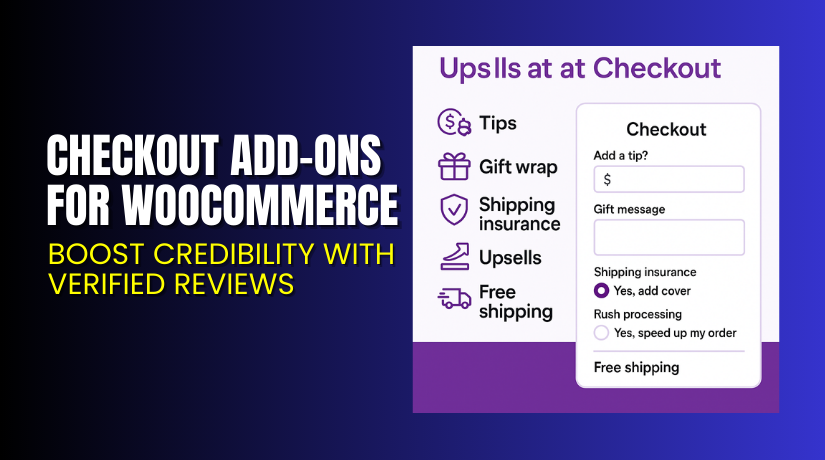
Checkout Add-Ons for WooCommerce – Boost Order Value with Custom Fields
Table of Contents
- Introduction
- What is Checkout Add-Ons for WooCommerce?
- Key Features of Checkout Add-Ons
- How to Install and Configure Checkout Add-Ons
- Pricing & Plans
- My Experience with Checkout Add-Ons
- Who Should Use This Plugin?
- Final Verdict
- FAQ
Introduction
Running an online store is about more than just taking orders. Many store owners want to offer extra services, gift options, or collect custom instructions. But the default WooCommerce checkout is basic and limited.
This creates a challenge. You want to offer gift wrap or a rush handling fee. You may also want to collect a gift message or accept a tip. But without custom fields, it’s impossible.
That’s where Checkout Add-Ons for WooCommerce comes in. It lets you add free or paid options to the checkout page. It supports multiple field types like text boxes, dropdowns, radio buttons, and file uploads.
In this article, we’ll explore the plugin’s features, setup, pricing, and more. We’ll also share real use cases, pros and cons, and who should use it.
Need help installing or configuring this plugin? Try our Checkout Add-Ons Installation & Troubleshooting Services.
What is Checkout Add-Ons for WooCommerce?
Checkout Add-Ons for WooCommerce is a plugin by SkyVerge. It allows you to create custom fields that show on the checkout page. These fields can collect data or offer extra services.
You can offer:
- Free options like gift notes
- Paid upsells like rush delivery or branded packaging
- Tips using fixed or percentage-based fees
It supports conditional logic. That means fields can change based on items in the cart or total value.
The plugin works with WooCommerce Subscriptions. So add-ons can appear during sign-up or renewal.
You can use it to create:
- Checkbox for “Add gift wrap – $5.”
- Text field for “Gift message.”
- File upload for “Upload logo for personalization.”
- Tip percentage dropdown
Selected options appear in emails and admin order pages. Store admins can sort orders based on the selected add-ons.
Official Website: SkyVerge – Checkout Add-Ons
Plugin Documentation: Checkout Add-Ons Docs
Support Page: SkyVerge Support
Key Features of Checkout Add-Ons
| Feature | Description | Why It Matters |
| Custom Field Types | Add text boxes, dropdowns, checkboxes, file uploads | Collect rich data and add personalized offers |
| Paid or Free Options | Add upsells with fixed or % cost | Increase average order value |
| Conditional Logic | Show/hide fields based on cart content | Deliver targeted offers |
| Dynamic Price Updates | Show updated order totals as users choose options | Transparent pricing improves trust |
| File Upload Support | Let customers upload artwork or logos | Great for custom products |
| Subscriptions Support | Add-ons available on initial and renewal orders | Works with subscription products |
| One Page Checkout Compatibility | Fully works with one-page layouts | No need for theme workarounds |
| Backend Filtering | Sort orders by add-on values | Makes admin order management easier |
How to Install and Configure Checkout Add-Ons
Follow these steps to install the plugin correctly:
- Purchase the plugin from the WooCommerce Plugin Page.
- Download the ZIP file after checkout.
- Log into your WordPress dashboard.
- Navigate to Plugins → Add New → Upload Plugin.
- Upload and activate the plugin file.
- Go to WooCommerce → Checkout Add-Ons.
- Create your fields using available types (text, dropdowns, checkboxes, etc.).
- Configure pricing (if needed) for each option.
- Set visibility rules and conditions.
- Test the checkout process before going live.
Need expert help? Use our Installation & Troubleshooting Service.
Pricing & Plans
| Plan | Price | Includes |
| 1-Year Plan | $79/year | Full features, updates, and support |
| 2-Year Plan | $126.40 (Save 20%) | All features and support for 2 years |
Your purchase includes:
- Plugin updates
- SkyVerge customer support
- 30-day money-back guarantee
Note: Pricing is in USD only. No free version is available.
Buy Checkout Add-Ons Plugin Now
Want to boost your checkout experience with custom fields?
Buy Checkout Add-Ons for WooCommerce


Your purchase helps fund future updates and supports the developer team behind the product.
My Experience with Checkout Add-Ons for WooCommerce
We tested this plugin on a live WooCommerce store. Setup was quick. Adding new fields took minutes.
We used it to offer rush handling and a tip field. It worked without any theme conflict. Customers used the upsells, and average cart value increased.
Pros:
- Simple to set up and manage
- Flexible field types available
- Clean UI for admin and users
- Works well with Subscriptions and One Page Checkout
Cons:
- No inventory control for upsell items
- Needs caution with tax settings (older versions had issues)
- No analytics dashboard to track field usage
Who Should Use This Plugin?
Checkout Add-Ons for WooCommerce is a great fit for:
- Store owners who want to add upsells and services at checkout
- Sellers offering gift wrap, rush shipping, or donations
- Subscription-based businesses needing extra user input
- Agencies building customized checkout workflows
- Shop owners who want to collect extra data like text or file uploads
Useful Resources
- SkyVerge Website
- Plugin Documentation
- Contact Developer
- SkyVerge Support Page
- WooHelpDesk Installation & Troubleshooting Services
Final Verdict
Checkout Add-Ons for WooCommerce is the plugin you need when the standard checkout page just isn’t enough. Whether you want to add gift notes, rush handling, tips, or other fields — this plugin gets the job done.
It’s stable, supported by a reputable team, and works with major WooCommerce extensions. It adds flexibility and profit potential to your checkout page.
Add more personalization. Offer small upsells. Boost your customer experience.
Buy Checkout Add-Ons for WooCommerce
Need help installing or customizing it? Try our Installation & Troubleshooting Services.
FAQ
Q1. Can I use this plugin to accept tips at checkout?
Yes. You can use fixed or percentage-based fees as tip options.
Q2. Will the add-ons show in customer emails and admin?
Yes. The selected options appear in order emails and admin order views.
Q3. Is it compatible with WooCommerce Subscriptions?
Yes. Add-ons can be applied during sign-up and renewal.
Q4. Can I charge extra for gift wrap or file uploads?
Yes. You can assign a fixed cost or a percentage fee for any field.
Q5. Does it work with One Page Checkout?
Yes. The plugin is fully compatible with One Page Checkout layouts.



