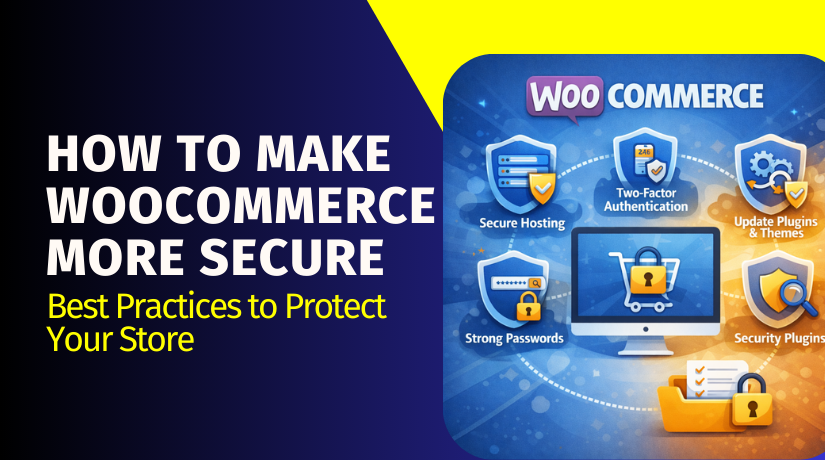
How to Make WooCommerce More Secure: Best Practices to Protect Your Store
Table of Contents
- Introduction
- How Secure and Safe Is WooCommerce?
- How Can WooCommerce Be Made More Secure?
- Conclusion
Introduction
Running an online store means you must protect customer trust daily. WooCommerce is powerful, flexible, and used by many store owners. Still, many users ask one key question often. They ask, how secure is woocommerce for real businesses today. The honest answer depends on how you run the store. Security is not only a plugin or one setting. It is a full system that must stay maintained.
This guide explains is woocommerce safe in simple terms. It also explains where risks come from in real stores. You will learn what WooCommerce protects by default. You will also learn what you must do to protect yourself. This part focuses on safety, risk areas, and smart expectations. Part two covers how to secure woocommerce with clear steps.
How Secure and Safe Is WooCommerce?
WooCommerce can be safe when set up the right way. It runs on WordPress, so it shares the same rules. Your store security depends on your full website stack. That stack includes hosting, WordPress core, and active plugins. It also includes your theme, users, and admin access settings. So, woocommerce security is not one simple yes or no. It is a mix of choices you make every month.
WooCommerce security depends on the full stack
WooCommerce is only one part of your store system. WordPress core handles users, logins, and site permissions. Your hosting handles server rules, firewalls, and file protection. Your theme adds code that can affect site safety. Your plugins add features but also add possible weak points. This is why woocommerce security issues often start elsewhere. Many hacks come from old plugins or weak logins. Some issues come from poor hosting or unsafe file access. So, the platform can be safe, but your setup matters.
What WooCommerce and WordPress do well
WooCommerce works with WordPress security updates and fixes. Regular updates help close known risks and weak points. The ecosystem also supports many safe payment options today. Most modern gateways use secure token systems for payments. That reduces your risk when used the right way. WooCommerce also supports strong roles and user permissions. You can limit what staff can access inside admin areas. When you keep updates regular, you reduce known risks. This supports woocommerce security best practices over time.
What WooCommerce does not guarantee by itself
WooCommerce cannot control what you install on your site. If you add risky plugins, you add risky code. If you use weak passwords, logins can be attacked. If your hosting is weak, attackers may enter through servers. If your theme is nulled, it may contain hidden malware. WooCommerce also cannot stop social attacks on admins. A stolen password can bypass many basic protections. So, is woocommerce safe depends on your daily habits too. Think of WooCommerce like a secure shop building. You still must lock doors and watch keys.
Common WooCommerce risk areas you should know
Most security problems follow a few common patterns. Outdated plugins are a top cause of store attacks. Many owners delay updates due to fear of errors. That delay can increase risk for your whole store. Weak admin passwords are another major risk area. Bots try many passwords using automated login attempts. This is called brute force or credential stuffing attacks. Old admin accounts also create risk if not removed. Malware can enter through file uploads or weak plugin code. SEO spam can inject links and damage your rankings quickly. Redirect malware can send visitors to unsafe pages. Misconfigured permissions can expose files to public access. These are real woocommerce security issues seen in many stores. The good news is most are preventable with smart habits.
Payments safety basics and what matters most
Payments are a special area for store safety concerns. Many users worry about card data getting stolen online. The safest approach is avoiding direct card storage on your server. Use gateways that tokenize cards and store data securely. Some gateways use hosted payment pages for added safety. In those cases, card entry happens on the gateway side. Your site receives a token, not raw card details. This reduces exposure and lowers your risk level. It also supports better compliance and safer checkout flows. If you use on-site card fields, choose trusted providers only. Use strong encryption, SSL, and strict gateway settings always. These choices are part of strong woocommerce security tips.
So, how secure is WooCommerce in real use?
WooCommerce is secure enough for serious stores when maintained well. It is not a risky platform by default. Most risk comes from poor maintenance and unsafe add-ons. If you follow woocommerce security best practices, safety improves fast. If you ignore updates, risk grows month after month. If you protect admin access, you block many attacks early. If you choose safe payments, you reduce checkout risks strongly. If you watch plugins, you remove weak links from your system. You do not need to be a security expert. You need a simple plan and steady habits. That is how you protect woocommerce store long term. In part two, we will build that plan step by step. It will include actions, tools, and a clear woocommerce security checklist.
How Can WooCommerce Be Made More Secure?
1) Keep everything updated, without skipping fixes.
Update WordPress core, WooCommerce, plugins, and your active theme. Old versions often carry known risks and weak points. Many woocommerce security issues start after delayed updates. Use a staging site if you fear checkout problems. Test cart, checkout, and emails after each update. This is one of the strongest woocommerce security best practices.
2) Remove unused plugins and replace abandoned ones.
Every extra plugin adds new code and new risk. Delete plugins and themes you do not use today. Avoid “nulled” themes because they can include hidden malware. Check when a plugin was last updated before trusting it. Fewer plugins make the store faster and safer. This is a simple way to protect woocommerce store.


3) Lock down admin access with strong login protection.
Use strong passwords for admins and store managers. Enable two-step login for every user with backend access. Limit login attempts to stop password guessing bots. Add CAPTCHA if your login page gets heavy bot traffic. Remove old admin users who no longer work with you. This improves woocommerce security and reduces account takeover risk.
4) Use least-privilege roles for staff and tools.
Give each staff member only the access they need. Avoid giving “Administrator” access unless it is required. Use “Shop Manager” for order handling and store tasks. Review roles monthly and remove unused accounts quickly. This limits damage if one account is compromised. It is a key part of how to secure woocommerce.
5) Secure payments using tokenized or hosted checkout methods.
Choose trusted gateways that use token based payment handling. Avoid storing any card details on your own server. Hosted checkout reduces exposure because card entry happens elsewhere. Turn on AVS and CVV checks when your gateway supports them. Enable fraud filters to block risky order patterns. These woocommerce security tips make checkout safer for buyers.
6) Force HTTPS everywhere and fix mixed content issues.
Enable SSL and force HTTPS sitewide, not only checkout. Mixed content warnings can break trust and reduce conversions. Ensure secure cookies and correct site URLs in WordPress settings. Redirect all HTTP pages to HTTPS automatically. This helps answer the question, is woocommerce safe for visitors.
7) Add a firewall layer and basic bot protection.
Use a WAF from your host, CDN, or security plugin. Block common attacks and limit repeated requests to login pages. Rate-limit traffic to wp-login and other sensitive endpoints. Monitor false blocks so real buyers are not affected. A firewall is a strong woocommerce security best practices layer.
8) Harden WordPress files and stop unsafe admin actions.
Disable the file editor inside the WordPress admin area. Use safe file permissions for folders and key files. Protect wp-config.php and block direct access to sensitive files. Prevent unauthorized uploads by tightening rules and plugin settings. These steps reduce many woocommerce security issues.
9) Use strong backups, monitoring, and recovery routines.
Take daily backups and store them offsite for safety. Test restores monthly so you trust your backups later. Enable malware scans and file change alerts for core files. Use uptime checks for homepage, cart, and checkout pages. Add activity logs to track admin changes and plugin edits. This helps you protect woocommerce store with confidence.
10) Follow safe habits when using custom code and snippets.
Validate inputs and escape outputs in custom features. Check user permissions before saving order or user data. Avoid random code from unknown sources and shady forums. Keep custom code small and review it after major updates. Good coding habits strengthen woocommerce security long term.
Conclusion
WooCommerce can be very safe when you manage it correctly. The real answer to how secure is woocommerce depends on upkeep. If you ignore updates, risk grows and attacks become more likely. If you lock down access, you block many threats early. If you use safe payments, checkout risks drop a lot. A firewall and good hosting stop many attacks before damage. Backups and monitoring help you recover without long downtime. Use this woocommerce security checklist as your weekly routine. Follow these steps to protect woocommerce stores and keep trust strong. This is the simplest way to prove is woocommerce safe for buyers.



