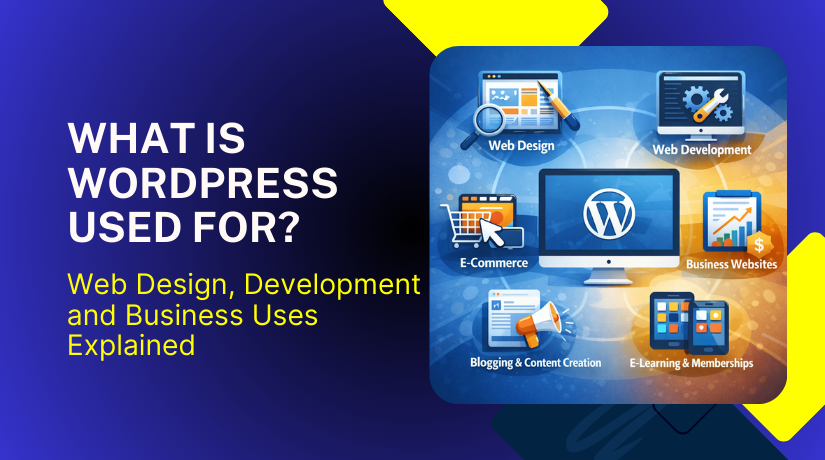
What Is WordPress Used For? Web Design, Development and Business Uses Explained
Table of Contents
- What Is WordPress Used For?
- How WordPress Works Behind the Scenes
- What Is WordPress.org Used For?
- WordPress.org vs WordPress.com (Brief Explanation)
- Why Use WordPress for a Website?
- Benefits of Using WordPress for Long-Term Growth
- Is WordPress Used for Web Design?
- How WordPress Is Used in Web Design Projects
- WordPress Web Design and Development Explained
- WordPress for Web Designers and Developers
- Can WordPress Be Used for Professional Websites?
- Is WordPress Good for Business Websites?
- Conclusion
What Is WordPress Used For?
Many kinds of websites can be created and maintained with WordPress. It functions as a content management system that facilitates online content publication for users. Many people use WordPress because it does not require advanced coding skills. This makes it appropriate for new, experts, and entrepreneurs alike.
WordPress is commonly used to create blogs, business websites, and service-based platforms. It also supports portfolio websites, news portals, and informational websites. Users can begin with a basic website and grow it later. This flexibility makes WordPress useful for long-term projects.
Another reason WordPress is widely used is its customization ability. Users can change layouts, colors, menus, and page structures easily. WordPress supports thousands of themes for different industries. This allows websites to match specific branding and design needs.
WordPress is also used for regular content publishing. Website owners can add pages, posts, and media without difficulty. Content updates can be done quickly without technical help. This helps businesses keep their websites active and relevant.
Many organizations choose WordPress because it supports growth. A small website can later become a large platform. As needs evolve, more features can be introduced. Because of this, WordPress is a sensible option for changing online requirements.
How WordPress Works Behind the Scenes
WordPress works by combining core files, themes, and plugins together. The core files manage basic website functions and data handling. Themes control the design and visual layout of the website. Plugins add extra features without changing core files.
When content is created, WordPress stores it in a database. The system then retrieves and displays this content dynamically. This process allows pages to load correctly for visitors. Users do not need to manage these technical steps manually.
A dashboard is used by WordPress to handle everything from one location. Users can control content, appearance, and settings from this panel. The interface is made to be easy to use and straightforward. This helps users manage websites without confusion.
Themes define how a website looks and feels. They control fonts, layouts, and visual structure. Plugins extend functionality based on website needs. Common plugin uses include contact forms, security, and performance tools.
Some common features WordPress supports include:
- Easy content creation and editing
- Media management for images and videos
- Design customization using themes
- Feature expansion using plugins
Behind the scenes, WordPress keeps everything organized and connected. Websites can function easily and effectively as a result. Instead of concentrating on technical intricacy, users may concentrate on growth and content.
What Is WordPress.org Used For?
WordPress.org is used to build fully customizable, self-hosted websites. Users have total control over the files and data on their websites. This version of WordPress is preferred for serious and professional website projects. Most business and service websites use WordPress.org for this reason.
Users of WordPress.org are free to select their own hosting company. This means better control over speed, security, and performance. Users are not limited by platform restrictions. They can scale their website as traffic and needs grow.
One major use of WordPress.org is creating professional websites. Businesses use it for company websites, service pages, and landing pages. Developers use it to build custom features and layouts. Designers use it to create unique visual experiences.
WordPress.org also supports advanced customization. Any theme or plugin can be installed by users. This allows websites to be tailored for specific industries and goals. From simple blogs to complex platforms, WordPress.org handles everything well.
Common uses of WordPress.org include:
- Business and corporate websites
- Professional service websites
- Blogs with full ownership and control
- Portfolio and agency websites
- Content-heavy and SEO-focused platforms
Another important use is long-term website management. Website owners can update, redesign, or expand anytime. They are not forced to upgrade plans to unlock features. This makes WordPress.org cost-effective over time.
WordPress.org is also trusted for content ownership. The user owns all of the website’s data. Businesses and brands should take note of this. It ensures long-term stability and independence.
WordPress.org vs WordPress.com (Brief Explanation)
Many beginners confuse WordPress.org with WordPress.com. While both use WordPress, they work very differently. WordPress.org provides complete control and is self-hosted. The hosted platform WordPress.com has its limits.
WordPress.com manages hosting and basic setup for users. But it limits customization, themes, and plugins. Paid plans are frequently needed for advanced features. This limits flexibility for growing websites.
WordPress.org does not have these restrictions. Users control hosting, design, and functionality. They can install custom themes and plugins freely. This is why professionals prefer WordPress.org.
Key differences explained simply:
- org gives full control and ownership
- com has platform limitations
- org supports advanced design and development
- com suits small or personal projects
WordPress.com can be useful for simple blogs or hobby sites. Starting is simpler, but growing is more difficult. WordPress.org is better for long-term goals and professional use.
For web design, development, and business websites, WordPress.org is the better choice. It offers freedom, scalability, and control. This makes it suitable for serious website projects in the long run.
Why Use WordPress for a Website?
WordPress is a popular choice due to its user-friendliness. It allows users to build websites without advanced technical knowledge. The dashboard is straightforward and simple to use. This gives beginners the confidence to handle websites.
WordPress is also cost-effective for new and growing websites. Basic hosting plans are available for users to begin with. Expensive software licenses are not necessary. Because of this, WordPress is a sensible option for small and new companies.
Flexibility is another benefit of using WordPress. Websites can begin modestly and grow over time. New pages, features, and designs can be added anytime. This allows websites to grow with business needs.
WordPress also supports different website goals. Blogs, company websites, and service platforms all benefit from it. Users can design websites for different industries. This makes WordPress useful for many online purposes.
Performance is another strong reason to use WordPress. With proper hosting and optimization, websites can load quickly. Both search visibility and user experience are enhanced by quick loading. This is important for websites targeting users in the USA.
Benefits of Using WordPress for Long-Term Growth
Scalability is a major advantage of utilizing WordPress. The platform supports small and large websites alike. As they expand, businesses might add additional features. WordPress does not limit future expansion.
WordPress is also search engine friendly by design. It supports clean URLs and structured content. SEO plugins help improve search visibility easily. This helps websites attract consistent organic traffic.
Another benefit is design freedom. There are many of themes and design choices available for WordPress. Typography, colors, and layouts are all customizable by users. This helps in the development of distinctive and branded websites.
WordPress also has a large plugin ecosystem. Plugins add features without complex coding. Common uses include forms, security, and performance tools. This allows websites to meet changing requirements.
Some major benefits of WordPress include:
- Easy website setup and management
- Flexible design and layout options
- Scalable structure for future growth
- Strong SEO and content support
- Large support community and resources
Security is also an important benefit when managed properly. WordPress receives regular updates and improvements. Security plugins add extra protection layers. This helps protect websites from common threats.
WordPress also supports regular content updates. Website owners can publish blogs and pages easily. New material fosters engagement and trust. This is important for long-term success.
Overall, WordPress provides a strong foundation for sustainable websites. It supports growth, performance, and visibility together. This makes WordPress a reliable choice for long-term website projects.
Is WordPress Used for Web Design?
WordPress is widely used as a web design platform today. It enables users to design aesthetically pleasing websites without the need for complicated coding. Designers can control layout, colors, and structure easily. This makes WordPress suitable for modern web design projects.
WordPress supports design through themes and visual editors. A website’s themes determine its overall appearance. Users can select designs based on business or personal needs. This helps speed up the web design process.
WordPress also supports responsive design by default. Websites adapt well to mobile, tablet, and desktop screens. Search rankings and user experience both depend on this. Designers can preview layouts on different devices easily.
Another reason WordPress is used for web design is flexibility. Designers can start with pre-built layouts or custom designs. It is possible to make changes without completely rebuilding the website. This saves time during design revisions.


WordPress is suitable for both simple and advanced designs. It supports clean layouts as well as complex page structures. This makes it useful for many design requirements.
How WordPress Is Used in Web Design Projects
WordPress is commonly used to manage complete web design workflows. Designers use page builders and themes to design layouts. Content sections can be added and edited visually. This reduces dependency on manual coding.
Page builders allow drag-and-drop design control. Buttons, graphics, and text can all be arranged by designers. Layout changes happen in real time. This improves design speed and accuracy.
WordPress also allows designers to maintain design consistency. Styles, fonts, and colors can be reused across pages. This keeps the website visually uniform. It also improves brand identity.
WordPress is frequently utilized for handover of client-friendly websites. Content can be updated by clients without affecting the design. This reduces ongoing support requests. Designers can focus on new projects instead.
Common ways WordPress is used in web design include:
- Creating responsive and mobile-friendly layouts
- Designing landing pages and service pages
- Customizing themes for brand identity
- Managing visual content and media
Custom styling is also supported by WordPress when necessary. Designers can add custom CSS for precise control. This allows advanced customization without heavy development work.
Another advantage is easy design updates. Designers can refresh layouts without starting over. This helps websites stay modern and relevant.
Overall, WordPress fits well into web design workflows. It balances visual control and ease of use. Because of this, designers and agencies favor it.
WordPress Web Design and Development Explained
WordPress is used for both web design and web development tasks. Design is concerned with the appearance and feel of the website. Development is concerned with the internal workings of the website. WordPress connects both areas smoothly in one platform.
In web design, WordPress helps create layouts and visual structures. Designers use themes and editors to build pages. In development, WordPress allows custom functions and features. Because of this, it may be used to create entire websites.
WordPress supports design and development without conflict. Designers can work on layouts and styles. Developers can work on functionality and performance. Both can work together on the same website.
WordPress also allows websites to move beyond ready-made templates. Custom themes can be created from scratch. This gives full control over design and structure. Developers can shape websites based on exact requirements.
WordPress is often chosen because it saves development time. The system already has essential features. It is not necessary for developers to start from scratch. This speeds up project delivery and reduces cost.
WordPress for Web Designers and Developers
Because of its flexibility, WordPress is a favorite among site designers. Designers can control layout, colors, and spacing easily. Visual tools help preview designs before publishing. This improves accuracy and client satisfaction.
Developers prefer WordPress because it supports custom coding. They can build custom themes and plugins. WordPress allows clean integration of custom functions. Because of this, it can be used for complex development requirements.
Additionally, WordPress facilitates collaboration between engineers and designers. Designers prioritize user experience and visual structure. Developers handle logic, performance, and security. This division improves project efficiency.
Another reason professionals use WordPress is maintenance ease. Websites are easier to update and manage. Changes can be made without breaking the site. This helps reduce long-term maintenance effort.
WordPress supports modern development practices. Developers can work with databases, APIs, and custom fields. This allows WordPress to power complex websites. It is not limited to basic site builds.
Common reasons designers and developers use WordPress include:
- Faster project setup and delivery
- Strong design and development balance
- Easy updates and long-term maintenance
- Custom features without rebuilding everything
WordPress also supports performance improvements. Developers can optimize speed and security easily. Plugins and hosting tools help improve results. This is important for professional websites.
Another benefit is scalability for future needs. New features can be added as projects grow. Designs can be updated over time by developers and designers. Websites remain competitive and up to date as a result.
Overall, WordPress works well for both design and development roles. It offers flexibility, control, and efficiency. This makes it a reliable platform for professional website projects.
Can WordPress Be Used for Professional Websites?
WordPress is widely used to build professional and trusted websites. WordPress is used by many businesses to maintain their online presence. It supports clean design, strong structure, and reliable performance. This makes WordPress suitable for serious business use.
Professional websites require control and adaptability. WordPress gives you complete control over the content and appearance. Businesses can customize pages to match brand identity. This contributes to a sleek and business like appearance.
WordPress also supports strong security when managed properly. Frequent upgrades maintain the system’s stability and security. Security plugins add extra protection layers. This helps protect professional websites from common risks.
Performance is another important factor for professional websites. WordPress works well with modern hosting solutions. Speed optimization tools improve loading times. Faster websites create better user experiences.
WordPress is commonly used for professional projects such as:
- Corporate and company websites
- Service-based business websites
- Consultant and agency websites
- Portfolio and profile websites
WordPress also allows easy website updates. Teams can publish content without technical help. This keeps professional websites active and updated.
Is WordPress Good for Business Websites?
WordPress is a strong choice for business websites of all sizes. It supports marketing, content, and lead generation needs. Businesses can build pages focused on customer conversion. This facilitates the conversion of visitors into leads.
Search engine visibility is supported by WordPress from the outset. Rankings are improved with a clear structure and SEO tools. This helps businesses gain steady visitors from search engines. It is especially useful for targeting local and national audiences.
WordPress also integrates easily with business tools. Analytics, forms, and email tools work smoothly. This allows businesses to monitor performance and visitor actions. Better insights lead to smarter decisions.
Another benefit is long-term cost control. Businesses avoid high platform fees and limitations. WordPress allows gradual investment as the business grows. This makes it budget-friendly over time.
Common business benefits of WordPress include:
- Easy content and page management
- Strong SEO and visibility support
- Marketing and analytics integration
- Scalable structure for growth
WordPress also supports content marketing strategies. Businesses can publish blogs and guides regularly. This builds trust and authority in their industry.
Overall, WordPress works well for professional and business websites. It offers control, flexibility, and growth potential. This makes WordPress a smart long-term website solution.
Conclusion
WordPress is an effective framework for creating cutting-edge, adaptable websites. It supports web design, development, and business needs effectively. Users get control, scalability, and long-term growth options. Because of this, WordPress is appropriate for both beginners and experts. With the right setup, WordPress delivers strong performance and reliability.
If you need help with WordPress design, development, or ongoing support, WooHelpDesk is here to help. Our experts handle setup, fixes, optimization, and maintenance. Visit https://www.woohelpdesk.com/ to get reliable WordPress support today.



