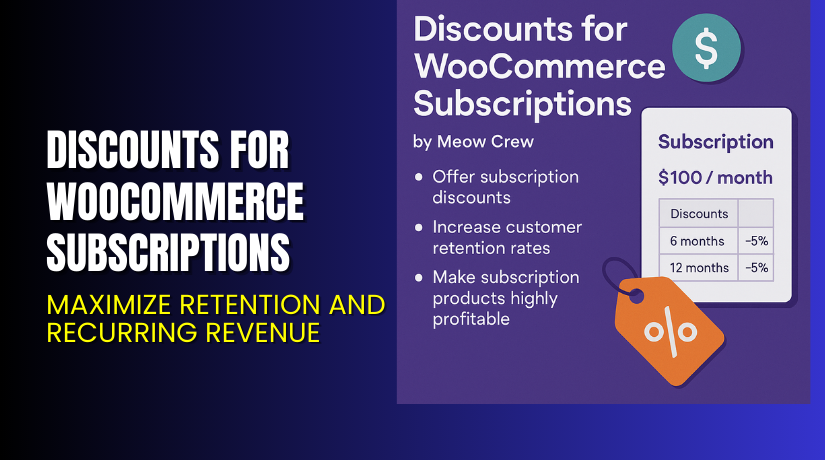
Discounts for WooCommerce Subscriptions – Maximize Retention and Recurring Revenue
Table of Contents
- Introduction
- What is Discounts for WooCommerce Subscriptions?
- Key Features of Discounts for WooCommerce Subscriptions
- How to Install and Configure Discounts for WooCommerce Subscriptions?
- Pricing & Plans
- My Experience with Discounts for WooCommerce Subscriptions
- Who Should Use This Plugin?
- Final Verdict
- FAQ
Introduction
Subscription-based business models are powerful, but customer retention can be tough. After a few billing cycles, many subscribers consider leaving due to static pricing. If your store doesn’t reward long-term customers, they may churn.
What if you could incentivize loyalty with discounts and reward specific user roles? This is exactly what Discounts for WooCommerce Subscriptions is built to do. Whether you want to reduce pricing on future renewals, increase prices over time, or apply role-based discounts, this plugin delivers flexibility.
In this article, you’ll discover how the plugin works, its benefits, features, setup process, pricing, and whether it’s a good fit for your WooCommerce store.
If you need expert help, try our Installation & Troubleshooting Services.
What is Discounts for WooCommerce Subscriptions?
Discounts for WooCommerce Subscriptions is a pricing management extension for WooCommerce Subscriptions, built by Meow Crew. It allows you to apply dynamic pricing rules to subscription products.
You can create discounts that:
- Decrease pricing over time to reward loyalty
- Increase pricing on renewals to boost revenue
- Apply exclusive discounts based on user roles
- Show discount tables on product pages
- Manage existing subscription pricing manually
It works with both simple and variable subscription products. Whether you’re running a SaaS business, subscription box, or online membership, this plugin helps customize renewal pricing and improve lifetime value (LTV).
Official Plugin Page: Discounts for WooCommerce Subscriptions
Documentation: View Plugin Documentation
Developer Contact: Meow Crew Contact Page
Key Features of Discounts for WooCommerce Subscriptions
| Feature | Description | Why It Matters |
| Fixed or Percentage Discounts | Apply price drops as flat values or percentages. | Rewards loyal users and improves retention. |
| Renewal Price Increases | Add cost with each renewal. | Encourages quick action or front-loaded offers. |
| Role-Based Discounts | Target discounts based on user roles. | Perfect for VIPs, affiliates, or wholesale buyers. |
| Discount Tables on Product Pages | Explain how discounts apply over time. | Improves transparency and builds trust. |
| Custom Table Templates | Customize headings and explainers. | Aligns with your brand voice and clarity. |
| User Account & Checkout Display | Show discounts in account, cart, and emails. | Keeps customers aware and engaged. |
| Manual Discount Management | Add discounts to current subscriptions. | Helps migrate existing users to loyalty programs. |
| Discount Sequence in Admin | See future discount or price change schedule. | Aids planning and customer service. |
| Supports Simple & Variable Subscriptions | Use across your full product range. | Increases plugin flexibility and usefulness. |
How to Install and Configure Discounts for WooCommerce Subscriptions?
Setup is quick and doesn’t require coding. Follow these steps:
- Purchase and download the plugin from the official plugin page.
- Go to your WordPress dashboard → Plugins → Add New → Upload Plugin.
- Upload the ZIP file and click Install Now.
- Activate the plugin after installation.
- Navigate to a subscription product (simple or variable).
- Scroll to the Discounts Section.
- Define your rules:
- Percentage or fixed discounts
- Discounts based on the number of renewals
- Role-based discounts
- Choose whether to show a discount table on the product page.
- Customize table labels using built-in templates.
- Save and test changes on a staging product.
For extra help, use our Installation & Troubleshooting Services.
Pricing & Plans
This plugin is priced competitively and comes with a full refund option.
| Plan | Price | Includes |
| Annual License | $79 / year | 1-year updates and premium support |
| Refund Policy | 30 days | Full money-back guarantee |
Buy directly from the Discounts Plugin Page.
Buy Discounts for WooCommerce Subscriptions Now
If you’re using WooCommerce Subscriptions and want more control over renewal pricing, this plugin is essential. It’s the only plugin that provides dynamic, role-based, and progressive discounts.
Buy the plugin here → Get Discounts for WooCommerce Subscriptions
Your purchase supports development and allows us to bring more tutorials and helpful services.


My Experience with Discounts for WooCommerce Subscriptions
We installed this plugin on a subscription learning platform. Here’s what we discovered:
Pros
- Easy to configure and lightweight
- Works well with WooCommerce Subscriptions
- Flexible discount logic (increase, decrease, role-based)
- Displays discount info across the cart, account, and emails
- Great for improving customer retention
Cons
- No discount migration between plans
- Not designed for switching between regular and discounted plans
- Requires WooCommerce Subscriptions as a base plugin
Still, for what it offers, the value is exceptional.
Who Should Use This Plugin?
Recommended for:
- Stores offering monthly or yearly subscription products
- SaaS and digital product platforms
- Membership-based sites needing dynamic renewal pricing
- Store owners wanting better LTV from recurring customers
- Admins seeking flexible role-based pricing options
Useful Resources
Final Verdict
Discounts for WooCommerce Subscriptions fills a much-needed gap in WooCommerce functionality. It helps you retain customers, boost renewal rates, and apply flexible pricing strategies without touching code.
Whether you’re offering a premium content subscription, physical product box, or recurring service, this plugin gives you powerful tools to manage renewal pricing your way.
With a 30-day refund guarantee, it’s a risk-free investment to grow your subscription business.
Buy it now → Purchase Discounts for WooCommerce Subscriptions
Need expert help? Use our WooHelpDesk Support Services.
FAQ
Q1. Can I apply discounts only to future renewals?
Yes. You can apply rules only to upcoming renewals or to existing subscriptions manually.
Q2. Does it support both simple and variable subscription types?
Yes. You can use it for both types without any issues.
Q3. Where are discounts displayed for users?
They appear on the product page, cart, checkout, and in service emails.



