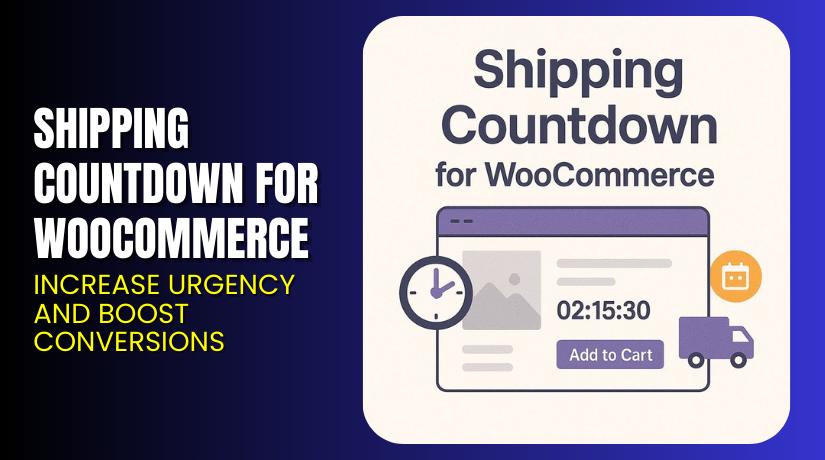
Shipping Countdown for WooCommerce – Increase Urgency and Boost Conversions
Table of Contents
- Introduction
- What is Shipping Countdown for WooCommerce?
- Key Features of Shipping Countdown for WooCommerce
- How to Install and Configure Shipping Countdown for WooCommerce?
- Pricing & Plans
- My Experience with Shipping Countdown for WooCommerce
- Who Should Use This Plugin?
- Final Verdict
- FAQ
Introduction
Customers abandon carts when they aren’t sure about delivery timelines. A vague “Ships in 1–2 days” message does little to drive urgency or trust. If your store promises same-day dispatch or fast shipping, you need to show that clearly.
This is where Shipping Countdown for WooCommerce helps.
It adds a real-time countdown timer to your product pages. The timer shows exactly how long customers have to place an order for same-day dispatch or next-day delivery.
In this article, we’ll explore what this plugin does, how to install it, features, pros, cons, pricing, and who it’s for.
If you need setup support, visit our Installation & Troubleshooting Services.
What is Shipping Countdown for WooCommerce?
Shipping Countdown for WooCommerce is a plugin developed by Kestrel Commerce. It lets you display a live countdown on product pages — showing shoppers how much time is left to qualify for same-day shipping or next-day delivery.
Example:
“Order within 2 hours 17 minutes for delivery tomorrow.”
It sets expectations upfront and removes doubts about delivery. The result? More trust and higher conversions.
This plugin is designed for store owners who:
- Want to reduce “When will I get my order?” support tickets
- Offer express or time-sensitive shipping
- Need to create urgency without using fake scarcity tactics
The countdown automatically resets based on your store’s daily cutoff time. You can set different rules for dispatch, weekdays, holidays, or time zones.
Official Plugin Page: Shipping Countdown for WooCommerce
Support Page: KestrelWP Support
Contact Page: Contact Developer
Key Features of Shipping Countdown for WooCommerce
| Feature | Description | Why It Matters |
| Live Countdown Timer | Shows a real-time timer on product pages | Creates urgency to act before the cutoff |
| Same-Day Dispatch Logic | Timer resets daily based on your settings | Ensures accurate shipping messaging |
| Customizable Messages | Change the text that appears next to the timer | Aligns with your brand voice |
| Reduces Support Queries | Fewer “When will I get it?” tickets | Frees your support team to focus elsewhere |
| Improves Delivery Clarity | Shows exact time to order for fast delivery | Sets accurate customer expectations |
| Boosts Conversions | Urgency drives more impulse purchases | Helps turn visitors into buyers |
| Time-Zone Aware | Syncs with customer or store timezone | Displays correct timing globally |
| Works on Product Pages | Visible where customers make purchase decisions | Adds value at the right moment |
How to Install and Configure Shipping Countdown for WooCommerce?
To set up the plugin, follow these steps:
- Purchase the plugin from Kestrel’s product page.
- Download the plugin .zip file from your account.
- Go to WordPress Dashboard → Plugins → Add New.
- Click Upload Plugin and select the downloaded file.
- Click Install Now, then Activate.
- Go to WooCommerce → Settings → Shipping Countdown.
- Set your dispatch cutoff time (e.g., 3 PM daily).
- Customize the countdown message (e.g., “Order within X for delivery tomorrow”).
- Save changes and test the countdown on a product page.
You can also:
- Set which days the countdown is active
- Disable it on holidays
- Adjust wording based on dispatch behavior
Need help configuring it? Try our Installation & Troubleshooting Services.
Pricing & Plans
| Plan | Price | Includes |
| Premium | $89.00 / year | Use on 1 site, plugin updates, and full support |
There is no free version available. All features are included in the premium license.
What’s included:
- Live countdown timer
- Full customization panel
- Ongoing plugin updates
- Priority support from Kestrel team
Buy Shipping Countdown for WooCommerce Now
Your purchase supports the plugin’s development and ensures continued compatibility.
My Experience with Shipping Countdown for WooCommerce
I tested this plugin on a store selling perishable products with next-day delivery. The difference was clear.


Pros:
- Setup was easy and took less than 10 minutes
- Timer adds urgency without being pushy
- Customers asked fewer delivery-related questions
- Improved conversion rate during peak hours
- Clean design and integrates well with custom themes
Cons:
- No analytics or click tracking on timer
- Not visible on the cart or checkout pages
- Manual override for specific products not yet available
Overall, it’s a simple but powerful plugin. It does one job — and does it well.
Who Should Use This Plugin?
This plugin is ideal for:
- Stores offering same-day dispatch or next-day delivery
- Retailers selling perishable, limited-time, or seasonal goods
- Shops with cutoffs for shipping or order batching
- Businesses needing to reduce shipping-related support tickets
- WooCommerce stores aiming to improve conversion rates
If urgency and clarity are important to your customer journey — this plugin helps deliver both.
Useful Resources
Here are links to help you get started:
- Shipping Countdown for WooCommerce – Official Plugin Page
- Support Center for Plugin Help
- WooHelpDesk Installation Support
Use these to install, configure, or troubleshoot the plugin.
Final Verdict
Shipping Countdown for WooCommerce is a conversion-focused plugin. It adds real urgency to your product pages — backed by actual shipping timelines.
Instead of customers wondering when their order will arrive, they see the deadline upfront. This builds trust, drives faster decisions, and improves satisfaction after the sale.
The plugin is reliable, lightweight, and well-designed.
At $89/year, it’s a smart investment for stores that rely on timely shipping.
Buy Shipping Countdown for WooCommerce Today
Need help installing it? Use our Installation & Troubleshooting Services.
FAQ
Q1. Can I change the countdown message text?
Yes, you can fully customize the message from the plugin settings.
Q2. Will the countdown reset automatically every day?
Yes. You set a daily cutoff time, and it resets after that.
Q3. Does this work with all WooCommerce themes?
It works with most modern themes and is easy to style if needed.



