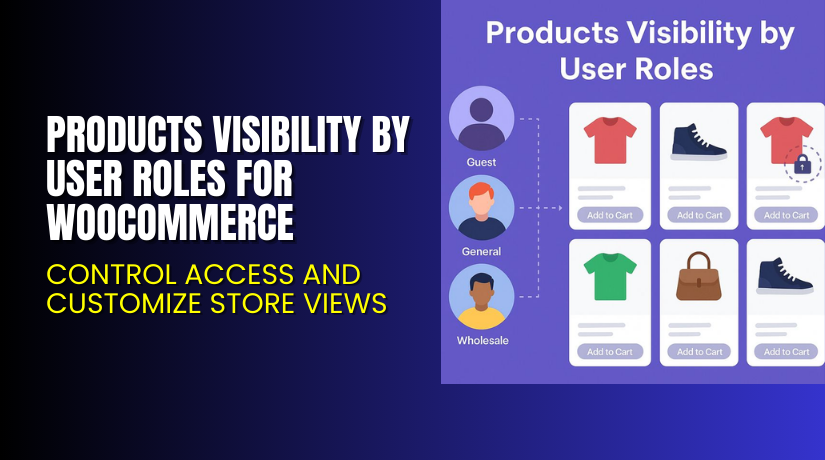
Products Visibility by User Roles for WooCommerce – Control Access and Customize Store Views
Table of Contents
- Introduction
- What is Products Visibility by User Roles for WooCommerce?
- Key Features of Products Visibility by User Roles
- How to Install and Configure the Plugin
- Pricing & Plans
- My Experience with the Plugin
- Who Should Use This Plugin?
- Final Verdict
- FAQ Section
Introduction
WooCommerce is flexible, but not every store wants to show the same products to everyone. Some businesses sell to both retail and wholesale users. Others run membership-based stores with exclusive products.
By default, WooCommerce does not allow user-based product visibility. This limitation can affect the customer experience and store performance.
Products Visibility by User Roles for WooCommerce fixes this. Developed by Addify, this plugin helps you control product and category visibility for different user roles.
In this guide, we’ll explore what the plugin offers, how to install it, top features, pricing, and who it’s best suited for.
Need expert help? Try our Installation & Troubleshooting Services.
What is Products Visibility by User Roles for WooCommerce?
Products Visibility by User Roles for WooCommerce is a plugin designed to manage who can see products in your store. It allows you to:
- Hide products or categories based on user roles
- Show specific items only to logged-in users
- Redirect users when they access restricted content
- Display custom messages for restricted users
It works with simple and variable products. You can set visibility globally, per product, or per category. This gives you full control over your store’s display.
It’s ideal for:
- Wholesale stores
- B2B eCommerce
- Membership sites
- Retailers with exclusive collections
Official Plugin Page: Addify – Product Visibility by User Roles
Documentation: Product Visibility Documentation
Support Contact: Contact Addify Support
Key Features of Products Visibility by User Roles
| Feature | Description | Why It Matters |
| Role-Based Visibility | Show/hide products based on user role | Control access per audience type |
| Global Visibility Control | Set visibility site-wide for roles | Save time managing product settings |
| Product-Level Rules | Apply visibility settings to individual items | Get granular control over product access |
| Category-Level Rules | Hide or show entire categories | Simplifies bulk product visibility |
| Custom Redirects | Send users to a custom URL | Keeps users engaged |
| Custom Messages | Show tailored messages to blocked users | Improves UX and communication |
| SEO Control | Manage crawlability of hidden content | Helps protect SEO rankings |
| Guest User Control | Block or allow product visibility for guests | Useful for login-required content |
How to Install and Configure the Plugin
Follow these steps to install and configure the plugin:
- Download the plugin from Addify’s product page.
- Log in to your WordPress dashboard.
- Navigate to Plugins → Add New → Upload Plugin.
- Upload the ZIP file and click “Install Now.”
- Once installed, click “Activate.”
- Go to WooCommerce → Product Visibility Settings.
To set up visibility:
- Choose user roles for each product or category
- Set visibility as “Visible” or “Hidden”
- Add custom redirect URLs if needed
- Create error messages for restricted users
Global Settings:
- Go to the Global Visibility tab
- Set rules for guest users or specific roles
- Apply settings across all products or categories
- Exclude specific products from global rules
You can also manage SEO settings for hidden content. Decide whether restricted pages should be indexed by search engines.
For detailed instructions, follow the official documentation.
Need technical support? Use our WooHelpDesk Plugin Service.
Pricing & Plans
Pricing for the plugin is affordable and available in two billing options:
| Plan | Price | Includes |
| 1-Year Plan | $4.92/month (billed annually at $59) | 1 year of support and updates |
| 2-Year Plan (Popular) | $3.92/month (billed every 2 years at $94) | 2 years of support and updates |
Every plan includes:
- Full feature access
- Regular updates
- Priority technical support
- 30-day money-back guarantee
The plugin is priced in USD and offers excellent value.
Buy Products Visibility by User Roles for WooCommerce Now
Ready to control product access across your store?
Buy Products Visibility by User Roles Plugin today and create a tailored shopping experience.
Your purchase supports future development and gives you reliable plugin updates.
My Experience with the Plugin
We tested this plugin on a WooCommerce store with multiple roles: Guest, Customer, and Wholesale. It worked flawlessly.


Setup was simple. Assigning roles and visibility was intuitive. Redirects worked perfectly. There were no theme conflicts.
Pros:
- Easy to configure
- Great for managing customer segments
- Lightweight and doesn’t slow down the store
- Includes error messages and redirects
- Works with categories and individual products
- Supports search engine visibility control
Cons:
- Styling of messages is basic
- Requires multiple clicks for bulk category edits
- No analytics or reports for blocked users
Despite that, the plugin is highly reliable and gets the job done.
Who Should Use This Plugin?
This plugin is ideal for:
- WooCommerce stores targeting multiple customer types
- Businesses selling to both retail and wholesale audiences
- Stores with private or exclusive collections
- Membership-based sites
- Admins who want to improve access control
If you want to hide or show products based on who is logged in, this plugin is perfect.
Useful Resources
Helpful links for getting started:
- Plugin Product Page
- Documentation for Setup and Usage
- Addify Contact & Support Page
- WooHelpDesk Installation Service
Bookmark these for setup and future troubleshooting.
Final Verdict
Products Visibility by User Roles for WooCommerce is a must-have plugin for stores that cater to multiple audiences. It gives you full control over who sees what, whether you’re managing guests, customers, or wholesale users.
From global rules to custom redirects, the plugin is packed with useful features. It works well with all WooCommerce themes and is backed by excellent support from Addify.
Whether you run a B2B site or just want to hide certain categories from guests, this plugin will help you manage visibility with ease.
Buy Products Visibility by User Roles Now to enhance your WooCommerce store today.
Need help installing or customizing it? Visit WooHelpDesk for plugin services.
FAQ Section
Q1. Can I hide products from guests?
Yes. You can block guests from seeing specific products or categories.
Q2. Does this work with variable products?
Yes. You can apply visibility settings to variable and simple products.
Q3. Can I use custom messages for blocked users?
Yes. You can show custom error messages for restricted roles.
Q4. Will restricted pages affect my SEO?
You can control crawl settings to manage SEO impact.
Q5. Can I redirect users when a product is hidden?
Yes. Set a custom URL redirect per product or globally.
Q6. Is this plugin compatible with WPML?
Yes. It supports translation and multilingual setups.



