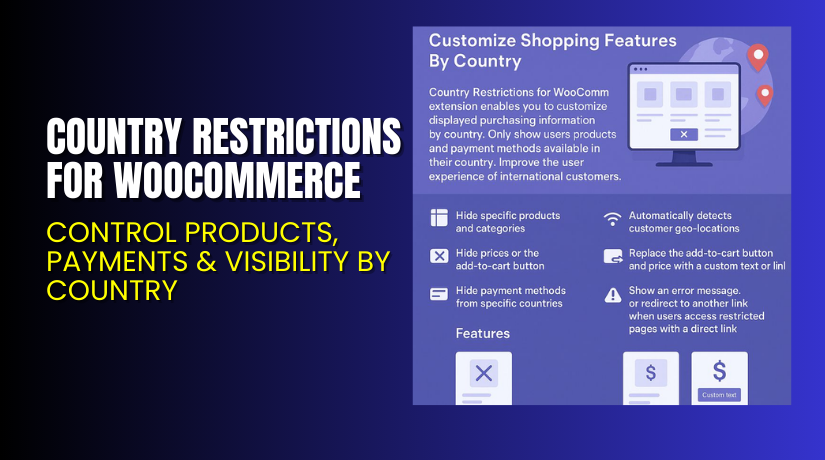
Country Restrictions for WooCommerce – Control Products, Payments & Visibility by Country
Table of Contents
- Introduction
- What is Country Restrictions for WooCommerce?
- Key Features of Country Restrictions for WooCommerce
- How to Install and Configure Country Restrictions Plugin
- Pricing & Plans
- My Experience with Country Restrictions Plugin
- Who Should Use This Plugin?
- Final Verdict
- FAQ Section
Introduction
Running a WooCommerce store for global customers sounds exciting. But international sales come with challenges. These include:
- Shipping limitations
- Regional laws
- Payment gateway restrictions
- Fraud from high-risk countries
Without control over what different users see based on their country, store owners may face serious issues — from failed deliveries to chargebacks.
Country Restrictions for WooCommerce by Addify helps solve these problems. It gives you full control over product visibility, pricing, cart buttons, and even payment methods based on the customer’s location.
In this guide, we’ll explore what this plugin does, how to use it, pricing details, benefits, and real user feedback.
Need help installing it? Try our Installation & Troubleshooting Services.
What is Country Restrictions for WooCommerce?
Country Restrictions for WooCommerce is a plugin developed by Addify. It allows store owners to show or hide:
- Products
- Product categories
- Payment methods
- Prices
- Add-to-cart buttons
…based on the user’s country, which is auto-detected using their IP address.
This plugin helps avoid selling restricted items in certain regions, stops orders from unsupported countries, and ensures the best payment options are shown based on the customer’s location.
It also helps you show country-specific promotions or hide content that violates local laws.
Official Resources:
Key Features of Country Restrictions for WooCommerce
| Feature | Description | Why It Matters |
| Product and Category Restrictions | Hide specific products, categories, or tags per country | Avoid selling restricted items in specific regions |
| Geo IP Detection | Auto-detect customer’s location via IP address | Applies restrictions accurately and automatically |
| Payment Method Restrictions | Show or hide payment options by country | Improves checkout experience with country-specific gateways |
| Hide Prices and Cart Buttons | Remove price and add-to-cart button for blocked countries | Prevents users from trying to order restricted products |
| Replace Cart with Custom Button | Replace cart button with a custom button and link | Redirect users to a landing page or contact form |
| Redirect Users | Redirect users when they access restricted content | Avoids confusion and improves user experience |
| Global or Per Product Settings | Set rules at the store or individual product level | Gives you full flexibility and control |
| Unlimited Rules | Create as many restrictions as needed | No limits on number of countries, products, or rules |
| WPML Compatible | Fully translatable and works with WPML | Perfect for multilingual stores |
How to Install and Configure Country Restrictions Plugin
Setting up the plugin is quick and easy. Follow these steps:
- Buy the plugin from Addify Store.
- Download the ZIP file from your account area.
- Go to WordPress Dashboard → Plugins → Add New → Upload Plugin.
- Upload the file and click Install Now.
- Activate the plugin after installation.
- Visit the plugin settings to:
- Define restricted countries
- Choose affected products or categories
- Select payment methods to hide
- Add custom restriction messages or redirect links
Make sure to test the restrictions using a VPN or location emulator.
If you run into setup issues, consider using WooHelpDesk’s Installation Service.
Pricing & Plans
Addify offers two simple pricing options with a 30-day money-back guarantee.
| Plan | Price | Includes |
| 1-Year Plan | $69/year | 1-year support + 1-year extension updates |
| 2-Year Plan | $110 (save 20%) | 2-year support + 2-year updates |
All plans include full plugin features with no usage limits. There is no free version.
You also get:
- Lifetime license for the version you purchase
- Future updates during license term
- Access to documentation and premium support
Buy Country Restrictions Plugin Now
Take full control of your international store today.
→ Buy Country Restrictions for WooCommerce – Premium


Your purchase supports the plugin developers and helps you run a safer, more optimized store.
My Experience with Country Restrictions Plugin
I installed this plugin for a store selling digital products and accessories. The goal was to block access in certain regions due to licensing issues.
What I liked:
- Easy to install and configure
- Geolocation works perfectly
- Payment restrictions are effective
- No visible slowdown on the site
- No coding knowledge required
- Works well with other major plugins
What could improve:
- More options for customizing restriction messages
- Analytics on which countries trigger restrictions
Overall, the experience was smooth, and the plugin does exactly what it promises.
Who Should Use This Plugin?
Country Restrictions for WooCommerce is ideal for:
- Stores that can’t ship worldwide
- Sellers of digital or licensed products
- WooCommerce sites managing legal country-specific content
- Businesses using different payment gateways per country
- Agencies building customized WooCommerce solutions
Useful Resources
- Official Product Page
- Official Plugin Documentation
- Contact Addify for Support
- Installation & Troubleshooting Services
Use these links for setup help, updates, and plugin documentation.
Final Verdict
If you’re selling products across borders, Country Restrictions for WooCommerce is a must-have plugin. It lets you manage who sees what — and where. This protects your store legally and helps offer a better shopping experience.
From hiding products to disabling payment gateways, it gives you full control. You can even redirect users or replace buttons to guide customers the right way.
→ Buy the Country Restrictions Plugin Today
Need help setting it up? Use our Installation & Troubleshooting Services.
FAQ Section
Q1. Can I hide both prices and cart buttons for selected countries?
Yes. You can choose to hide either or both, with optional custom text or links.
Q2. Does the plugin support redirecting users when a product is restricted?
Yes. You can send them to a custom page or display a message.
Q3. Are there any limits on how many rules or countries I can restrict?
No. You can create unlimited restriction rules for any number of countries.



