Custom Registration Forms Builder for WooCommerce – Flexible Form Creation Plugin Review
Table of Contents
- Introduction
- What is Custom Registration Forms Builder for WooCommerce?
- Key Features of Custom Registration Forms Builder
- How to Install and Configure Custom Registration Forms Builder
- Pricing & Plans
- My Experience with Custom Registration Forms Builder
- Who Should Use This Plugin?
- Final Verdict
- FAQ
Introduction
Running a WooCommerce store comes with a lot of challenges. One of the most frustrating issues is managing customer registrations. WooCommerce by default offers a basic registration form. But most store owners need more than that.
Whether you’re running a B2B store or handling different user types like wholesalers, retailers, and VIP clients — you need flexible registration options. That’s where Custom Registration Forms Builder for WooCommerce comes in.
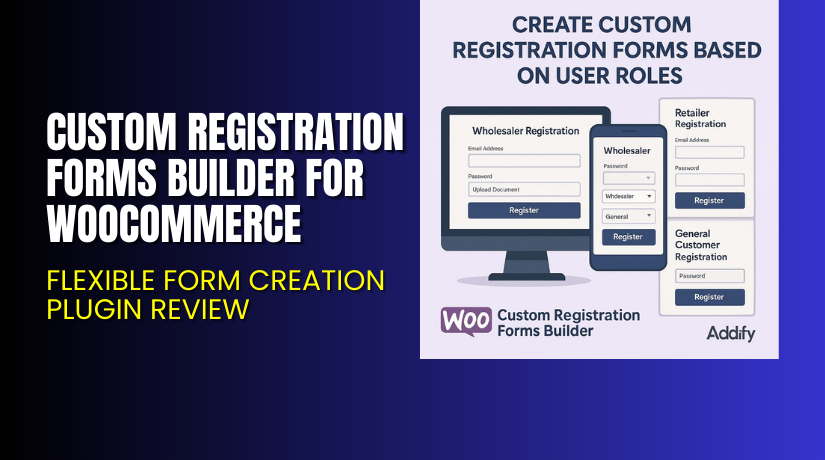
This plugin allows you to create multiple registration forms with up to 24 custom field types. You can assign user roles automatically, collect extra data, and approve users manually or automatically.
In this article, we’ll explore what this plugin offers, how to install it, its key features, pricing, and my personal experience after testing it on a live WooCommerce store.
If you ever need help installing or troubleshooting any plugin or extension, please try our Installation & Troubleshooting Services.
What is Custom Registration Forms Builder for WooCommerce?
Custom Registration Forms Builder for WooCommerce is a plugin that lets you create multiple user registration forms on your WooCommerce store. It’s developed by Addify, a known WooCommerce plugin provider.
This tool allows you to build registration forms tailored to different customer types. You can add up to 24 types of form fields, assign user roles, validate VAT numbers, and even manually approve users before account access.
It supports multi-site setups, works with all major WooCommerce themes, and is compatible with WPML.
- Plugin Developer: Addify
- Official Plugin Page: View Plugin Details
- Support Page: Get Support
- Documentation: Read Official Documentation
Key Features of Custom Registration Forms Builder for WooCommerce
| Feature | Description | Why It Matters |
| Multiple Registration Forms | Create different forms for B2B, wholesale, or VIP customers. | Helps tailor the onboarding process for each customer type. |
| 24 Field Types | Add fields like text, date, phone, VAT, file upload, etc. | Captures detailed user information with flexibility. |
| Role-Based Forms | Assign roles automatically or let users choose during registration. | Saves admin time and improves user targeting. |
| Manual or Auto Approvals | Approve users manually or auto-approve after registration. | Offers better control over who can access your store. |
| Email Notifications | Send custom emails to users and admins for registration events. | Keeps everyone informed about the process. |
| Conditional Fields | Show or hide fields based on previous inputs. | Simplifies the form-filling experience for users. |
| Post-Registration Redirects | Redirect users to login or custom thank-you pages. | Enhances user experience and reduces confusion. |
| Add Billing/Shipping Fields | Include WooCommerce billing/shipping fields in forms. | Pre-fills account data and saves user time later. |
How to Install and Configure Custom Registration Forms Builder for WooCommerce
- Purchase and download the plugin from Addify’s official product page.
- In your WordPress dashboard, go to Plugins → Add New → Upload Plugin.
- Upload the .zip file and click “Install Now”.
- After installation, click “Activate”.
- Go to Settings → Custom Registration Forms to begin configuration.
- Create your custom forms and assign them to user roles.
- Test the registration process for compatibility and user flow.
If you face any configuration or compatibility issues, you can try our Installation & Troubleshooting Services.
Pricing & Plans
| Plan | Price | Includes |
| 1-Year Plan | $69/year | 1 year support + 1 year plugin updates |
| 2-Year Plan | $110/2 Year | 2 years support + 2 years plugin updates |
- All purchases come with 1 year of updates and support.
- Buyer protection and full refund available via Addify.
- No lifetime plan is listed currently on the official website.
Buy Custom Registration Forms Builder for WooCommerce Now
✅ Purchase Here → Buy Custom Registration Forms Builder for WooCommerce Premium Now
Your purchase supports the development team and helps us create more tutorials like this.
My Experience with Custom Registration Forms Builder
I tested the plugin on a WooCommerce B2B demo store. It was easy to install, configure, and use.


Pros
- Clean and user-friendly interface
- Multiple forms creation worked smoothly
- Wide field options for capturing detailed data
- Email notifications were customizable and reliable
- Compatible with other WooCommerce plugins
- Great for B2B or membership-based stores
Cons
- No lifetime license option
- Lacks built-in styling options (requires custom CSS)
- No free version to test before buying
Who Should Use This Plugin?
- WooCommerce store owners needing different registration flows
- B2B websites collecting VAT, files, or extra user details
- Agencies managing multiple user roles or types
- Beginners looking for a form builder with role assignment
- Site owners needing manual control over registrations
Useful Resources
- Official Plugin Page
- Official Support Page
- Developer Documentation
- WooHelpDesk Installation & Troubleshooting Services
Final Verdict
If you’re looking for a professional solution to manage user registrations in WooCommerce, Custom Registration Forms Builder for WooCommerce is a strong choice. It offers flexibility, ease of use, and advanced features at a fair price.
It’s especially powerful for B2B and membership stores that require more than just a basic registration form.
Use the link below to get started and unlock premium features today.
Buy Custom Registration Forms Builder for WooCommerce Premium Now
Need help installing or fixing it? Try our Installation & Troubleshooting Services.
FAQ
Q1. Is Custom Registration Forms Builder compatible with all WooCommerce themes?
Yes, it works with most standard WooCommerce themes. Always test before going live.
Q2. Can I use both free and premium versions?
There is no free version available. Only the premium version is offered.
Q3. How do I get support?
You can contact the Addify support team through their official contact page.



