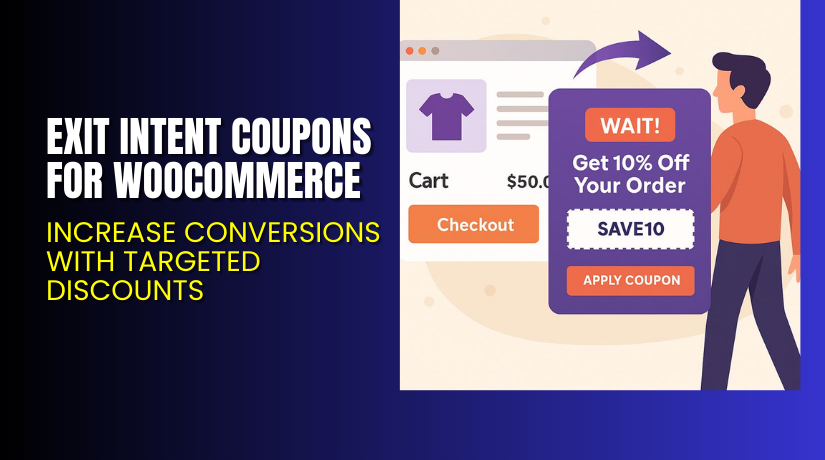
Exit Intent Coupons for WooCommerce – Increase Conversions with Targeted Discounts
Table of Contents
- Introduction
- What is Exit Intent Coupons for WooCommerce?
- Features of Exit Intent Coupons for WooCommerce
- How to Install and Configure Exit Intent Coupons for WooCommerce?
- Exit Intent Coupons for WooCommerce – Pricing & Plans
- My Experience with Exit Intent Coupons for WooCommerce
- Who Should Use This Plugin?
- Final Verdict
- FAQ
Introduction
Running a WooCommerce store means handling many plugins and settings daily. Store owners often struggle to stop customers from leaving without completing their purchase. High cart abandonment is one of the biggest challenges online stores face today. Visitors browse products, add them to their cart, and then leave without buying.
This happens for many reasons — distractions, high shipping costs, or simply indecision. As a result, sales drop, and marketing costs rise. That’s where Exit Intent Coupons for WooCommerce comes in. This plugin helps capture those leaving visitors by showing attractive coupon popups right before they exit your website.
It encourages customers to stay, apply the discount, and complete the purchase. This simple trick can improve conversions and reduce abandoned carts significantly.
In this article, you’ll learn everything about the plugin — its features, installation process, pricing, and how it compares to alternatives.
👉 If you ever need help installing or troubleshooting any plugin or extension, please try our Installation & Troubleshooting Services.
What is Exit Intent Coupons for WooCommerce?
Exit Intent Coupons for WooCommerce is a smart marketing plugin designed to retain customers who are about to leave your store. It detects when a user’s mouse moves toward the browser’s close button or tab bar and instantly shows a discount offer popup.
The plugin is developed by Flintop, a trusted developer known for powerful WooCommerce extensions. It is available in both free and premium versions. The free version provides basic pop-up features, while the premium version offers advanced customization, analytics, and multiple campaign options.
This plugin is ideal for boosting sales by offering last-minute discounts. It helps reduce cart abandonment and gives visitors a reason to finalize their order. You can also set different offers based on pages, user roles, or cart value.
Official Plugin Page
Support Page
Features of Exit Intent Coupons for WooCommerce
| Feature | Description | Why It Matters |
| Exit Detection Technology | Detects user intent when moving away from the site. | Helps retain customers before they leave. |
| Customizable Popups | Create visually appealing coupon pop-ups with your design. | Matches your brand and grabs user attention easily. |
| Targeted Campaigns | Set offers based on product pages, cart value, or user role. | Delivers relevant discounts for higher conversions. |
| Analytics Dashboard | Track impressions, coupon usage, and conversion rates. | Understand which campaigns perform best. |
| Mobile-Friendly Design | Works smoothly across devices and screen sizes. | Ensures a consistent experience for mobile shoppers. |
| Integration with WooCommerce Coupons | Syncs directly with existing coupon codes. | Saves time and avoids duplicate setup. |
| Lightweight and Fast | Optimized for speed and performance. | Keeps your website loading quickly without lag. |
How to Install and Configure Exit Intent Coupons for WooCommerce?
- Download the plugin from the link.
- Go to your WordPress Dashboard → Plugins → Add New → Upload Plugin.
- Upload the ZIP file and click Install Now.
- Once installed, click Activate Plugin.
- Go to WooCommerce → Exit Intent Coupons in your dashboard.
- Configure your pop-up design, select coupon type, and set trigger conditions.
- Save changes and test the pop-up on your store’s frontend.
- Verify it works with your theme and other plugins.
💡 If you face any configuration or compatibility issues, you can try our Installation & Troubleshooting Services.
Exit Intent Coupons for WooCommerce – Pricing & Plans
| 1 Year Plan | 2 Year Plan |
| $49 | $78.40 |
Subscription includes
|
Subscription includes
|
Buy Exit Intent Coupons for WooCommerce Now
Purchase Here → Buy Exit Intent Coupons Premium Now


💡 Your purchase supports the development team and helps us create more tutorials like this.
My Experience with Exit Intent Coupons for WooCommerce
After testing this plugin on a live WooCommerce store, the results were impressive.
Pros
- Easy to install and configure.
- Lightweight and doesn’t slow down the site.
- Offers flexible pop-up triggers and design control.
- Integrates smoothly with WooCommerce’s built-in coupon system.
- Reliable customer support from the Flintop team.
Cons
- Free version offers limited styling options.
- Lacks an A/B testing feature for pop-up variations.
- Premium plan may be costly for small stores.
Overall, it delivers solid value if you’re focused on improving conversions.
Who Should Use This Plugin?
- WooCommerce store owners who want to recover lost sales.
- Digital marketers running promotional campaigns.
- Agencies managing multiple WordPress client websites.
- Beginners want a simple yet effective conversion tool.
- eCommerce brands looking to reduce cart abandonment and boost revenue.
Useful Resources
- Official Plugin Page
- Official Plugin Support Page
- Developer Documentation
- WooHelpDesk Installation & Troubleshooting Services
Final Verdict
If you’re searching for a reliable plugin to recover lost WooCommerce sales, Exit Intent Coupons for WooCommerce is an excellent choice. It helps retain visitors, boosts conversions, and integrates seamlessly with your store.
It’s easy to use, lightweight, and offers both free and premium options to suit every business need.
👉 Buy Exit Intent Coupons Premium Now here
💡 Need help installing or fixing it? Try our Installation & Troubleshooting Services.
FAQ
Q1. Is Exit Intent Coupons for WooCommerce compatible with all WooCommerce themes?
Yes, it works with most WooCommerce themes. Always test before going live.
Q2. Can I use both free and premium versions?
No, deactivate the free version before installing the premium one.
Q3. How do I get support?
You can contact the official support team through the Flintop Support Page.



