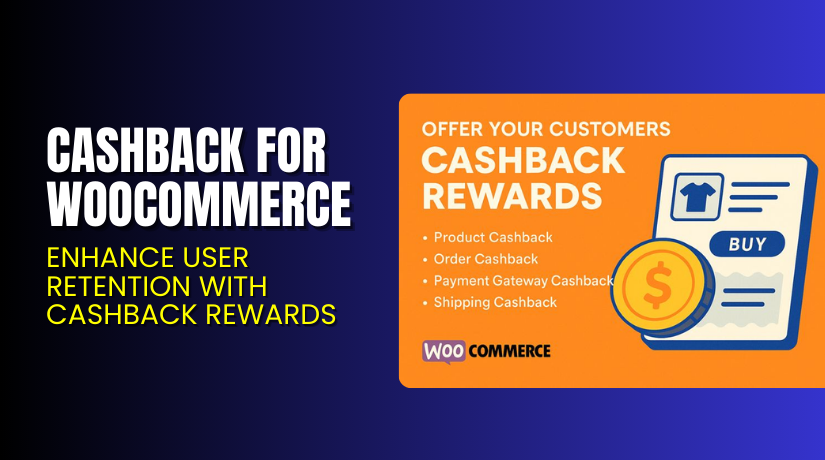
Cashback for WooCommerce – Enhance User Retention with Cashback Rewards
Table of Contents
- Introduction
- What is Cashback for WooCommerce?
- Features of Cashback for WooCommerce
- How to Install and Configure Cashback for WooCommerce
- Cashback for WooCommerce – Pricing & Plans
- My Experience with Cashback for WooCommerce
- Who Should Use This Plugin?
- Final Verdict
- FAQ
Introduction
Running a WooCommerce store can feel overwhelming at times. You handle multiple extensions, payment gateways, and marketing tools just to retain customers. Still, one big challenge remains — how to keep customers coming back. Offering discounts may help temporarily, but it doesn’t guarantee loyalty.
That’s where the Cashback for WooCommerce plugin comes in. It rewards your customers for their purchases and encourages them to buy again. Cashback incentives create excitement and trust, motivating users to shop more frequently.
Many store owners struggle to find the right balance between profit and promotion. Traditional coupons often expire or get ignored, but cashback feels personal and rewarding. It gives users a reason to return and use their earned rewards.
In this article, we’ll explore Cashback for WooCommerce, its key features, pricing, installation steps, pros and cons, and who should use it.
👉 If you ever need help installing or troubleshooting any WooCommerce plugin, try our Installation & Troubleshooting Services.
What is Cashback for WooCommerce?
Cashback for WooCommerce is a reward-based extension for WooCommerce stores. It allows you to offer cashback to customers based on purchase amounts or selected products.
Developed by Flintop, this plugin helps store owners increase repeat purchases and user engagement. You can set custom cashback rules for products, categories, or cart totals. It supports both fixed and percentage-based rewards.
Customers can view their cashback balance in their account area and redeem it on future purchases. This approach encourages long-term loyalty instead of one-time discounts.
The plugin is user-friendly and works smoothly with most WooCommerce themes. Both free and premium versions are available, depending on your store needs.
Official Plugin Page: https://flintop.com/product/cashback-for-woocommerce/
Support Page: https://flintop.com/contact/
Features of Cashback for WooCommerce
| Feature | Description | Why It Matters |
| Flexible Cashback Rules | Create cashback offers per product, category, or cart value. | Helps store owners run smart, targeted promotions. |
| User Wallet System | Automatically credits cashback to the customer’s wallet. | Simplifies reward management for both admin and users. |
| Manual and Auto Cashback | Choose automatic or manual cashback approval. | Offers better control over store finances. |
| Email Notifications | Sends cashback notifications to customers after each purchase. | Keeps customers informed and engaged. |
| Wallet Redeem Option | Customers can use cashback on future orders. | Improves repeat purchase rate and customer retention. |
| Detailed Reports | View cashback history and usage in the admin dashboard. | Helps track promotions and analyze campaign success. |
How to Install and Configure Cashback for WooCommerce
- Download the plugin from the official product page.
- Go to your WordPress Dashboard → Plugins → Add New → Upload Plugin.
- Select the downloaded ZIP file and click Install Now.
- After installation, click Activate Plugin.
- Open WooCommerce → Cashback Settings from your dashboard.
- Configure cashback rules, approval settings, and notification templates.
- Test the plugin by placing a sample order.
- Check if the cashback is added correctly to the user’s wallet.
💡 If you face compatibility or setup issues, try our Installation & Troubleshooting Services for professional help.
Cashback for WooCommerce – Pricing & Plans
| 1 Year Plan | 2 Year Plan |
| $79 | $126.40 |
Subscription includes
|
Subscription includes
|
Buy Cashback for WooCommerce Now
Purchase Here → Buy Cashback for WooCommerce Premium Now
💡 Your purchase supports the development team and helps us create more detailed plugin reviews and guides.


My Experience with Cashback for WooCommerce
After testing Cashback for WooCommerce on a live store, the performance was smooth. The setup process was quick, and the interface felt simple.
Pros
- Easy to install and configure.
- Works well with major WooCommerce themes.
- Increases customer retention and engagement.
- Lightweight, stable, and fast.
- Reliable customer support from Flintop.
Cons
- No mobile app wallet view.
- Lacks advanced styling options for cashback display.
- Premium version could include more automation features.
Overall, it’s a reliable plugin for any store wanting to boost repeat purchases.
Who Should Use This Plugin?
- WooCommerce store owners who want to increase repeat purchases.
- Agencies managing multiple client stores looking to add cashback rewards.
- Beginners seeking a simple, effective loyalty plugin.
- Businesses offering frequent discounts but wanting a smarter reward system.
- Online stores selling digital or physical products with regular customers.
Useful Resources
- Official Plugin Page
- Official Plugin Support Page
- Developer Documentation
- WooHelpDesk Installation & Troubleshooting Services
Final Verdict
If you want a simple and effective way to increase loyalty, Cashback for WooCommerce is worth trying. It offers smooth functionality, quick setup, and excellent support. The plugin motivates users to buy again while giving them tangible rewards.
👉 Buy Cashback for WooCommerce Premium Now – and unlock premium features today.
💡 Need help with installation or configuration? Try our Installation & Troubleshooting Services.
FAQ
Q1. Is Cashback for WooCommerce compatible with all WooCommerce themes?
Yes, it works well with most standard WooCommerce themes. Always test before going live.
Q2. Can I use both free and premium versions together?
No, deactivate the free version before installing the premium one.
Q3. How do I get support for issues or updates?
You can contact the developer directly via the official support page.



