Variation Switcher in Cart for WooCommerce – Improve Cart Experience with Easy Variant Changes
Table of Contents
- Introduction
- What is Variation Switcher in Cart for WooCommerce?
- Features of Variation Switcher in Cart for WooCommerce
- How to Install and Configure Variation Switcher in Cart for WooCommerce
- Variation Switcher in Cart for WooCommerce – Pricing & Plans
- My Experience with Variation Switcher in Cart for WooCommerce
- Who Should Use This Plugin?
- Final Verdict
- FAQ
Introduction
Variation Switcher in Cart for WooCommerce – Improve Cart Experience with Easy Variant Changes
Running a WooCommerce store means handling many small tasks every day. Customers check products, choose options, add items, and move through the cart fast. But many stores still face a common problem during checkout. Customers often add the wrong variation and only notice it inside the cart. They need to remove the item and add it again from the product page. This slow workflow leads to frustration and many abandoned carts.
Store owners lose sales because shoppers avoid repeating steps. Small checkout friction reduces conversions and lowers customer trust. Many users want a simple way to change variations inside the cart itself. They want quick updates without leaving the checkout flow. Sadly, WooCommerce does not offer this feature by default. That is why store owners search for a reliable solution.
In this article, we’ll explore Variation Switcher in Cart for WooCommerce, its features, setup, pros, cons, pricing, and alternatives. You will learn how it improves the cart flow and enhances user experience. The plugin is simple, powerful, and perfect for stores with multiple variations.
👉 If you ever need help installing or troubleshooting any plugin or extension, please try our Installation & Troubleshooting Services.
What is Variation Switcher in Cart for WooCommerce?
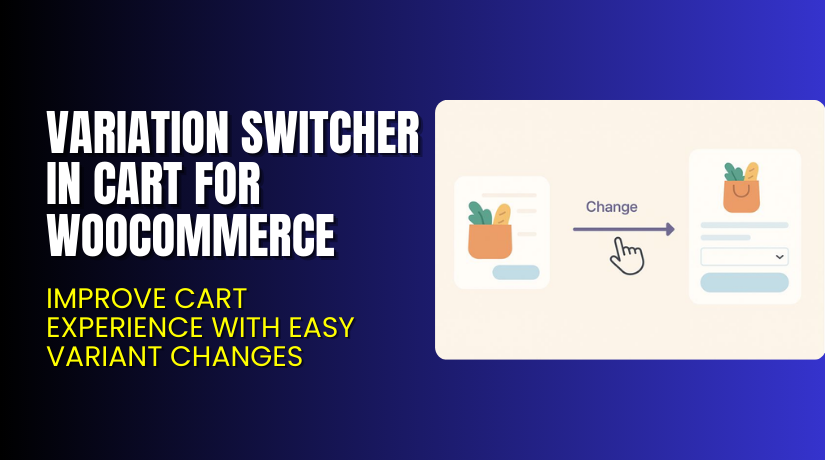
Variation Switcher in Cart for WooCommerce is a smart extension that helps users change product variations directly from the cart page. It removes the need to visit the product page again to select new options. This simple change improves the overall checkout experience.
The plugin offers an easy interface that displays available variations inside the cart. Customers can switch size, color, style, or any attribute in seconds. The cart updates instantly and shows the new selection without a page reload. This smooth flow helps reduce abandoned carts and increases completed orders.
The plugin is developed by Flintop and is available in both free and premium versions. The free version offers basic switching features. The premium version unlocks advanced controls, styling options, and priority updates. It works with most WooCommerce themes and integrates well with standard product types.
Features of Variation Switcher in Cart for WooCommerce
| Feature | Description | Why It Matters |
| In-Cart Variation Switching | Let’s users change product variations directly inside the cart. | Helps store owners reduce abandoned carts. |
| Instant Live Updates | Cart refreshes instantly after a variation change. | Saves time by preventing page reloads. |
| Supports Multiple Attributes | Works with size, color, material, style, and more. | Improves user experience and accuracy. |
| Theme-Friendly Layout | Adapts to most WooCommerce themes automatically. | Ensures smooth design without coding. |
| Light and Fast Plugin | Uses clean scripts and loads fast. | Improves store performance and checkout flow. |
How to Install and Configure Variation Switcher in Cart for WooCommerce
- Download the plugin from the link.
- Go to your WordPress Dashboard → Plugins → Add New → Upload Plugin.
- Upload the ZIP file and click Install Now.
- Activate the plugin after installation.
- Open Settings → Variation Switcher in Cart to configure basic options.
- Adjust style, layout, and behavior according to your theme.
- Test the cart page to ensure smooth variation changes.
- Check compatibility with your theme and other WooCommerce extensions.
💡 If you face any configuration or compatibility issues, you can try our Installation & Troubleshooting Services.
Variation Switcher in Cart for WooCommerce – Pricing & Plans
| 1 Year Plan | 2 Year Plan |
| $49 | $78.40 |
Subscription includes
|
Subscription includes
|
Buy Variation Switcher in Cart for WooCommerce Now
👉 Purchase Here → Variation Switcher in Cart for WooCommerce


💡 Your purchase supports the development team and helps me create more tutorials like this.
My Experience with Variation Switcher in Cart for WooCommerce
After testing this plugin on a live WooCommerce store, here is what I found:
Pros
- Easy setup with simple options.
- Smooth in-cart switching without reload.
- Works well with standard WooCommerce themes.
- Fast performance with clean scripts.
- Helpful support and clear documentation.
Cons
- Limited styling options in the free version.
- Advanced features are only in the premium plan.
- May need testing for custom themes.
Who Should Use This Plugin?
This plugin is a great fit for:
- WooCommerce store owners want fast variation editing
- Apparel stores with size and color variations
- Stores selling shoes, clothing, furniture, or customizable items
- Agencies managing multiple client stores
- Beginners who want a simple yet powerful solution
Useful Resources
- Official Plugin Page
- Official Plugin Support Page
- Developer Documentation
- WooHelpDesk Installation & Troubleshooting Services
Final Verdict
If you’re looking for a reliable WooCommerce plugin that improves your cart experience without slowing down your site, Variation Switcher in Cart for WooCommerce is a strong choice. It helps customers change variations quickly and complete orders faster. The premium version offers a smooth workflow, better controls, and quick support.
Use the link below to get started and unlock premium features today.
👉 Buy Variation Switcher in Cart for WooCommerce Premium Now
💡 Need help installing or fixing it? Try our Installation & Troubleshooting Services.
FAQ Section
Q1. Is the Variation Switcher in Cart for WooCommerce compatible with all WooCommerce themes?
Yes, it works with most standard WooCommerce themes. Always test before going live.
Q2. Can I use both free and premium versions?
You must deactivate the free version before installing the premium version.
Q3. How do I get support?
You can contact the official team through the Support Page at Flintop.



