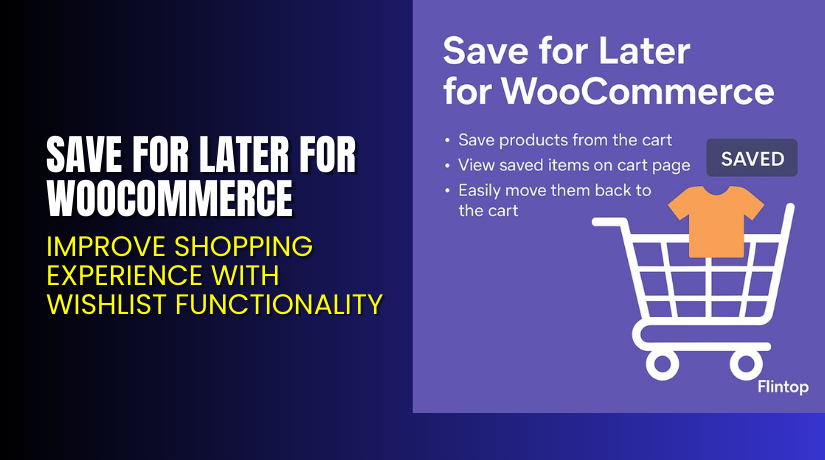
Save for Later for WooCommerce – Improve Shopping Experience with Wishlist Functionality
Table of Contents
- Introduction
- What is Save for Later for WooCommerce?
- Features of Save for Later for WooCommerce
- How to Install and Configure Save for Later for WooCommerce
- Save for Later for WooCommerce – Pricing & Plans
- My Experience with Save for Later for WooCommerce
- Who Should Use This Plugin?
- Final Verdict
- FAQ
Introduction
Running a WooCommerce store means understanding customer behavior and buying patterns. Many users browse through multiple products, add them to the cart, and then leave without completing the purchase. This happens because they are either comparing prices or planning to buy later. Unfortunately, WooCommerce by default does not offer a “Save for Later” option. Customers must either keep the products in the cart or remove them completely, which often leads to lost sales.
Running a WooCommerce store means understanding customer behavior and buying patterns. Many users browse through multiple products, add them to the cart, and then leave without completing the purchase. This happens because they are either comparing prices or planning to buy later. Unfortunately, WooCommerce by default does not offer a “Save for Later” option. Customers must either keep the products in the cart or remove them completely, which often leads to lost sales.
In this article, we’ll explore the Save for Later for WooCommerce plugin in detail. You’ll learn its main features, setup process, pricing, pros and cons, and how it compares to other plugins.
👉 If you ever need help installing or troubleshooting any plugin or extension, please try our Installation & Troubleshooting Services.
What is Save for Later for WooCommerce?
Save for Later for WooCommerce is a plugin that lets your customers move products from their shopping cart to a saved list. It enhances the shopping experience by allowing users to come back later and complete their purchase easily. The plugin is designed to increase customer engagement and improve conversion rates by keeping visitors connected to your store.
It is developed by Flintop, a trusted name in WooCommerce plugin development. The plugin is lightweight, well-coded, and easy to use even for beginners. It works smoothly with most themes and payment gateways.
There are both free and premium versions available. The free version includes basic features like saving items and displaying them in a “Saved for Later” list. The premium version offers advanced options such as AJAX functionality, customization controls, and multi-device compatibility.
Official Plugin Page: https://flintop.com/product/save-for-later-for-woocommerce/
Support Page: https://flintop.com/contact/
Features of Save for Later for WooCommerce
| Feature | Description | Why It Matters |
| One-Click Save Option | Allows customers to save items for later with one click. | Makes shopping faster and improves user convenience. |
| Customizable Button Text | Change the “Save for Later” button label easily. | Helps match the store branding and improve UI. |
| Persistent Saved List | Items stay saved even after logging out. | Keeps customers engaged and increases repeat visits. |
| AJAX Functionality | Moves items between the cart and the saved list without reloading. | Saves time and enhances user experience. |
| Responsive Design | Works on mobile, tablet, and desktop devices. | Ensures a smooth experience for all users. |
| Compatible with Major Themes | Works with popular WooCommerce themes and builders. | Reduces compatibility issues for developers. |
How to Install and Configure Save for Later for WooCommerce
- Download the plugin from the
- Go to WordPress Dashboard → Plugins → Add New → Upload Plugin.
- Choose the downloaded ZIP file and click Install Now.
- After installation, click Activate Plugin.
- Navigate to WooCommerce → Settings → Save for Later to configure options.
- Customize button text, placement, and appearance as per your theme.
- Test the feature by adding and saving products to ensure smooth functionality.
💡 If you face any configuration or compatibility issues, you can try our Installation & Troubleshooting Services.
Save for Later for WooCommerce – Pricing & Plans
| 1 Year Plan | 2 Year Plan |
| $49 | $78.40 |
Subscription includes
|
Subscription includes
|
Buy Save for Later for WooCommerce Now
Purchase Here → Buy Save for Later for WooCommerce Premium Now
💡 Your purchase supports the Flintop development team and helps us create more helpful WooCommerce guides and tutorials.


My Experience with Save for Later for WooCommerce
After testing Save for Later for WooCommerce on a live store, here’s what we found:
Pros
- Easy to install and configure.
- Lightweight and fast performance.
- Fully compatible with most WooCommerce themes.
- Excellent support from Flintop.
- Helps improve customer retention and conversions.
Cons
- Premium features require a paid upgrade.
- Limited styling options in the free version.
- Advanced customization may need basic CSS knowledge.
Overall, the plugin is reliable and performs smoothly under heavy traffic conditions.
Who Should Use This Plugin?
- WooCommerce store owners who want to reduce cart abandonment.
- Agencies managing multiple eCommerce clients.
- Beginners looking for a simple but powerful customer-friendly feature.
- Online retailers are aiming to boost conversions through better user engagement.
- Developers who want a lightweight, compatible, and easy-to-integrate tool.
Useful Resources
- Official Plugin Page
- Official Plugin Support Page
- Developer Documentation
- WooHelpDesk Installation & Troubleshooting Services
Final Verdict
If you’re looking for a simple yet powerful solution to improve your WooCommerce cart experience, Save for Later for WooCommerce is a great choice. It lets customers save products for later purchase, reduces cart abandonment, and improves user retention.
The plugin works seamlessly with all popular themes and supports customization to match your store design. For serious store owners who value user experience and conversions, this plugin is definitely worth trying.
👉 Buy Save for Later for WooCommerce Premium Now
💡 Need help installing or fixing it? Try our Installation & Troubleshooting Services.
FAQ
Q1. Is Save for Later for WooCommerce compatible with all WooCommerce themes?
Yes, it works with most standard WooCommerce themes. Always test before going live.
Q2. Can I use both free and premium versions?
No. You’ll need to deactivate the free version before installing the premium one.
Q3. How do I get support?
Contact the Flintop team via their Support Page.



