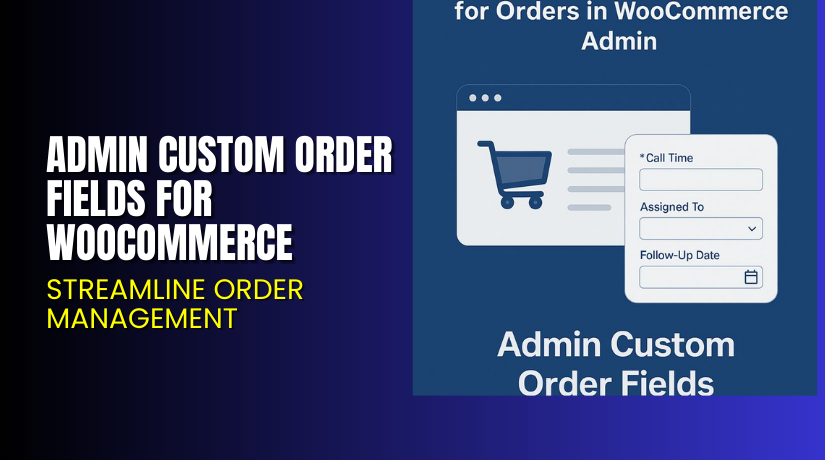
Admin Custom Order Fields for WooCommerce – Streamline Order Management
Table of Contents
- Introduction
- What is Admin Custom Order Fields for WooCommerce?
- Key Features of Admin Custom Order Fields
- How to Install and Configure the Plugin
- Pricing & Plans
- My Experience with Admin Custom Order Fields
- Who Should Use This Plugin?
- Final Verdict
- FAQ
Introduction
Running a WooCommerce store often means juggling many small details. Managing orders, communicating with team members, and tracking updates can get messy.
Many store owners use order notes, spreadsheets, or even separate tools like Google Docs. But these are hard to manage and easy to lose.
Admin Custom Order Fields for WooCommerce solves this problem. It lets you add custom fields to order admin pages. These fields help you store internal data, assign tasks, and standardize workflows.
In this article, you’ll learn how the plugin works, how to set it up, and why it’s a great tool for organized order management.
Need help installing or troubleshooting it? Try our Admin Custom Order Fields Installation Services.
What is Admin Custom Order Fields for WooCommerce?
Admin Custom Order Fields for WooCommerce is a plugin developed by SkyVerge. It allows store admins to add internal fields to WooCommerce orders. These fields are not visible to customers (unless you choose to show them).
It’s ideal for:
- Storing internal notes in a structured way
- Assigning orders to team members
- Adding processing steps, scheduling, or tags
- Avoiding messy order notes and spreadsheets
Admins can filter and sort orders using these custom fields. You can even choose which fields appear in the admin order list.
In short, it turns WooCommerce into a basic CRM for your team.
Developer Website: SkyVerge
Official Documentation: Admin Order Fields Docs
Support Portal: SkyVerge Support
Key Features of Admin Custom Order Fields
| Feature | Description | Why It Matters |
| Add Fields to Orders | Create internal fields for each order | Keep data centralized in WooCommerce |
| Multiple Field Types | Use dropdowns, text, checkboxes, and more | Flexible input options |
| Filter by Custom Fields | Admins can search and filter orders | Helps find key data faster |
| Optional Customer View | Show selected fields to buyers | Useful for tours or service bookings |
| Full Admin Control | Only store managers can edit fields | Keeps sensitive data secure |
| Streamlined Interface | Fields added directly in order details | No need for external tools |
| CRM-like Functionality | Use WooCommerce as a basic CRM | Ideal for service businesses |
| Saved Field Values | Store data securely in each order | Easy access at any time |
How to Install and Configure the Plugin
Here’s how to set up the plugin in a few easy steps:
- Purchase the plugin from the official plugin page.
- Download the ZIP file after checkout.
- Go to Plugins → Add New → Upload Plugin in your WordPress dashboard.
- Upload and activate the plugin.
- Navigate to WooCommerce → Custom Order Fields.
- Click Add New Field.
- Choose field type (text, select, checkbox, etc.).
- Decide whether to show this field to customers or not.
- Save and start using the field in the order details.
Admins can edit these fields per order. You can also use filters in the Orders screen to sort based on field values.
Need assistance? Use our Installation & Setup Service.
Pricing & Plans
| Plan | Price | Includes |
| 1-Year Plan | $99/year | Full features, updates, and support |
| 2-Year Plan | $158.40 (Save 20%) | Two years of updates and priority support |
All pricing is in USD.
Your purchase includes:
- One year of support and updates (or two years for the 2-year plan)
- 30-day money-back guarantee
- Access to plugin documentation and helpdesk
No free version is available. This is a premium plugin.
Buy Admin Custom Order Fields Now
Want to improve your internal order handling?
Buy Admin Custom Order Fields for WooCommerce
Your purchase supports plugin development and provides access to expert support from SkyVerge.
My Experience with Admin Custom Order Fields
We used this plugin on a service-based WooCommerce store. The team had issues managing order notes and task lists. Important info was lost or spread across different tools.
After installing this plugin, everything changed.


We created custom fields like:
- Assigned Staff Member
- Service Date
- Order Status Notes
- Internal Priority Level
It helped centralize information. Everyone on the team could view and update order data from the dashboard.
Filtering by staff member or status became much easier. Clients only saw what they needed—no clutter.
Pros:
- Makes order processing clean and consistent
- Great for stores offering services or bookings
- Easy to create and manage fields
- Supports structured workflows
Cons:
- Not suitable for front-end form input
- Limited field styling options
- Requires manual creation for each use case
Who Should Use This Plugin?
Admin Custom Order Fields for WooCommerce is ideal for:
- Store owners offering custom services or events
- Teams that need structured order processing
- Agencies managing multiple staff members per order
- Store admins tired of using spreadsheets or notes
- Business owners wanting CRM-like tracking in WooCommerce
It’s especially useful for:
- Travel and tour operators
- Event planners
- Digital service providers
- Coaching businesses
- Fulfillment teams
Useful Resources
- SkyVerge Website
- Plugin Documentation
- Contact SkyVerge
- SkyVerge Support Portal
- WooHelpDesk Setup Services
Final Verdict
If your WooCommerce store handles services, appointments, or detailed order data, Admin Custom Order Fields is a must-have. It replaces messy notes and external tools with structured fields right in your dashboard.
From team collaboration to data tracking, this plugin makes WooCommerce smarter and more efficient. It’s perfect for businesses needing more than just product sales.
With powerful admin filters, optional customer visibility, and flexible field types—it helps you manage orders your way.
Buy Admin Custom Order Fields for WooCommerce
Need setup help? Use our Installation Services.
FAQ
Q1. Can customers see the custom order fields?
No, unless you enable the “Show in My Orders” setting.
Q2. What field types are supported?
You can use text, dropdown, checkbox, radio, and more.
Q3. Is this plugin compatible with other order management plugins?
Yes, it works alongside most standard WooCommerce extensions.
Q4. Can I filter orders by these fields?
Yes. You can search, sort, and filter using custom field values.
Q5. Does it store historical field values?
Yes. Each order’s custom field data is saved for future reference.



