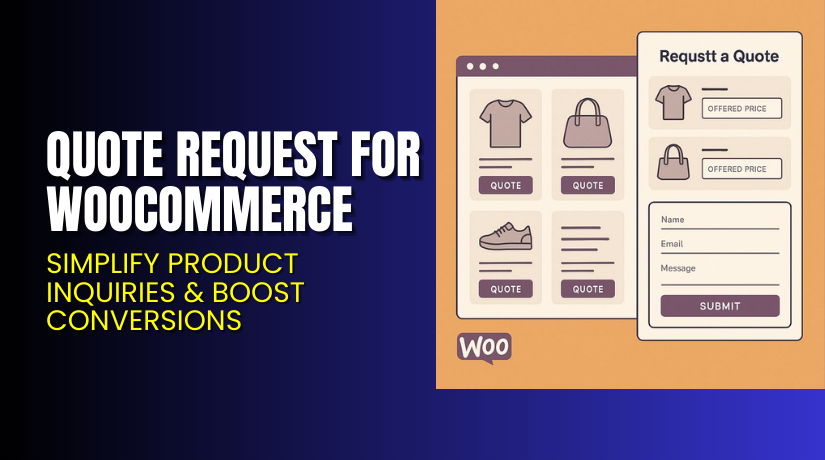
Quote Request for WooCommerce – Simplify Product Inquiries & Boost Conversions
Table of Contents
- Introduction
- What is Quote Request for WooCommerce?
- Features of Quote Request for WooCommerce
- How to Install and Configure Quote Request for WooCommerce
- Quote Request for WooCommerce – Pricing & Plans
- My Experience with Quote Request for WooCommerce
- Who Should Use This Plugin?
- Final Verdict
- FAQ
Introduction
Running a WooCommerce store is not always easy. Customers often want to ask for price quotes instead of making instant purchases. But WooCommerce by default doesn’t allow direct quote requests. This becomes a problem for businesses offering custom products or services. Customers must contact the store manually or through email, which wastes time and slows sales.
The Quote Request for WooCommerce plugin solves this issue. It allows customers to send quote requests directly from the product page. Instead of adding items to the cart, they can click “Request a Quote.” This simple change improves communication and helps store owners close more deals. It’s especially useful for B2B stores, wholesalers, and service-based businesses.
Many WooCommerce users struggle with managing quote requests manually. This plugin automates the entire process — from receiving requests to sending replies. In this article, we’ll explore everything about Quote Request for WooCommerce, including its features, setup, pros and cons, and pricing details.
👉 If you ever need help installing or troubleshooting any plugin, try our Installation & Troubleshooting Services.
What is Quote Request for WooCommerce?
Quote Request for WooCommerce is a professional plugin designed to let customers request custom quotes easily. It replaces the traditional “Add to Cart” button with a “Request a Quote” option. This helps businesses handle pricing flexibility for products that don’t have fixed rates.
Developed by Flintop, this plugin is available in both Free and Premium versions. The free version offers essential features to collect quotes. The premium version adds advanced options like quote management, automatic notifications, and detailed quote forms.
Store owners can customize the request button, add custom fields, and control visibility. You can even allow quote requests for specific products or categories. Once a quote is submitted, the admin receives a notification instantly. The store owner can respond directly from the dashboard or email.
The plugin is lightweight, user-friendly, and compatible with most WooCommerce themes. It’s perfect for any store that deals with variable pricing, bulk orders, or services that require negotiation.
Features of Quote Request for WooCommerce
| Feature | Description | Why It Matters |
| Custom Quote Button | Replace “Add to Cart” with “Request a Quote.” | Helps collect price requests without direct purchases. |
| Customizable Form Fields | Add extra fields like quantity, budget, or message. | Helps collect price requests without direct purchases. |
| Admin Quote Dashboard | Manage all requests from one place. | Saves time by keeping everything organized. |
| Email Notifications | Alerts for new quote requests and responses. | Keeps communication quick and professional. |
| Category and Product Control | Enable quotes for selected items only. | Offers flexibility for mixed product stores. |
| Custom Thank You Messages | Display personalized confirmations. | Improves customer experience and trust. |
Each feature ensures smoother interactions between store owners and customers. Together, they create a complete quote management system that boosts conversions and saves time.
How to Install and Configure Quote Request for WooCommerce
- Download the Plugin – Download it from Flintop’s official page.
- Install the Plugin – Go to WordPress Dashboard → Plugins → Add New → Upload Plugin.
- Activate the Plugin – Click Activate after installation is complete.
- Open Settings – Navigate to WooCommerce → Quote Request Settings. Configure visibility, button text, and notification options.
- Customize the Quote Form – Add custom fields for collecting specific details from customers.
- Test Before Going Live – Always check compatibility with your theme and other plugins.
💡If you face issues or need expert help, use our Installation & Troubleshooting Services.
Quote Request for WooCommerce – Pricing & Plans
| 1 Year Plan | 2 Year Plan |
| $49 | $78.40 |
Subscription includes
|
Subscription includes
|
Buy Quote Request for WooCommerce Now
Purchase Here → Buy Quote Request for WooCommerce Premium Now
💡 Your purchase supports the development team and encourages more useful WooCommerce tools.
My Experience with Quote Request for WooCommerce
After testing Quote Request for WooCommerce on a live store, here’s what I found:


Pros
- Simple setup with a clean interface.
- Works smoothly with most WooCommerce themes.
- Easy for customers to send quote requests.
- Great for service-based and B2B websites.
- Reliable email notification system.
- Helpful customer support from Flintop.
Cons
- The free version has limited customization options.
- No built-in integration with CRMs in the basic plan.
- Styling may require small CSS tweaks in some themes.
Overall, the plugin is stable, light, and performs well under traffic.
Who Should Use This Plugin?
- Store Owners Offering Custom Products – Perfect for businesses that sell customizable or negotiable products.
- Wholesale and B2B Stores – Allows customers to request bulk pricing directly from product pages.
- Service Providers – Ideal for agencies, designers, or developers who quote based on project scope.
- WooCommerce Developers and Agencies – Great for managing multiple clients who need flexible pricing tools.
- Beginners – User-friendly and doesn’t require any coding skills to set up.
Useful Resources
- Official Plugin Page
- Official Support Page
- Developer Documentation
- WooHelpDesk Installation & Troubleshooting Services
Final Verdict
If you want a reliable, easy-to-use tool for managing quote requests, Quote Request for WooCommerce is an excellent choice. It simplifies the communication between you and your customers and helps improve conversions.
With flexible features, clean design, and powerful management options, it’s suitable for all business sizes. Whether you’re a freelancer or running a large eCommerce store, this plugin ensures your quote process is smooth and professional.
👉 Buy Quote Request for WooCommerce Premium Now
💡Need setup or troubleshooting help? Try our Installation & Troubleshooting Services.
FAQ
Q1. Is Quote Request for WooCommerce compatible with all themes?
Yes, it works with most WooCommerce-compatible themes. Always test before going live.
Q2. Can I use both free and premium versions?
No, deactivate the free version before installing the premium one.
Q3. How do I get support?
Contact the developer through the link.
Q4. Does it support variable products?
Yes, you can enable quote requests for specific variations.
Q5. Can I customize the email templates?
Yes, premium users can fully edit notification email templates.



