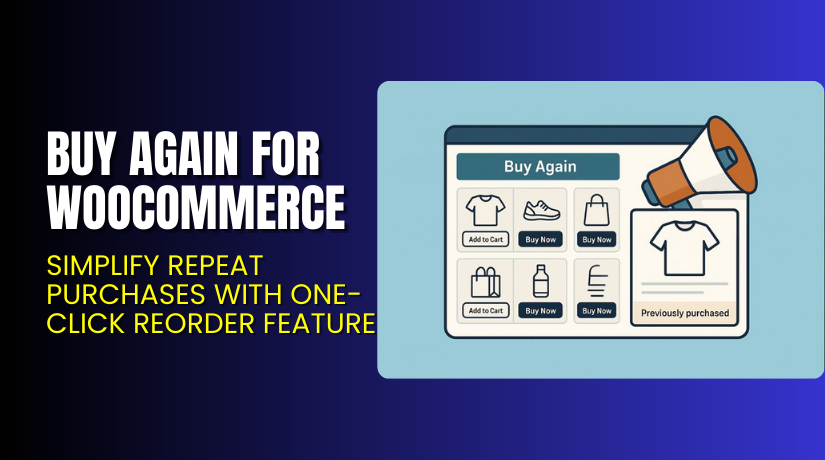
Buy Again for WooCommerce – Simplify Repeat Purchases with One-Click Reorder Feature
Table of Contents
- Introduction
- What is Buy Again for WooCommerce?
- Features of Buy Again for WooCommerce
- How to Install and Configure Buy Again for WooCommerce
- Buy Again for WooCommerce – Pricing & Plans
- My Experience with Buy Again for WooCommerce
- Who Should Use This Plugin?
- Final Verdict
- FAQ
Introduction
Running a WooCommerce store means handling many customer needs daily. One common issue store owners face is repeat purchases. Customers often want to reorder the same items they bought earlier. But manually searching for products takes time and effort. This slow process can cause them to abandon your store and buy elsewhere.
That’s where the Buy Again for WooCommerce plugin becomes useful. It simplifies the shopping experience for returning customers. The plugin adds a “Buy Again” button that lets users reorder items from their past orders with a single click.
This feature helps improve customer satisfaction, boost repeat sales, and reduce cart abandonment. Store owners no longer need to worry about complex reordering setups. It makes the buying process quick, smooth, and convenient for everyone.
In this article, we’ll explore everything about Buy Again for WooCommerce—its features, installation process, pricing, pros and cons, and more. By the end, you’ll know how this plugin can increase repeat purchases and revenue for your store.
👉 If you ever need help installing or troubleshooting any plugin, you can always try our Installation & Troubleshooting Services.
What is Buy Again for WooCommerce?
Buy Again for WooCommerce is a simple yet powerful plugin designed to make repeat shopping effortless. It allows customers to repurchase items they previously bought with a single click. This saves time and enhances their shopping experience.
Developed by Flintop, the plugin works perfectly with most WooCommerce themes and versions. It helps store owners encourage repeat orders and build stronger relationships with loyal customers. The plugin is available in both Free and Premium versions, offering flexibility based on your store’s needs.
In the free version, you get the core functionality to let customers reorder products quickly. The premium version adds advanced features like customizable buttons, “Buy Again” options on various pages, and improved design controls.
If you want to make reordering easy and boost customer retention, this plugin is one of the best solutions for WooCommerce stores. It helps transform one-time buyers into long-term repeat customers effortlessly.
Official Plugin Page: https://flintop.com/product/buy-again-for-woocommerce/
Support Page: https://flintop.com/contact/
Features of Buy Again for WooCommerce
| Feature | Description | Why It Matters |
| Buy Again Button | Adds a “Buy Again” button on the orders page or product list. | Helps customers reorder quickly without searching manually. |
| Customizable Display Options | You can choose where and how the button appears on your site. | Saves time and improves user experience with a flexible design. |
| Multiple Page Support | Works on the Orders page, My Account page, and product pages. | Gives users easy access to reordering options across the site. |
| Easy Setup | Simple installation and configuration from your WordPress dashboard. | Anyone can set it up without technical skills. |
| Translation Ready | Supports multiple languages and localization. | Great for international stores targeting global customers. |
| Lightweight & Compatible | Optimized for speed and works with most themes. | Ensures smooth performance without slowing your website. |
How to Install and Configure Buy Again for WooCommerce
- Download the plugin from the
- Go to your WordPress Dashboard → Plugins → Add New → Upload Plugin.
- Select the downloaded ZIP file and click Install Now.
- Once installed, click Activate Plugin.
- Go to WooCommerce → Settings → Buy Again to configure the plugin.
- Adjust button text, position, and visibility as needed.
- Save your changes and test the button to ensure it works correctly.
💡 If you face any configuration or compatibility issues, you can try our Installation & Troubleshooting Services.
Buy Again for WooCommerce – Pricing & Plans
| 1 Year Plan | 2 Year Plan |
| $49 | $78.40 |
Subscription includes
|
Subscription includes
|
Buy “Buy Again for WooCommerce” Now
Purchase Here → Buy Again for WooCommerce Premium Now


💡 Your purchase supports the Flintop team and helps us continue creating helpful WooCommerce tutorials and services for you.
My Experience with Buy Again for WooCommerce
After testing Buy Again for WooCommerce on a live store, here’s what I found:
Pros
- Very easy to install and set up.
- Lightweight and doesn’t affect site performance.
- Enhances user experience with one-click reordering.
- Works well with most WooCommerce themes.
- Helpful support team and quick updates.
Cons
- Limited styling options in the free version.
- Premium version pricing may feel high for small stores.
- Lacks advanced analytics for reorder tracking.
Overall, it’s a stable, reliable plugin that solves a real problem. The one-click reorder option is a great way to increase customer loyalty and repeat sales.
Who Should Use This Plugin?
- WooCommerce store owners want to increase repeat purchases.
- Agencies managing multiple WooCommerce websites for clients.
- Beginners looking for an easy, no-code reorder solution.
- eCommerce brands focused on customer retention and convenience.
- Businesses that sell consumable or frequently purchased items.
If your store relies on repeat buyers, this plugin can significantly simplify the buying process.
Useful Resources
- Official Plugin Page
- Official Plugin Support Page
- Developer Documentation
- WooHelpDesk Installation & Troubleshooting Services
Final Verdict
If you’re looking for a reliable solution to improve repeat sales, Buy Again for WooCommerce is worth trying. It enhances customer convenience and helps your store grow through repeat business.
It’s simple, efficient, and requires minimal setup. Whether you run a small store or manage multiple clients, this plugin makes reordering hassle-free.
👉 Buy [Buy Again for WooCommerce] Premium Now
💡 Need help installing or fixing it? Try our Installation & Troubleshooting Services.
FAQ
Q1. Is Buy Again for WooCommerce compatible with all WooCommerce themes?
Yes, it works with most standard WooCommerce themes. Always test before going live.
Q2. Can I use both free and premium versions?
No, you’ll need to deactivate the free version before installing the premium one.
Q3. How do I get support?
You can contact the official support team via the Plugin Support Page.



