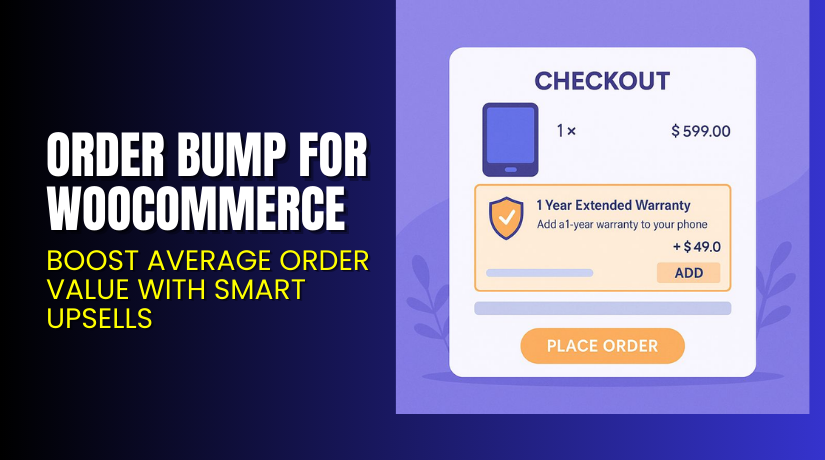
Order Bump for WooCommerce – Boost Average Order Value with Smart Upsells
Table of Contents
- Introduction
- What is Order Bump for WooCommerce?
- Features of Order Bump for WooCommerce
- How to Install and Configure Order Bump for WooCommerce
- Order Bump for WooCommerce – Pricing & Plans
- My Experience with Order Bump for WooCommerce
- Who Should Use This Plugin?
- Final Verdict
- FAQ
Introduction
Running a WooCommerce store can be tough. You manage multiple plugins, handle products, and still look for ways to increase sales. Many store owners struggle with low average order value. Even with great traffic, customers often buy only one product and leave. This limits revenue and reduces profit margins.
That’s where upselling tools like Order Bump for WooCommerce come in. It helps store owners add quick offers directly on the checkout page. These small, relevant product suggestions can boost total sales without needing extra traffic.
The plugin is simple, effective, and works right inside your checkout page. You can show targeted product suggestions based on what customers already plan to buy. It improves conversion rates and encourages impulse purchases.
In this article, we’ll explore Order Bump for WooCommerce, its features, setup steps, pricing, pros and cons, and who should use it. By the end, you’ll know how this plugin helps increase your store revenue easily.
👉 If you ever need help installing or troubleshooting any plugin or extension, please try our Installation & Troubleshooting Services.
What is Order Bump for WooCommerce?
Order Bump for WooCommerce is a conversion-boosting plugin that helps you offer upsells during checkout. Developed by Flintop, this plugin is designed to improve your average order value with minimal effort. It allows store owners to show smart product recommendations right before the payment step.
When a buyer is ready to purchase, they see a small, attractive offer on the checkout page. It could be a related item, a warranty plan, or a product bundle. One click adds the suggested product to the cart. This simple feature helps increase sales without disturbing the user experience.
The plugin works with most WooCommerce themes and major payment gateways. It supports both simple and variable products, making it perfect for every store type.
With this plugin, you can customize bump offers, set conditions, and design layouts that match your store’s branding. It’s flexible, user-friendly, and built to maximize conversions.
Official Plugin Page: https://flintop.com/product/order-bump-for-woocommerce/
Support Page: https://flintop.com/contact/
Features of Order Bump for WooCommerce
| Feature | Description | Why It Matters |
| Custom Bump Offers | Create unlimited order bumps with product recommendations. | Helps increase sales directly from checkout. |
| Targeted Conditions | Display offers based on products, categories, or cart totals. | Improves personalization and conversion accuracy. |
| One-Click Add to Cart | Add suggested products without reloading the page. | Saves time and keeps checkout smooth. |
| Custom Design Layouts | Choose from multiple templates and color styles. | Matches your store design perfectly. |
| Analytics Dashboard | Track impressions, conversions, and bump revenue. | Helps measure performance and ROI easily. |
| Compatibility | Works with major payment gateways and themes. | Ensures smooth checkout with no conflicts. |
How to Install and Configure Order Bump for WooCommerce
- Download the plugin from the
- Go to WordPress Dashboard → Plugins → Add New → Upload Plugin.
- Upload the ZIP file and click Install Now.
- Once installed, click Activate Plugin.
- Open WooCommerce → Order Bump settings to configure your first bump offer.
- Select the product you want to promote and set display conditions.
- Adjust button text, colors, and layout for better design fit.
- Test your checkout page to ensure everything works correctly.
💡 If you face any configuration or compatibility issues, you can try our Installation & Troubleshooting Services.
Order Bump for WooCommerce – Pricing & Plans
| 1 Year Plan | 2 Year Plan |
| $79 | $126.40 |
Subscription includes
|
Subscription includes
|
Buy Order Bump for WooCommerce Now


Purchase Here: Buy Order Bump Premium Now
💡 Your purchase supports the Flintop development team and helps improve future updates.
My Experience with Order Bump for WooCommerce
After testing Order Bump for WooCommerce on a live store, I found it extremely simple and efficient. It took less than 10 minutes to install and configure the first bump offer. The design blended perfectly with the checkout page and didn’t slow down the site.
Pros
- Easy setup with no coding needed.
- Clean and responsive design.
- Supports multiple products and conditions.
- Stable and lightweight performance.
- Detailed tracking and analytics.
- Excellent support from the Flintop team.
Cons
- Free version has limited options.
- Styling customization could be improved.
- No built-in A/B testing feature.
Who Should Use This Plugin?
- WooCommerce store owners want to increase order value instantly.
- Agencies managing multiple WooCommerce client stores.
- Beginners who prefer a no-code upselling solution.
- Marketers are focusing on checkout page conversions.
- Businesses selling digital or physical add-ons.
Useful Resources
- Official Plugin Page
- Official Plugin Support Page
- Developer Documentation
- WooHelpDesk Installation & Troubleshooting Services
Final Verdict
If you’re looking for a reliable WooCommerce plugin that increases revenue without extra effort, Order Bump for WooCommerce is worth it. It’s simple, fast, and optimized for conversions.
The plugin helps you make more money from the same traffic. Every e-commerce business should use it to maximize checkout efficiency.
👉 Buy Order Bump Premium Now
💡 Need help installing or fixing it? Try our Installation & Troubleshooting Services.
FAQ
Q1. Is Order Bump for WooCommerce compatible with all themes?
Yes, it works with most standard WooCommerce themes. Always test before going live.
Q2. Can I use both free and premium versions together?
No, deactivate the free version before installing the premium.
Q3. How do I get support for this plugin?
Contact the Flintop team via their Support Page.



