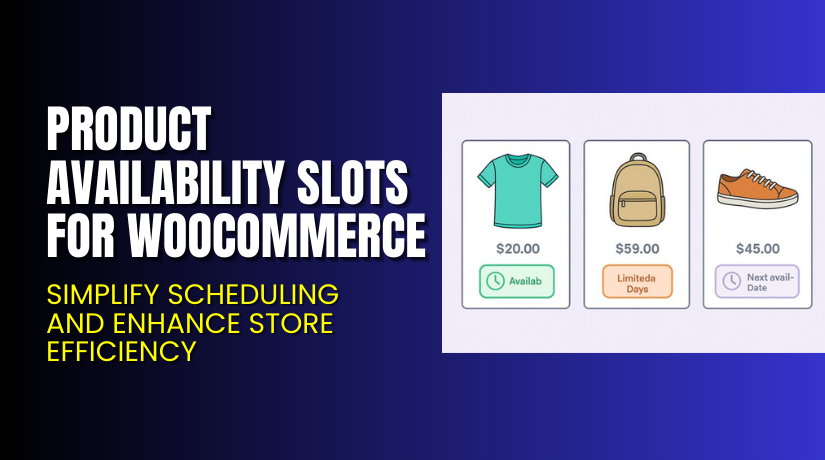
Product Availability Slots for WooCommerce – Simplify Scheduling and Enhance Store Efficiency
Table of Contents
- Introduction
- What are Product Availability Slots for WooCommerce?
- Features of Product Availability Slots for WooCommerce
- How to Install and Configure Product Availability Slots for WooCommerce
- Product Availability Slots for WooCommerce – Pricing & Plans
- My Experience with Product Availability Slots for WooCommerce
- Who Should Use This Plugin?
- Final Verdict
- FAQ
Introduction
Running a WooCommerce store means managing products, orders, and customer needs daily. Store owners often struggle to manage when products or services are available for purchase or booking. Without a proper schedule, customers may order items outside working hours, leading to confusion or missed deliveries.
That’s where Product Availability Slots for WooCommerce becomes essential. This plugin helps you set specific availability slots for each product. It ensures customers only order when your products are truly available. It also helps manage time-sensitive items like rentals, deliveries, and bookings.
Many WooCommerce users face challenges managing product availability, especially across multiple time zones or peak hours. This plugin eliminates such manual efforts and brings automation to your store operations. It helps balance inventory, delivery schedules, and customer satisfaction.
In this article, you’ll learn everything about Product Availability Slots for WooCommerce — its key features, setup steps, pricing, pros and cons, and who should use it.
👉 If you ever need help installing or troubleshooting any plugin or extension, you can always try our Installation & Troubleshooting Services for professional assistance.
What are Product Availability Slots for WooCommerce?
Product Availability Slots for WooCommerce is a scheduling plugin that helps store owners control when products can be purchased. It allows you to define custom time slots for availability. Customers can only buy products within these set time ranges.
This feature is especially useful for stores offering local deliveries, rentals, or bookable items. Instead of manually tracking when a product can be sold, this plugin automates the process. It helps you avoid orders during unavailable hours, holidays, or maintenance periods.
Developed by Woocommerce.com, the plugin integrates smoothly with the WooCommerce core system. It provides a clean interface and requires no coding knowledge. Store owners can easily add or remove slots and control which days or times products appear available.
This tool gives you full flexibility to define product-wise schedules, improving order management and customer experience. It’s ideal for businesses that operate within specific working hours or provide timed delivery services.
Official Plugin Page: Product Availability Slots for WooCommerce
Support Page: WooCommerce Support
Features of Product Availability Slots for WooCommerce
| Feature | Description | Why It Matters |
| Custom Time Slots | Create unique time slots for each product. | Helps manage product availability accurately. |
| Date-Based Scheduling | Set specific days or weeks for product availability. | Perfect for seasonal or event-based stores. |
| Multiple Product Support | Assign slots for multiple products simultaneously. | Saves time managing larger inventories. |
| Frontend Display | Show available slots directly on product pages. | Increases customer transparency and trust. |
| Automatic Slot Expiry | Slots expire once capacity is full or time ends. | Prevents overbooking and stock errors. |
| Compatibility | Works seamlessly with major WooCommerce themes. | Avoids layout or styling conflicts. |
These features make it easier to automate and streamline your WooCommerce operations without a complex setup.
How to Install and Configure Product Availability Slots for WooCommerce
- Download the plugin from the link.
- Log in to your WordPress Dashboard.
- Navigate to Plugins → Add New → Upload Plugin.
- Upload the ZIP file you downloaded and click Install Now.
- After installation, click Activate Plugin.
- Go to WooCommerce → Settings → Product Availability Slots.
- Add your desired time slots and set working hours or days.
- Save the settings and test a product purchase to verify slot functionality.
💡 If you face any configuration or compatibility issues, you can try our Installation & Troubleshooting Services for expert support.
Product Availability Slots for WooCommerce – Pricing & Plans
| 1 Year Plan | 2 Year Plan |
| $49 | $78.40 |
Subscription includes
|
Subscription includes
|
Buy Product Availability Slots for WooCommerce Now


Purchase Here → Buy Product Availability Slots for WooCommerce Premium Now
💡 Your purchase supports ongoing plugin development and helps create better WooCommerce solutions for all store owners.
My Experience with Product Availability Slots for WooCommerce
After testing this plugin on a live store, I found it stable, user-friendly, and lightweight. The setup process took just a few minutes, and it worked smoothly with default and custom themes.
Pros
- Easy setup and configuration.
- Stable performance with large product catalogs.
- Works with booking, rental, and delivery stores.
- Reduces manual order management tasks.
- Compatible with most caching and performance plugins.
Cons
- Limited styling options for slot displays.
- Premium version required for advanced features.
- No built-in analytics dashboard for slot usage.
Overall, it’s one of the best scheduling tools for WooCommerce stores.
Who Should Use This Plugin?
- WooCommerce store owners offering local delivery or pickup options.
- Agencies managing multiple client stores need scheduling control.
- Beginners looking for a simple, no-code availability system.
- Restaurant owners managing delivery hours.
- Rental and event booking businesses.
This plugin fits any business that operates with time-bound availability.
Useful Resources
- Official Plugin Page
- Official Support Page
- Developer Documentation
- WooHelpDesk Installation & Troubleshooting Services
Final Verdict
If you’re searching for a reliable way to manage product schedules, Product Availability Slots for WooCommerce is the right choice. It keeps your store organized and ensures customers buy products only during available times.
👉 Buy Product Availability Slots for WooCommerce Premium Now to unlock all advanced scheduling options.
💡 Need help installing or configuring it? Try our Installation & Troubleshooting Services for professional setup support.
FAQ
Q1. Is Product Availability Slots for WooCommerce compatible with all WooCommerce themes?
Yes, it works with most standard WooCommerce themes. Always test before going live.
Q2. Can I use both free and premium versions together?
No, you must deactivate the free version before installing the premium version.
Q3. How do I get support for this plugin?
You can contact the official WooCommerce team through their Support Page.



