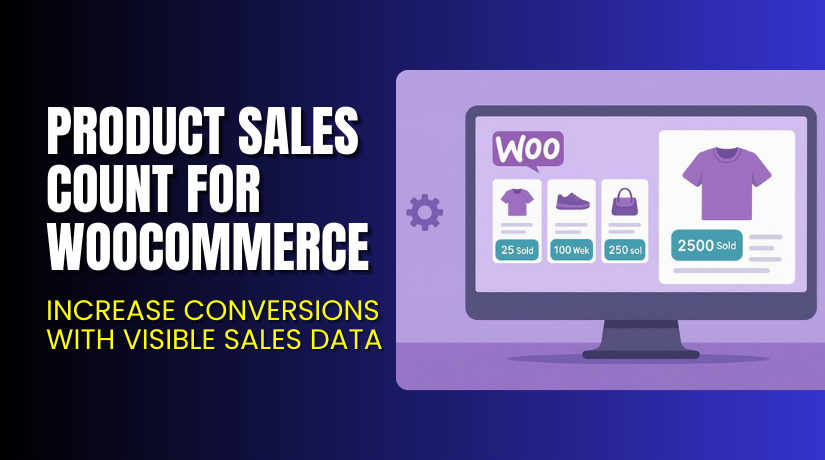
Product Sales Count for WooCommerce – Increase Conversions with Visible Sales Data
Table of Contents
- Introduction
- What is Product Sales Count for WooCommerce?
- Features of Product Sales Count for WooCommerce
- How to Install and Configure Product Sales Count for WooCommerce?
- Product Sales Count for WooCommerce – Pricing & Plans
- My Experience with Product Sales Count for WooCommerce
- Who Should Use This Plugin?
- Final Verdict
- FAQ
Introduction
Running a WooCommerce store requires constant attention to detail. Store owners always want to know which products perform well and which ones need more attention. However, without the right tools, tracking product sales can become frustrating and time-consuming. Many WooCommerce users face the same issue — they can’t easily display the total number of product sales to customers.
Customers, too, want to see which items are popular before buying. When shoppers see real sales numbers, it builds trust and encourages them to purchase. Displaying product sales count can create a sense of urgency and increase conversions.
That’s where the Product Sales Count for WooCommerce plugin comes in. It simplifies how you display total sales for each product directly on your product pages. It gives both store owners and buyers a clear picture of product performance.
In this article, we’ll explore Product Sales Count for WooCommerce, its features, installation steps, pros and cons, pricing, and who should use it.
👉 If you ever need help installing or troubleshooting this plugin, check our Installation & Troubleshooting Services.
What is Product Sales Count for WooCommerce?
Product Sales Count for WooCommerce is a simple yet powerful plugin that shows the total number of sales for each product on your WooCommerce store. It helps increase transparency and trust by displaying real purchase data to your customers.
This plugin is developed by Flintop, a trusted WordPress development company known for creating performance-focused WooCommerce extensions. It’s available in both Free and Premium versions, offering flexibility for all types of users.
With this plugin, you can easily show product sales counts on product pages, shop pages, and category pages. It even lets you customize the text before and after the count to match your store’s design or branding.
You can display the sales count automatically or use a shortcode for specific placement. It’s lightweight, fast, and compatible with most themes.
This plugin is perfect for WooCommerce users who want to show real-time product credibility and build customer confidence through transparent sales information.
Features of Product Sales Count for WooCommerce
| Feature | Description | Why It Matters |
| Show Total Sales Count | Displays the total number of sales per product on the product page. | Builds trust and shows real product popularity. |
| Customizable Message Text | Allows you to customize the prefix and suffix around the sales count. | Matches your brand voice and style. |
| Shortcode Support | Add sales count anywhere using a simple shortcode. | Gives you full design flexibility. |
| Hide Count for Zero Sales | Option to hide the sales count if a product has no sales. | Keeps product pages clean and professional. |
| Compatible with Most Themes | Works seamlessly with popular WooCommerce themes. | Ensures smooth performance without layout issues. |
| Lightweight and Fast | Optimized for speed and performance. | Doesn’t slow down your store. |
These features make it an ideal plugin for boosting conversions and customer engagement.
How to Install and Configure Product Sales Count for WooCommerce?
- Download the plugin from the link.
- Go to your WordPress Dashboard → Plugins → Add New → Upload Plugin.
- Click Install Now, then activate the plugin.
- Once activated, go to Settings → Product Sales Count.
- Configure basic options like where to display the count and text customization.
- Test the plugin on a few product pages to confirm proper display.
- Adjust styles if needed to match your theme.
💡 If you face any configuration or compatibility issues, try our Installation & Troubleshooting Services.
Product Sales Count for WooCommerce – Pricing & Plans
| 1 Year Plan | 2 Year Plan |
| $49 | $78.40 |
Subscription includes
|
Subscription includes
|
Buy Product Sales Count for WooCommerce Now
Purchase Here → Buy Product Sales Count for WooCommerce Premium Now


💡 Your purchase supports the plugin developers and helps us create more tutorials and detailed reviews for WooCommerce users.
My Experience with Product Sales Count for WooCommerce
After testing the Product Sales Count for WooCommerce plugin on a live store, the experience was smooth and reliable. Installation took less than two minutes, and the display settings were easy to configure.
Pros
- Quick installation and setup
- Lightweight and doesn’t affect site performance
- Clean, minimal interface
- Works with most WooCommerce themes
- Great for improving buyer confidence
Cons
- Limited styling options in the free version
- Lacks analytics integration
- Requires shortcode knowledge for custom placements
Overall, it’s an excellent choice for stores that want to highlight sales credibility without heavy plugins.
Who Should Use This Plugin?
- WooCommerce store owners want to display real-time product sales data
- Agencies managing multiple client stores need transparency tools
- Beginners who want a simple, ready-to-use plugin
- Store managers aiming to increase customer trust
- Marketers who want to add social proof without coding
This plugin suits anyone looking to make their store appear more authentic and trustworthy.
Useful Resources
- Official Plugin Page
- Official Support Page
- Developer Documentation
- WooHelpDesk Installation & Troubleshooting Services
Final Verdict
If you’re looking for a reliable way to show how many times each product has been sold, Product Sales Count for WooCommerce is a solid choice. It adds transparency, builds buyer trust, and enhances the shopping experience without slowing down your store.
This plugin is perfect for small and medium businesses that want to improve conversions through visible product credibility.
👉 Buy [Product Sales Count for WooCommerce] Premium Now
💡 Need help installing or fixing it? Try our Installation & Troubleshooting Services.
FAQ
Q1. Is Product Sales Count for WooCommerce compatible with all WooCommerce themes?
Yes, it works with most standard WooCommerce themes. Always test before going live.
Q2. Can I use both free and premium versions?
No, you need to deactivate the free version before installing the premium one.
Q3. How do I get support?
You can contact the official team through the Plugin Support Page.



