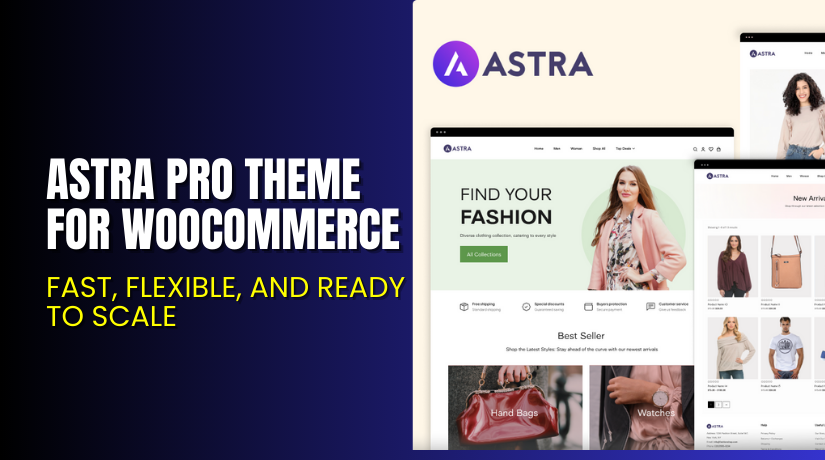
Astra Pro Theme for WooCommerce – Fast, Flexible, and Ready to Scale
Table of Contents
- Introduction
- What is Astra Pro?
- Key Features of Astra Pro (WooCommerce-Focused)
- How to Install and Set Up Astra Pro
- Astra Pro Pricing
- My Experience with Astra Pro for WooCommerce
- Who Should Use Astra Pro?
- Final Verdict
- FAQ
Introduction
Launching a WooCommerce store is easy. But making it fast, flexible, and high-converting is the hard part.
Many store owners use bulky themes. These themes often slow down your website, look outdated, or lack proper WooCommerce support. That leads to higher bounce rates and lost sales.
If you want a theme that loads fast, looks great on all devices, and gives you full design control—Astra Pro is the solution.
Astra is one of the most popular WordPress themes, with over 2 million active users. It is built for speed, works well with all page builders, and offers deep integration with WooCommerce.
In this article, you’ll learn what Astra Pro is, how it works with WooCommerce, its pricing, features, and setup process.
Need help installing or configuring Astra Pro for your store? Use our Astra Pro Installation & Troubleshooting Services.
What is Astra Pro?
Astra Pro is a premium addon for the free Astra theme. While the free version gives you a fast and clean layout, Astra Pro unlocks more design controls, layouts, and integrations—especially for WooCommerce.
Astra is built by Brainstorm Force, a company known for lightweight WordPress tools like Spectra, Convert Pro, and Schema Pro.
It’s perfect for:
- WooCommerce store owners
- Agencies building client sites
- Beginners wanting speed and ease
- Marketers who care about conversions
Astra Pro gives you the tools to build any kind of store—whether you’re selling digital products, services, or physical goods.
Official Theme Page: Astra Pro for WooCommerce
Theme Documentation: Getting Started with Astra Pro
Support Page: Contact Astra Support
Key Features of Astra Pro (WooCommerce-Focused)
| Feature | Description | Why It Matters |
| WooCommerce Styling | Control product grid, spacing, buttons, and checkout | Makes your store easier to shop |
| Off-Canvas Filters | Enable filter panels for mobile and desktop | Improves navigation and conversions |
| Quick View & Dropdown Cart | Let users see products and cart without leaving the page | Speeds up shopping and reduces cart abandonment |
| Custom Layouts | Build unique headers, footers, and content areas | No need for a developer |
| Responsive Controls | Adjust visibility by device | Optimizes user experience on mobile |
| Performance Optimized | Loads in under 0.5 seconds | Helps SEO and reduces bounce rate |
| Integration with Builders | Works with Elementor, Beaver Builder, and Spectra | Easy drag-and-drop editing |
| Starter Templates | Import ready-to-use demo shops | Launch faster with fewer setup steps |
These features are built specifically to enhance WooCommerce and improve store performance and conversions.
How to Install and Set Up Astra Pro
Astra Pro is easy to install, even for beginners. Here are the steps:
- Go to the Astra Pro official site and choose your plan.
- After purchase, download the Astra Pro addon ZIP file.
- In your WordPress dashboard, go to Plugins → Add New → Upload Plugin.
- Upload and install the Astra Pro ZIP file.
- Activate the plugin. It will unlock premium modules in your Astra theme.
- Ensure the free Astra theme is active under Appearance → Themes.
- Go to Appearance → Astra Options.
- Enable modules like WooCommerce, Header/Footer Builder, and Custom Layouts.
- Customize your site using the WordPress Customizer or a page builder like Elementor.
Need help during setup? Use our Astra Pro Theme Installation Service for expert support.
Astra Pro Pricing
You can choose between Annual and Lifetime plans. All options are one-time purchases with no monthly billing.
Annual Pricing (Up to 1000 Websites)
| Plan | Price | Discount |
| Astra Pro | $59/year | Save 14% |
| Essential Toolkit | $99/year | Save 17% |
| Business Toolkit | $159/year | Save 24% |
Lifetime Pricing (One-Time Payment)
| Plan | Price | Discount |
| Astra Pro | $299 | Save 14% |
| Essential Toolkit | $599 | Save 14% |
| Business Toolkit | $659 | Save 40% |
You can view all plans here: Astra Pro Pricing
Each license includes:


- Usage on up to 1000 websites
- Product updates
- Premium support
- Access to starter templates
- 30-day money-back guarantee
The Business Toolkit includes tools worth $1313 for free, making it the best value.
My Experience with Astra Pro for WooCommerce
We tested Astra Pro on a WooCommerce site selling fashion accessories. The site loaded in under 500ms with no optimization plugins.
What We Liked
- WooCommerce pages looked clean and fast
- Mobile product filters worked great
- Checkout layout was distraction-free
- Theme was lightweight, even with large product catalog
- Ready-to-import starter templates saved setup time
What Could Be Improved
- Some modules require a page builder to shine
- Mega menu requires additional plugin or custom code
- Business Toolkit is a better deal but costs more upfront
Who Should Use Astra Pro?
Astra Pro is for anyone serious about WooCommerce performance and flexibility:
- Beginners who need a ready-to-use theme
- Store owners focused on mobile and speed
- Agencies managing multiple WooCommerce sites
- Freelancers looking to deliver fast results to clients
- Marketers who want more control over design and UX
It works well for both small shops and high-volume eCommerce sites.
Useful Resources
- Astra Pro Theme Official Page
- Getting Started with Astra Pro Documentation
- Astra Support Contact Page
- Astra Pro Installation & Troubleshooting Services
Final Verdict
If you want a fast, flexible, and WooCommerce-ready theme, Astra Pro is a smart choice. It’s beginner-friendly yet powerful enough for advanced users.
With premium WooCommerce features like off-canvas filters, quick view, and product styling, it makes shopping easy and fast. You also get SEO benefits thanks to its performance-first design.
The lifetime plan is especially attractive for agencies and developers managing multiple sites. You save money and avoid ongoing renewals.
Use the link below to get the right plan for your needs:
Get Astra Pro Now → Choose Your Plan
Need help installing or configuring it? Try our Astra Pro WooCommerce Setup Services.
FAQ
Q1. Is Astra Pro a theme or a plugin?
Astra Pro is a premium addon for the free Astra theme.
Q2. Can I use Astra Pro with Elementor or Spectra?
Yes, it’s fully compatible with most page builders.
Q3. Is Astra Pro optimized for WooCommerce?
Yes. It offers deep WooCommerce integration and fast load times.



