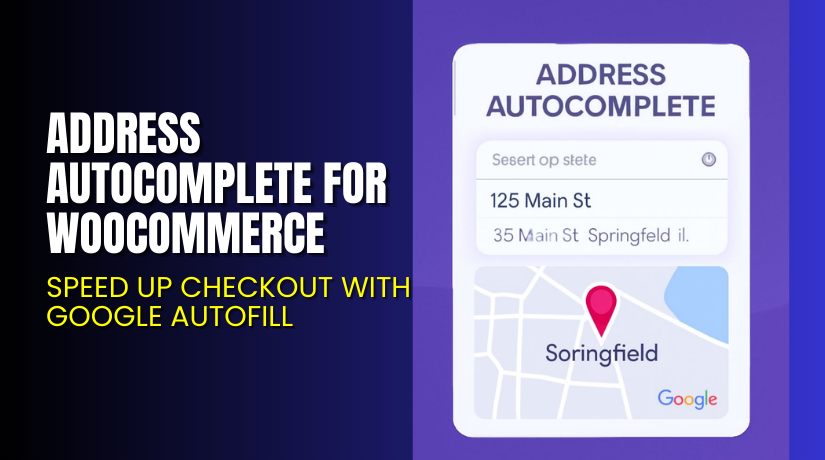
Address Autocomplete for WooCommerce – Speed Up Checkout with Google Autofill
Table of Contents
- Introduction
- What is Address Autocomplete for WooCommerce?
- Key Features of Address Autocomplete for WooCommerce
- How to Install and Configure Address Autocomplete Plugin
- Pricing & Plans
- My Experience with Address Autocomplete for WooCommerce
- Who Should Use This Plugin?
- Final Verdict
- FAQ Section
Introduction
Every online shopper wants a fast and simple checkout process. But long forms, typing errors, and wrong shipping addresses can turn people away. For WooCommerce store owners, this means lower conversions and increased cart abandonment.
Customers often type incorrect addresses, causing failed deliveries or costly returns. Store owners also lose time fixing address issues manually. These problems are common and costly for growing eCommerce businesses.
That’s where the Address Autocomplete for WooCommerce plugin comes in. It uses Google’s Places API to auto-fill address fields. This means fewer errors, faster checkout, and better customer experience.
In this guide, we’ll explore the plugin’s features, pricing, setup instructions, and use cases. Whether you run a local shop or a global store, this plugin will simplify your checkout flow.
Need help installing or setting it up? Try our Installation & Troubleshooting Services.
What is Address Autocomplete for WooCommerce?
Address Autocomplete for WooCommerce is a smart plugin developed by WPExperts. It uses Google’s Places API to suggest and auto-fill customer address details during checkout.
As soon as users start typing their address, the plugin shows suggestions. When selected, it fills in fields like Street, City, State, Country, and ZIP Code. This reduces typing and errors significantly.
The plugin also supports Google Maps integration. Customers can select their location using a drag-and-drop pointer. This adds accuracy to the process and improves customer satisfaction.
It supports all standard address fields. You can also restrict the autocomplete to allowed countries only.
Official Plugin Page: Address Autocomplete Plugin
Support Page: Get Help Here
Documentation: Read Full Docs
Key Features of Address Autocomplete for WooCommerce
| Feature | Description | Why It Matters |
| Google Address Autocomplete | Auto-suggests full address as users type | Reduces manual entry errors and speeds up checkout |
| Drag-and-Drop Map Pointer | Customers can select their location directly on a map | Improves address accuracy |
| Map Display on Checkout Page | Google Maps appears on the checkout screen | Adds visual confirmation of address location |
| Address Field Autofill | Automatically fills all fields from a single search | Saves customer time |
| Manual Input Allowed | Users can still enter addresses manually | Gives flexibility to all users |
| Google Places API Integration | Uses trusted and accurate Google data | Reliable source of global address data |
| Country Restrictions | Limit address suggestions to selected countries | Helps comply with shipping zones |
| Exact Address Fetching | Fetches full address, including ZIP and region | Lowers shipping issues and returns |
| Custom Map Zoom Level | Control zoom level for the checkout map | Improves user experience and clarity |
| Street Address Field Control | Customize which fields the map and autofill affect | Allows better data control |
| Disable Plugin Option | Temporarily turn off the plugin when needed | Useful for testing and staging sites |
| Enhanced Trust and Transparency | Shows location limits and ensures accurate deliveries | Builds customer trust and reduces complaints |
How to Install and Configure Address Autocomplete Plugin
Follow these simple steps:
- Download the plugin from the official page.
- Go to WordPress Dashboard > Plugins > Add New > Upload Plugin.
- Upload the zip file and click Install Now.
- After installation, click Activate.
- Navigate to WooCommerce > Address Autocomplete Settings.
- Enter your Google Places API Key.
- Choose options for map display, zoom level, and allowed countries.
- Enable drag-and-drop pointer if needed.
- Save your settings.
The plugin will now display address suggestions and autofill fields during checkout.
Need help with Google API or integration? Use our Installation & Troubleshooting Services.
Pricing & Plans
Choose the plan that fits your business needs:
| Plan | Price (USD) | Includes |
| Basic | $49.99/year | Single Site, Core Features, Support, Auto-Renew |
| Pro | $99.99/year | 3 Sites, All Features, Regular Updates, Support |
| Agency | $149.99/year | 100 Sites, Priority Support, All Features, Auto-Renew |
Every plan includes:
- Access to all plugin features
- Priority Support
- Regular Plugin Updates
- 14-Day Money-Back Guarantee
Buy now from WPExperts’ Official Plugin Store
Buy Address Autocomplete Plugin Now
Want faster checkouts and fewer shipping errors? This plugin helps customers complete forms in seconds.
Buy Address Autocomplete Plugin → Get it here
Support the developers and enjoy a more optimized store experience.


My Experience with Address Autocomplete for WooCommerce
We tested the plugin on a client’s international WooCommerce store. Integration took just minutes. The plugin worked smoothly on mobile and desktop.
Pros:
- Google address suggestions appear instantly
- Drag-and-drop map improves accuracy
- Users completed checkout faster
- Works well with shipping zones and restrictions
- Easy to configure and lightweight
Cons:
- Requires Google API key setup
- May not work without billing/shipping fields set properly
- Maps styling may need CSS tweaks on some themes
Who Should Use This Plugin?
This plugin is ideal for:
- Stores with international customers who need accurate shipping data
- Businesses facing frequent delivery issues due to address errors
- eCommerce stores with long checkout forms
- Developers building WooCommerce stores for clients
- Retailers offering local delivery or in-store pickup
Useful Resources
Here are helpful links for installation and support:
- Official Plugin Page
- Plugin Documentation
- Plugin Support Page
- Contact WPExperts
- Installation & Troubleshooting Help
Final Verdict
Address Autocomplete for WooCommerce is a must-have plugin for improving checkout speed and accuracy. It uses real-time Google address suggestions to autofill fields and reduce typing errors.
Features like map display, drag-and-drop pointer, and country restriction give full control over the checkout experience. It’s simple to set up and works seamlessly with WooCommerce.
Whether you run a local delivery service or ship globally, this plugin will reduce cart abandonment and improve your shipping success rate.
Buy Address Autocomplete Plugin Now → Click to Purchase
Want expert help installing it? Check out our Installation Services.
FAQ Section
Q1. Can I use this plugin for billing and shipping addresses?
Yes. The plugin works for both billing and shipping address fields.
Q2. Is the plugin compatible with all WooCommerce themes?
It works with most themes. Always test for compatibility before launch.
Q3. What do I need to set it up?
You’ll need WooCommerce 4.0+, WordPress 5.0+, PHP 7.5+, and a Google API key.
Q4. Does it support manual address entry?
Yes. Customers can still type addresses manually if needed.
Q5. How do I restrict address autocomplete to certain countries?
Use the plugin’s admin settings to select allowed countries only.
Q6. Is there a refund policy?
Yes. All plans include a 14-day money-back guarantee.



