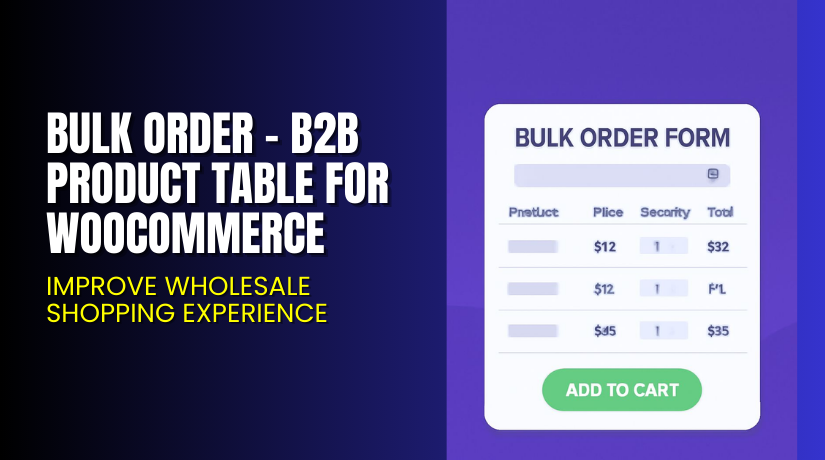
Bulk Order – B2B Product Table for WooCommerce: Improve Wholesale Shopping Experience
Table of Contents
- Introduction
- What is Bulk Order – B2B Product Table for WooCommerce?
- Key Features of Bulk Order – B2B Product Table
- How to Install and Configure Bulk Order Plugin
- Pricing & Plans
- My Experience with the Bulk Order Plugin
- Who Should Use This Plugin?
- Final Verdict
- FAQ
Introduction
Running a WooCommerce store with bulk or B2B sales is not easy. Most store owners face issues when customers want to buy multiple products at once. The default WooCommerce interface is designed for single product sales. This slows down large or business buyers.
Buyers often struggle with adding items one by one. They want a fast way to search, filter, and buy multiple items. That’s why you need a product table or quick order system.
Bulk Order – B2B Product Table for WooCommerce solves this problem. It helps you display products in a structured table. Customers can easily view, search, and add many products in one go.
This article will show you how this plugin works. We’ll cover features, setup, pricing, pros & cons, and who should use it. It’s ideal for wholesale stores, B2B companies, and multi-product retailers.
Need help with setup or fixing issues? Use our Installation & Troubleshooting Services.
What is Bulk Order – B2B Product Table for WooCommerce?
Bulk Order – B2B Product Table for WooCommerce is a powerful plugin built by WPExperts. It allows WooCommerce stores to create bulk order forms using product tables.
It’s perfect for B2B businesses, wholesale stores, restaurants, or anyone selling many products at once. You can list products in a searchable, filterable table format with add-to-cart options.
The plugin includes features like user role restrictions, product filters, and mini-cart checkout. It supports shortcodes, grouped products, custom columns, and drag-and-drop table builders.
You can even hide product tables from retail users. This helps store owners protect wholesale pricing.
Official Plugin Page: Bulk Order Form Plugin
Support Page: Submit Support Request
Documentation: Read Full Docs
Developer: WPExperts
Key Features of Bulk Order – B2B Product Table
| Feature | Description | Why It Matters |
| Quick Order Forms | Create bulk order forms by category, SKU, or product type | Makes bulk buying easier and faster |
| Mini Cart Checkout | One-page checkout directly from product table | Saves time and reduces steps |
| Advanced Filters and Search | Filter by category, tags, SKU, and more | Speeds up product discovery |
| Drag and Drop Table Builder | Build tables visually with drag and drop tools | No coding skills required |
| Custom Table Layouts | Customize product tables to match your theme | Keeps your store on-brand |
| Hide Product Tables by User Role | Show tables only to wholesale users or specific roles | Protects pricing and discounts |
| Optimized Bulk Selection | Add many items to cart at once | Improves order efficiency |
| Shortcode Support | Embed order forms anywhere using shortcodes | Flexible placement in pages or posts |
| Grouped Products Display | Display multiple related items together | Improves upselling and bulk order experience |
| Batch Variation Support | List product variations in groups | Ideal for B2B and restaurant use |
| Compatible with Tiered Pricing | Offer volume-based pricing automatically | Encourages larger orders |
| Reset Filters Button | Let users reset all applied filters | Easier navigation and control |
| One-page Mini-cart Checkout | Lets buyers check out directly on the same page | Speeds up transaction and reduces abandonment |
How to Install and Configure Bulk Order Plugin
Follow these steps to set up the plugin:
- Go to the plugin product page and download the plugin (use affiliate link if available).
- In your WordPress dashboard, go to Plugins > Add New > Upload Plugin.
- Choose the plugin file and click Install Now.
- Activate the plugin after installation.
- Visit WooCommerce > Bulk Order Form in the dashboard menu.
- Create a new table using the drag-and-drop builder.
- Select columns like name, price, quantity, SKU, etc.
- Apply filters, role restrictions, and style settings.
- Save the table and copy the shortcode.
- Paste the shortcode where you want the product table to appear.
Need assistance? Visit our Installation & Troubleshooting Services.
Pricing & Plans
Choose from three pricing tiers based on your business size:
| Plan | Price (USD) | Includes |
| Basic | $79.99/year | Single Site License, All Core Features, Auto-Renew |
| Pro | $129.99/year (46% off) | 3 Sites License, All Core Features, Auto-Renew |
| Agency | $189.99/year | 100 Sites License, Advanced Support, Auto-Renew |
Each plan includes:
- Priority Support
- Regular Plugin Updates
- Access to All Core Features
- 14-Day Money-Back Guarantee
Buy the plugin from WPExperts’ Official Store
Buy Bulk Order Plugin Now
If you’re ready to speed up bulk purchasing on your WooCommerce store, this plugin is for you.
Buy Bulk Order Plugin → Get it here
Purchases support the developers and let us continue providing helpful tutorials and services.


My Experience with the Bulk Order Plugin
We tested this plugin on a wholesale WooCommerce store with over 300 products. The setup was quick, and the drag-and-drop builder made table creation simple.
Pros:
- Super-fast setup with no coding required
- Works well with grouped and variable products
- Flexible filters helped customers find products quickly
- Clean and mobile-friendly design
- User role control is a big plus for wholesale stores
Cons:
- No lifetime pricing model
- Some styling options need theme adjustments
- May need extra tuning for large product databases
Who Should Use This Plugin?
This plugin is ideal for:
- Wholesale WooCommerce stores needing a bulk order system
- B2B stores serving regular buyers or distributors
- Restaurants or cafes that allow batch ordering
- Large stores with thousands of products and quick-buy needs
- Agencies building custom B2B stores for clients
Useful Resources
Here are official resources to learn more and get help:
- Plugin Product Page
- Full Documentation
- Submit a Support Ticket
- Contact WPExperts
- WooHelpDesk Installation & Troubleshooting Services
Final Verdict
Bulk Order – B2B Product Table for WooCommerce is a top solution for B2B and wholesale eCommerce stores. It solves the key challenge of speeding up bulk purchasing and helps improve user experience.
Features like quick order forms, role-based visibility, batch product variation support, and tiered pricing make it one of the most complete product table solutions available today.
It’s fast, flexible, and well supported by the WPExperts team. If you run a WooCommerce store with bulk order needs, you should consider this plugin.
Buy Bulk Order Plugin → Click here to purchase
Need help installing or fixing setup issues? Use our Installation Services
FAQ
Q1. Can I create quick order forms for specific product categories?
Yes. You can build custom forms by category, SKU, and product types.
Q2. Can I restrict product tables to wholesale users only?
Yes. Use role restrictions to hide product tables from retail users.
Q3. Is the plugin mobile-friendly?
Yes. The product tables work well across devices.
Q4. Does it support variable and grouped products?
Yes. You can display both grouped and variation products in the table.
Q5. What are the minimum requirements to run this plugin?
You need WooCommerce 4.0+, WordPress 5.0+, and PHP 7.5 or higher.



