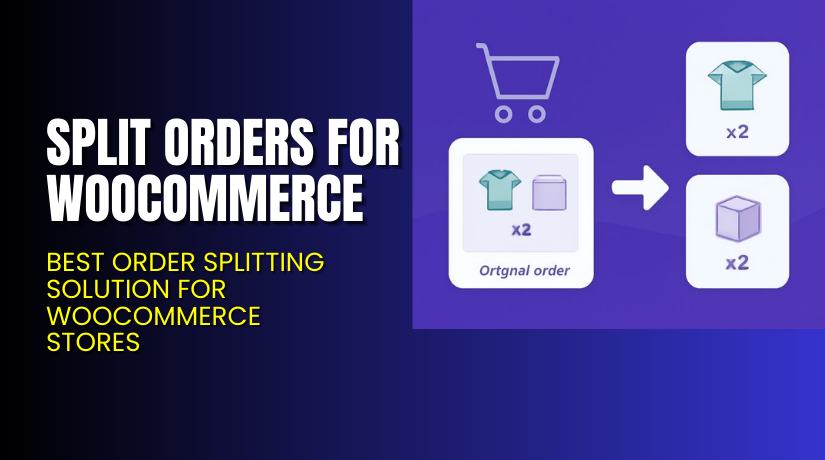
Split Orders for WooCommerce – Best Order Splitting Solution for WooCommerce Stores
Table of Contents
- Introduction
- What is Split Orders for WooCommerce?
- Features of Split Orders for WooCommerce
- How to Install and Configure Split Orders for WooCommerce
- Split Orders for WooCommerce – Pricing & Plans
- My Experience with Split Orders for WooCommerce
- Who Should Use This Plugin?
- Final Verdict
- FAQ
Introduction
Running a WooCommerce store means handling many daily tasks. Store owners often manage products, customers, payments, and shipping workflows. These tasks become stressful when orders contain multiple products with different requirements. Many store owners face issues when a single order needs to be shipped in separate boxes or from different locations. This creates confusion and delays in order processing. Some stores also struggle with assigning different vendors or warehouse teams to one order. These challenges reduce workflow speed and increase customer complaints.
That is why store owners search for a plugin that splits orders automatically. A tool that handles different shipping rules, vendor assignments, and workflow needs without manual effort. This is where Split Orders for WooCommerce becomes helpful. This plugin creates separate orders based on rules, items, or product categories. It saves time and reduces confusion for store owners.
In this article, we will explore Split Orders for WooCommerce, its benefits, features, installation steps, pros, cons, pricing, and alternatives. You will learn how this plugin improves your workflow and order handling.
👉 If you ever need help installing or troubleshooting any plugin or extension, please try our Installation & Troubleshooting Services.
What is Split Orders for WooCommerce?
Split Orders for WooCommerce is a useful extension that divides one WooCommerce order into multiple child orders. Each order is created based on your rules and product structure. The main goal of the plugin is to improve order management across your store. It is very helpful for stores with multiple vendors, warehouses, or shipping rules.
The plugin creates a clean order structure that helps store owners process items faster. You can split orders by product, category, or shipping class. This helps each team or vendor receive only the items they need. You no longer need to manually break orders into smaller orders.
This plugin is developed by WooCommerce and is available as a premium extension. It is built with stable code and follows WooCommerce standards. The plugin works smoothly on most themes and hosting environments. You also get regular updates and support from the official WooCommerce team.
Official Plugin Page:
Support Page: https://vibeagency.uk/contact/
Features of Split Orders for WooCommerce
| Feature | Description | Why It Matters |
| Order Splitting Rules | Splits orders based on items, categories, or shipping classes. | Helps store owners manage complex orders easily. |
| Vendor and Warehouse Support | Sends each split order to the right team or vendor. | Saves time by directing orders to the correct department. |
| Shipping Method Control | Handles different shipping methods per split order. | Improves customer experience and shipping accuracy. |
| Clear Order Tracking | Creates parent and child orders for better workflow. | Helps avoid confusion during order processing. |
| Automated Workflow | Splits orders automatically with no manual work. | Boosts store speed and reduces staff mistakes. |
How to Install and Configure Split Orders for WooCommerce
- Download the plugin from the official WooCommerce marketplace:
- Go to WordPress Dashboard → Plugins → Add New → Upload Plugin.
- Install and activate the plugin.
- Open WooCommerce → Settings → Split Orders to configure rules.
- Choose how you want orders to split (by item, category, or shipping class).
- Save the settings and test a sample order for accuracy.
- Check compatibility with your theme and other extensions.
💡 If you face any configuration or compatibility issues, you can try our Installation & Troubleshooting Services.
Split Orders for WooCommerce – Pricing & Plans
| 1 Year Plan | 2 Year Plan |
| $49 | $78.40 |
Subscription includes
|
Subscription includes
|
Buy Split Orders for WooCommerce Now
Purchase Here → Buy Split Orders for WooCommerce Premium Now


💡 Your purchase supports the development team and helps me create more tutorials like this.
My Experience with Split Orders for WooCommerce
Pros
- Simple and clean setup process.
- Very stable and built with WooCommerce standards.
- Works well with most shipping plugins.
- Ideal for marketplace and warehouse stores.
- Good customer support and clear documentation.
Cons
- No free version is available.
- Some advanced rule options are limited.
- Works best only with supported extensions.
Who Should Use This Plugin?
- WooCommerce store owners need automatic order splitting
- Multi-vendor businesses handling items from different locations
- Agencies managing complex stores with advanced workflows
- Beginners wanting simple order automation without
Useful Resources
- Official Plugin Page
- Support Page
- Developer Documentation
- WooHelpDesk Installation & Troubleshooting Services
Final Verdict
Split Orders for WooCommerce is a strong and reliable plugin for managing complex orders. It improves the workflow, reduces errors, and helps store owners process items faster. The plugin is worth trying for any store that handles multi-item orders with different rules or locations.
Use the link below to get started and unlock premium features today.
👉 Buy Split Orders for WooCommerce Premium Now
💡 Need help installing or fixing it? Try our Installation & Troubleshooting Services.
FAQ
Q1. Is Split Orders for WooCommerce compatible with all themes?
Yes, it works with most standard WooCommerce themes. Always test before going live.
Q2. Can I use both free and premium versions?
There is no free version. Only the premium version is available.
Q3. How do I get support?
Contact the official team using the Plugin Support Page.



