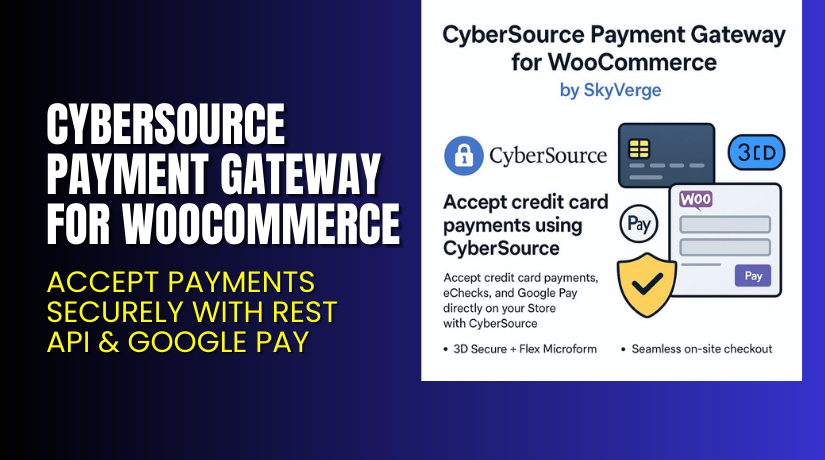
CyberSource Payment Gateway for WooCommerce – Accept Payments Securely with REST API & Google Pay
Table of Contents
- Introduction
- What is CyberSource Payment Gateway for WooCommerce?
- Key Features of CyberSource Payment Gateway
- How to Install and Configure CyberSource Plugin
- Pricing & Plans
- My Experience with CyberSource Payment Gateway
- Who Should Use This Plugin?
- Final Verdict
- FAQ
Introduction
Running a WooCommerce store means giving your customers multiple secure ways to pay. With fraud and transaction failures being common, store owners need reliable gateways that offer safety, flexibility, and seamless checkout.
Traditional payment systems can be slow or insecure. They also don’t always support digital wallets or subscriptions. That’s why many merchants struggle to handle payments effectively.
CyberSource Payment Gateway helps solve these issues. It offers a complete payment solution that supports credit cards, eChecks, and Google Pay. It also ensures PCI compliance through a secure checkout process.
In this article, we’ll cover CyberSource’s features, setup, pricing, and pros & cons.
👉 If you ever need help installing or troubleshooting any plugin or extension, please try our Installation & Troubleshooting Services.
What is CyberSource Payment Gateway for WooCommerce?
CyberSource Payment Gateway for WooCommerce allows store owners to accept payments securely using CyberSource’s REST API and Flex Microform. It’s built by SkyVerge, a trusted WooCommerce developer.
CyberSource supports major credit cards, eChecks, and Google Pay. Customers enter payment details without leaving your site. The gateway also includes fraud prevention tools and PCI-compliant integrations.
It’s ideal for WooCommerce stores with high transaction volumes or subscription products. The plugin also integrates with WooCommerce Subscriptions and Pre-Orders.
- Official Plugin Page: Buy CyberSource Payment Gateway
- Documentation: CyberSource Plugin Documentation
- Support Page: SkyVerge Support Portal
- Contact Developer: SkyVerge Contact
Key Features of CyberSource Payment Gateway
| Feature | Description | Why It Matters |
| REST API + Flex Microform | Accept payments securely and stay PCI compliant | Ensures secure data handling |
| Google Pay Support | Allows customers to use digital wallets | Adds convenience and boosts conversions |
| eCheck Payments | Accepts bank transfers via online checks | Great for B2B and large transactions |
| Secure Customer Vault | Save cards and eChecks for future use | Speeds up repeat checkout |
| Fraud Tools | Includes 3D Secure and Decision Manager | Helps prevent fraudulent orders |
| Seamless Checkout | Customers never leave your site | Improves user experience and trust |
| Subscriptions & Pre-Orders | Full support for WooCommerce Subscriptions | Enables recurring and future payments |
| Mobile Friendly | Optimized inputs and retina icons | Smooth mobile checkout |
| Refunds & Voids | Issue refunds from WooCommerce dashboard | Saves time for store admins |
| Detailed Decline Messages | Show users exact error reasons | Reduces failed transactions |
How to Install and Configure CyberSource Plugin
Follow these steps to get started:
- Buy the plugin from the official plugin page.
- Download the ZIP file after purchase.
- Go to WordPress Dashboard → Plugins → Add New → Upload Plugin.
- Upload the ZIP file and click Install Now.
- Activate the plugin.
- Go to WooCommerce → Settings → Payments → CyberSource.
- Log into your CyberSource account and generate your API keys.
- Enter your credentials into the plugin settings.
- Choose your payment methods and enable the gateway.
- Save settings and run a test transaction.
💡 If you need help setting it up, use our Installation & Troubleshooting Services.
Pricing & Plans
Here is the official pricing as listed on the CyberSource plugin page:
| Plan | Price | Includes |
| 1-Year Plan | $79 | All features + updates + support |
| 2-Year Plan | $126.40 | Save 20%. Includes everything for 2 years |
- No free version is available.
- All pricing is in USD.
- You get access to support, updates, and documentation with every plan.
Effective Monthly Price: $6.59 (billed annually at $79)
Buy CyberSource Payment Gateway Now
✅ Purchase Here → Buy CyberSource Payment Gateway for WooCommerce
💡 Your purchase supports the plugin developers and helps us create more guides like this.
My Experience with CyberSource Payment Gateway
I tested the plugin on a live WooCommerce store. Here’s what I observed:
✅ Pros
- Setup is quick and integration is smooth.
- Works well with subscriptions and pre-orders.
- Checkout is fast and fully on-site.
- Payment methods can be saved securely.
- Supports eChecks, great for large clients.
- Refunds are handled directly in WooCommerce.
- Support from SkyVerge is responsive and helpful.
❌ Cons
- Requires CyberSource account setup, which takes time.
- No free version to try before buying.
- Some users may need help with API key configuration.
Who Should Use This Plugin?
This plugin is best for:


- ✅ WooCommerce stores needing secure and flexible payments
- ✅ Sites offering subscriptions or pre-orders
- ✅ Merchants targeting B2B clients using eChecks
- ✅ Businesses needing fraud prevention and PCI compliance
- ✅ Agencies handling multiple client payment gateways
Useful Resources
- Official Plugin Page – Buy Here
- CyberSource Plugin Documentation
- SkyVerge Support
- SkyVerge Contact
- WooHelpDesk Installation & Troubleshooting
Final Verdict
CyberSource Payment Gateway is a powerful tool for WooCommerce stores. It offers security, speed, and flexibility. With features like Google Pay, eCheck support, and card tokenization, it covers everything a modern store needs.
The plugin is especially useful for sites that handle recurring payments or international customers. Its REST API and PCI-compliant setup give store owners peace of mind.
If you want secure, scalable, and feature-rich payment processing, CyberSource Payment Gateway is worth the investment.
✅ Buy Now → Get CyberSource for WooCommerce
💡 Need expert help? Use our Installation & Troubleshooting Services.
FAQ
Q1. Is CyberSource Payment Gateway compatible with WooCommerce Subscriptions?
Yes, it fully supports WooCommerce Subscriptions and Pre-Orders.
Q2. Can customers use digital wallets like Google Pay?
Yes, Google Pay is supported for faster, wallet-based payments.
Q3. Do I need to be PCI compliant?
The plugin uses Flex Microform to help meet SAQ A PCI compliance standards.
Q4. Does it support refunds from WooCommerce?
Yes. You can issue full or partial refunds directly from the order page.
Q5. Can customers save payment methods?
Yes, customers can save cards or eChecks for future purchases.



