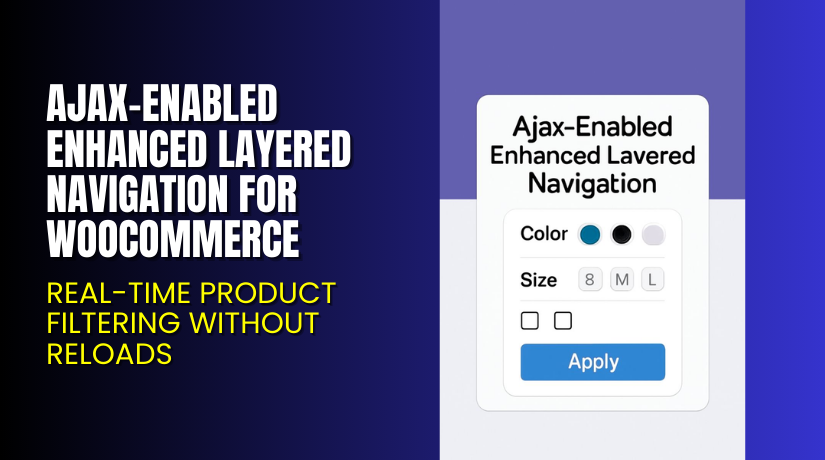
Ajax-Enabled Enhanced Layered Navigation for WooCommerce – Real-Time Product Filtering Without Reloads
Table of Contents
- Introduction
- What is Ajax-Enabled Enhanced Layered Navigation for WooCommerce?
- Key Features of Ajax-Enabled Enhanced Layered Navigation
- How to Install and Configure Ajax-Enabled Enhanced Layered Navigation?
- Pricing & Plans
- My Experience with Ajax-Enabled Enhanced Layered Navigation
- Who Should Use This Plugin?
- Final Verdict
- FAQ
Introduction
Running a WooCommerce store with a large catalog can get messy. Customers often struggle to find what they need. The default filter system is slow and outdated. Every filter click reloads the entire page, causing friction in the shopping journey.
When shoppers lose momentum, they drop off.
That’s where Ajax-Enabled Enhanced Layered Navigation steps in. It replaces standard filters with fast, Ajax-powered faceted navigation. This plugin helps users narrow down choices instantly—no page reloads, no delays.
In this guide, we’ll break down what the plugin does, its key features, how to install it, pricing info, pros and cons, and who should consider using it.
Need help setting it up? Try our Installation & Troubleshooting Services.
What is Ajax-Enabled Enhanced Layered Navigation for WooCommerce?
Ajax-Enabled Enhanced Layered Navigation is a product filtering plugin by KestrelWP. It upgrades WooCommerce’s basic filter system with Ajax-powered, real-time results. That means no more page reloads when shoppers apply filters.
It uses faceted navigation, allowing users to refine product listings by:
- Color
- Size
- Brand
- Material
- Any product attribute
The plugin replaces WooCommerce’s standard filter widgets with fast, modern alternatives. Customers can instantly apply multiple filters, adjust options, and view changes live.
It also supports swatches, checkboxes, and selectors to make the filtering experience more visual.
Official Plugin Page: View Plugin on KestrelWP
Support Page: KestrelWP Support
Documentation: Official Documentation
Contact Page: Contact KestrelWP
Key Features of Ajax-Enabled Enhanced Layered Navigation
| Feature | Description | Why It Matters |
| Ajax-Based Filtering | Instantly filters products with no page reloads | Improves site speed and reduces bounce rates |
| Faceted Navigation | Allows users to apply multiple filters | Helps customers find what they want faster |
| Visual Filter UI | Swatches, checkboxes, and selectors for clarity | Improves user experience and reduces confusion |
| SEO-Friendly Structure | Keeps attribute links crawlable | Supports your search engine optimization efforts |
| Customizable Setup | Choose which attributes to display | Tailors the experience to your brand or niche |
| Fast Integration | Works with existing WooCommerce attributes | Easy to install and configure |
How to Install and Configure Ajax-Enabled Enhanced Layered Navigation?
Installation is quick and simple. Just follow these steps:
- Download the plugin from the official plugin page.
- In your WordPress dashboard, go to Plugins → Add New → Upload Plugin.
- Upload the zip file and click Install Now.
- Activate the plugin after installation.
- Navigate to Appearance → Widgets or Block Editor.
- Add the Ajax-powered filter widgets where needed.
- Customize the display using WooCommerce attributes:
- Color swatches
- Size selectors
- Multi-select checkboxes
- Test on desktop and mobile to confirm it works properly.
Need help with setup? Use our Installation & Troubleshooting Services.
Pricing & Plans
| Plan | Price (USD) | Includes |
| Premium (1 Site License) | $59.00 / year | Full access, support, and updates |
- No free version available
- Annual billing with priority updates
- One license per site
- Direct purchase from the developer ensures reliability
Get it now on the Official Plugin Page.
Buy Ajax-Enabled Enhanced Layered Navigation Now
Purchase Ajax-Enabled Enhanced Layered Navigation
Your purchase includes one year of updates and developer support. It also contributes to ongoing plugin development.
Want help during installation or setup? Let our WooExperts assist you.


My Experience with Ajax-Enabled Enhanced Layered Navigation
We tested this plugin on a store with over 3,000 products. The results were clear:
Pros:
- Super-fast product filtering without reloading pages
- Clean user interface that’s easy to navigate
- Improves UX, especially on mobile
- Works out of the box with WooCommerce attributes
- Easy to style using theme options
Cons:
- No free version to test
- Requires minor styling for some themes
- Doesn’t include analytics or filter usage stats
Who Should Use This Plugin?
Ajax-Enabled Enhanced Layered Navigation is a great fit for:
- Fashion stores with products sorted by size, color, and style
- Electronics stores with technical specifications filters
- Home decor brands offering variations by material or finish
- Catalogs with 500+ SKUs that need faster navigation
- Shop owners focused on UX and conversion
- Agencies building client stores with large inventories
Useful Resources
- Official Plugin Page – Ajax-Enabled Enhanced Layered Navigation
- Support Page – KestrelWP
- Official Documentation
- WooHelpDesk Plugin Installation Services
Final Verdict
The default WooCommerce filters are functional but slow. They load the entire page every time a user changes a filter. This creates friction, especially for mobile users or large catalogs.
Ajax-Enabled Enhanced Layered Navigation fixes that. It creates a fast, modern filter experience that keeps shoppers engaged. Real-time results, clickable filters, and visual options make it easier for users to find what they want.
If your store has hundreds of products, this plugin can increase engagement and conversion rates.
Ready to improve your product browsing experience?
Buy Ajax-Enabled Enhanced Layered Navigation Now
Need assistance with setup? Use our Installation & Troubleshooting Services
FAQ
Q1. Is this plugin compatible with all WooCommerce themes?
Yes, it works with most modern WooCommerce themes. Some may need minor styling.
Q2. Can I apply multiple filters at once?
Yes, the plugin supports faceted filtering with multi-select options.
Q3. Is this plugin SEO-friendly?
Yes. It maintains crawlable links for search engines.
Q4. Do I need to create new attributes?
No. It works with your existing WooCommerce attributes and taxonomies.
Q5. How do I get support?
You can reach the team via the KestrelWP Support Page or Contact Page.



