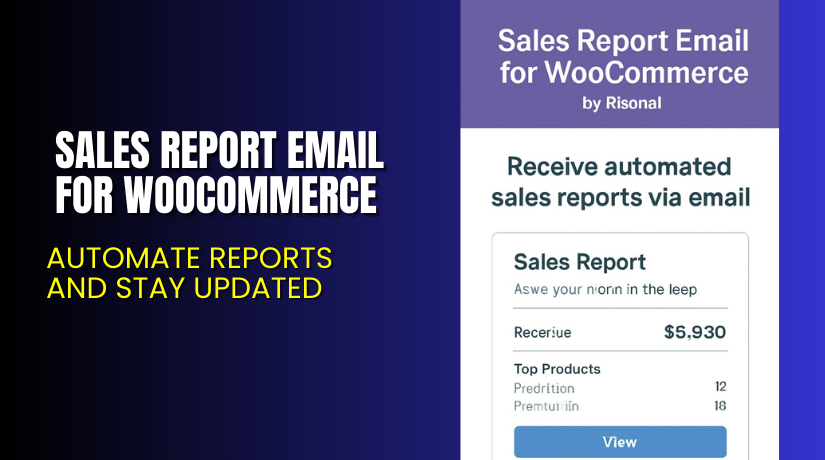
Sales Report Email for WooCommerce – Automate Reports and Stay Updated
Table of Contents
- Introduction
- What is Sales Report Email for WooCommerce?
- Key Features of Sales Report Email for WooCommerce
- How to Install and Configure Sales Report Email for WooCommerce?
- Pricing & Plans
- My Experience with Sales Report Email for WooCommerce
- Who Should Use This Plugin?
- Final Verdict
- FAQ
Introduction
Running a WooCommerce store is rewarding but can be overwhelming. You have to manage inventory, orders, customer service, and more. One common challenge for store owners is keeping track of sales performance.
Logging into dashboards, filtering data, and generating reports manually wastes time. Many store owners simply skip this part — and miss valuable insights.
Sales Report Email for WooCommerce solves this problem. It sends automatic sales reports directly to your inbox. You get daily, weekly, or monthly updates — no login needed.
In this article, we’ll explore what this plugin does, how to set it up, its pricing, pros and cons, and who it’s best for.
Need help installing it? Try our Installation & Troubleshooting Services.
What is Sales Report Email for WooCommerce?
Sales Report Email for WooCommerce is a reporting plugin built by KestrelWP. It sends sales data by email on a schedule you choose — daily, weekly, or monthly.
You no longer have to check analytics manually. The plugin gathers your key metrics and delivers them in a clean, easy-to-read email.
These reports include:
- Total sales and revenue
- Number of orders and average order value
- Top-selling products and categories
- Period-over-period comparisons
This makes it simple to track trends, spot issues, and make smart decisions — all from your inbox.
The plugin is ideal for store owners, team members, accountants, or clients. You can add multiple recipients so everyone stays in the loop.
You can find the official plugin page here, and support is available via Kestrel’s Support Portal.
Key Features of Sales Report Email for WooCommerce
| Feature | Description | Why It Matters |
| Automated Reports | Sends daily, weekly, or monthly sales reports via email. | Saves time and ensures you always stay updated. |
| No Login Required | View data from your inbox without logging into WooCommerce. | Improves workflow and accessibility. |
| Multiple Recipients | Add team members, accountants, or clients to report delivery. | Keeps everyone informed and in sync. |
| Key Metrics Included | Revenue, order count, top products, trends. | Gives a complete snapshot of store performance. |
| Simple Setup | Choose frequency and enter emails. No coding needed. | Great for non-technical users. |
| Readable Report Format | Mobile-friendly and desktop-optimized layout. | Easy to scan and act on insights quickly. |
How to Install and Configure Sales Report Email for WooCommerce?
You can set up the plugin in just a few steps:
- Purchase the plugin from the official plugin page.
- Download the ZIP file after completing the purchase.
- Go to your WordPress dashboard → Plugins → Add New → Upload Plugin.
- Upload the ZIP file and click “Install Now.”
- Activate the plugin once installed.
- Go to WooCommerce → Settings → Email Reports.
- Enter one or more email addresses to receive reports.
- Select the frequency: daily, weekly, or monthly.
- Save changes. You’re done.
Your first report will arrive at the chosen schedule with no further setup required.
If you run into any issues, use our Installation & Troubleshooting Services.
Pricing & Plans
| Plan | Price (USD) | Includes |
| Annual License | $59/year | Full feature access + updates + support |
Currently, there is only one pricing tier available. There is no free or lifetime version.
You can purchase it directly from KestrelWP’s official product page.
Buy Sales Report Email for WooCommerce Now
Want your sales reports delivered without lifting a finger?


Buy it now → Get Sales Report Email for WooCommerce
Your purchase supports the development team and helps us write more helpful tutorials.
My Experience with Sales Report Email for WooCommerce
After testing the plugin on a live store, here’s what I found:
Pros
- Easy to install and configure
- Clean and readable email reports
- Works right out of the box
- Supports multiple email recipients
- No impact on store speed
Cons
- No free version
- Limited report customization
- Only email as output (no dashboard option)
Despite a few limitations, it does its job well. The reporting is accurate and useful.
Who Should Use This Plugin?
This plugin is perfect for:
- WooCommerce store owners who want quick, reliable sales insights.
- Agencies and freelancers who manage multiple stores and need status updates.
- Business owners or teams that prefer email-based reporting over dashboards.
Useful Resources
Here are helpful links for installation, documentation, and support:
- Official Plugin Page
- Support Page
- Documentation
- Installation & Troubleshooting Services
- Contact Developer
Final Verdict
If you’re tired of logging into your WooCommerce dashboard every day, this plugin is a game-changer. Sales Report Email for WooCommerce delivers the data you need, when you need it, in a clean and efficient format.
It’s reliable, affordable, and perfect for staying informed without effort.
Buy Sales Report Email for WooCommerce Now → Click here to get it
Need help setting it up? Try our Installation & Troubleshooting Services.
FAQ
Q1. Does this plugin support multiple recipients?
Yes, you can add multiple email addresses for report delivery.
Q2. Can I choose how often I get the reports?
Yes, the plugin allows daily, weekly, or monthly scheduling.
Q3. Is it difficult to install?
Not at all. It installs like any other WooCommerce plugin and requires no coding.



