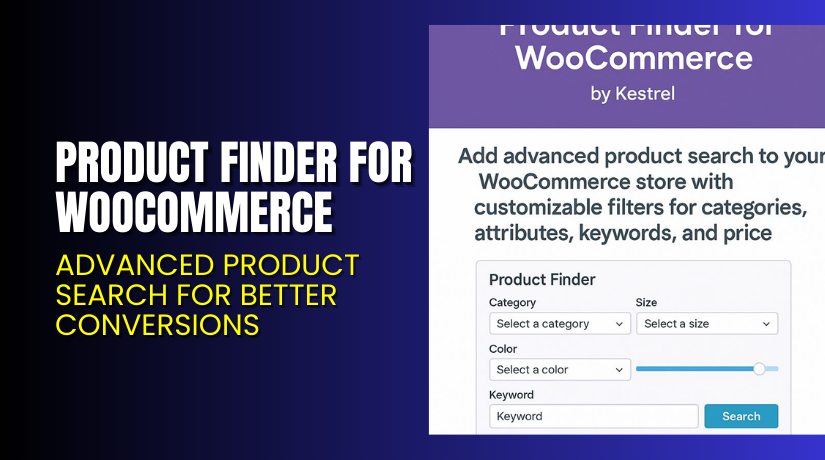
Product Finder for WooCommerce – Advanced Product Search for Better Conversions
Table of Contents
- Introduction
- What is Product Finder for WooCommerce?
- Key Features of Product Finder for WooCommerce
- How to Install and Configure Product Finder?
- Pricing & Plans
- My Experience with Product Finder
- Who Should Use This Plugin?
- Final Verdict
- FAQ
Introduction
Online shoppers expect fast, relevant results. But most default WooCommerce search tools don’t deliver that.
Imagine running a store with hundreds of products. Customers struggle to find the right item. They bounce. You lose sales.
Product Finder for WooCommerce fixes this.
It adds a powerful, customizable search tool to your store. Shoppers can filter by category, price, size, color, or keyword — all in one place.
In this article, we’ll cover what this plugin does, how to install it, pricing, features, pros and cons, and who should use it.
Want help with installation? Try our Installation & Troubleshooting Services.
What is Product Finder for WooCommerce?
Product Finder for WooCommerce is a plugin by Kestrel Commerce. It enhances your store’s search experience by offering advanced filtering options.
Customers can:
- Filter by product categories
- Choose specific attributes like size or color
- Set a price range using a slider
- Enter keywords for targeted results
This plugin helps users find products quickly without browsing multiple pages. It is perfect for stores with large inventories.
You can add the search form anywhere on your site:
- Homepage
- Shop page
- Category pages
- Dedicated landing pages
It’s designed to be lightweight and work seamlessly with all modern WooCommerce themes.
Official Plugin Page: Product Finder for WooCommerce – Kestrel
Support Page: Get Support Here
Documentation: Official Setup Guide
Key Features of Product Finder for WooCommerce
| Feature | Description | Why It Matters |
| Advanced Filters | Users can filter by category, price, attributes, and keywords | Increases relevance and speeds up product discovery |
| Keyword Search | Combines filters with keyword search | More precise and useful results |
| Price Slider | Set minimum and maximum prices | Helps buyers stay within budget |
| Shortcode & Widgets | Add search form anywhere with shortcodes, widgets, or block editor | Flexible for different layouts |
| Theme Compatibility | Inherits your theme styles automatically | No design conflicts or custom CSS needed |
| Developer Friendly | Includes hooks and template tags for custom integrations | Perfect for advanced stores or agency builds |
| Landing Page Support | Build product finder landing pages for campaigns or promotions | Great for seasonal or targeted marketing |
| Sidebar Integration | Works in sidebars as filters on category or archive pages | Keeps product browsing smooth and intuitive |
How to Install and Configure Product Finder?
Follow these steps to get started with the plugin:
- Purchase the plugin from the official Kestrel product page.
- Download the plugin ZIP file from your Kestrel account.
- Go to your WordPress dashboard.
- Navigate to Plugins → Add New → Upload Plugin.
- Upload and install the ZIP file.
- Activate the plugin.
- Go to WooCommerce → Settings → Product Finder.
- Select the filters you want to include (category, attributes, price, keyword).
- Place the form using:
- Shortcode
- Widget
- Template tag
- Block editor
Tip: Create campaign landing pages with targeted filters (e.g., “Find Your Perfect Gift” or “Select by Budget”).
Need help during setup? Use the official documentation or our Installation & Troubleshooting Services.
Pricing & Plans
| Plan | Price | Includes |
| Premium | $99.00/year | Full features, future updates, and support |
There is only one plan, and it includes everything you need. There is no free version available.
Buy Product Finder for WooCommerce Now
If you’re ready to improve your store’s search experience, get the plugin now.


Purchase here: Product Finder for WooCommerce
Buying supports the developers and helps us continue writing detailed plugin tutorials.
My Experience with Product Finder
We tested Product Finder on a mid-sized WooCommerce store with 500+ SKUs.
Pros
- Very easy to set up
- Search form looks clean and modern
- Instant performance improvement in search results
- Multiple placement options (sidebar, pages, etc.)
- Keyword + filter combo is powerful
Cons
- No built-in analytics dashboard
- Requires setup of attributes for best use
- No Ajax filtering (page reloads required)
The plugin made the store much easier to navigate. Search accuracy and speed improved. It helped reduce bounce rates and increased session time.
Who Should Use This Plugin?
Product Finder for WooCommerce is a great fit for:
- Stores with a large catalog
- Fashion, electronics, furniture, or tool retailers
- Shops with multiple product variations
- Sites that rely on search to drive conversions
- Marketers running product-focused ad campaigns
- Agencies building WooCommerce stores for clients
If customers are struggling to find what they need, this plugin will fix that.
Useful Resources
Here’s a list of official resources and support links:
- Plugin Page – Product Finder for WooCommerce
- Plugin Documentation and Configuration Guide
- Kestrel Support Center
- Developer Contact Form
- Our Plugin Installation & Troubleshooting Service
Final Verdict
Product Finder for WooCommerce is a must-have for stores with big catalogs. It turns WooCommerce’s basic search into a fully functional product discovery engine.
The filters are powerful, the setup is simple, and the plugin blends perfectly with your theme. Customers find products faster, and that means higher conversion rates.
It’s a small investment that delivers immediate results.
Buy it now: Get Product Finder for WooCommerce
Need help setting it up? Use our Installation & Troubleshooting Services
FAQ
Q1. Can I show different filters on different pages?
Yes. Use shortcodes or widgets to control where the form appears.
Q2. Will this plugin slow down my site?
No. It is lightweight and built to inherit your existing theme style.
Q3. Does it work with custom product attributes?
Yes. You can enable any global attribute in the settings panel.



