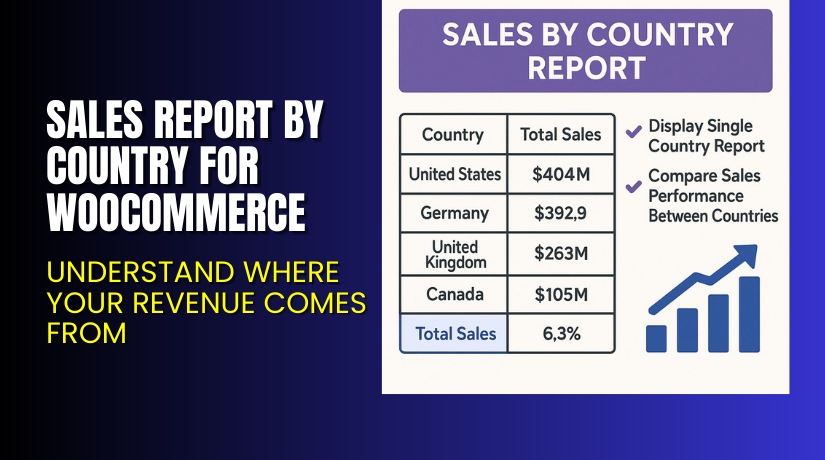
Sales Report by Country for WooCommerce – Understand Where Your Revenue Comes From
Table of Contents
- Introduction
- What is Sales Report by Country for WooCommerce?
- Key Features of Sales Report by Country
- How to Install and Configure the Plugin?
- Pricing & Plans
- My Experience Using Sales Report by Country
- Who Should Use This Plugin?
- Final Verdict
- FAQ
Introduction
As a WooCommerce store owner, knowing what sells is important. But knowing where it sells is even more critical. If you’re selling globally or even regionally, country-based performance insights are vital.
WooCommerce’s default analytics do not provide granular reporting based on shipping or billing countries. That’s where the Sales Report by Country for WooCommerce plugin from Zorem becomes a powerful solution.
It adds a detailed reporting tab under WooCommerce Analytics, giving you visual and data-driven insights on which countries generate the most revenue, how many orders they produce, and how much tax they contribute.
In this guide, we’ll cover everything about the plugin: its features, setup process, benefits, pricing, and how it can help grow your store strategically.
Need help installing it? Use our Installation & Troubleshooting Services.
What is Sales Report by Country for WooCommerce?
Sales Report by Country for WooCommerce is a plugin developed by Zorem. It adds a “Sales by Country” tab inside WooCommerce Analytics. With it, you can track revenue, number of orders, taxes, and more — based on the customer’s shipping or billing country.
Unlike other analytics plugins, it requires no configuration. Once installed, it starts tracking data immediately and integrates with your existing reports.
- Official Plugin Page: Sales Report by Country for WooCommerce
- Documentation: Official Plugin Docs
- Support: Get Support
- Contact Developer: Contact Zorem
Key Features of Sales Report by Country
| Feature | Description | Why It Matters |
| Sales by Country Tab | Adds country-based report inside WooCommerce Analytics | Track where your revenue is coming from |
| Billing or Shipping Filters | Choose to view reports by shipping or billing country | Offers flexibility based on your business model |
| Total & Net Sales Tracking | View gross, net, and total tax by country | Helps in financial planning and tax filing |
| Order Count & AOV | Displays total orders and average order value by country | Evaluate market value and performance |
| Country Comparison Reports | Compare performance between multiple countries | See which countries are most profitable |
| Export to CSV | Download report data for offline analysis or sharing | Useful for audits, marketing, and external reporting |
| Single Country Drilldown | View reports for one country in detail over any period | Understand market behavior by region |
| Time Period Filters | Analyze data by custom date ranges | Track sales trends across seasons or campaigns |
| Works With Multi-Currency | Supports third-party currency plugins | Displays sales data in real-time currency values |
| No Settings Required | Plugin works immediately after activation | Saves setup time and avoids confusion |
How to Install and Configure the Plugin?
Installation is simple and takes only a few minutes.
Follow these steps:
- Purchase and download the plugin from the official Zorem page.
- Go to your WordPress dashboard → Plugins → Add New.
- Upload the ZIP file you downloaded.
- Click Install Now and then Activate.
- Go to WooCommerce → Analytics → Sales by Country.
- Begin exploring your sales performance based on location.
There are no additional settings required — everything is integrated into the WooCommerce Analytics dashboard.
Need help with configuration? Use our Installation & Troubleshooting Services.
Pricing & Plans
The plugin is available in three yearly license options, priced in USD:
| Plan | Price/year | Usage Limit |
| One Site | $59 | Use on 1 WooCommerce store |
| Five Sites | $159 | Use on 5 WooCommerce stores |
| Ten Sites | $299 | Use on 10 WooCommerce stores |
Every plan includes:
- One year of updates
- Priority email support
- Full feature access
Select a plan based on how many stores you manage.
Buy Sales Report by Country Plugin Now
Get deeper insights into your international revenue today.
Buy Sales Report by Country for WooCommerce
Each purchase helps support the plugin’s continued development and lets us provide better guidance and services.
My Experience Using Sales Report by Country
We installed this plugin on a WooCommerce store that ships to over 30 countries. Within minutes of activation, the analytics dashboard updated with country-based revenue data.
Pros:
- Seamless integration with WooCommerce Analytics
- No configuration required
- Reports load fast and are easy to understand
- Export to CSV is helpful for sharing with team
- Side-by-side country comparison helps with decision-making
- Works well with multi-currency setup
Cons:
- Doesn’t show customer data like repeat orders by country
- No charts or graphs (text-based tables only)
- Country-level filtering is limited to billing or shipping only
Despite some limitations, the plugin does what it promises — clean and useful reporting.


Who Should Use This Plugin?
This plugin is ideal for:
- WooCommerce stores shipping internationally
- Store owners interested in global expansion
- Marketing teams looking to analyze regional performance
- Financial planners tracking taxes or AOV by country
- Operations teams planning country-specific inventory
- Small stores aiming to improve localization strategies
If you’re looking to grow globally or understand your sales geography, this plugin is for you.
Useful Resources
Here are some links that may help you:
- Plugin Product Page
- Official Documentation
- Plugin Support
- Developer Contact
- WooHelpDesk Setup Services
Bookmark them for future reference.
Final Verdict
Sales Report by Country for WooCommerce fills a major gap in WooCommerce Analytics. It helps you understand which countries bring in the most sales, where to focus your efforts, and how to plan pricing, stock, and marketing.
It works immediately, requires no configuration, and integrates cleanly into your dashboard. With country-level comparisons, export options, and deep filters, it gives actionable insights that default WooCommerce reports can’t provide.
If you’re ready to expand globally, localize better, or simply make data-driven decisions, this plugin is a no-brainer.
Buy it now and discover which countries drive your business.
Need help installing it? Check our Installation & Troubleshooting Services.
FAQ
Q1. What does this plugin do?
It adds a new tab under WooCommerce Analytics to track sales by country.
Q2. How are countries determined?
The plugin uses billing or shipping addresses submitted during checkout.
Q3. Can I compare sales between countries?
Yes. Select multiple countries to compare sales, orders, and AOV.
Q4. Does it work with multi-currency plugins?
Yes. Sales data reflects the currency used at the time of purchase.
Q5. Can I export the report?
Yes. Export to CSV format for further analysis.
Q6. Is setup required after installation?
No. The plugin starts working immediately after activation.
Q7. Does it track both gross and net sales?
Yes. You can view gross, net, tax, and AOV by country.
Q8. Can I filter reports by date range?
Yes. Choose custom dates or standard periods like week, month, year.



