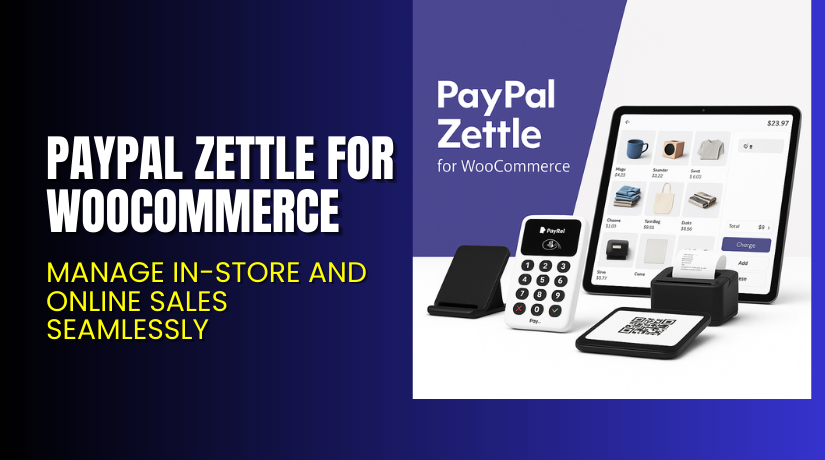
PayPal Zettle for WooCommerce – Manage In-store and Online Sales Seamlessly
Table of Contents
- Introduction
- What is PayPal Zettle for WooCommerce?
- Key Features of PayPal Zettle for WooCommerce
- How to Install and Configure PayPal Zettle?
- Pricing & Hardware Costs
- My Experience with PayPal Zettle
- Who Should Use This Plugin?
- Final Verdict
- FAQ
Introduction
Managing a WooCommerce store is challenging. Adding in-person selling makes it harder. Store owners often struggle with two major issues — tracking inventory and accepting flexible payments in-store. Having different systems for online and offline sales creates gaps in data, pricing mismatches, and inventory errors.
If you sell both online and in a physical location, a reliable Point of Sale (POS) system is essential. You need a way to link your store’s inventory with your POS terminal and sync everything — fast and accurately.
PayPal Zettle for WooCommerce solves this by unifying your sales systems. Built by Syde GmbH, this free plugin syncs your WooCommerce inventory with Zettle POS. It also allows you to accept cards, mobile payments, and QR codes.
In this guide, we’ll explain what PayPal Zettle does, how to set it up, its key benefits, and the pros and cons. You’ll also find support links and expert help options.
Need help installing or troubleshooting? Visit our WooHelpDesk service for PayPal Zettle.
What is PayPal Zettle for WooCommerce?
PayPal Zettle is a POS system that lets merchants take payments in-store. The PayPal Zettle for WooCommerce plugin connects your WooCommerce store to Zettle’s POS system. It syncs your product catalog and keeps your stock aligned across platforms.
This plugin supports a variety of payment types:
- Card (EMV)
- Contactless (NFC)
- QR code payments via PayPal and Venmo
- Mobile wallets like Apple Pay and Google Pay
Once connected, all in-store sales affect your WooCommerce inventory in real-time. This keeps your stock accurate across both channels.
Developed by Syde GmbH, the plugin is available for free and is maintained under the WooCommerce Marketplace.
Key Specs:
- Version: 1.6.1
- Active Installs: 4,000+
- Minimum PHP: 7.2
- Compatible with WordPress 6.6 and WooCommerce 9.1
- Rating: 3.5 out of 5 stars (based on 8 reviews)
Plugin Page: PayPal Zettle Plugin
Documentation: View Official Docs
Support Page: Contact Zettle Plugin Support
Key Features of PayPal Zettle for WooCommerce
| Feature | Description | Why It Matters |
| POS Integration | Connects WooCommerce to Zettle POS | Allows in-store payments with your WooCommerce catalog |
| Inventory Sync | Syncs stock in real-time between online and offline stores | Reduces overselling and stock mismatches |
| Payment Flexibility | Accept cards, contactless, QR codes, and mobile wallets | Lets customers pay the way they want |
| Quick Setup | Easy plugin install and configuration | No need for custom development or code |
| Single Dashboard Management | Use Zettle app to manage payments, inventory, and insights | Saves time with unified view of business |
| Free to Install | No plugin cost, just hardware and PayPal fees | Easy entry point for small or growing businesses |
How to Install and Configure PayPal Zettle?
To install PayPal Zettle for WooCommerce, follow these steps:
- Download the plugin from the official plugin page.
- Go to WordPress Dashboard > Plugins > Add New > Upload Plugin.
- Select the downloaded ZIP file.
- Click Install Now, then Activate the plugin.
- Connect your PayPal or Zettle account.
- Follow on-screen instructions to sync your product catalog.
- Configure sync settings like prices, SKUs, and tax rules.
Requirements:
- A PayPal Business account (for US users)
- A Zettle account (for UK, EU, BR, MX)
- Zettle POS app installed on your device
- PayPal Zettle hardware (sold separately)
For configuration issues or inventory sync problems, check the official documentation or try our Installation & Troubleshooting Services.
Pricing & Hardware Costs
Plugin Cost: Free to install
Zettle Card Reader:
- Standard price: $79 (USD)
- New users may be eligible for discounts on their first device
- Hardware includes USB cable (wall plug not included)
Subscription Includes:
- Free plugin updates
- Free customer support via WooCommerce Marketplace
Zettle hardware and app setup varies by country. You must purchase Zettle hardware separately to start accepting payments.
Buy PayPal Zettle Now
You can start using PayPal Zettle with WooCommerce for free. Just install the plugin, connect your account, and purchase your card reader.


Start now: Get PayPal Zettle Plugin
Need expert help setting it up? Try our Zettle setup service.
My Experience with PayPal Zettle
We tested the PayPal Zettle plugin on a WooCommerce store and linked it to a Zettle card reader. Here’s what we found:
Pros:
- Fast setup with no coding needed
- Free plugin download
- Works well for simple catalogs
- Accepts many payment types
- Good for mobile businesses and pop-up stores
Cons:
- Inventory sync can be slow or glitchy
- Not a true two-way sync (Zettle to WooCommerce updates limited)
- Product variants and barcodes have occasional bugs
- Not ideal for large catalogs (1000+ SKUs)
- Support often refers issues back to hosting or Zettle
Who Should Use This Plugin?
PayPal Zettle for WooCommerce is best for:
- Retailers with physical stores that want to sync online inventory
- Small businesses and mobile vendors needing a reliable POS
- Startups that already use PayPal and want fast in-store payments
- Merchants in supported regions: US, UK, EU, Brazil, Mexico
Not ideal for:
- Stores with thousands of SKUs
- Merchants needing full two-way sync with variations
- High-volume sellers with complex tax or barcode needs
Useful Resources
- Official Plugin Page
- Official Plugin Documentation
- Plugin Support Contact Page
- WooHelpDesk Setup & Fix Service
Final Verdict
PayPal Zettle for WooCommerce is a solid solution for syncing your store with in-person sales. It’s easy to set up, free to install, and backed by trusted names like PayPal and Syde GmbH.
If you need a POS system that:
- Works with WooCommerce
- Supports mobile and contactless payments
- Syncs stock in real-time
Then Zettle is worth trying.
However, keep in mind its limitations with large catalogs, product variants, and two-way syncing.
If you’re unsure about installation or stuck during setup, get help from our expert WooCommerce service.
FAQ
Q1. Is PayPal Zettle plugin free to use?
Yes. The plugin is free. You only pay for the card reader and PayPal fees.
Q2. Does it sync inventory in both directions?
It syncs WooCommerce → Zettle. But not all Zettle changes sync back automatically.
Q3. What devices are supported by Zettle?
Zettle works with iOS and Android via the POS app. It supports card readers and accessories.
Q4. Can I accept QR code payments with this plugin?
Yes. QR code payments via PayPal and Venmo are supported in select regions.
Q5. Where can I get help if the sync fails?
Use the official documentation or our WooHelpDesk expert service.



