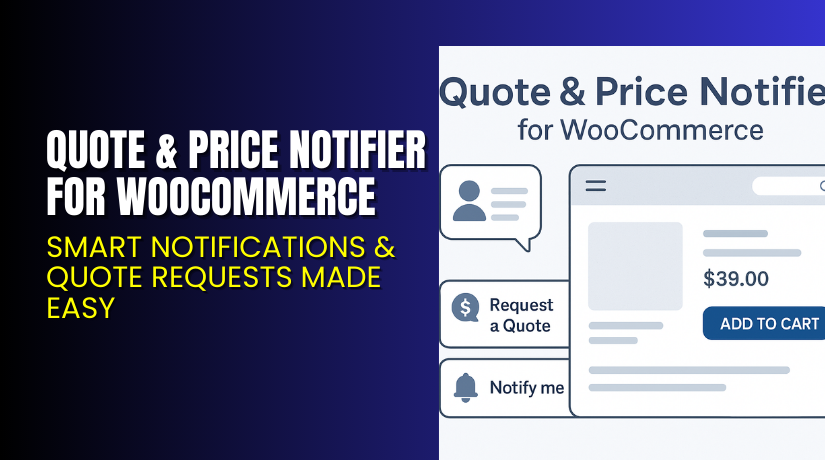
Quote & Price Notifier for WooCommerce – Smart Notifications & Quote Requests Made Easy
Table of Contents
- Introduction
- What is Quote & Price Notifier for WooCommerce?
- Key Features of Quote & Price Notifier
- How to Install and Configure Quote & Price Notifier?
- Pricing & Plans
- My Experience with Quote & Price Notifier
- Who Should Use This Plugin?
- Final Verdict
- FAQ
Introduction
Running a WooCommerce store means handling various plugins. Managing them while ensuring customer satisfaction is tough. One of the most common challenges store owners face is how to deal with pricing communication. Customers often abandon products when prices change or when they want to buy in bulk but can’t request a quote.
That’s where the Quote & Price Notifier plugin steps in. This plugin helps store owners improve customer engagement. It allows your visitors to either request custom quotes or receive price change notifications.
In this article, we’ll explore Quote & Price Notifier, its features, how to install it, its pricing, pros and cons, and ideal users.
If you ever need help installing or troubleshooting any plugin, you can try our Installation & Troubleshooting Services.
What is Quote & Price Notifier for WooCommerce?
Quote & Price Notifier is a dual-feature plugin that adds price-watching and quote-request tools to WooCommerce product pages.
It is designed and maintained by ARTIO, a reputable software development company. The plugin adds two key customer engagement options:
- Price Watch – Customers can subscribe to price change alerts.
- Quote Requests – Customers can request a price quote for bulk purchases.
Both functions can be enabled separately. It is compatible with standard product types including simple, variable, and external products. The admin interface is tightly integrated with WooCommerce’s settings for easy management.
Official Plugin Page: Quote & Price Notifier – ARTIO
Support Page: Contact ARTIO
Documentation: Quote & Price Notifier Documentation
Key Features of Quote & Price Notifier
| Feature | Description | Why It Matters |
| Quote Requests | Lets users submit requests for custom pricing on products. | Helps store owners close more sales through flexible pricing. |
| Price Watching | Customers subscribe to receive alerts when product prices change. | Increases customer retention and follow-ups. |
| Simple Admin Panel | All requests and subscribers are listed in organized tables. | Makes management easy for busy store owners. |
| reCaptcha Integration | Uses invisible Google reCaptcha for all form submissions. | Protects your store from bots and spam entries. |
| Separate Feature Toggles | You can enable quote or price watch separately based on your needs. | Offers flexibility in how the plugin is used. |
| WooCommerce Integration | All features are built right into the WooCommerce admin panel. | No need to manage features from a separate dashboard. |
| Compatibility | Works with WooCommerce 3.8.0 – 4.3.0 and WordPress 4.9+. Requires PHP 5.6+. | Great for users running mid-range versions of WordPress/WooCommerce. |
How to Install and Configure Quote & Price Notifier?
Follow these steps to install and set up the plugin:
- Download the plugin from the official page.
- From your WordPress dashboard, go to Plugins → Add New → Upload Plugin.
- Select the downloaded .zip file and install it.
- Once installed, click Activate.
- Navigate to WooCommerce → Settings → Quote & Price Notifier.
- Set up reCaptcha by registering keys at Google.
- Choose whether to enable:
- Quote requests
- Price watching
- Save changes and test the plugin on a product page.
If you face any configuration or compatibility issues, you can try our Installation & Troubleshooting Services.
Pricing & Plans
The plugin is available in a premium version only. Here is the pricing:
| Plan | Price (USD) | Includes |
| Premium | $79 | Full features for both quote request and price notifications. |
You can purchase the plugin directly from the official plugin page.
Buy Quote & Price Notifier Now
Purchase Here → Buy Quote & Price Notifier for WooCommerce
Your purchase supports the development team and helps us keep creating useful guides and tutorials. Consider buying through our links for extra help and installation support.


My Experience with Quote & Price Notifier
After testing this plugin on a live WooCommerce site, here’s what stood out.
Pros:
- Very easy to install and configure.
- Clear admin UI integrated into WooCommerce.
- Great for user engagement and customer retention.
- reCaptcha adds security without affecting UX.
- Lightweight and does not affect page load times.
Cons:
- No free version is available.
- Limited styling customization for front-end forms.
- Compatible only up to WooCommerce 4.3 (older versions).
Who Should Use This Plugin?
This plugin is best suited for:
- WooCommerce store owners looking to increase customer interaction.
- Shops offering bulk pricing or special deals on request.
- Agencies managing multiple WooCommerce clients needing flexible pricing tools.
- Beginner and mid-level users who want a plug-and-play experience.
Useful Resources
- Official Plugin Page
- Plugin Support Page (Contact Form)
- Official Documentation
- WooHelpDesk Installation & Troubleshooting Services
Final Verdict
If you’re looking for a clean, effective way to let your customers subscribe to price alerts or request bulk quotes, Quote & Price Notifier is a strong choice.
It works directly within WooCommerce and requires minimal setup. The plugin is perfect for boosting conversions and improving buyer trust. While there’s no free version, the one-time payment gives access to everything you need.
Start using it today to increase leads, conversions, and engagement on your WooCommerce store.
Get started now → Buy Quote & Price Notifier for WooCommerce
Need help installing or fixing it? Try our Installation & Troubleshooting Services
FAQ
Q1. Is Quote & Price Notifier compatible with all WooCommerce themes?
Yes, it works with most standard WooCommerce themes. Still, test it before going live.
Q2. Can I use both quote and price watching features at once?
Yes, you can enable either or both features depending on your needs.
Q3. How do I get support for the plugin?
You can contact the development team via the official support page.



