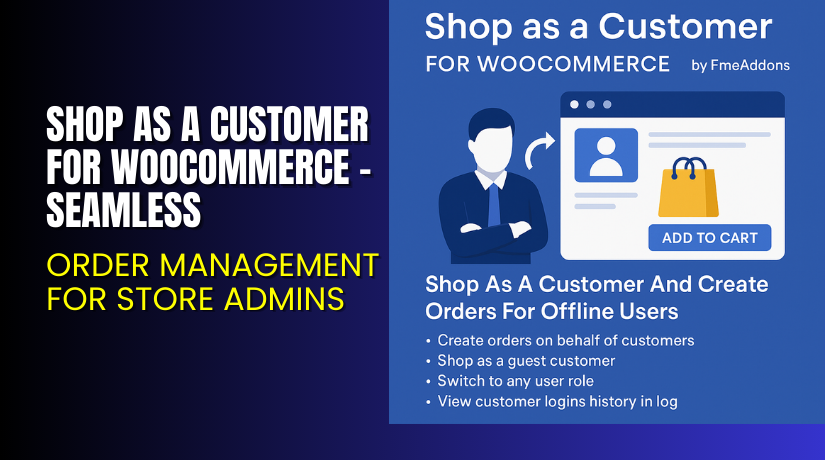
Shop as a Customer for WooCommerce – Seamless Order Management for Store Admins
Table of Contents
- Introduction
- What is Shop as a Customer for WooCommerce?
- Key Features of Shop as a Customer
- How to Install and Configure Shop as a Customer
- Pricing & Plans
- My Experience with Shop as a Customer
- Who Should Use This Plugin?
- Final Verdict
- FAQ
Introduction
Running a WooCommerce store often means managing orders for customers who reach out via phone, email, or in-store visits. These offline orders still need to be processed online. Most store owners struggle to handle this efficiently with the default WooCommerce setup.
That’s where the Shop as a Customer for WooCommerce plugin comes in. It lets store admins switch to a customer account, place orders on their behalf, and even shop as a guest. You can quickly process requests and increase conversion rates for customers who prefer offline communication.
This plugin simplifies admin tasks while improving customer satisfaction. In this article, we’ll explore what this plugin does, how to install it, key features, pricing, and our honest experience using it.
If you ever need help setting it up, use our Installation & Troubleshooting Services.
What is Shop as a Customer for WooCommerce?
Shop as a Customer is a plugin developed by FME Addons. It allows WooCommerce store admins to log in and shop as any customer. This is useful when orders come in via offline channels.
Admins can:
- Switch between admin and customer roles
- Place orders for registered or guest users
- Use offline payment methods
- Send order invoices to customers
The plugin is compatible with:
- WooCommerce version 3.2.0 or higher
- WordPress version 4.6 or higher
Latest Version: 1.3.4
Last Update: August 4, 2025
Release Date: February 24, 2020
Key Features of Shop as a Customer
| Feature | Description | Why It Matters |
| Switch to Customer View | Log in as any customer with one click. | Simplifies order placement for support or offline requests. |
| Shop as Guest | Place orders without selecting a user. | Great for walk-in customers or call-in orders. |
| Customer Search | Search by name, email, company, phone, or address. | Speeds up order creation by quickly finding users. |
| Customer Overview | View full customer profile and order history. | Gives context for better support decisions. |
| Login History Tracking | Track admin logins as customers. | Helps maintain records and transparency. |
| Send Invoices | Automatically send invoices after purchase. | Keeps customers informed of their orders. |
| Role-based Permissions | Allow selected staff to use this feature. | Adds security and avoids misuse. |
| Switch Back to Admin | Return to admin view with a click. | Keeps the workflow simple and efficient. |
| Offline Payments | Choose offline payment methods. | Perfect for B2B, phone, or in-person orders. |
How to Install and Configure Shop as a Customer
Follow these steps to set up the plugin quickly:
- Download the plugin from the Official Plugin Page.
- Go to WordPress Dashboard → Plugins → Add New → Upload Plugin.
- Install and activate the plugin.
- Go to WooCommerce → Shop as Customer settings.
- Enable the roles allowed to access this feature.
- Use the customer search to locate the user.
- Click “Login as Customer” and place the order.
- Use “Switch Back” when done.
Need help? Try our Installation & Troubleshooting Services.
Pricing & Plans
| Plan | Price (USD) | Includes |
| Standard License | $49/year | 1-year updates + 30-day refund policy |
| Installation Service | $35 one-time | Plugin setup by professionals |
30-Day Money Back Guarantee
If you’re not satisfied, request a full refund within 30 days.
Buy Shop as a Customer Plugin Now
Buy Here: Shop as a Customer for WooCommerce – Official Page
Your purchase supports the developers and helps us create more guides like this.
My Experience with Shop as a Customer
After using this plugin in a real store setup, here’s what we found:
Pros:


- Smooth switching between customer and admin
- Easy to find users with search filters
- Great for handling support and phone orders
- Invoice delivery is seamless
- Works well with other FME plugins
- Support team is responsive and helpful
Cons:
- No lifetime license option
- Advanced reporting features could be useful
- Not ideal for stores with complex role permissions without extra setup
Who Should Use This Plugin?
This plugin is perfect for:
- Store admins processing email or phone orders
- Brick-and-mortar stores syncing offline and online sales
- Customer support teams placing orders for users
- B2B stores handling bulk or invoice-based purchases
- Agencies managing multiple WooCommerce clients
Useful Resources
Final Verdict
Shop as a Customer for WooCommerce solves a real problem for online stores. It bridges the gap between customer support and actual order placement. If your business takes phone or offline orders, this plugin is essential.
It works smoothly, is easy to set up, and offers flexibility with guest shopping, invoice delivery, and role-based permissions. FME Addons has done a great job with stability and support.
Buy Shop as a Customer Plugin Today and streamline your customer order management process.
Need help installing or setting it up? Use our Installation & Troubleshooting Services.
FAQ Section
Q1. Can I switch between user roles easily?
Yes. Admins can switch to customer view and back in one click.
Q2. Does the plugin support offline payment options?
Yes. You can select offline payment methods while placing orders.
Q3. Can I place an order for guest customers?
Yes. The plugin allows shopping as a guest without linking to a user.
Q4. Will customers receive invoices automatically?
Yes. Invoices are sent from the thank-you page once the order is completed.
Q5. How do I get plugin support?
You can submit a ticket at the Support Page. The team is active and helpful.



