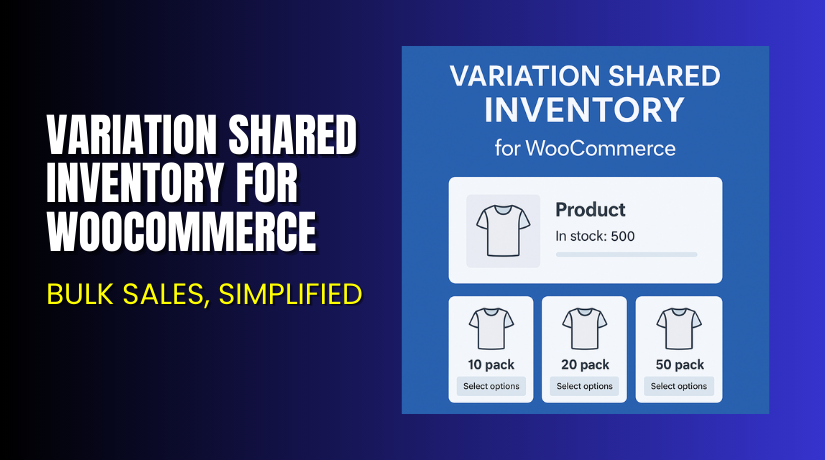
Variation Shared Inventory for WooCommerce – Bulk Sales, Simplified
Table of Contents
- Introduction
- What is Variation Shared Inventory for WooCommerce?
- Key Features of Variation Shared Inventory Plugin
- How to Install and Configure the Plugin?
- Pricing & License Details
- My Experience with the Plugin
- Who Should Use This Plugin?
- Final Verdict
- FAQ
Introduction
If you sell variable products in WooCommerce, managing stock can get tricky. For example, if you sell T-shirts in different sizes but keep one total inventory, WooCommerce doesn’t support that natively. Each variation has to be managed separately.
This leads to confusion, over-selling, and manual corrections.
The solution? The Variation Shared Inventory for WooCommerce plugin by Webiswoo. This plugin lets you share inventory between product variations, making bulk sales easy and reliable.
In this guide, we’ll explain what the plugin does, how to set it up, pricing, pros and cons, and if it fits your business.
Need help setting it up or troubleshooting issues? Use our Installation & Troubleshooting Services.
What is Variation Shared Inventory for WooCommerce?
Variation Shared Inventory for WooCommerce is a premium plugin by Webiswoo that allows store owners to link the stock of different variations to a single inventory count.
This is especially useful for sellers who offer multiple variations of a product, but only maintain one physical inventory.
Let’s say you sell:
- Bottles with different cap colors
- Shirts in different sizes
- Books with different covers
In all these cases, the product is technically the same. You don’t want to manage separate inventory levels for each variation. This plugin links them together.
So, if you have 100 units in total, and someone buys “Red, Large”, the remaining stock for all variations automatically becomes 99.
No more overselling. No manual syncing.
- Plugin Page: Variation Shared Inventory on Webiswoo
- Official Documentation: Setup & Features
- Contact Developer: Webiswoo Support
Key Features of Variation Shared Inventory Plugin
| Feature | Description | Why It Matters |
| Shared Stock Across Variations | All product variations pull stock from the same inventory | Eliminates overselling and manual errors |
| Works with Bulk Sales | Sell in bulk with fewer stock updates | Saves time and increases accuracy |
| Single Activation per Site | One activation key per site | Avoids license issues |
| One-Year License | Valid for 365 days from activation | Includes updates and support |
| Simple Integration | Easy to apply to existing variable products | No advanced setup needed |
| Lightweight Plugin | Won’t slow down your site | Suitable for high-traffic stores |
This plugin is made for store owners who want simplicity and control.
Once installed, you don’t need to keep track of each variation separately. One change applies to all.
How to Install and Configure the Plugin?
Follow these steps to get started:
- Purchase the plugin from the official Webiswoo product page.
- Download the plugin ZIP file after purchase.
- Go to WordPress Dashboard → Plugins → Add New → Upload Plugin.
- Upload the ZIP and click Install Now.
- Activate the plugin.
- Go to your variable product settings in WooCommerce.
- Enable “Shared Inventory” option from the product edit page.
- Set your total stock at the product level.
- Save changes and test the variation stock behavior.
Please note:
- One license works for one site only
- The license is valid for 365 days from activation
If you need help, reach out to the developer or use our expert installation service
Pricing & License Details
| Plan | Price | License Terms |
| Single Site | $49/year | 1 activation, valid for 365 days |
This plugin is affordably priced at just $49 for one year of use.
There is no free version or trial. Your purchase includes:
- One year of updates
- Customer support
- Access to documentation
Buy it here → Purchase from Webiswoo
My Experience with the Plugin
We used the plugin on a store that sells athletic gear. Each product comes in 5 color and 4 size options — but the stock is shared.


Without this plugin, each variation needed separate stock. This caused inventory mismatches and customer complaints.
After installing the plugin:
Pros
- Easy to configure
- Stock updates apply across all variations
- Zero overselling after setup
- Works well with WooCommerce’s default inventory logic
- Developer provides fast support
Cons
- Only works with variable products
- No multi-site support in one license
- Does not integrate with third-party inventory apps
- License auto-expires after 365 days (needs renewal)
Still, it’s a simple and powerful tool for managing variable product stock.
Who Should Use This Plugin?
The Variation Shared Inventory plugin is perfect for:
- WooCommerce stores selling products with multiple variations
- Sellers managing shared physical inventory for all product options
- Shop owners struggling with variation-level stock tracking
- Stores that sell in bulk and want simpler inventory control
- Admins who need a quick setup with no learning curve
It’s especially useful for:
- Apparel stores
- Print-on-demand shops
- Wholesale businesses
- Handmade or craft sellers with limited batches
Useful Resources
For more information, setup help, or troubleshooting, use the following:
- Official Plugin Page – Webiswoo
- Plugin Documentation – Webiswoo Docs
- Developer Contact – Webiswoo
- WooHelpDesk Installation Services
Final Verdict
If your WooCommerce store uses product variations but only keeps a single inventory, this plugin is essential.
It removes the need to:
- Manually update each variation
- Track inventory at multiple levels
- Handle stock mismatch complaints
For just $49 per year, it solves a common WooCommerce limitation. It’s also easy to set up and doesn’t slow your store down.
Start here → Get Variation Shared Inventory Plugin
Need setup help? Try our Installation & Troubleshooting Services
FAQ
Q1. Does the plugin support all product types?
No. It only works with variable products in WooCommerce.
Q2. Can I use one license on multiple sites?
No. One license = one activation for 365 days.
Q3. Does it track inventory at the variation level?
No. All variations share one central stock number.
Q4. What if I need help during setup?
Use Webiswoo’s contact form or our WooHelpDesk service.



