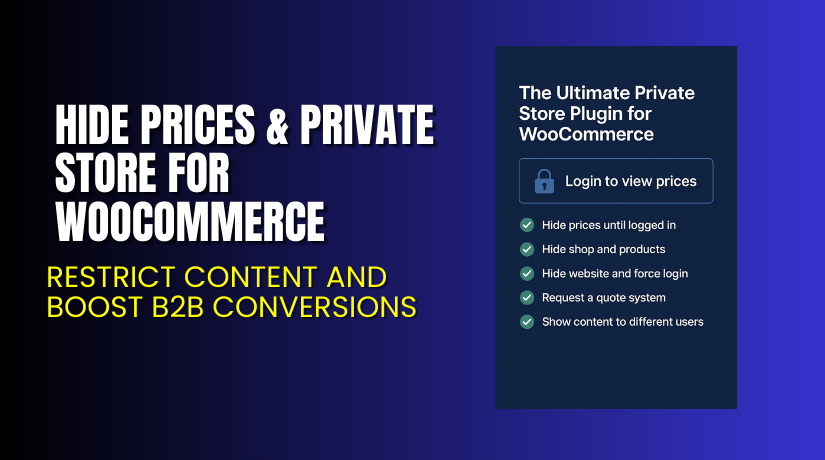
Hide Prices & Private Store for WooCommerce – Restrict Content and Boost B2B Conversions
Table of Contents
- Introduction
- What is Hide Prices & Private Store for WooCommerce?
- Key Features of Hide Prices & Private Store
- How to Install and Configure the Plugin?
- Pricing & Plan Details
- My Experience with Hide Prices & Private Store
- Who Should Use This Plugin?
- Final Verdict
- FAQ
Introduction
Many WooCommerce store owners want to hide product prices or restrict access. This is especially common in wholesale, B2B, or membership-based stores. WooCommerce by default shows prices and products to everyone. This makes it difficult to create a private store experience or encourage customer signups before showing prices.
That’s where Hide Prices & Private Store for WooCommerce comes in.
This plugin lets you hide prices, restrict product access, and even replace the cart with quote requests. It gives store owners full control over who can see prices or shop. Whether you’re building a wholesale portal or a private catalog, this plugin is a lightweight but powerful tool.
In this article, we’ll cover what the plugin does, how to install it, and why it may be right for your WooCommerce store. We’ll also explore pricing, pros and cons, and how to get expert support.
If you need setup help, try our Installation & Troubleshooting Services.
What is Hide Prices & Private Store for WooCommerce?
Hide Prices & Private Store is a WooCommerce plugin that allows you to:
- Hide prices from guests or specific user roles
- Restrict access to your entire store or product catalog
- Show custom messages instead of prices
- Replace the cart with a “Request a Quote” button
- Customize visibility rules for users, countries, and roles
The plugin is perfect for B2B, wholesale, membership, or gated stores. Developed by WebWizards, this plugin offers a simple but flexible interface to manage your store’s visibility rules.
It’s ideal for use cases like:
- B2B catalogs with custom quotes
- Private member-only shops
- Region-restricted sales
- Early access stores for special customers
Official Plugin Page: Visit Plugin Page
Documentation: View Documentation
Support: Submit Ticket
Key Features of Hide Prices & Private Store
| Feature | Description | Why It Matters |
| Hide Prices from Guests | Only logged-in users can see product prices | Encourages account creation and restricts price visibility |
| Hide Add to Cart Button | Replace cart button with custom message or quote option | Prevents direct checkout from unwanted users |
| Private Store Mode | Hide all products unless users are logged in | Perfect for B2B, members-only, or wholesale catalogs |
| Quote Request System | Replace checkout with a quote form | Better for negotiated pricing or B2B workflows |
| Role-Based Price Hiding | Hide prices from specific user roles or customers | Allows tiered access across customers |
| Geo-Based Restrictions | Hide prices for specific countries using IP detection | Useful for region-specific pricing or compliance |
| Custom Messages | Display login prompts in place of pricing | Improves UX while guiding visitors to login or register |
| Content Shortcodes | Show different content for different users | Display dynamic messaging or product info per user type |
These features can work together or be used independently. You can tailor visibility rules exactly as needed.
How to Install and Configure the Plugin?
Installing the plugin is quick and easy. Here’s a step-by-step guide:
- Purchase the plugin from the official plugin page.
- Download the ZIP file provided after purchase.
- Log in to your WordPress admin panel.
- Navigate to Plugins > Add New > Upload Plugin.
- Upload the ZIP file and click Install Now.
- Once installed, click Activate.
- Visit WooCommerce > Settings > Hide Prices to configure options.
Setup Tips:
- Choose whether to hide prices from all guests or selected user roles.
- Replace the add-to-cart button with a quote button if needed.
- Set up custom messages like “Please login to view pricing”.
- Use shortcode to display custom content based on user role or login status.
- Enable private mode to block access to the entire store for guests.
If you need help with installation, try our plugin setup service.
Pricing & Plan Details
The plugin is available under a simple and affordable plan:
| Plan | Price | Includes |
| 1-Year Plan | $49 | Plugin updates and support for one year |
- Billed annually at $49
- Equal to $4.09/month
- Save up to 40% during promotional sales
- Total discount is shown at checkout
For full features and secure checkout, visit the official plugin store.
Buy Hide Prices & Private Store Now
If you’re ready to restrict access and improve customer targeting, this plugin is a great fit.
Need technical help? Visit our expert service page.


My Experience with Hide Prices & Private Store
After testing this plugin on a client’s B2B store, here are my key takeaways:
Pros:
- Fast setup and lightweight interface
- Works well with modern WooCommerce themes
- Custom messages and visibility rules work perfectly
- Quote request is simple and functional
- Affordable compared to large B2B suites
Cons:
- Not suitable for complex tiered pricing (use B2BKing for that)
- No built-in analytics or quote tracking dashboard
- Some advanced use cases may require extra shortcodes or filters
Overall, this plugin is a great solution for basic to medium-level B2B store needs.
Who Should Use This Plugin?
The plugin is ideal for:
- Wholesale stores that want to hide prices from the public
- B2B stores needing quote-based workflows
- Private membership stores with exclusive access
- Retailers that only sell to registered users
- International stores needing region-specific restrictions
Not ideal for:
- Shops needing advanced group-based pricing (use B2BKing)
- Multi-vendor stores without extra customization
Useful Resources
Use these links to get started or request help:
- Official Plugin Page
- Official Documentation
- Contact Developer
- Support Ticket Form
- WooHelpDesk Setup Service
Final Verdict
If you’re looking for an affordable and powerful way to:
- Hide prices from guests,
- Restrict product visibility,
- Create a private WooCommerce store,
then Hide Prices & Private Store is the best choice.
It’s flexible, beginner-friendly, and backed by a trusted development team. Perfect for smaller B2B or private stores that don’t need a full suite like B2BKing.
Buy it today and transform how your store controls access and visibility.
FAQ
Q1. Can I hide prices from only specific user roles?
Yes, you can choose which roles can or cannot see prices.
Q2. Can I show a quote button instead of add to cart?
Yes, the plugin includes a quote request feature to replace the cart.
Q3. Will this work with any WooCommerce theme?
It works with most WooCommerce-compatible themes. Always test before launch.
Q4. Is support included with the $49 plan?
Yes, support and updates are included for one year.
Q5. Where can I get help with configuration?
Use our setup and troubleshooting service for fast expert help.



