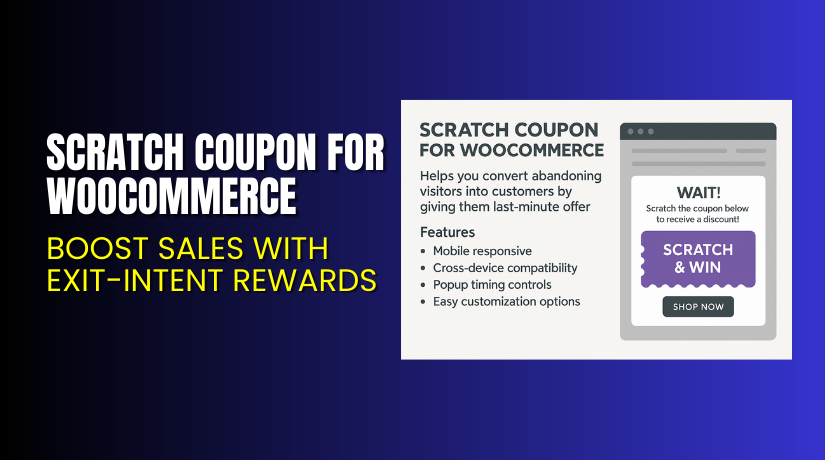
Scratch Coupon for WooCommerce – Boost Sales with Exit-Intent Rewards
Table of Contents
- Introduction
- What is Scratch Coupon for WooCommerce?
- Key Features of Scratch Coupon for WooCommerce
- How to Install and Configure Scratch Coupon for WooCommerce
- Pricing & Plans
- My Experience with Scratch Coupon for WooCommerce
- Who Should Use This Plugin?
- Final Verdict
- FAQ
Introduction
Running a WooCommerce store means you’re constantly managing multiple plugins. From payment gateways to marketing tools, every extension claims to help your business grow. But not all of them do.
One major challenge store owners face is cart abandonment. Many users visit your store, browse products, add items to their cart — and then leave. This means lost revenue and wasted marketing efforts.
That’s where Scratch Coupon for WooCommerce comes in. It helps convert abandoning visitors into buyers by offering them interactive last-minute discounts.
In this guide, we’ll explore what Scratch Coupon does, its key features, how to install it, pricing options, pros and cons, and who should consider using it.
Need help with setup or facing plugin issues? Try our Installation & Troubleshooting Services for personalized support.
What is Scratch Coupon for WooCommerce?
Scratch Coupon for WooCommerce is a conversion optimization plugin created by WP1, designed for store owners who want to reduce cart abandonment.
When a visitor tries to leave your site, this plugin shows an interactive scratch card popup. Users can “scratch” the card using their mouse or finger to reveal a hidden coupon or promo code. This simple game-like experience increases user engagement and encourages last-minute purchases.
This plugin supports both mobile and desktop devices, and works with all standard WooCommerce themes.
It is available on the official WooCommerce marketplace with regular updates, support, and a 30-day money-back guarantee.
You can find full documentation here: Scratch Coupon Documentation
Support queries can be submitted via the WooCommerce Contact Page.
Key Features of Scratch Coupon for WooCommerce
| Feature | Description | Why It Matters |
| Exit Intent Popups | Detects when users are about to leave your site and shows a scratch card. | Helps recover abandoning visitors and increase conversion rate. |
| Interactive Scratch Cards | Users “scratch” to reveal a coupon. | Creates engagement and curiosity, improving the shopping experience. |
| Customizable Popup Design | Change text, background, colors, and popup image. | Allows branding consistency and fits your store’s theme. |
| Mobile Responsive | Fully responsive on all screen sizes. | Works seamlessly on phones, tablets, and desktops. |
| Cross-Device Compatibility | Compatible with most WooCommerce themes and setups. | No need for manual adjustments across devices. |
| Popup Timing Control | Set when and where the popup appears. | Target specific pages or actions for better results. |
How to Install and Configure Scratch Coupon for WooCommerce
Here’s a step-by-step guide to get started:
- Purchase and download the plugin from the official WooCommerce page.
- Go to WordPress Dashboard → Plugins → Add New → Upload Plugin.
- Upload the downloaded ZIP file and click Install Now.
- After installation, click Activate.
- Go to Settings → Scratch Coupon.
- Customize popup image, text color, visibility, and behavior.
- Save your settings and test the popup on various devices.
Facing issues? Our experts can help with plugin setup, theme conflicts, or popup styling.
Use our Installation & Troubleshooting Services.
Pricing & Plans
The plugin is available in a simple annual pricing model.
| Plan | Price (USD) | Includes |
| Annual | $29/year | Full features, updates, and customer support |
- Price per month: ~$2.42 (billed annually)
- Includes 1-year updates and technical support
- 30-day money-back guarantee
- No free version available
Buy it here: Get Scratch Coupon for WooCommerce – Official Page
Buy Scratch Coupon for WooCommerce Now
Ready to reduce cart abandonment and grow your sales?
✅ Buy Scratch Coupon for WooCommerce Premium
Your purchase includes 1 year of updates and support from the official WooCommerce team.


Bonus: When you buy through our link, you also get access to our
Installation & Troubleshooting Services for personalized help.
My Experience with Scratch Coupon for WooCommerce
We tested Scratch Coupon on a live WooCommerce site over the span of 30 days. It was easy to configure and worked as expected.
Pros:
- Quick setup and user-friendly interface
- Fully mobile-responsive and compatible with all major themes
- Excellent for reducing cart abandonment
- Engaging and fun for users
- Customizable popups to match brand identity
- Affordable pricing at $29/year
Cons:
- Only one plan available — no free version to try
- Limited styling control for advanced designers
- Might require testing on older themes for best fit
Who Should Use This Plugin?
Scratch Coupon is ideal for:
- WooCommerce store owners who are losing revenue due to cart abandonment.
- Marketing agencies that manage conversion rates for multiple clients.
- Beginners who want a simple tool to retain visitors without complex settings.
This plugin is particularly useful during sales events or seasonal campaigns.
Useful Resources
- Official Plugin Page (Buy Now)
- Official Documentation
- WooCommerce Contact & Support Page
- WooHelpDesk Installation & Troubleshooting Services
Final Verdict
If you want a simple and effective way to stop losing customers, Scratch Coupon for WooCommerce is a solid choice. It uses proven behavioral triggers like exit intent and gamification to keep users on your site longer.
It’s affordable, regularly updated, and backed by WooCommerce’s support team.
Buy Scratch Coupon for WooCommerce today and start turning visitors into buyers.
Need help installing or configuring it? Our Installation & Troubleshooting Services are here for you.
FAQ
Q1. Is Scratch Coupon compatible with all WooCommerce themes?
Yes. It works with most standard and custom WooCommerce themes. Still, testing before going live is recommended.
Q2. Can I use multiple discount offers with Scratch Coupon?
Yes. You can configure different coupon codes or offers. These are revealed when users scratch the popup.
Q3. How do I get support for Scratch Coupon?
You can contact the official team via the WooCommerce Support Page.



