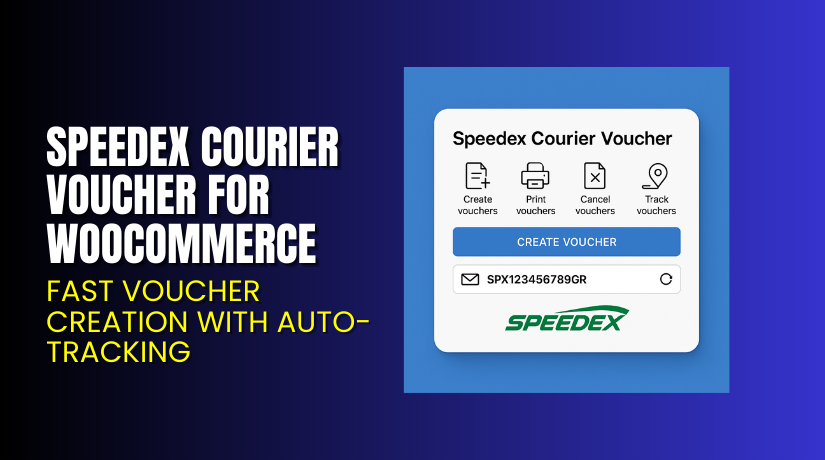
Speedex Courier Voucher for WooCommerce – Fast Voucher Creation with Auto-Tracking
Table of Contents
- Introduction
- What is Speedex Courier Voucher for WooCommerce?
- Key Features of Speedex Courier Voucher for WooCommerce
- How to Install and Configure Speedex Voucher Plugin
- Pricing & Plans
- My Experience with Speedex Voucher Plugin
- Who Should Use This Plugin?
- Final Verdict
- FAQ
Introduction
Running a WooCommerce store in Greece comes with unique shipping challenges. If you’re using Speedex Courier, managing labels and tracking can be frustrating.
You’re likely dealing with manual entry, delays, and customer support tickets. This takes time away from growing your business.
The solution? Speedex Courier Voucher for WooCommerce. This premium plugin allows you to create, print, and track Speedex shipping vouchers directly from your WordPress dashboard.
Whether you’re sending one package or hundreds a day, this tool saves time and eliminates errors. In this article, we’ll explore what the plugin does, how to install it, pricing, features, pros, and who should use it.
If you ever need professional help setting it up, try our Installation & Troubleshooting Services.
What is Speedex Courier Voucher for WooCommerce?
Speedex Courier Voucher for WooCommerce is a premium plugin by WPSlash. It connects your WooCommerce store with Speedex Courier, one of the top delivery services in Greece.
The plugin lets you:
- Create shipping vouchers from the order page
- Generate labels in bulk
- Automatically send tracking emails
- Manage everything without logging into Speedex’s portal
It removes manual steps and centralizes order fulfillment inside WordPress. You get full control, better accuracy, and faster shipping.
What You Can Do With This Plugin:
- Generate Speedex vouchers for each order
- Print vouchers individually or in bulk
- Automatically email tracking numbers to customers
- Speed up fulfillment workflows with just a few clicks
Plugin Developer: WPSlash
Official Plugin Page: Speedex Courier Voucher for WooCommerce – WPSlash
Documentation: Speedex Plugin Setup Guide
Support Page: Submit Ticket to WPSlash Support
Key Features of Speedex Courier Voucher for WooCommerce
| Feature | Description | Why It Matters |
| Easy Voucher Generation | Create vouchers in one click from your order page | Saves time and avoids manual errors |
| Bulk Voucher Printing | Print vouchers for multiple orders at once | Perfect for high-volume stores |
| Auto Email Notifications | Sends tracking details via email to customers | Keeps your customers informed automatically |
| Speedex Integration | Direct connection with Speedex Courier | Tailored for the Greek shipping ecosystem |
| Fully in WordPress | No need to log in to Speedex portal | One dashboard for everything |
| Designed for WooCommerce | Seamlessly fits into WooCommerce order flow | Reduces learning curve and setup time |
How to Install and Configure Speedex Voucher Plugin
Installing the plugin is simple. Even non-technical users can follow these steps:
- Purchase the plugin from the official WPSlash page.
- Download the plugin ZIP file.
- Go to your WordPress dashboard.
- Click Plugins → Add New → Upload Plugin.
- Upload the ZIP file and click Install Now.
- After installation, click Activate.
- Navigate to WooCommerce → Settings → Shipping → Speedex.
- Add your API credentials and set preferences.
- Test by placing a sample order and generating a voucher.
For issues with installation or conflicts with themes, we offer professional Installation & Troubleshooting Services.
Pricing & Plans
This plugin is available as a one-time purchase with premium support.
| Plan | Price (USD) | Includes |
| Single Website License | $129 | Full plugin features + updates + support |
- 30-day money-back guarantee
- Secure checkout via PayPal
- No recurring fees or subscriptions
Buy Speedex Plugin Now
Purchase Now → Get Speedex Courier Voucher Plugin
Buying through this link helps support future tutorials and plugin development.
You’ll get:
- Instant download
- Lifetime access on one website
- Free updates and premium support
- 30-day refund guarantee (no questions asked)
My Experience with Speedex Courier Plugin
I installed and tested the plugin on a WooCommerce store with 80+ daily orders. Most deliveries were handled via Speedex.
The installation process took less than 5 minutes. After entering the required credentials, I generated vouchers for multiple test orders — everything worked perfectly.
Pros:


- Fast and intuitive setup
- Bulk printing works without slowing down
- Email notifications are triggered automatically
- Reduces errors and saves time
- Works well with standard WooCommerce themes
Cons:
- No free version to test
- Limited to Speedex (not for other couriers)
- License is for one website only
If you manage Greek eCommerce orders with Speedex, this plugin is a must-have.
Who Should Use This Plugin?
This plugin is ideal for:
- WooCommerce stores in Greece using Speedex Courier
- Businesses fulfilling many orders per day
- Site owners who want fewer manual tasks
- Agencies managing multiple WooCommerce clients
- Beginners looking for a simple shipping solution
Whether you’re running a food store, boutique, or electronics shop — if Speedex is your courier, this plugin fits.
Useful Resources
Here are official resources to help you succeed with the plugin:
Save these links for future reference or troubleshooting.
Final Verdict
Shipping is one of the most important parts of your store. If you’re using Speedex Courier, this plugin automates the voucher process, improves tracking, and boosts customer satisfaction.
Instead of switching between platforms, you handle everything in WooCommerce. This reduces delays and errors, and improves order flow.
At $129, with a one-time license and 30-day refund policy, it offers great value. It’s designed specifically for the Greek market, which makes it unique and effective.
Buy it today and save hours of manual work each week.
→ Get Speedex Courier Voucher Plugin
Need technical help? Use our Installation & Troubleshooting Services
FAQ Section
Q1. Is this plugin compatible with all WooCommerce themes?
Yes. It works well with standard WooCommerce-compatible themes. Test before going live.
Q2. Can I use this on more than one site?
No. The license allows use on one website only.
Q3. Does it send tracking information to customers?
Yes. It automatically emails the tracking number once the voucher is created.
Q4. Is a free version available?
No. This is a premium-only plugin with no free trial.
Q5. What if I face plugin issues or conflicts?
Use our Installation & Troubleshooting Services for fast support.



